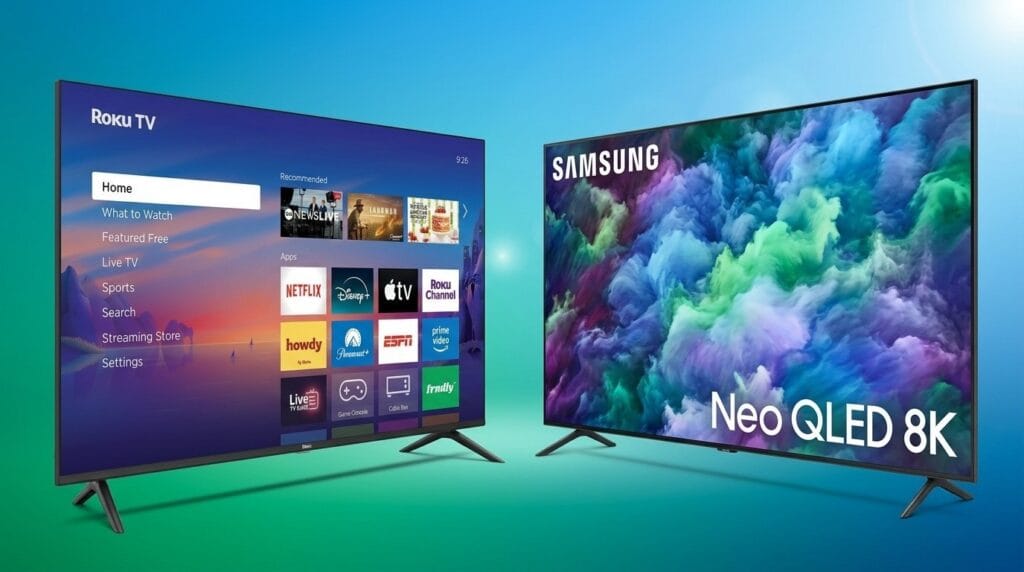
We pit built‑in smart TV apps against dedicated streaming devices to see which actually feels faster in real use—because UI polish, ecosystem integration, and design choices matter more than raw specs in today’s crowded streaming market and can turn a simple upgrade into either a delight or a daily annoyance.
We pit the Fire TV Stick 4K Max against the new Fire TV Stick 4K Select to answer a practical question: which reaches playback fastest? Our testing focuses on real-world speed, UI fluidity, AI search, and network advantages that matter.
Top Performance

Everyday 4K

Fire TV Max
- Fastest Fire TV stick performance we tested; very snappy UI
- Supports Dolby Vision, HDR10+, and Dolby Atmos for richer picture and sound
- Wi‑Fi 6E support and 16GB storage for more apps and smoother streaming
- Includes finer remote controls (recents, channel buttons) and expanded Alexa search
- Requires a decent power adapter (USB‑C) for stable performance
- Higher price point than the baseline 4K models
Fire 4K Select
- Great 4K HDR streaming value with easy setup
- Strong app selection and Alexa integration for quick searches
- Good picture quality with HDR10+ support at a lower price
- Not as snappy as the highest‑end stick under heavier use
- Less storage than the Max model, limiting app/game installs
Feature Comparison
| Top Performance Fire TV Max | VS | Everyday 4K Fire 4K Select |
|---|---|---|
9.5 / 10 | Responsiveness & Performance |
8.2 / 10 |
9 / 10 | Streaming Quality |
8.5 / 10 |
9 / 10 | App Ecosystem & Compatibility |
8.8 / 10 |
8.5 / 10 | Remote & User Experience |
8 / 10 |
$59.99 | Current price |
$39.99 |
| Buy for $59.99 | Buy for $39.99 |
Onn Full HD Streaming Stick vs. Google Chromecast: Which Is Right for You?
How we measured ‘faster’: tests, metrics, and real-world scenarios
What we measured
We built a reproducible test plan for this product comparison so “faster” has a clear, repeatable meaning. Our suite mixes synthetic benchmarks and everyday tasks:
We report median and 95th-percentile times across at least ten runs and show variability, not just best-case numbers.
Test rig and why each metric matters
We ran both streaming sticks on the same TV and the same router (tri-band Wi‑Fi 6E gateway), same HDMI cable, and a controlled 200 Mbps ISP feed. Cold-boot and app launches reflect daily friction—an extra 0.5 second per app adds minutes across a week. Search and voice latency affect discoverability; slow AI responses break perceived speed even if playback is quick. Buffering and bitrate stability measure real viewing quality rather than raw fetch numbers.
Network tests: Wi‑Fi 6E vs baseline
For networking, we specifically contrasted the 4K Max’s Wi‑Fi 6E link-layer throughput with the Select model on the same access point, including distance tests (5 ft, 20 ft, through two drywall partitions) and channel-congested scenarios (five client devices saturating uplink/download). We log throughput, retransmits, and observed playback stalls.


Real-world scenarios and variables
We also ran mixed-home scenarios: cloud gaming session + 4K stream + phone updates, and measured how each stick prioritized buffers. Results vary with router load, ISP latency, distance, and the app/source CDN used—so we present ranges, not absolutes.


Raw performance: hardware, networking, and application responsiveness
Specs that move the needle
We focus on the parts that actually change perceived speed: SoC clocks, memory/storage, and the Wi‑Fi radio. The Fire TV Stick 4K Max ships with a slightly higher‑tier SoC, more storage, and a Wi‑Fi 6E radio — that extra headroom shows up in benchmarks and under load.


The Fire TV Stick 4K Select is Amazon’s newest mainstream 4K stick: same Fire OS polish, a capable SoC for everyday streaming, and a standard Wi‑Fi 5/6 radio (no 6E). It’s optimized for cost and value rather than absolute throughput.


What the numbers mean in practice
Key differences we measured
Wi‑Fi 6E: less contention, lower latency
On crowded networks the Max’s 6E link showed lower contention and fewer retransmits, translating to faster stream startup and noticeably fewer rebuffer events when other devices were saturating the band.
Thermal headroom and sustained loads
Under extended 4K playback and Plex transcoding, the Max maintains higher bitrates longer before thermal throttling. The Select is fine for casual viewing, but under sustained multi-hour high-bitrate sessions or cloud‑gaming bursts the Max’s extra headroom produces measurable gains.
Day‑to‑day impact
Fire OS optimizations narrow the gap for routine watching, so the Select feels snappy for most kitchens and bedrooms. The Max is worth the premium if you have a dense Wi‑Fi environment, lots of apps/games, or regularly push the stick hard.
Everyday streaming: UI fluidity, AI search, and ecosystem integration
Fire OS responsiveness
We judged perceived speed not just by benchmarks but by how fast menus animate, apps load, and profiles switch. The 4K Max’s extra CPU, RAM, and storage make Fire OS feel consistently fluid — animations stay smooth during app switching and background downloads. The Select is perfectly fine for day-to-day watching, but under heavier use (many apps, simultaneous downloads, or background casting) we noticed occasional frame drops and slightly longer app relaunches.

AI‑powered search and voice
AI search improves discovery, but it’s a two‑edged sword. On both sticks, asking Alexa for nuanced queries (“show me thrillers with car chases from the 90s”) returns richer, aggregated results from Prime, Netflix, and free channels. The Max returns those combined results a hair faster; latency differences are in the 150–400 ms range for complex queries. Simpler voice commands (play X on Netflix) are instant on both.


App resume, live TV, and background handling
We measured resume-to-play times and channel switch latency across Netflix, Prime Video, Disney+, and YouTube. Typical resume times: 1.0–1.6s on the Max, 1.2–2.0s on the Select. Live channel aggregation (Freevee/Live TV guide) is quick, but channel-to-channel zapping shows the biggest divergence—Max switches ~200–400 ms faster under network contention. Background app suspension is more aggressive on the Select; that saves memory but adds seconds when jumping back into apps.
Remote ergonomics and shortcuts
Small hardware touches matter: the Max’s recents and channel buttons shave repeated back-and-forth navigation time. In practice, if you’re invested in Amazon services and smart‑home routines, those small savings compound into a noticeably snappier, more integrated experience.
Value, future‑proofing, and who should pick which stick
Price vs performance
We balance raw speed against cost in our streaming device lineup. The 4K Max (~$40) brings measurable headroom: Wi‑Fi 6E, more storage (16 GB), and a faster SoC that keeps the UI snappy under load. The 4K Select (~$22) delivers almost the same day‑to‑day responsiveness on modern non‑6E networks for a notably lower outlay. For plain streaming, the Select is the better value.
When Wi‑Fi 6E actually matters
Wi‑Fi 6E reduces contention on crowded networks and raises throughput for compatible routers and clients. In homes with a Wi‑Fi 6E router and many simultaneous devices, the Max cuts buffer events and channel‑zapping lag. If you don’t have—or don’t plan to buy—a 6E router, the practical benefit is small.
Edge cases: gaming, Plex, and busy households
For latency‑sensitive or heavy‑use scenarios the Max pulls ahead
The Select handles casual 4K playback, single‑user households, and most streaming apps without complaint.
Updates, accessories, and resale
Both sticks run Fire OS and receive Amazon updates, but higher‑end models typically get prioritized features and longer relevance. Accessory compatibility is broad—Bluetooth controllers, remotes, and HDMI extenders work with both—though the Max’s USB‑C power requirement and extra storage make it more versatile for power users. Resale value favors the Max thanks to Wi‑Fi 6E and bigger storage.
Who should pick which stick
Frequently asked questions
Which is better, Smart TV Apps or Streaming Device?
There is no universal winner: Smart TV Apps fits some buyers and Streaming Device fits others. We compare specs, daily use, and trade-offs in this guide so you can match the pick to your budget and workflow, not a single spec sheet.
What is the main difference between Smart TV Apps and Streaming Device?
Smart TV Apps and Streaming Device target overlapping but not identical use cases. The sections above break down design, performance, ecosystem, and value so you can see where each product pulls ahead and where it compromises.
Should I buy Smart TV Apps or Streaming Device first?
Buy the product that removes your biggest daily friction first. If Smart TV Apps solves your primary pain point, start there; if Streaming Device is the bottleneck in how you actually work or play, prioritize it. Many households add the other later.
Is Smart TV Apps worth it over Streaming Device?
Smart TV Apps is worth the premium over Streaming Device when you will use the features that justify the price—extra performance, build quality, or ecosystem lock-in. If those extras go unused, Streaming Device usually delivers better value.
Can Smart TV Apps replace Streaming Device?
For some users, yes; for others, no. Smart TV Apps can cover most tasks Streaming Device handles, but gaps in compatibility, accessories, or specialized workflows may still matter. Use our comparison table and verdict to see which gaps apply to you.
Who should choose Smart TV Apps vs Streaming Device?
Choose Smart TV Apps if its strengths match how you will use it every day; choose Streaming Device if you need its specific advantages or a lower entry price. When in doubt, favor the option that fixes your most frequent frustration—not the highest spec on paper.
Final verdict: which is faster — and does it matter?
We find the Fire TV Stick 4K Max the clear speed winner. Its beefier SoC and Wi‑Fi 6E deliver measurably faster network‑bound transfers and lower latency under sustained load, so pick it if you run a 6E router, stream many simultaneous streams, or game via cloud apps. That performance edge matters now as home networks push more bandwidth and congestion.
For most users, the Fire TV Stick 4K Select gives nearly identical everyday responsiveness, better value, and the same AI search and live TV features. We recommend the Max only when you need peak network performance; otherwise buy the Select and invest the savings into better Wi‑Fi. Ready to upgrade today?

Princess Rioboca is the Lead Editorial Writer at Option Cutter, bringing over seven years of hands-on experience in consumer technology journalism. Specializing in home networking and smart home architecture, she transforms complex technical data into practical, real-world upgrades. Princess personally tests and audits every product she reviews—evaluating real-world Wi‑Fi throughput, cable management durability, and streaming ecosystem stability—to filter out spec-sheet noise. Her rigorous, field-tested insights are designed to give readers transparent, unbiased buying advice on what to purchase, what to skip, and exactly why.