


We put standing desks and ergonomic chairs head-to-head — can a desk teardown or a chair upgrade actually cure back pain, or is the real winner how each integrates with your workflow, posture habits, and the wider accessory ecosystem?
We weigh the practical trade-off between STANDING DESKS and upgrading to an ERGONOMIC CHAIR, using two FLEXISPOT EN1 models (black seamless 48×24 and maple 1″ thick 48×24) as representative standing-desk options on Amazon. We promise experience-driven, design-focused analysis to show what actually helps back pain and real-world ergonomics tests too.
Value Option
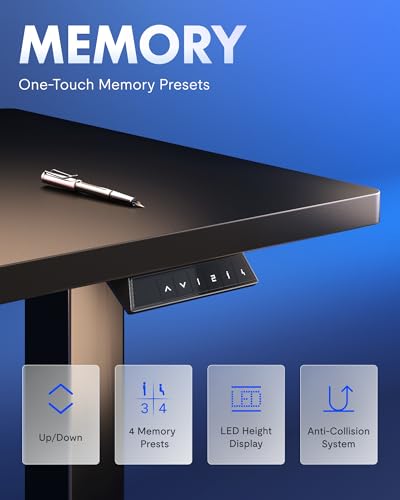
We found this configuration to be a compelling entry point to a sit-stand workflow: the motor is quiet, presets are reliable, and the one-piece top gives a reassuringly solid surface for everyday work. It’s not the stiffest commercial frame, but for home offices where cost and footprint matter it meaningfully reduces sitting time and related back strain.
Premium Stability
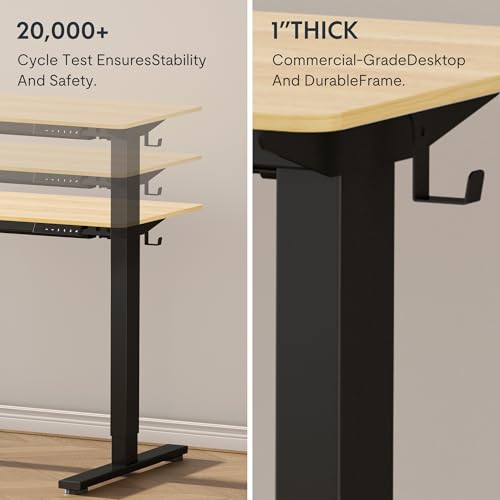
We appreciated the 1-inch top for anything beyond a lightweight setup: it reduces flex and makes multi-monitor or heavier equipment layouts feel more secure. The trade-offs are weight and a bit more assembly effort, but if stability and longevity matter most to your back health, this variant is the smarter buy.
FLEXISPOT EN1
FLEXISPOT EN1
FLEXISPOT EN1
FLEXISPOT EN1
FLEXISPOT EN1
FLEXISPOT EN1
How back pain responds to posture changes: what interventions actually move the needle
What the evidence and ergonomics tell us
We look at randomized trials, occupational ergonomics reviews, and biomechanical principles and come away with a simple claim: neither standing desks nor chairs are magic bullets. The interventions that reduce back pain change load distribution, preserve neutral spinal alignment, and increase movement—especially micro-movements—throughout the day. Standing tends to reduce sustained lumbar flexion (forward rounding), but static standing raises compressive load unless you shift weight, bend knees, or move regularly. A proper ergonomic chair supports lumbar lordosis and encourages tiny posture adjustments that reduce sustained muscle activation.
Load distribution and movement matter more than position
Decision rules we use
How that guides product judgment
We judge desks on adjustability range, tabletop stiffness (so your posture isn’t altered by wobble), and how easy they make transitions. The EN1 models are a good example: the thinner 0.6″ top is lighter and more affordable; the 1″ maple top trades cost for rigidity and higher weight capacity—both have electric adjustment and memory presets that make movement practical in a real workflow.
Comparing the FLEXISPOT EN1 variants: design, adjustability, and real-world use
Frame and stability
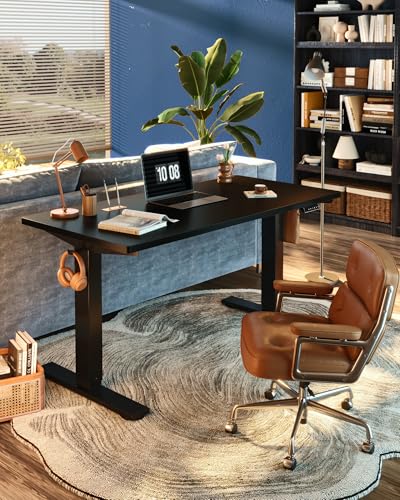
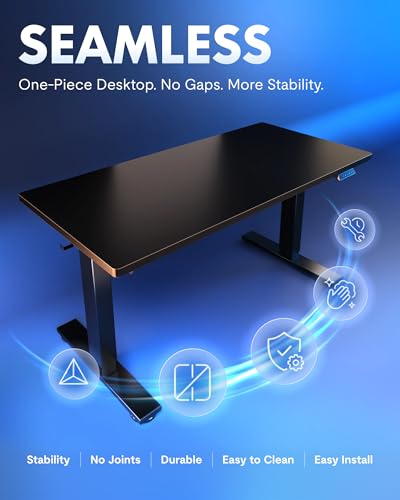
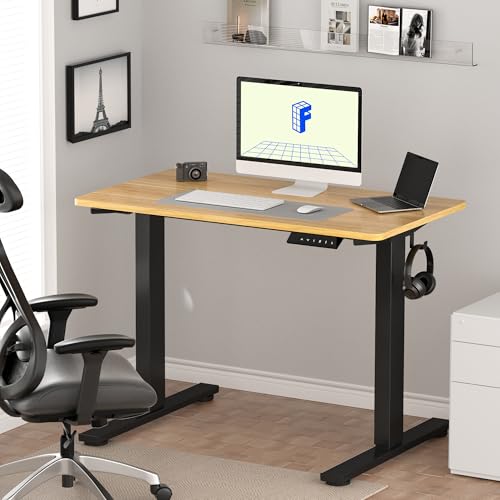
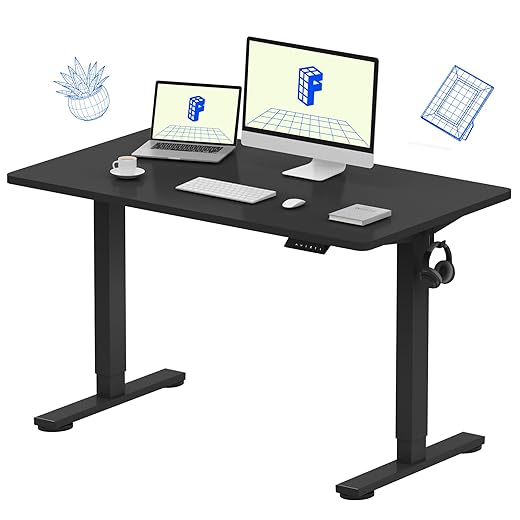
Both EN1 models use a one-piece top and alloy-steel base, which immediately reduces the side-to-side seam wobble you see on split tops. The thinner black top is lighter and rated for typical home setups; the 1″ maple raises the max load and resists sag over time. In practice the black top feels solid for single- and dual-monitor rigs, but the maple is noticeably firmer under heavy multi-monitor or drawing-table setups—important if your posture changes are frustrated by a bending surface.
Height range, speed, and memory
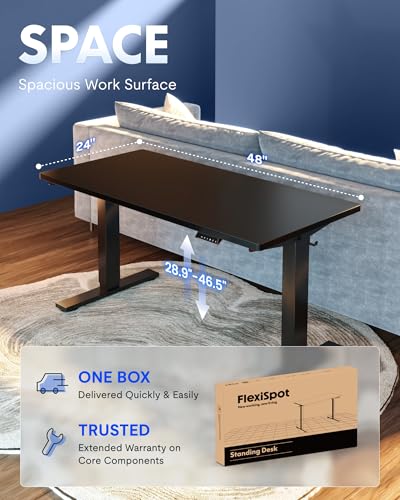
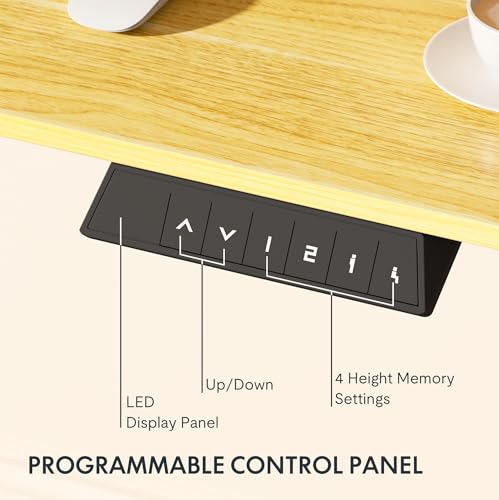
Ranges differ by less than an inch (black ~28.9″–46.5″; maple ~28.1″–45.7″)—a nonissue for most users. Both have the same quiet electric motor and four memory presets; transitions are smooth enough to make frequent sit/stand cycling practical, which is the actual driver of reduced back pain.
Desktop ergonomics: depth, edge, and material
The 24″ depth gives adequate monitor-to-eyes distance for most setups. The maple’s extra thickness raises mounted monitors slightly and gives a firmer edge for keyboard or wrist supports; the black top’s seamless finish is low-friction and easier to slide accessories on, but it’s marginally less rigid.

Installation, noise, cable management, and footprint
Expect the black model to be a one-person lift and the maple to require two people. Both are quiet in operation and compact in footprint. Neither includes a full cable-management tray by default, so plan on aftermarket clips or a simple under-desk tray to keep cords from tugging and altering posture. Small differences in thickness and stiffness change how stable your monitor and keyboard feel—those tactile factors matter more for long-term spinal comfort than a fraction of an inch in height range.
Side-by-Side Feature Comparison

What an ergonomic chair upgrade buys you (and what it doesn't)
Concrete benefits (what you actually gain)
We see real, measurable advantages from a modern ergonomic chair: dynamic lumbar support that tracks your spine, adjustable seat depth to keep hips stacked over knees, tilt mechanics that preserve lumbar lordosis, and broader contact surfaces that redistribute pressure to reduce muscle fatigue during long seated stretches. Those features translate into fewer micro-adjustments, less glute and lower‑back soreness after marathon calls, and better sustained posture.
Costs, setup, and compatibility with FLEXISPOT
A practical ergonomic chair runs roughly $250–$700 for something we’d recommend; budget options can be $100–$200 and high-end models >$800. Setup is low: unbox, attach armrests and base, set initial adjustments. Chairs are universally compatible with the EN1’s height range — the key is matching chair seat height to monitor and keyboard positions so you don’t slump.
What chairs don’t do
Chairs do not change the vertical compressive load on intervertebral discs that comes from prolonged sitting, and they won’t force you to stand. If you remain sedentary, many users report only modest pain improvement even after upgrading. Chairs also won’t fix a sagging desktop or an unstable monitor that prompts forward leaning.
Hybrid strategies and practical use cases
Pairing a quality chair with a sit‑stand desk often delivers the best outcomes: the desk encourages movement; the chair makes seated periods restorative. If you must pick one:
Ecosystem fit, cost, and practical trade-offs: which choice aligns with your workflow
Accessory compatibility
Both EN1 tops use the same frame and motor, so monitor arms, anti‑fatigue mats, and most under‑desk keyboard trays work across models. If you plan heavy dual‑arm monitor mounts or a drawing tablet, the 1″ maple top better resists sag and vibration — that stability matters for precise work.
Shipping and assembly
The thinner black top is lighter and engineered for single‑person assembly; it typically ships as one manageable package. The 1″ maple is significantly heavier, often in two boxes and best assembled with two people. If you live in a walk‑up apartment or tight hallways, factor that handling cost.
Resale, durability, and warranty
Expect the maple 1″ top to age better — higher load rating and denser tabletop mean less long‑term sag and higher resale value. Both list a limited/functional warranty through FLEXISPOT; coverage length can vary, so check the Amazon product page before buying.
Amazon availability and pricing
Both are sold on Amazon, but prices and stock fluctuate. The thinner EN1 is the budget option (~$110); the 1″ maple is pricier (~$190). Watch for bundles that include grommets or cable trays.
Total cost of ownership
Behavior-change impact
A standing desk nudges movement and reduces continuous sitting; a chair upgrade reduces strain during long seated periods but won’t make you stand. The desk is likelier to change behavior; the chair improves seated ergonomics.
Quick checklists
Final verdict — when to buy a FLEXISPOT desk, when to upgrade your chair, and our pick
We find a standing desk the better first move. Choose the FLEXISPOT EN1 with a one inch maple top if you run multiple monitors, need extra rigidity, or want a warmer aesthetic; choose the seamless black EN1 for a sleeker, budget conscious setup. The desk wins when pain stems from prolonged flexed sitting and when regular sit stand transitions reduce discomfort.
We recommend chair upgrade when you must sit or need targeted lumbar support. Tip: test lumbar adjustability. Combo: EN1 Maple + ergonomic chair.

Chris is the founder and lead editor of OptionCutter LLC, where he oversees in-depth buying guides, product reviews, and comparison content designed to help readers make informed purchasing decisions. His editorial approach centers on structured research, real-world use cases, performance benchmarks, and transparent evaluation criteria rather than surface-level summaries. Through OptionCutter’s blog content, he focuses on breaking down complex product categories into clear recommendations, practical advice, and decision frameworks that prioritize accuracy, usability, and long-term value for shoppers.









