


We cut through the buzz to show whether a dedicated smart home hub still gives us better device harmony, richer interfaces, and future‑proofed integrations—or if a lean Matter‑only setup finally delivers simpler, more reliable control without the ecosystem baggage.
We tested the Aqara Smart Home Hub M3 and Apple HomePod mini to settle whether a FULL smart hub or a Matter-only setup better serves modern homes; we examine setup, cross-platform compatibility, daily use, and long-term value so you can pick wisely.
Advanced Automation
We found it to be a powerful, purpose-built automation hub for users who want a local-first smart home backbone and broad protocol support. Its hardware options — PoE, USB‑C, IR, and encrypted storage — give it flexibility and reliability, but the Aqara-centric Zigbee approach and app quirks will push power users to plan network extenders and integrations carefully.
Apple Integration
We appreciate how the device simplifies smart-home control for users invested in Apple devices — setup and everyday use are frictionless. It excels as a HomeKit hub and Siri speaker, but it’s not a drop-in replacement for a multi-protocol hub if you need Zigbee routing, IR control, or advanced bridge features.
Aqara M3 Hub
Apple HomePod mini
Aqara M3 Hub
Apple HomePod mini
Aqara M3 Hub
Apple HomePod mini
Technology Foundations: Matter, Thread, Zigbee—and the practical differences
What Matter and Thread actually do
We start with the basics: Matter is a cross‑vendor application layer that standardizes commands (on/off, temperature, locks) so devices can talk to different platforms. Thread is the low‑power mesh network that gives Matter a reliable, self‑healing backbone for small sensors and controllers. The HomePod mini is a Matter‑first device: a compact Thread border router and Matter controller built to work seamlessly in Apple’s ecosystem.
Why Zigbee and Bluetooth still matter
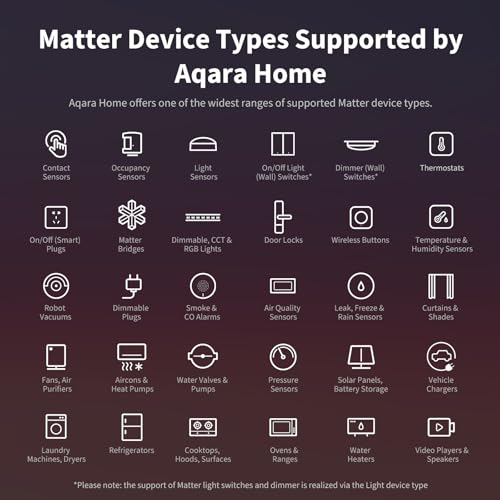
Matter + Thread is the future, but most homes already have Zigbee door/window sensors, battery temperature sensors using Bluetooth, and Wi‑Fi cameras. The Aqara M3 takes a hybrid approach: it’s a Matter controller and Thread border router that also speaks Zigbee, Bluetooth, Wi‑Fi, and even IR — plus PoE for stable placement. That hardware breadth lets us keep legacy devices working while moving compatible ones into Matter.


Practical differences that affect daily use
Design and Setup: Real-world installation, onboarding, and daily use
Unboxing and the first hour
With a HomePod mini we plug it in, hold an iPhone near it, follow the one‑tap Home setup, enable Thread and let Siri index Home. Most Matter/Thread devices we added showed up with no extra fuss — and because it’s a speaker, placement decisions are often driven by listening, not radio planning.
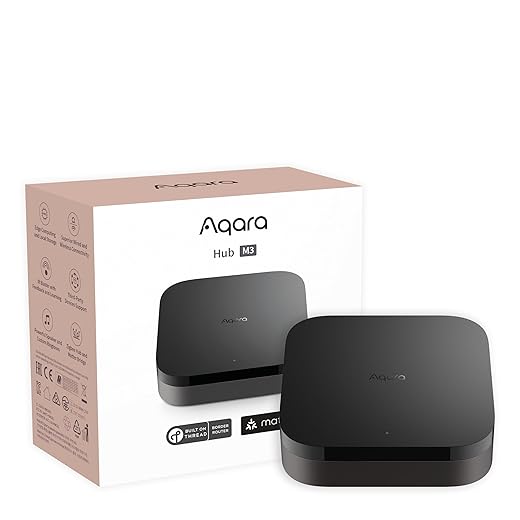
The Aqara M3 feels different: you choose power type (PoE, USB‑C, or wall outlet), mount if you want ceiling coverage, then use Aqara Home or the web UI. Magic Pair usually detects the hub quickly, but Zigbee migrations or third‑party pairings can require manual factory resets and device re-pairing. Expect the first hour to include firmware updates, Zigbee pairing retries, and enabling Matter bridging in the app.

Placement and everyday reliability
HomePod mini: put it in living spaces where voice and music matter; its Thread range is fine for nearby sensors, but you’ll need multiple nodes for whole‑house coverage. Automations that run through HomeKit/Apple devices are reliably local and quick.
Aqara M3: central household placement (hallway, ceiling) maximizes Zigbee and Thread reach. PoE gives rock‑solid connectivity for hubs that act as automation anchors. IR line‑of‑sight constraints mean the M3 is also a placement tradeoff if you want it hidden.
Typical pitfalls and fixes
Support and docs
Apple’s docs and onboarding are polished and terse; troubleshooting is mostly forum‑driven. Aqara’s official guides plus an active Home Assistant community fill gaps but require more patience and technical comfort.
Ecosystem Integration: Compatibility, services, and power-user workflows
Apple-first simplicity vs. open-ended flexibility
We found the HomePod mini is the clean option if your household lives in Apple: one‑tap setup, Siri and HomeKit automations that run locally, and iCloud‑backed scene syncing that just works. If you want minimal fuss, predictable names, and strong privacy controls, Apple’s silo is an advantage. But it’s also constrained — no Zigbee, no IR, and legacy devices need bridges to play nicely.
What Aqara brings to power users
The Aqara M3 is intentionally a Swiss Army knife for mixed ecosystems. It’s a Matter controller and Thread border router, a Zigbee bridge (Aqara‑device focused), an IR blaster, and it speaks Alexa, HomeKit, SmartThings, Home Assistant, and IFTTT. For people who tinker or run Home Assistant, that openness matters: we can centralize automations locally, create complex scripts, and maintain multi‑cloud redundancy.
Cross‑platform headaches we see
Integrating platforms introduces friction:
Why a hybrid hub often wins
For mixed households — Apple users plus Android/Alexa users — a hybrid approach with an Aqara M3 as a bridge and a HomePod mini for voice/audio balances convenience and compatibility. The M3 handles legacy Zigbee/IR and local automation complexity; the HomePod mini provides seamless HomeKit/Siri access and privacy‑focused voice control. In today’s market, that balance reduces friction while keeping both simplicity and advanced workflows within reach.
Performance, privacy, price, and who should pick which setup
Real-world responsiveness and resilience
We found Thread + Matter running on either device gives snappy, local automations for things like lights and sensors. The practical differences emerge when you add legacy kit and network variables. The Aqara M3 wins on resilience: PoE and USB‑C power options, wired fallback, Zigbee gateway and IR for TVs/AC — fewer single‑device single points of failure. The HomePod mini is solid for HomeKit automations and voice latency is minimal for Siri, but it can’t replace Zigbee/IR bridges.
Privacy, updates, and security posture
Apple leans on predictable, long‑term OS support and on‑device Siri processing for many requests — that’s meaningful for privacy and fewer cloud hops. Aqara’s M3 is privacy‑forward too: no mic/camera and encrypted local storage, plus local‑first automations. Firmware cadence differs: Apple’s update schedule is regular and highly public; Aqara issues security and feature updates but cadence and regional delivery can be uneven. For threat surface, the M3’s multi‑protocol role increases complexity, so we recommend enabling automatic updates and isolating hubs on a trusted VLAN.
Total cost of ownership
Upfront price is similar (roughly $110 HomePod mini vs $120 Aqara M3), but TCO depends on your existing devices. If you’d otherwise replace Zigbee remotes, sensors, or add multiple bridges, the M3 can save money. If you’re already Apple‑centric, the HomePod mini avoids extra bridges and user friction.
We map typical households to what we’d choose:
Feature Comparison

Final Verdict: Which is better for your home
We conclude neither approach is universally superior. For Apple-first households that prize low-friction setup, strong privacy, and tight HomeKit+Matter integration, the HomePod mini is the clear winner: it delivers seamless voice, reliable Thread mesh, and a minimal maintenance experience. For power users, mixed-brand households, or anyone with existing Zigbee/IR devices, the Aqara M3 wins: its protocol breadth, PoE option, and bridge capabilities future‑proof diverse devices and platforms.
Our recommendation is practical: pick the HomePod mini for simplicity and privacy inside Apple’s ecosystem; pick the Aqara M3 if you need cross-platform flexibility, advanced automation, and legacy-device support. Buy with the ecosystem and devices you already own today.

Chris is the founder and lead editor of OptionCutter LLC, where he oversees in-depth buying guides, product reviews, and comparison content designed to help readers make informed purchasing decisions. His editorial approach centers on structured research, real-world use cases, performance benchmarks, and transparent evaluation criteria rather than surface-level summaries. Through OptionCutter’s blog content, he focuses on breaking down complex product categories into clear recommendations, practical advice, and decision frameworks that prioritize accuracy, usability, and long-term value for shoppers.









