



Choose the Laptop That Actually Fits Your Life
We cut through specs-speak and marketing to help us choose a laptop that matches our workflow, study habits, or gaming needs. Over 200 million laptops ship yearly, so we focus on design, ecosystem fit, real-world usability, and long-term durability too.
What You’ll Need Before We Start
We need

The Ultimate Laptop Buying Guide: How to Choose the Right Laptop
Define the Primary Use and Workflow
Is this a study-sprinter, a professional marathoner, or a gaming beast? The answer changes everything.Identify the single most important decision: what we’ll do on this laptop most of the time. Manufacturers optimize for use-cases, so mapping tasks to device priorities shrinks our options quickly.
Match your workflow to core priorities
For each scenario, list your daily apps and the longest sessions (all-day classes, eight-hour workdays, or marathon play). That concrete list tells us whether to chase portability, power, or a balanced midrange machine.
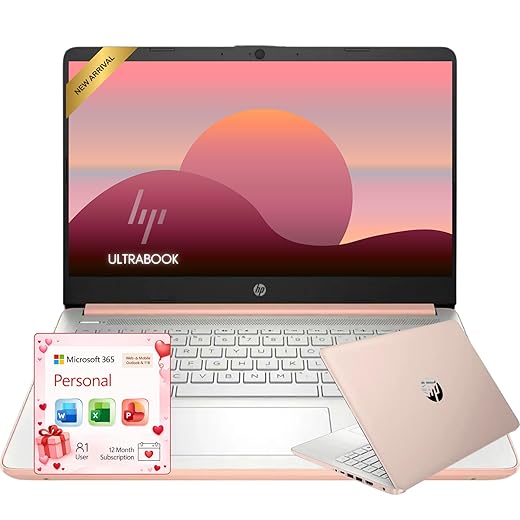
Set a Realistic Budget and Cost Priorities
Spend where it matters—don’t get tricked into paying for shiny extras you won’t use.Set clear price tiers so we know what to expect. For under $700, buy a reliable web-and-docs machine: decent battery life, eMMC/entry SSD, and plasticky chassis. For $700–$1,200, aim for the sweet spot—faster NVMe storage, 8–16 GB RAM, better displays, and sturdier builds. For $1,200+, target premium CPUs, improved thermals, and discrete GPUs for gaming or creative work.
Expect real-world differences to matter more than bells and whistles. Prioritize
Account for total cost: warranty, a good charger or dock, an external monitor, and ecosystem costs (dongles for M-series Macs).

Choose the Right Operating System and Ecosystem
The OS is more than software—it's your digital furniture. Will your phone, tablet, and cloud play nicely?Choose macOS when you live inside Apple’s world: use an iPhone, iPad, or Apple Watch and want seamless Handoff, iMessage, and industry-leading battery life from Apple silicon. Expect fewer drivers to worry about and long software support — justify higher upfront cost by the smoother multi-device workflow.
Prefer Windows when you need broad hardware choice, enterprise app compatibility, or the best gaming support (DirectX, large Steam/PC game libraries). Expect easier repairs, more ports, and legacy app support.
Pick ChromeOS when you want a cheap, low-maintenance school machine with fast wake, long battery life, and cloud-first workflows (Google Classroom, Android apps).
Weigh app availability, peripheral compatibility, and platform features

Match Core Specs to Real Needs (CPU, GPU, RAM, Storage)
Stop worshiping clock speeds—what really affects day-to-day speed and responsiveness?Match components to the way you actually work. We find most students and office users hit the sweet spot with a quad‑core or efficient 6‑core CPU, 8–16GB RAM, and an NVMe SSD for snappy boot and app loads. Creators and heavy multitaskers need more cores and 16–32GB RAM — think 8–12 cores for video or large Photoshop projects.
Prioritize GPU class for gaming and 3D work, and balance it with a CPU that avoids bottlenecks; aim for a GPU one tier above your expected settings (e.g., RTX 3060 for 1080p high).
Prioritize thermals over thinness: we’ve seen thin laptops hit peak scores then throttle — choose models with sustained‑performance benchmarks.
Check SSD capacity vs. external drives and prefer user‑upgradable storage/RAM where possible to extend lifespan.

Assess Design, Display, and Input for Comfort and Longevity
A pretty chassis is useless if the keyboard feels like a toy or the display ruins your eyes.Assess build materials, hinge stiffness, and thermal design first — they determine weight, durability, and whether the machine will throttle on heavy days. We prioritize real‑world comfort over spec sheets.
Test keyboards and touchpads in person when you can.
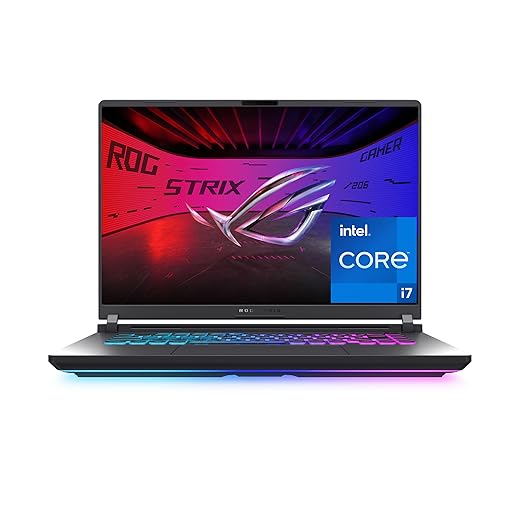
Test, Compare, and Choose—How to Decide in the Store or Online
We don’t buy on spec alone—here’s our checklist for shortlisting, testing, and securing the best deal.Use a focused checklist when we decide in-store or online.
In‑store test checklist
Cross‑check online reviews for endurance, thermal graphs, and real‑world battery tests to spot inconsistent models.
Compare warranties, return windows, and repair networks — they often decide long‑term value.
Consider campus discounts or certified refurbished units for students. For gamers, compare GPU tier value and treat eGPU docks as a last resort.
Negotiate price, seek bundle deals, and time buys for back‑to‑school or holiday sales.
Make the Buy with Confidence
We synthesize use case, budget, ecosystem, and ergonomics so the chosen laptop feels built for our daily life, balancing performance, design, and longevity against market trade-offs—are we picking a tool that truly improves our routines and future needs reliably today — browse our how-to guides?
Frequently asked questions
What should I prepare before I choose a laptop for school, work, or gaming?
Start with the checklist in the “What we’ll need” section above—measure your space, confirm compatibility with your gear, and read the full walkthrough once before you change settings or buy parts. Laptop goes faster when prep is done upfront.
How long does it take to choose a laptop for school, work, or gaming?
Most readers finish in about 30–90 minutes if they already have the right parts, but budget extra time for measurements, firmware updates, or a second pass when something does not behave the way the manual suggests on the first try.
What is the hardest part when you choose a laptop for school, work, or gaming?
The step that trips people up is usually alignment or configuration—getting measurements, cable routing, or software settings right before you commit. If results still look off, re-check the basics in order instead of swapping hardware immediately.
What mistakes should I avoid when I choose a laptop for school, work, or gaming?
Skipping measurements, ignoring ventilation or port limits, and rushing the final test are the common failures. Photograph your starting setup, label cables, and verify the outcome with the same content or workflow you will use every day—not a one-off demo.
When should I call a pro instead of trying to choose a laptop for school, work, or gaming myself?
Bring in help when the job needs structural work, licensed wiring, or tools you do not own, or when repeated attempts still fail after you have followed the troubleshooting section. A short paid visit can cost less than replacing gear you damaged by forcing the install.

Princess Rioboca is the Lead Editorial Writer at Option Cutter, bringing over seven years of hands-on experience in consumer technology journalism. Specializing in home networking and smart home architecture, she transforms complex technical data into practical, real-world upgrades. Princess personally tests and audits every product she reviews—evaluating real-world Wi‑Fi throughput, cable management durability, and streaming ecosystem stability—to filter out spec-sheet noise. Her rigorous, field-tested insights are designed to give readers transparent, unbiased buying advice on what to purchase, what to skip, and exactly why.















