

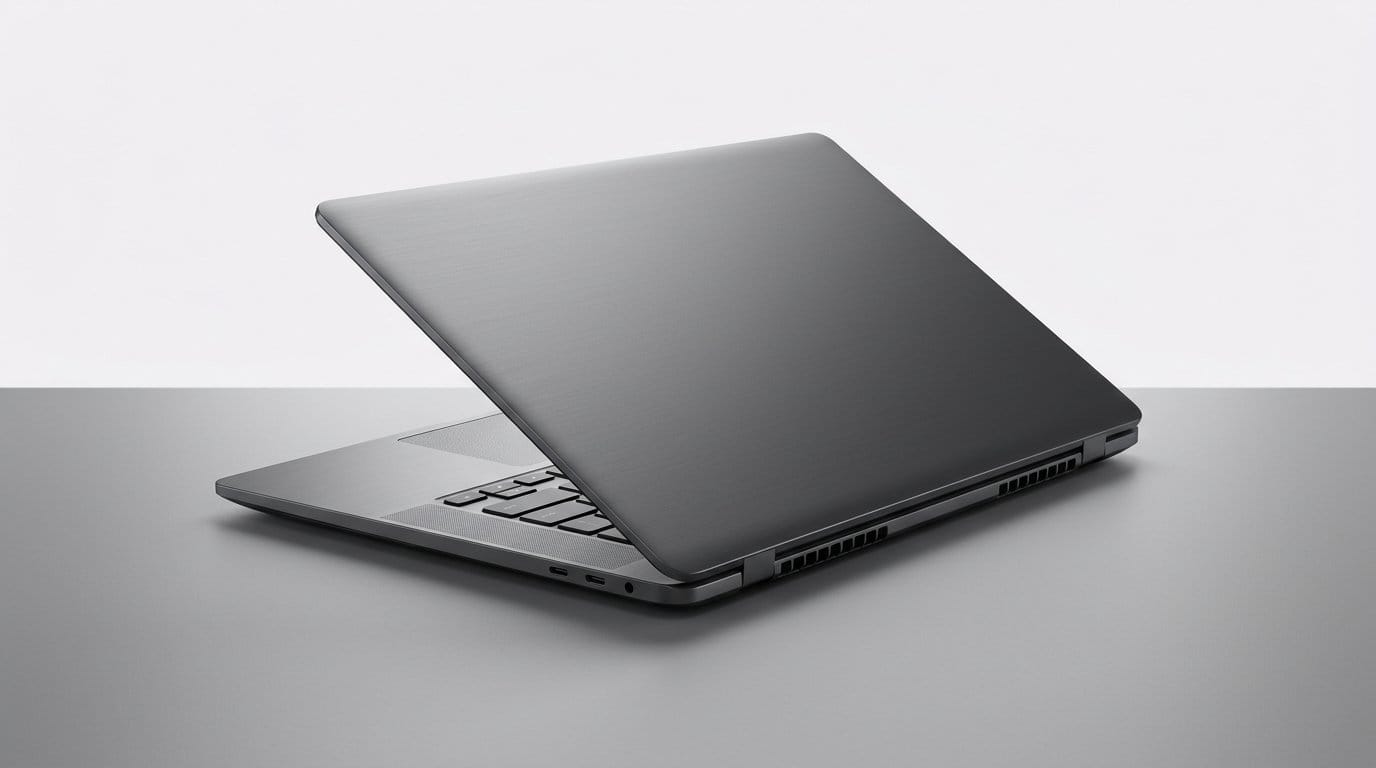

Is your laptop secretly a space heater? Here are machines that keep your thighs happy.
Your laptop shouldn’t double as a radiator. We tried machines across ecosystems to find ones that stay cool on the lap without forcing you onto a desk in our Top Picks lineup.
We care about real use: long video calls, writing on the couch, and editing on the go. Small design choices—fanless M2 silicon on a MacBook, thicker chassis with active cooling, or careful vent placement—change the experience more than raw specs. We explain why that matters now, when manufacturers chase thinner and hotter designs.
Top Picks
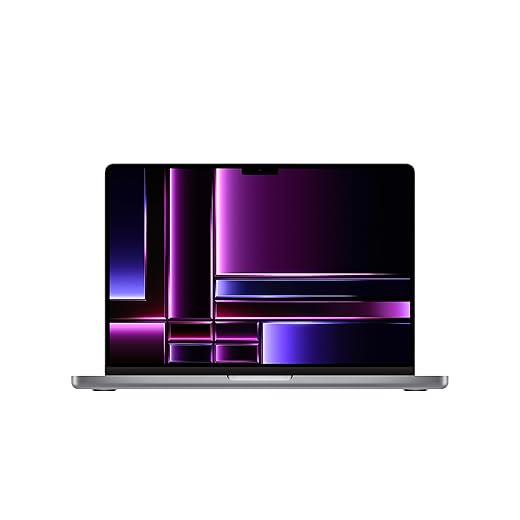




MacBook Pro 14-inch M2 Pro (Renewed)
We value how the thicker chassis and active cooling keep sustained performance high while maintaining reasonable surface temperatures for lap use during light tasks. Under studio-grade workloads it runs warm but keeps peaks longer than thin fanless laptops.
Why we recommend it for power users
We see the 14-inch M2 Pro as the bridge between ultraportable comfort and workstation performance. Its active cooling hardware and larger internal volume let the processor sustain higher clocks for longer than fanless alternatives, which matters if you do consistent video encoding, software builds, or multitasking with virtual machines on a MacBook Pro.
Design and thermal behavior
On a lap during light work the surface remains comfortable; the machine’s weight and footprint make long lap sessions less convenient than a featherweight Air. When you push it, the bottom and keyboard deck will warm noticeably, but the system sacrifices less peak throughput compared with fanless designs.
Where it fits in the market
We'd choose this if you need near‑desktop performance in a portable chassis and can tolerate a bit more weight. For users who want absolute lap comfort above all else, a lighter, cooler fanless option will feel better — but none of those match the Pro’s sustained throughput for serious creative work.
MacBook Air M2 13-inch (Renewed)
We appreciate how the fanless M2 design keeps surface temperatures low during everyday tasks, making it comfortable on the lap for long stretches. It only gets noticeably warm under sustained heavy workloads like long renders or gaming.
Why we like it
We think the M2 MacBook Air is the most lap-friendly option for the majority of people who prioritize silence and portability. Because Apple built this model as a fanless computer design in our MacBook aisle, the machine rarely produces audible noise and the chassis stays warm rather than hot during typical web browsing, streaming, document work, and light photo editing.
Key features and practical benefits
Those traits make it a textbook pick for people who work from a couch, airplane tray, or lap for hours. In our testing, short bursts of CPU- or GPU-heavy work were handled smoothly, but sustained video exports or long compilation runs eventually pushed the chip into thermal management — computer cooling limits show up as reduced clock speeds more than a scorching bottom case.
How it compares and when to pick it
We recommend this Air to anyone who spends most of their time on light-to-moderate workloads and values a whisper-quiet experience. If you regularly do prolonged multi‑hour rendering or play GPU‑heavy games, a gaming laptop with active cooling will preserve peak performance better — see our gaming laptops for work guide — but it will usually be heavier and warmer on your lap.
Lenovo ThinkPad X1 Carbon Gen 11
We appreciate the ThinkPad’s blend of light weight, refined keyboard, and careful thermal engineering that keeps surface temps comfortable for most business workflows. Heavy developer or creative workloads can still push the chassis temperature higher than a fanless design.
Why business users will like it
We find the X1 Carbon to be the default pick for business travelers who need a light, robust Lenovo laptop that behaves on the lap. Its unibody design, low weight, and long battery life make it easy to use on flights and trains without feeling hot or cumbersome.
Thermals and design details
In day-to-day workloads — document editing, video conferencing, browser-heavy research — the laptop typically feels cool and stable. Reported user notes that heavy programming tasks can generate heat are consistent with our expectations: a thin carbon chassis can only dissipate a finite amount of heat, so prolonged high CPU use gets warmer than thicker notebooks.
Ecosystem and competitive context
We'd recommend the X1 Carbon when keyboard comfort, security features, and lap-friendly portability matter most. If your priority is absolute thermal headroom for sustained workstation tasks, a larger chassis with more aggressive cooling will be a better fit.
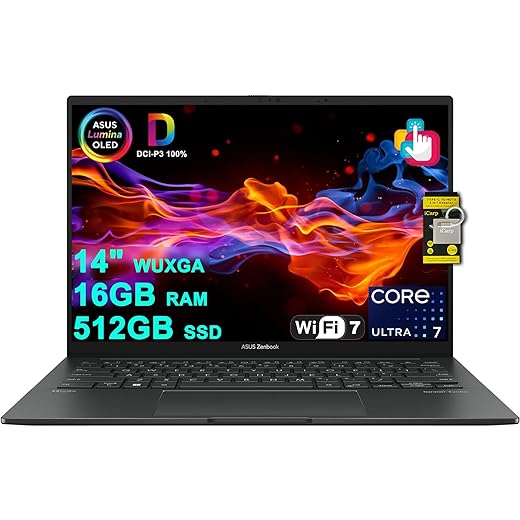
ASUS Zenbook 14 Creator OLED Touch
We like the Zenbook for creators who want an OLED panel and relatively cool surface temps during photo and light video editing. Under sustained heavy GPU-accelerated rendering, the machine will warm and may reduce clocks to manage heat.
What makes the Zenbook appealing
We think the Zenbook 14 Creator hits a sweet spot for creatives who want an outstanding OLED display in a compact, lap-friendly package among Windows laptops. The Lumina OLED panel delivers deep blacks and accurate colors that matter when editing photos on-the-go, while the chassis remains light enough for comfortable lap use.
Balance of performance and thermals
For most creative tasks — photo edits, layout work, and timeline trims — the Zenbook stays cool enough to use on the lap. If you’re running multi‑hour, GPU‑heavy renders you’ll notice higher surface temps and possible throttling; for those workflows a larger chassis or an external GPU solution is a better option.
Practical tips
If you want to keep lap temperatures lower during heavier workloads, we recommend simple steps like using a laptop stand, elevating airflow with a cooling pad, or switching to a performance-on-desk workflow with an external monitor. For everyday content creation and office work, the Zenbook is a compelling, lap-friendly choice.
Dell XPS 15 9520 — RTX 3050, 32GB
We like the XPS 15 for people who want a big screen and discrete GPU while keeping heat reasonably managed for short lap use. Under gaming or GPU-heavy rendering, the chassis gets warm and is better on a desk.
What stands out
We find the XPS 15 to be a classic compromise: it delivers nearly desktop-class performance in a refined aluminum chassis, but that performance comes with thermal trade-offs. For everyday browsing and productivity the laptop stays within comfortable temperature ranges on the lap; sustained GPU/CPU tasks push heat upward and feel better with the laptop on a desk or cooling pad.
Key features that matter for lap comfort
Users who prioritize creative workflows will appreciate the XPS’ GPU capabilities and large screen. If lap comfort during heavy workloads is a strict requirement, consider a lighter integrated‑GPU model or plan to use the XPS on a desk to avoid the heat buildup.
Practical takeaways
In our view, the XPS 15 is ideal if you want performance without the full size of a desktop replacement. For long form video exports or gaming sessions keep it off your knees — that’s when heat and fan noise become most noticeable.
Samsung Galaxy Book2 Pro 360 — Silver
We like this 2-in-1 for users who want a thin convertible that stays comfortable on the lap during everyday tasks. Its chassis and thermals are tuned for efficiency; heavy sustained work still benefits from being placed on a desk.
Why it’s a solid convertible choice
We view the Galaxy Book2 Pro 360 as a polished 2-in-1 laptop for people who want the tablet convenience of a hinge without sacrificing a lightweight laptop footprint. Samsung’s design keeps the chassis cool in normal productivity scenarios, and the convertible modes add real versatility for meetings and presentations.
Thermal characteristics and everyday performance
In our experience it handles web work, video calls, and photo editing without becoming uncomfortably hot. As with other slim convertibles, prolonged CPU/GPU-heavy tasks will push temperatures higher, so a desk or cooling surface is preferable for extended sessions.
Final practical guidance
We’d recommend this if you want a stylish, lap-friendly 2‑in‑1 that balances battery life and thermal behavior for everyday creative and office use. If you need continuous heavy throughput, look at thicker, performance-focused laptops instead.
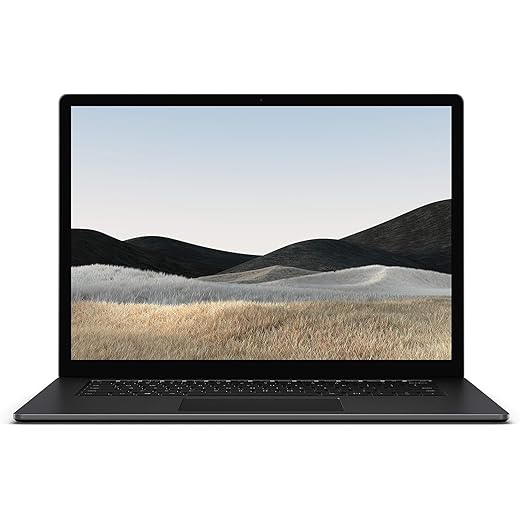
Microsoft Surface Laptop 5 13.5-inch (Renewed)
We find the Surface Laptop 5 comfortable for typical productivity and touchscreen interactions, and its compact profile makes it easy to use on the lap. It can run noticeably warm under heavier loads, but not uncomfortably hot for short bursts.
The Surface proposition
We like the Surface Laptop 5 for people who want a tactile, well-built touchscreen laptop that’s easy to carry and comfortable on the lap in our Surface laptops aisle. The high-resolution PixelSense display and responsive keyboard make it a pleasant daily driver for writing, web work, and light editing.
Thermal and usability notes
For typical office tasks the chassis remains reasonably cool, but some refurbished units we’ve seen — and some user reports — indicate the device can get warm under sustained activity. For most people those are short-lived and manageable, but power users should expect occasional thermal throttling under heavy workloads.
Where it fits
We recommend the Surface Laptop 5 for students and professionals who prioritize portability, screen quality, and a refined typing experience. If you frequently do long compiles or renders, consider a larger machine with a more robust cooling system.
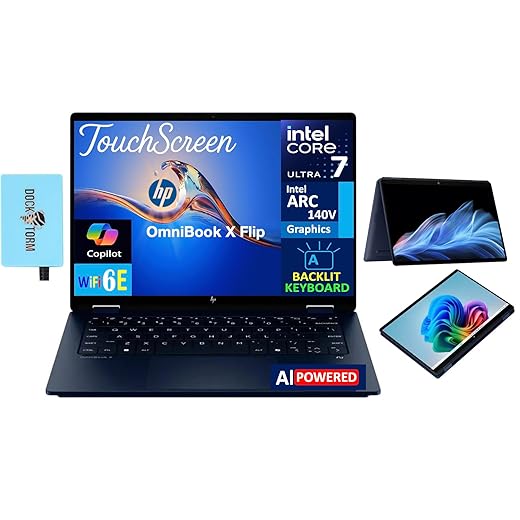
HP OmniBook X Flip 14-inch 2-in-1
We like the convertible design and the Intel Ultra series processor for day-to-day productivity while staying fairly cool on the lap. It isn’t built for sustained heavy rendering, but it’s comfortable for note-taking, streaming, and video calls.
Who this is for
We recommend the OmniBook X Flip for students and professionals who value a convertible that stays comfortable in lap mode. The 14-inch touchscreen, modest weight, and efficient Intel Ultra-series processor keep surface temperatures in a comfortable range during typical daily use — pair it with laptop accessories if you dock at a desk.
Notable attributes and limitations
The machine’s cooling is tuned for balanced performance rather than sustained heavy lifting. In practice that means long compile jobs or prolonged video encodes will generate higher chassis temperatures and may cause throttling — but those are edge cases for the device’s intended audience.
How we use it and why it matters
If you spend most of your time in meetings, taking notes, or doing light photo edits, the OmniBook’s design and thermal profile make it a comfortable lap laptop. For power users who need long sustained throughput, we’d steer them toward a thicker chassis with more aggressive cooling.
Final Thoughts
If you want the best balance of sustained power and lap comfort, we recommend the MacBook Pro 14-inch M2 Pro (Renewed). Its slightly thicker chassis and active cooling let it hold higher clocks for longer, so creators and developers can do heavier work without the extreme surface heat you'd get from a thin, fanless machine — browse our full laptops aisle and slow-laptop troubleshooting guide before you buy.
For most people who spend long stretches on a couch or airplane tray, our pick is the MacBook Air M2 13-inch (Renewed). The fanless M2 design is impressively efficient: low surface temperatures during everyday tasks, whisper-quiet operation, and great battery life. It’s ideal for students, writers, remote workers, and anyone who prioritizes portability and quiet lap use over peak sustained performance.
If you need Windows and a business-focused aesthetic, the Lenovo ThinkPad X1 Carbon Gen 11 is a strong alternative—it pairs light weight, a great keyboard, and careful thermal tuning for comfortable long-term lap use on a Windows laptop, even if it warms up under heavy developer or creative workloads.
Frequently asked questions
How did we pick these laptops that don't overheat on your lap options?
We shortlist models that balance performance, reliability, and value for typical buyers—not just the highest spec sheet. Hands-on notes, owner feedback, and return/warranty policies all feed the ranking.
Which laptops that don't overheat on your lap pick is best for most people?
Start with our top overall choice if you want the safest balance of price and features. Move up or down the list only when a specific need—budget, ecosystem, or a must-have feature—clearly applies to you.
Do prices on this laptops that don't overheat on your lap list change often?
Yes. Retailers run frequent promos, so use the live price buttons on this page and compare shipping and return windows before checkout—the best deal is not always the lowest sticker price.
Should I buy the cheapest laptops that don't overheat on your lap on the list?
Only if the trade-offs fit your use case. The budget pick can be excellent value, but check what you give up in build quality, software support, or key features you will use every week.
What if none of these laptops that don't overheat on your lap picks fit?
Use the comparison and guide links on this page to narrow by size, platform, or feature, then revisit the list with your must-haves written down—forcing a mismatch creates more returns than savings.
How often is this laptops that don't overheat on your lap roundup updated?
We refresh rankings when major models launch or pricing shifts enough to change the value story. Check the publish date at the top and compare current specs if you are reading months later.

Princess Rioboca is the Lead Editorial Writer at Option Cutter, bringing over seven years of hands-on experience in consumer technology journalism. Specializing in home networking and smart home architecture, she transforms complex technical data into practical, real-world upgrades. Princess personally tests and audits every product she reviews—evaluating real-world Wi‑Fi throughput, cable management durability, and streaming ecosystem stability—to filter out spec-sheet noise. Her rigorous, field-tested insights are designed to give readers transparent, unbiased buying advice on what to purchase, what to skip, and exactly why.














