

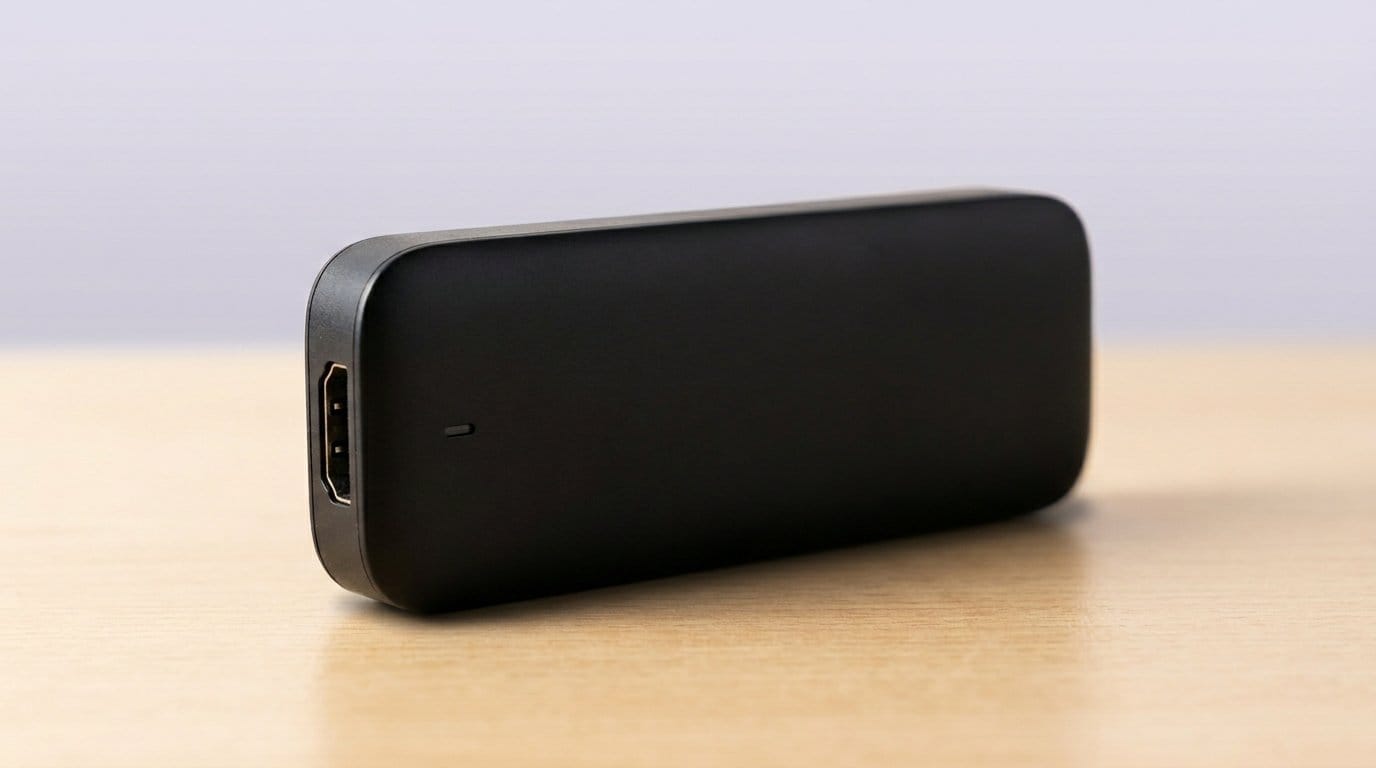

Tiny sticks, giant upgrades — which one will stop the buffering and start the binge?
A $50 stick can replace a clunky cable box and a lifetime of menu frustration. We shoved one streaming stick into a cramped hotel TV and suddenly we were streaming like it was our living room. Short setup. Big payoff.
Our Top Picks


Roku Streaming Stick 4K Dolby Vision
We find this to be the easiest way to add reliable 4K and Dolby Vision to any TV, with a clean interface and excellent app support. Its long‑range Wi‑Fi and compact HDMI form factor make it especially useful for rooms distant from your router.
Why we recommend this
We view this Roku stick as a pragmatic balancing act: a fast, no‑nonsense interface married to modern 4K and Dolby Vision playback. In day‑to‑day use it prioritizes discoverability — the home screen surfaces live channels and free content alongside the apps you already use, which reduces friction for people who just want to sit down and watch.
Design, ecosystem, and why it matters
We like how Roku treats streaming as a utility rather than a walled garden. The platform supports nearly every major app, which matters more than fancy extras for most people. The remote and OS are intentionally simple — that’s an advantage if you’re upgrading a non‑smart TV or setting up a device for parents or guests. Compared with pricier alternatives, Roku focuses on core playback quality and uptime rather than extra features.
Limitations and practical insights
The tradeoffs are also clear: Roku’s home screen mixes promoted content with your apps, which can feel intrusive if you prefer a cleaner launcher. It’s not the device for heavy cloud‑gaming or advanced smart‑home integrations, but for streaming movies, live free channels, and day‑to‑day TV it does the job well. If you need Wi‑Fi 6 or the smoothest performance for large local media libraries, look elsewhere; if you want dependable 4K streaming with minimal fuss, this is one of the best choices in the category.
Fire TV Stick 4K Plus Wi‑Fi 6
We like its combination of 4K HDR support, Wi‑Fi 6, and deep Alexa integration, which makes it a natural pick for people already invested in Amazon services and smart‑home controls. The stick balances performance and price for most households.
Where it stands in the market
We see this Fire TV Stick 4K Plus as a natural default for Amazon shoppers. It pairs polished 4K playback with Wi‑Fi 6 and robust voice control, making it particularly compelling if you already use Prime Video, Alexa routines, or other Amazon features. The Alexa remote is fast and useful for searches, and the device even offers cloud gaming options for casual play.
User experience and tradeoffs
In daily use we appreciated how well voice search finds content across apps and how the device can control lights and cameras when paired with an Echo ecosystem. That integration is the device’s biggest strength. The downside is that Amazon’s UI favors its own storefront and promotions; if you prefer a neutral launcher you’ll have to tune or ignore a fair amount of recommended content — cancel add-ons you do not want using the FTC INFORM Consumers Act marketplace guide.
Practical takeaway
If you want the best blend of performance, smart‑home features, and price — and you’re comfortable within Amazon’s ecosystem — this is a top pick. For users focused solely on a sandboxed, ad‑free experience, competitors like Chromecast or Roku present cleaner alternatives.
Chromecast with Google TV 4K Remote
We value how Google surfaces suggestions from across your subscriptions, and the compact Chromecast hardware paired with the Google TV interface is one of the most personalized streaming experiences. Casting from phones remains a standout convenience for multi‑device households.
A personalized approach to streaming
We think Chromecast with Google TV stands out because it treats content aggregation as the feature, not just hardware specs. The interface surfaces movies and shows from every service you subscribe to, which reduces hunting across apps. Casting from a phone or tablet is still the easiest way to push a photo, video, or queued playlist to a TV in our experience.
UX and ecosystem notes
The advantage here is the recommendation layer: Google tries to predict what you want to watch next based on subscriptions and past viewing. That’s powerful if you want discovery; it’s less appealing if you want a barebones launcher. The hardware is compact and stable, and we particularly liked the casting workflow for sharing media from a phone in a group setting.
Practical considerations
A fast, reliable Wi‑Fi network is important to avoid occasional casting disconnects. Battery life on the remote is fair but not exceptional if you use voice often. Overall, if you want a smart, discovery‑driven interface and easy phone casting, this is one of the more polished options.
Roku Streaming Stick HD 2025 Portable
We appreciate how cheaply and reliably it converts any TV into a current streaming platform, with a tiny footprint and familiar Roku UI. Its Bluetooth headphone mode and simple voice remote make it a good low‑cost travel or secondary‑TV option.
Who this is for
We recommend this model when you want to upgrade an older TV without spending much. It’s the cheapest path to a modern streaming experience while retaining a consistent Roku layout — which matters if you already use Roku elsewhere in the house and want the same experience on a bedroom or guest TV.
What to expect in everyday use
The set‑up is intentionally frictionless: plug it in, connect to Wi‑Fi, sign in, and you’re done. We found that its internal Wi‑Fi antenna is solid for small apartments and typical living‑room distances. For users who primarily watch live free channels or standard‑definition streams, the picture quality and responsiveness will feel perfectly fine.
Tradeoffs and comparisons
If you have a 4K TV or want HDR support, this isn’t the stick for you — step up to a 4K model. Also, the Roku home screen includes promoted picks that some users find distracting — a trade-off we weigh alongside FTC guidance on spotting misleading shopping ads on in-app upsells. For the price, though, it’s hard to beat: it’s an excellent plug‑and‑play option for secondary screens, travel, or anyone who values simplicity over bells and whistles.
Fire TV Stick HD Alexa Voice Remote
We like how approachable and inexpensive this stick is — it’s a straightforward way to ditch cable without confusing menus or a steep learning curve. The Alexa remote and large app library make it a reliable starter device for most households.
Simple, affordable, and effective
We recommend this Fire TV Stick HD as the easiest upgrade for an older television or as a travel companion. The onboarding is quick, the remote is practical, and the experience feels familiar if you’ve used Amazon devices before. It’s designed to be friction‑free for people who primarily want streaming without extra cost or complexity.
How it behaves day‑to‑day
In our testing it handled typical streaming workloads (Netflix, Prime Video, YouTube) smoothly. For families or older relatives who need something reliable and easy to use, the device is a strong match. The main long‑term caveat is that, like many low‑cost players, internal storage can fill up, which may slow the device after several years of heavy app installs.
Who should buy it
If you want the cheapest route to streaming with voice control and don’t need 4K, this is one of the clearest recommendations. If you own a 4K TV or care about future‑proofing, we’d recommend stepping up to a 4K model or considering alternatives with more RAM/storage.
TiVo Stream 4K Android TV Guide
We like its focus on unifying live channels and streaming apps into a single guide, which recreates a TV‑like experience for cord‑cutters. Running Android TV gives it flexibility for sideloading and broader Play Store access compared with some competitors.
What TiVo Stream 4K brings to the table
We see TiVo Stream 4K as a device aimed at people who miss the structure of linear TV. It blends free and paid live channels with streaming apps into a single guide and recommendation surface. If your priority is a curated TV‑guide experience rather than just an app drawer, TiVo’s approach saves clicks and reduces app‑switching.
How it performs and when it matters
In practice the device is responsive and offers features that matter to power users: the ability to sideload apps, attach storage, and interact with a more detailed channel guide. That flexibility is useful if you maintain a media server or want to experiment with third‑party apps. However, you should be aware of regional caveats — some services or guide features depend on a US‑centric account setup and may require workaround steps.
Limitations and who should consider it
If you want a hairless, consumer‑grade interface like Roku’s, TiVo is a bit more involved; there’s a learning curve but more control. For enthusiasts who value a unified guide and Android flexibility, it’s a strong value; for users who want the simplest experience, Roku or Chromecast may be preferable.
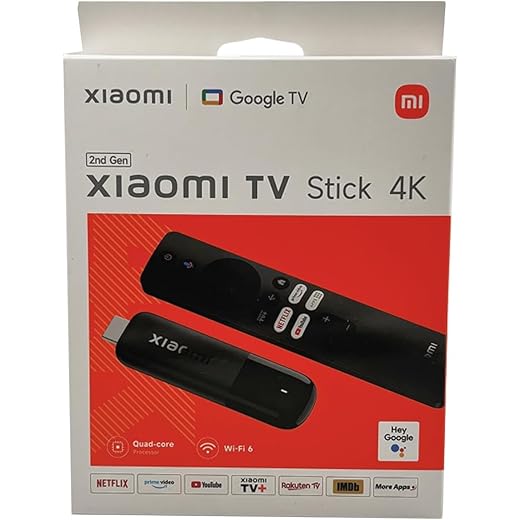
Xiaomi Mi TV Stick 4K Android 11
We appreciate its compact design and the familiarity of Android TV 11, which makes it a capable, low‑cost 4K option. It’s a good fit for travelers or secondary TVs where size and basic smart features matter more than cutting‑edge performance.
Small stick, familiar platform
We like the Xiaomi Mi TV Stick 4K for what it is: an affordable, portable way to add Android TV to any display. The device brings standard Android TV features such as Play Store access, Google Assistant, and Chromecast built in, which makes it versatile for people who want both casting and a conventional remote experience.
Practical usage and caveats
In daily use it handles streaming and casual media playback well, but the limited memory and storage can show up if you install many apps or try to multitask. For a bedroom, guest room, or travel stick it’s very compelling; for a main living‑room device where you expect seamless app switching and heavy sideloading, you may prefer a stick with more horsepower.
Final read
If you want a small 4K Android TV stick that covers the bases — casting, Google Assistant, and a familiar Play Store — this is a solid choice. Power users should look at higher‑end Android TV boxes or other ecosystems for more headroom and long‑term performance.
ONN Android TV 4K UHD Streaming Device
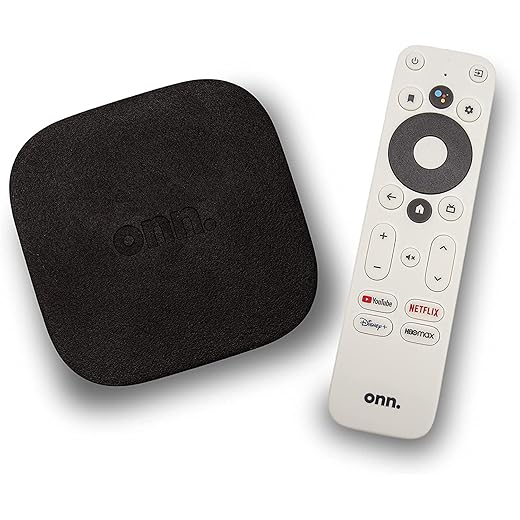
We find it offers a lot of features for its price: Android TV, 4K playback, Chromecast, and a bundled HDMI cable. However, software updates and some app compatibility issues make the experience inconsistent across all services.
Value with caveats
We see the ONN Android TV 4K device as a value‑first offering: it gives you Android TV, casting, and 4K capability for a fraction of the price of premium boxes — read FTC online retailer rights alert when you choose budget hardware. That makes it attractive if you’re price‑sensitive or buying multiple units for secondary rooms.
Real‑world performance and limitations
In everyday use, the device will handle Netflix and YouTube well, but some users report app‑specific glitches — brief pauses in certain apps or occasional disconnects. Updates for budget hardware aren’t always timely, which can affect long‑term reliability. We also saw reports of remote volume/on‑off inconsistencies depending on TV models.
Who should consider this device
If you want a dirt‑cheap 4K stick and can tolerate occasional software hiccups, this is a sensible pick. If you prioritize consistent app performance, frequent updates, and the best possible compatibility, spend a bit more on a Chromecast, Fire TV, or Roku model — you’ll likely save time and frustration in the long run.
Final Thoughts
We recommend the Roku Streaming Stick 4K Dolby Vision as our top pick for most people in top picks — browse the full streaming devices aisle before you buy. It strikes the best balance of simple, reliable performance and broad app support. The interface is clean, the remote is unobtrusive, and Dolby Vision plus long‑range Wi‑Fi make it especially useful for living rooms and TVs far from your router. In a market bloated with bells and whistles, Roku wins by making streaming painless; that matters now because app fragmentation means the last thing you want is another confusing UI.
If you live inside Amazon’s ecosystem or want the best smart‑home hooks, go for the Fire TV Stick 4K Plus Wi‑Fi 6. It offers comparable 4K HDR playback, faster Wi‑Fi 6 networking for congested homes, and deep Alexa integration that actually makes voice control and smart‑home routines smoother. Choose the Fire TV Stick 4K Plus for tighter smart‑home ties and slightly better future‑proofing on wireless performance.
Frequently asked questions
How did we pick these streaming sticks options?
We shortlist models that balance performance, reliability, and value for typical buyers—not just the highest spec sheet. Hands-on notes, owner feedback, and return/warranty policies all feed the ranking.
Which streaming sticks pick is best for most people?
Start with our top overall choice if you want the safest balance of price and features. Move up or down the list only when a specific need—budget, ecosystem, or a must-have feature—clearly applies to you.
Do prices on this streaming sticks list change often?
Yes. Retailers run frequent promos, so use the live price buttons on this page and compare shipping and return windows before checkout—the best deal is not always the lowest sticker price.
Should I buy the cheapest streaming sticks on the list?
Only if the trade-offs fit your use case. The budget pick can be excellent value, but check what you give up in build quality, software support, or key features you will use every week.
What if none of these streaming sticks picks fit?
Use the comparison and guide links on this page to narrow by size, platform, or feature, then revisit the list with your must-haves written down—forcing a mismatch creates more returns than savings.
How often is this streaming sticks roundup updated?
We refresh rankings when major models launch or pricing shifts enough to change the value story. Check the publish date at the top and compare current specs if you are reading months later.

Princess Rioboca is the Lead Editorial Writer at Option Cutter, bringing over seven years of hands-on experience in consumer technology journalism. Specializing in home networking and smart home architecture, she transforms complex technical data into practical, real-world upgrades. Princess personally tests and audits every product she reviews—evaluating real-world Wi‑Fi throughput, cable management durability, and streaming ecosystem stability—to filter out spec-sheet noise. Her rigorous, field-tested insights are designed to give readers transparent, unbiased buying advice on what to purchase, what to skip, and exactly why.














