


Why we need to rethink how we stream
Streaming used to be simple: pick a service, plug in a device, press play. That simplicity has eroded as hardware, software, and business models evolved. We find ourselves juggling apps, remotes, subscriptions, and compatibility quirks that interrupt the one thing we want: reliable playback. In this piece we lay out why our current setups increasingly fail to deliver the experience they promise.
We focus on user experience, device design, ecosystem fit, and the competitive forces shaping what we actually use every night. We explain not just what changed, but why it matters — for cost, privacy, updates, and long-term value. By making smarter choices up front, we can save time, money, and frustration. We’ll also weigh trade-offs between shiny features and everyday reliability everywhere today.


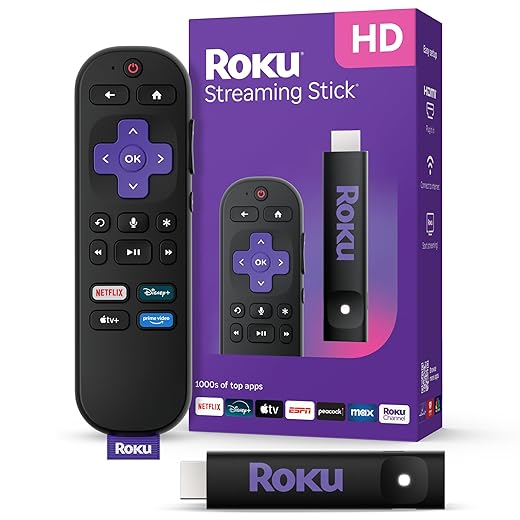

Build a 10/10 Streaming Setup: Quick, Pro-Level Tips
The streaming landscape has shifted — and your setup hasn’t kept up
From uniform apps to a fractured experience
We used to expect “apps plus HDMI” to equal the same movie night everywhere. Today, every platform makes different choices about codecs, DRM, and features — and those choices change what actually plays, how it looks, and whether it stutters. That means two otherwise identical TVs can deliver radically different nights: one shows Dolby Vision HDR and lossless audio, the other falls back to a compressed stream because the device lacks a codec or the right DRM level.
Codecs, DRM, and why they’re not just tech buzzwords
New adaptive codecs like AV1 and newer HEVC profiles reduce data use while improving quality — but only if the client has hardware support. Meanwhile, studios demand strict DRM (Widevine L1, PlayReady, FairPlay) for top-tier streams. Put those together and you get situations where a service will offer 4K HDR on one stick (Apple TV 4K, some Samsung sets) but only 1080p on another (older Chromecast/Android TV boxes). That’s not picky; it’s an actual limit on quality and future compatibility.
App stores, platform features, and cloud options
App quality varies wildly between platform app stores. Some platforms curate and optimize their apps better (Roku, Apple), others push features into platform-specific frameworks (Google TV, Fire TV). Cloud-rendered experiences (cloud gaming or remote playback) add another axis: if latency matters — like for game streaming — your hardware choice and network path become the dominant UX factor.
Quick checks we can run tonight
These practical steps tell us whether a device will age gracefully or force compromises — and they’re the difference between a polished evening and fiddling with settings.
Rethinking the living-room hub: device design, OS, and interoperability
The hub is whatever we make it
A TV used to be the unquestioned center of the room. Today that center might be an Apple TV 4K on a shelf, a Chromecast with Google TV behind the panel, an Xbox or PlayStation, or a Sonos Beam that ties audio to the screen. Each choice reshapes the night: responsiveness, app availability, update cadence, and how well the device talks to phones, remotes, and other speakers.
Hardware and UX trade-offs
Dedicated streamers (Apple TV, Roku, Chromecast) prioritize app-launch speed, simplified remotes, and predictable updates. Consoles and smart soundbars are powerful, but they juggle games, TV inputs, and firmware from different vendors. Smart TVs can be convenient, but we’ve watched many ship with sluggish UIs and infrequent OS updates that leave apps behind.
Practical interoperability checks
How we put this into action tonight
If your TV’s OS feels slow, plug in a compact streamer. If you care about long-term support, prioritize platforms known for regular firmware (Apple, Roku). For multiroom audio or complex setups, pick a hub that supports eARC and the smart-home standards you already use (AirPlay, Chromecast, Matter).
Next, we’ll look beyond devices and into the network plumbing — because even the most elegant hub can’t hide packet loss or latency.
Network and latency: the infrastructure behind perceived quality
Good picture and sound start upstream. We can have a near-perfect smart-TV and a streaming app that promises 4K HDR, but if packets arrive late or in bursts, the experience is what the market calls “adaptive bitrate” doing its job—dropping resolution or stuttering to avoid a freeze. For cloud gaming and video calls, that same jitter becomes input lag or chopped audio. So our network design matters as much as the device in the living room.
Wired first, wireless smartly
Whenever possible, plug the primary streamer — TV, console, or set-top — into Ethernet. A stable wired link removes one major variable: Wi‑Fi contention.
If wiring every outlet isn’t realistic, prioritize:
Mesh vs single router: placement and backhaul
Mesh systems (Eero Pro 6, Netgear Orbi) are great for coverage, but their wireless backhaul can halve bandwidth and add latency if not configured with a wired trunk. In large homes, a single, well-placed router with a wired access point for dead zones often gives more consistent latency.
ISP behavior, QoS, and simultaneous streams
Not all bandwidth is equal. ISPs may deprioritize traffic during congestion, and multiple 4K streams will saturate upstreams fast. We recommend:
Small changes to our home networking — an Ethernet drop, wired backhaul, or QoS tweaks — often yield bigger, immediate gains than swapping the TV. Next, we’ll examine the friction users face once content is delivered: discovery, subscriptions, and the cost of clutter.
Discovery, subscriptions, and the cost of friction
Fragmentation is the everyday UX problem
We get the pixels right, then stumble at the point of choice. Fragmented catalogs and subscription bloat mean our “what to watch” moment is often a scavenger hunt — same show lives on different services in different regions, rent-or-buy windows pop up, and ad tiers change what’s even available. That friction isn’t just annoying; it shapes behavior: we re‑watch old favorites, stick to one ecosystem, or simply pick whatever’s easiest to queue.
Aggregators and universal search: trade-offs
Some devices (Roku, Apple TV 4K, Google TV) promise universal search and cross‑service watchlists. That feels like magic until you realize agreements and metadata gaps leave holes. A unified search finds titles across services, but curated home screens — like Netflix’s or Prime Video’s — push exclusive originals and promoted content. We’re choosing between completeness and curation.
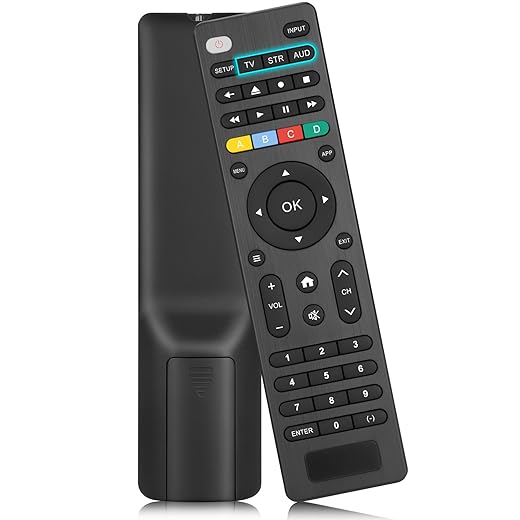
The practical trade-off: universal search reduces friction when we know what we want; curated experiences reduce decision fatigue when we don’t. Privacy also factors in — deeper aggregation often means more data sharing between apps and OSes.
Business models rewire interfaces
Ad tiers, rentals, and bundles change UI priorities. Platforms sell placement to studios; ad‑supported services lean into autoplay previews and “continue watching” rows. That means the most-clicked tile isn’t always the best show.
How to reduce friction now
These are small changes, but they reclaim the evening from accidental discovery and make choosing feel intentional again — and that’s the kind of rethink our setup needs next.
Picture and sound choices: diminishing returns and compatibility trade-offs
Why more pixels don’t always help
We’ve chased 4K because the spec sounds impressive, but in many living rooms the difference from 1080p is subtle. On a 50–55″ TV viewed from 8–10 feet, our eyes struggle to resolve extra pixels; the benefit is clearer with screens 65″+ or when we sit closer. Before upgrading for resolution alone, measure viewing distance and screen size — you might get more bang from better contrast or a brighter display than from extra pixels.
HDR and color: brightness beats buzzwords
HDR variants (HDR10, HDR10+, Dolby Vision) promise richer highlights and color, but they require a TV that can get bright enough and an app that delivers the right master. A mid‑range set that can’t hit sustained highlights or wide color gamut will underdeliver. In practice, HDR movies look best on OLEDs (Sony A80J/A90J, LG C2/C3) or high‑end Mini‑LEDs (Samsung QN90 series) that actually reproduce spec highlights.
Immersive audio: it’s about speakers and room, not labels
Object‑based formats like Dolby Atmos only improve immersion if the audio path, device, and room support height channels. A cheap “Atmos” soundbar that simulates height won’t match a proper 5.1.2 setup with an AVR and ceiling or up‑firing speakers, but it can still beat TV speakers for dialog clarity and dynamics.

Compatibility checklist — verify before you buy
How to prioritize upgrades
Future-proofing: modularity, updates, privacy, and sustainability
Design for modularity
We used to buy a TV and expect it to last a decade; now the software layer ages faster than the panel. Picking a separable streamer or a TV with replaceable streaming modules lets us upgrade the brains without discarding a large screen. Devices with broad ecosystem support (Apple TV 4K, Nvidia Shield, Chromecast with Google TV, Roku Ultra) give us options if a single vendor slows updates.
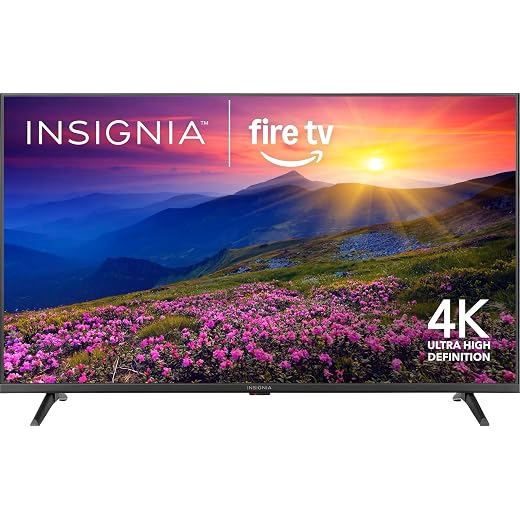
Software and update policies
Long update windows matter. Before we buy, we check how long the manufacturer has historically supported devices, how often security patches are released, and whether major OS changes are free or require new hardware. Practical steps:
Privacy and data practices
Data collection shapes what features we get—and what we give up. We weigh local processing (on-device voice recognition, profiles) over cloud-first approaches when possible. Simple questions to ask manufacturers:
Repairability, energy use, and real TCO
Repairable, serviceable designs reduce churn and waste. A TV or streamer that lets us replace a power board, storage, or the streamer module extends usable life. Energy efficiency affects the monthly bill; look for energy‑saving modes, low‑power standby, and measured power draw. Quick checklist:
Treat future‑proofing as a design choice: trade immediate bells and whistles for modularity, transparent updates, and respect for user autonomy. Next, we’ll pull these threads together into practical buying decisions in the Conclusion.
Make choices that actually improve our nightly experience
We’ve shown that a better streaming setup isn’t the flashiest box or the longest spec sheet; it’s the one that aligns device design, OS interoperability, reliable networking, and content access with how we actually watch. In today’s crowded market, prioritizing compatibility and consistent performance beats chasing marginal improvements in picture or CPU every upgrade cycle.
Let’s invest in modular upgrades, long-term software support, and fewer friction points across subscriptions and discovery. Small, deliberate choices will give us a more consistent, sustainable, and pleasurable nightly ritual — and that’s what really counts today.

Chris is the founder and lead editor of OptionCutter LLC, where he oversees in-depth buying guides, product reviews, and comparison content designed to help readers make informed purchasing decisions. His editorial approach centers on structured research, real-world use cases, performance benchmarks, and transparent evaluation criteria rather than surface-level summaries. Through OptionCutter’s blog content, he focuses on breaking down complex product categories into clear recommendations, practical advice, and decision frameworks that prioritize accuracy, usability, and long-term value for shoppers.








