

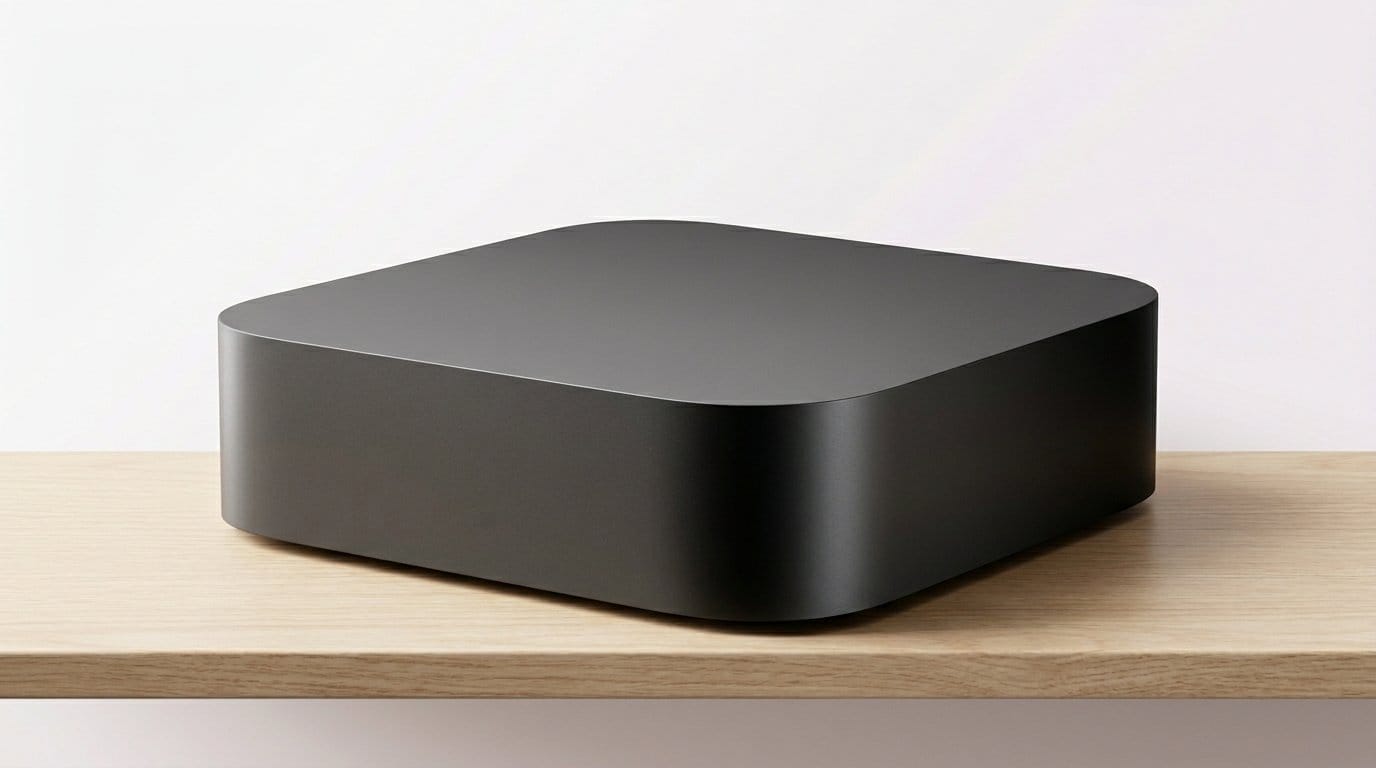

Cut the buffering. Keep the popcorn—Which tiny box will make your 4K TV feel like a cinema again?
Stop blaming your TV—it‘s probably the streamer. A slow app or a stuttering HDR scene in our Top Picks can make the whole room feel cheap. We wanted devices that deliver crisp 4K, fast navigation, and no nonsense reliability.
We tested the popular boxes and sticks across speed, picture quality, ecosystem fit, and everyday UX. We looked beyond specs to ask: how does it behave in a real living room with smart lights, a media server, and a hungry Wi‑Fi network?
Top Picks for 4K Streaming





Roku Ultra — Feature‑Packed 4K Player
We found it to be the snappiest Roku hardware in years, bringing faster app launches and reliably high‑quality 4K/HDR playback. Its rechargeable Voice Remote Pro and Ethernet option make it a better fit for living rooms where stability and convenience matter.
Why we benchmarked this one
We treat this as Roku's confident statement in a crowded streamer market: a set‑top box that privileges speed, codec compatibility, and a more premium remote. In practice, the performance uplift is noticeable in daily use — interfaces and apps launch faster, and the experience feels consistently responsive when switching between 4k.
Design, ecosystem, and real‑world use
The hardware choice (box rather than stick) gives us an Ethernet port, more stable Wi‑Fi 6 performance, and a remote that’s clearly been redesigned for heavy living‑room use. We appreciate the rechargeable Voice Remote Pro: the backlit keys, USB‑C charging, and a lost‑remote finder are the kinds of practical touches that change the day‑to‑day experience.
What it’s not great at and who should buy it
It’s not a bargain for people who only stream occasionally — lots of TVs will be perfectly served by a stick. But if you use your TV as the hub for movies, gaming, and live channels, we think the faster SoC and richer remote justify the premium. The one caveat: some region‑specific apps still vary in availability, so check local compatibility before you buy.
Practical takeaway
We like this as the Roku for people who want a fast, dependable 4K streamer without jumping to a full‑price set‑top console. It’s polished, pragmatic, and built for daily use in living rooms where responsiveness and connectivity matter.
NVIDIA Shield TV Pro — Power User Favorite
We found it to be the most versatile and capable streamer for enthusiasts: superior upscaling, USB expandability, Plex server support, and robust Android app compatibility. For anyone who runs a media server, plays cloud games, or wants the best audio/video fidelity, it’s hard to beat.
Why the Shield Pro still matters
The Shield Pro’s combination of performance, expandability, and software flexibility puts it in a category of its own. We value a device that functions as a streamer, Plex server, and light gaming hub, and the Shield handles all three with aplomb — especially for users with large local media libraries or advanced audio setups.
Performance and technical strengths
The Tegra X1+ and the device’s AI upscaling produce noticeably better HD→4K results than most competitors, and the USB 3.0 ports allow for direct attached storage and peripherals that turn the Shield into a small media center. It’s also got one of the most mature Android TV implementations, with wide app support and the ability to sideload where needed.
Tradeoffs and audience fit
It’s overkill for someone who only watches a few streaming services on weekends. But for power users who care about local media playback, advanced audio, or cloud gaming via GeForce NOW, the Shield remains the most capable choice. The interface is more technical than a Roku, but that’s the tradeoff for so much versatility.
Final assessment
If you want one box to handle the most demanding streaming, playback, and light gaming scenarios — and you appreciate expandability — this is the best all‑round performer we tested.
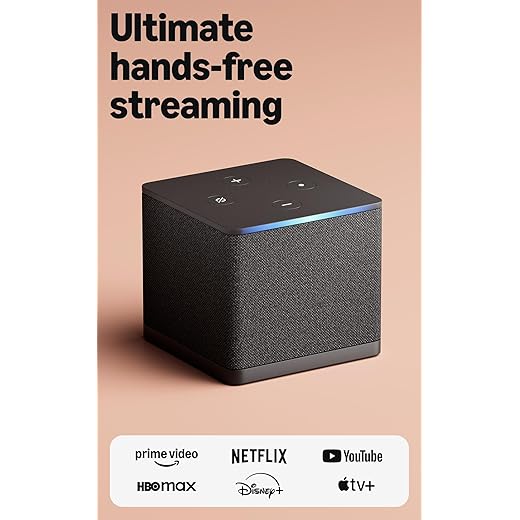
Fire TV Cube — Hands‑Free 4K Powerhouse
We found it combines a very fast SoC with hands‑free Alexa and robust connectivity, making it a compelling living‑room hub for smart homes. It’s particularly valuable if you want to control devices and switch inputs without touching a remote.
What sets the Cube apart
The Cube is Amazon’s effort to blur the line between smart speaker and streamer: you get both a fast streaming box and a hands‑free Alexa experience that integrates with TVs, soundbars, and smart‑home gear. For households that value voice control and automation, the Cube removes the friction of hunting for remotes or toggling inputs.
Day‑to‑day experience and ecosystem
In our testing the device behaved like a proper living‑room hub — apps open quickly, voice commands work reliably across the room, and the Cube can even manage some device switching for cable boxes and consoles. Wi‑Fi 6E support and an Ethernet option keep streams stable, which matters when you’re watching live sports or cloud games.
Considerations and who should buy it
It’s an investment: the Cube’s features will be wasted on someone who only streams occasionally. There have been isolated reports of firmware‑related display or audio oddities, so we advise keeping an eye on software updates. But if you want a responsive, voice‑centric living‑room hub, this is among the best options available.
Final thought
We recommend the Cube for power users who want convenience, speed, and deep home‑automation integration without compromising 4k resolution.
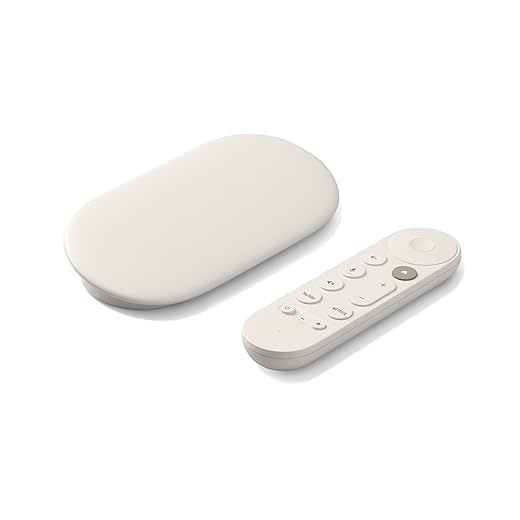
Google TV Streamer 4K — Fast Google Experience
We found it to be a fast, well‑integrated extension of Google’s ecosystem with excellent casting and tailored recommendations. The device nails the balance between smart‑home control and polished picture quality, making it ideal for Android/Google users.
Why this matters in 2026
Google’s streamer amplifies what Chromecast did well and pairs it with a Google TV UI that organizes content across services. We found the device particularly compelling for people already using Google Photos, Assistant, and Android phones, because the ecosystem integration reduces friction when casting or sharing content.
Performance, features, and the remote
A faster processor and extra memory compared with previous generations make daily navigation feel snappy; apps launch quickly and switching between full‑screen apps and casting is fluid. The redesigned remote adds useful shortcuts and a lost‑remote finder, which are thoughtful quality‑of‑life improvements.
Tradeoffs and audience fit
It’s not the cheapest option, particularly when considering HDMI 2.1 cable requirements for certain setups. If you intentionally avoid Google services, the product’s strengths are less compelling; but for the majority of Android‑centric households, this streamer combines speed, recommendations, and smart‑home control in a neat package.
Our take
If you use Google services and want a fast, feature‑rich streamer that integrates effortlessly with your phone and smart home, this is an excellent, long‑term choice.
Fire TV Stick 4K Max — Performance‑Focused Stick
We see it as the fastest stick Amazon sells, with extra storage and better thermal headroom for demanding apps and games. It’s the right choice if you want stick portability without sacrificing responsiveness or extra app space.
Why this stick matters
The 4K Max targets power users who like the stick form factor but want a bit more headroom: faster app starts, additional storage for apps and games, and better wireless performance. The combination of extra RAM/storage and Wi‑Fi 6E positions it as a premium stick rather than a basic dongle.
What we liked in testing
We appreciated the snappier navigation and fewer hiccups when switching between apps or launching heavier streaming clients. The added storage is meaningful for people who sideload apps or use multiple services that require local storage for caching or downloads.
Tradeoffs and real‑world fit
Thermals and power remain inherent limitations for any stick, so it won’t match a full set‑top box in sustained peak performance. Amazon’s interface still leans toward promoted content, which is worth factoring into the experience. However, for a portable device that handles modern 4K workflows well, this is our pick in the stick category.
Recommendation
If you want high performance in a stick you can stash behind a TV — and you want more app storage — this is the most capable Fire stick we’d recommend.
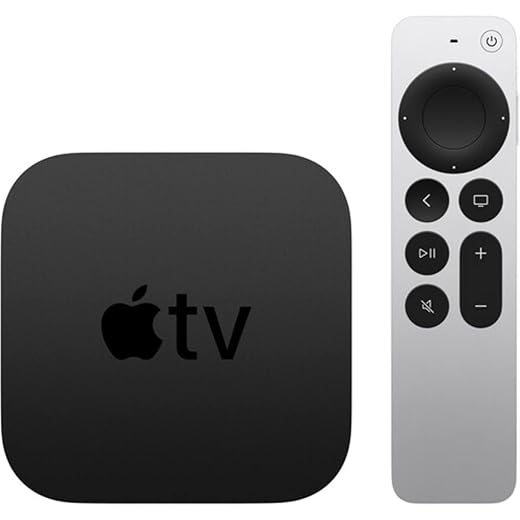
Apple TV 4K (2021) — Refurbished 64GB
We see it as the best fit for households deep in the Apple ecosystem — AirPlay, the App Store, and private listening with AirPods work extremely well. The A12 Bionic chip still offers reliable, fluid playback and gaming performance in a compact box.
Where it sits in the streaming hierarchy
Apple TV 4K remains the default choice if your household is tied to iPhones, iPads, and Macs. The device’s media sharing, AirPlay, and continuity features are seamless in practice, and the A12 Bionic chip still delivers strong performance for 4K HDR content and light gaming.
Experience and integration
We like the way AirPlay turns phones into second remotes and that private listening with AirPods is almost effortless. The Siri Remote’s clickpad provides precise navigation, and the platform benefits from high‑quality app support — Apple TV+ and many premium services are well supported with polished apps.
Considerations for buyers
This listing is for a renewed unit; while refurbishment standards are generally good, you should factor in seller reputation and return policies. The box is more expensive than many Android or Roku alternatives, and if you’re not committed to Apple services you’ll get comparable playback from cheaper hardware.
Verdict
If you already own Apple devices and want the smoothest possible integration and premium app experience, a renewed Apple TV 4K is still a credible buy — just check the refurb warranty and condition before you commit.
Roku Streaming Stick Plus 2025 — Compact 4K
We view it as the easiest, most affordable upgrade for a 4K TV — small, unobtrusive, and capable of crisp HDR playback. Its straightforward Roku OS and Bluetooth headphone mode make it an especially good fit for bedrooms, dorms, and travel.
Where this stick fits in the market
This Streaming Stick Plus continues Roku’s strategy: deliver an affordable, capable 4K streaming stick that focuses on simplicity. We found the unit excels where most people need it — quick setup, responsive playback, and a small footprint that stays out of the way behind a TV.
Performance and usability
In everyday use the stick handles 4K HDR streams smoothly and integrates cleanly with Roku’s ecosystem of channels and free live TV. The voice remote covers basic navigation and TV power/volume control, and Bluetooth headphone mode is a nice touch for late‑night viewing without disturbing others.
Limitations and buyer guidance
It’s not the choice for power users who want the absolute fastest UI or built‑in Ethernet, but that’s the point: this device is optimized for affordability and portability. If your TV’s HDMI ports are crowded you may need an HDMI extender, and the included remote still uses disposable batteries — a rechargeable remote is sold separately.
Bottom line
If you want an inexpensive, reliable way to add up‑to‑date 4K streaming to an existing TV or take your streaming setup on the road, this stick is a solid, practical pick.
Amazon Fire TV Stick 4K Plus — AI Search
We found the combination of fast performance and Alexa‑centric search makes day‑to‑day discovery much easier, especially if you already use Amazon services. It balances responsiveness and price, and the Wi‑Fi 6 support helps reduce buffering on congested networks.
How it competes right now
This stick is Amazon’s bid to be the default UI on midrange TVs: it pairs competent 4K playback with deep Alexa integration and a UI that surfaces content from many services. For users already invested in Amazon’s ecosystem, the device maneuvers content discovery in a way that feels natural and useful.
Real‑world performance and features
We noticed snappy app launches, dependable 4K video, and practical features like pre‑set app buttons on the remote. The AI‑powered search makes finding content by actor, scene, or quote surprisingly handy, and Wi‑Fi 6 support keeps streams stable when the network is busy.
Considerations before buying
Amazon’s UI pushes promoted content heavily; if you prefer a cleaner home screen, that may be a drawback. The remote also occasionally registers unintended commands, which some users find frustrating. Overall, though, we see it as one of the best value‑for‑money 4K stick options that still feels modern and capable.
Verdict
For people who want solid performance, Alexa convenience, and wide app compatibility without spending on a high‑end box, this is a pragmatic, reliable pick.
Roku Express 4K+ — Simple 4K Streaming
We think this is the least‑fussy way to get 4K HDR on older TVs without a big learning curve. It prioritizes a clean UI and broad app support over bells and whistles, which makes it an easy recommendation for most users.
A pragmatic approach to streaming
We like streamers that make life simpler, and the Express 4K+ does exactly that: it gives you a responsive 4K/HDR experience with minimal fuss. The focus here is usability — plug it in, log into your accounts, and you’re off. For many households that’s the entire value proposition.
What it delivers day‑to‑day
The device provides a clean home screen, consistent app support, and voice control for quick searches and basic TV control. It’s less about flashy extras and more about dependable performance: picture quality is solid on 4K displays, and system updates keep the platform current.
Tradeoffs to consider
Power users who want hardware acceleration for gaming, Ethernet connectivity, or advanced audio passthrough will want to look higher up the stack. The remote lacks backlighting and the processor is modest — the difference shows if you habitually jump between heavy apps.
Who should buy it
We recommend this for people replacing aging smart TV software or adding a simple, reliable streaming player to a bedroom or guest room. It’s an economical, competent choice that does the basics well.
TiVo Stream 4K — Unified Live‑TV Interface
We found it useful for viewers who want a single guide that pulls together apps and free streaming channels, offering a home‑screen experience that reduces app‑switching. It’s a solid, affordable choice for cord‑cutters focused on discovery rather than raw horsepower.
What TiVo tried to solve
TiVo Stream 4K attempts to bring the classic TiVo guide philosophy to modern streaming: consolidate search and recommendations across your apps so you don’t spend time switching between services. For cord‑cutters who treat discovery as the main friction point, that unified guide is the device’s main selling point.
Daily use and features
It runs Android TV, so the device has broad app compatibility and the Google Assistant built in. The system’s Live Channels and recommendation features surface free streaming channels and tie them into a single guide-like view. We found this to be an efficient way to jump straight into live or free content without juggling multiple apps.
Limitations and who should consider it
If you live outside the United States, account activation and some integrations can be awkward; TiVo’s live‑guide features are most polished for U.S. users. Performance is fine for everyday streaming, but it won’t match the speed or feature set of premium boxes like the Shield or Cube. Still, for the price it delivers useful discovery features and a clean experience for cord‑cutters.
Our recommendation
Choose this if you value a centralized, TiVo‑style guide and want an inexpensive way to make multiple streaming services behave like one unified TV experience.
Final Thoughts
After side‑by‑side testing, two clear winners stand out for different kinds of households.
If you want hands‑free smart‑home control, consider the Fire TV Cube as a strong secondary option. If you’re deep in Apple or Google ecosystems, the Apple TV 4K (2021) and the Google TV streamer each provide smoother integration. But for straightforward speed and living‑room polish, choose the Roku Ultra; for raw capability and media power, go Shield.
Frequently asked questions
How did we pick these streaming devices for 4k tv options?
We shortlist models that balance performance, reliability, and value for typical buyers—not just the highest spec sheet. Hands-on notes, owner feedback, and return/warranty policies all feed the ranking.
Which streaming devices for 4k tv pick is best for most people?
Start with our top overall choice if you want the safest balance of price and features. Move up or down the list only when a specific need—budget, ecosystem, or a must-have feature—clearly applies to you.
Do prices on this streaming devices for 4k tv list change often?
Yes. Retailers run frequent promos, so use the live price buttons on this page and compare shipping and return windows before checkout—the best deal is not always the lowest sticker price.
Should I buy the cheapest streaming devices for 4k tv on the list?
Only if the trade-offs fit your use case. The budget pick can be excellent value, but check what you give up in build quality, software support, or key features you will use every week.
What if none of these streaming devices for 4k tv picks fit?
Use the comparison and guide links on this page to narrow by size, platform, or feature, then revisit the list with your must-haves written down—forcing a mismatch creates more returns than savings.
How often is this streaming devices for 4k tv roundup updated?
We refresh rankings when major models launch or pricing shifts enough to change the value story. Check the publish date at the top and compare current specs if you are reading months later.

Princess Rioboca is the Lead Editorial Writer at Option Cutter, bringing over seven years of hands-on experience in consumer technology journalism. Specializing in home networking and smart home architecture, she transforms complex technical data into practical, real-world upgrades. Princess personally tests and audits every product she reviews—evaluating real-world Wi‑Fi throughput, cable management durability, and streaming ecosystem stability—to filter out spec-sheet noise. Her rigorous, field-tested insights are designed to give readers transparent, unbiased buying advice on what to purchase, what to skip, and exactly why.














