


Why picking the right 4K streamer still matters
We walk through practical choices that decide whether 4K plays smoothly or stutters, focusing on experience, ecosystem fit, and future‑proofing. We show what changed in hardware, networks, and DRM — and why those shifts truly matter for everyday viewers today.
What we need before we start
We need a 4K TV or monitor, a home network (Wi‑Fi or Ethernet), familiarity with streaming apps, and a budget; optionally an Ethernet cable, router specs, and the TV manual.

Match the box to your display and HDMI inputs
Does your TV deserve HDMI 2.1-level thinking—or will HDMI 2.0 do fine? Spoiler: it depends on your TV and how much future-proofing we want.Verify your TV’s resolution, refresh rate, and supported HDR formats. Read the manual or on‑screen specs to confirm whether the panel handles 4K60, 4K120, Dolby Vision, HDR10+, and whether any HDMI ports are labeled HDMI 2.1 or eARC.
Prefer HDMI 2.0 devices for everyday streaming; they handle 4K60 and HDR10 just fine. Reserve HDMI 2.1 when you want 4K120, VRR, or high‑bandwidth passthrough for consoles and soundbars. Remember: specs on paper don’t guarantee smooth playback—EDID (the TV’s capability report) and HDCP (the content‑protection handshake) actually determine whether the streamer can send a given stream at full resolution and HDR.
Use these checks to avoid surprises:
Practical step: inspect TV HDMI labels, test a 4K60 sample clip, and confirm whether your AVR/soundbar needs ARC or eARC for lossless audio.
Check codec and DRM support — the real determinants of smoothness
AV1, HEVC, Widevine L1 — sound like alphabet soup? They’re the reason some services buffer less and deliver higher quality for the same bandwidth.Check the streamer’s software capabilities first. We look for hardware AV1, H.265/HEVC, and VP9 decode on the SoC and firmware — not just “supports AV1” in marketing copy. Confirm Widevine L1 and/or PlayReady are listed if you want full‑bitrate 4K from Netflix, Disney+, Prime Video, and other services.
Look for these quick signals:
Verify by testing: run an AV1 4K test clip (YouTube has AV1 streams) and check the network bandwidth and frame stability; use service apps and confirm they offer 4K. Contact support or scan spec sheets for exact decode profiles (e.g., “AV1 10‑bit 4K@60”). Don’t assume software decode will be enough — it drives CPU, causes dropped frames and heat. Instead, insist on hardware acceleration to reduce dropped frames, improve thermal behavior, and keep playback smooth. Inspect the spec sheet, contact support, and run test videos to confirm codec/DRM behavior.

Evaluate networking: Wi‑Fi standards, Ethernet, and real-world throughput
Is your router the bottleneck? We run the numbers—because a 4K stream doesn’t care about advertised Wi‑Fi stickers.Prioritize wired Ethernet for consistent throughput—on congested home networks a gigabit RJ‑45 connection eliminates most causes of stutter.
Choose Wi‑Fi 6 (802.11ax) or at least dual‑band AC with strong 5 GHz performance and MU‑MIMO if Ethernet isn’t possible. Look for radios and antennas tuned for sustained throughput, not just headline Mbps.
Understand how streaming reacts: adaptive bitrate drops resolution when throughput dips; high latency and packet loss force rebuffering even if peak speed tests look fine. Remember real-world factors that matter more than specs: router placement, channel congestion from neighbors (especially in apartments), and ISP peering on your streaming provider’s route.
Compare devices by observing behavior under load: a capable SoC plus stable network keeps the player from falling back to low‑bitrate streams. For example, in our apartment tests a Wi‑Fi 6 stick stayed at 25–35 Mbps while an older AC dongle oscillated and dropped to 10 Mbps during peak hours.
Run speed tests near the TV, stream a 4K test clip, and observe buffering behavior. If streaming struggles at ISP‑claimed speeds, isolate the device on Ethernet, check other network traffic, and consider QoS rules or a mesh upgrade.

Choose the right OS and ecosystem for apps, updates, and UX
Roku’s simplicity, Apple’s polish, Google’s search—whose ecosystem actually reduces friction and improves playback over time?Prioritize an OS with predictable updates and a clean app ecosystem rather than chasing raw CPU benchmarks. We look for systems that keep apps current, push security patches, and present integrated search across services so you don’t hunt for where a show lives.
Compare the major ecosystems by how they behave in daily use:
Run a quick checklist before buying:
We often choose a midrange box with a stable, well‑supported OS over a faster player that gets ignored by updates.

Hands-on testing, remote ergonomics, and total value
Don’t buy on specs alone—let’s test one, assess the remote, and calculate ongoing value (updates, app reliability, and resale).Play the same 4K HDR clip across Netflix, Prime Video, and a local Plex/USB source to compare startup time, app switching, and whether playback recovers when we throttle the network (simulate a hiccup). Try scrubbing, seeking, and HDR toggles so we see buffering behavior and rebuffer recovery.
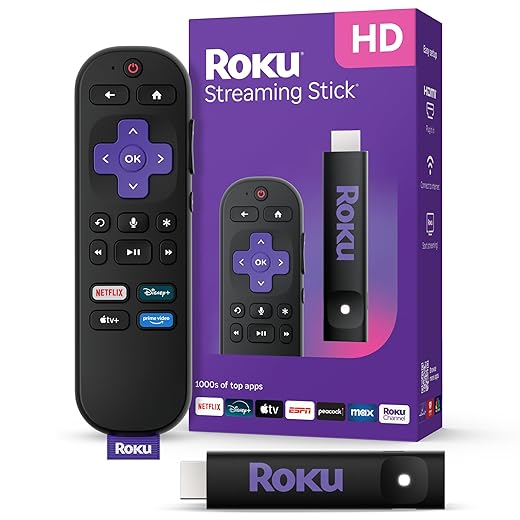
Check the remote in hand: feel for tactile buttons, test the voice assistant for wake accuracy and contextual queries, time the input latency, and note real-world battery life (replaceable AA vs rechargeable). Small annoyances add up—dead-center D‑pads, slow voice wake, or a fuzzy IR sensor kill the experience.
Evaluate additional value by looking at:
Compare price versus long‑term value: prefer units with clear update policies, decent support records, and easy return windows. Test return policies, favor devices with public firmware changelogs, and watch for AV1/DRM updates that matter later.

Wrap-up: buy for experience, not just specs
We prioritize codec/DRM support, network reliability, and ecosystem fit over headline specs; a modestly priced streamer with solid software, updates, and ergonomics usually gives the smoothest 4K experience—try one, test it, and tell us what changed in real homes today.

Chris is the founder and lead editor of OptionCutter LLC, where he oversees in-depth buying guides, product reviews, and comparison content designed to help readers make informed purchasing decisions. His editorial approach centers on structured research, real-world use cases, performance benchmarks, and transparent evaluation criteria rather than surface-level summaries. Through OptionCutter’s blog content, he focuses on breaking down complex product categories into clear recommendations, practical advice, and decision frameworks that prioritize accuracy, usability, and long-term value for shoppers.










