Why spatial audio changes the way we pick headsets
We now choose headsets for SPATIAL precision, low latency, and ecosystem fit rather than raw bass or RGB; that shift matters because positional fidelity transforms competitive advantage, immersion, and peripheral design choices across consoles, PC, and mobile in today’s market.
What we need before we start

Step 1 — Understand what 'spatial audio' actually means
Is it just fancy marketing, or a real directional upgrade? Spoiler: context matters.Cut through buzzwords. Spatial audio is an umbrella term covering different technical paths that produce 3D sound; we need to know which one we’re buying into.
List the three approaches and what to expect:
Check perceptual outcomes: clarity of footsteps, accurate elevation, and stable panning. Verify platform-level support (Windows Sonic, Sony Tempest, Dolby Atmos) because ecosystem support changes compatibility and long-term experience. Always test in the actual games you play — demos can mask weaknesses that show up in real matches.
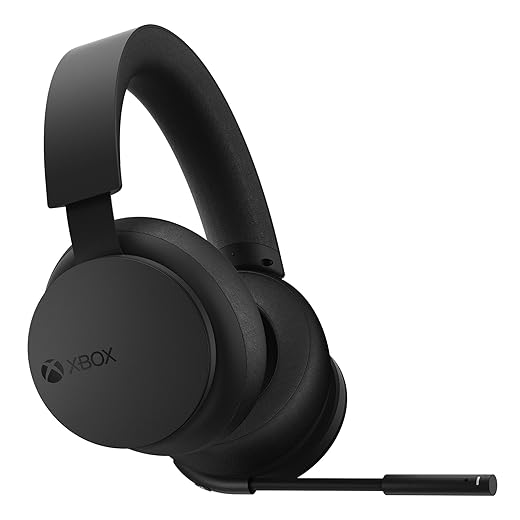
Step 2 — Match headset technology to your platform and ecosystem
Want the best 3D sound on PS5 or PC? Don’t pick based on looks — pick for ecosystem.Match headset technology to your platform and ecosystem. We analyze ecosystem integration because the same headset behaves differently across platforms: Sony’s Tempest Engine, Microsoft’s spatial stacks, Apple’s head‑tracking Atmos on iOS, and native Dolby Atmos on Windows each change how spatial audio arrives.
Prioritize differently based on where you play. For example:
Weigh trade‑offs. A Tempest‑friendly headset can lose head‑tracking or decoding on Switch or Steam Deck without drivers, so ecosystem fit often matters more than raw frequency response.

Step 3 — Pick the delivery method: wired, USB DAC, or wireless
Latency kills positional cues — so which connection is safe for competitive play?Choose the transport layer deliberately — it controls bandwidth, latency, and whether spatial decoding happens in the headset or the host.
Prefer wired analog (3.5mm) for the simplest, lowest‑latency connection; note it may bypass console or PC virtualizers and advanced HRTF processing.
Consider USB headsets when you want processed spatial streams, firmware updates, and vendor tuning; test driver support on your consoles and PC.
Pick proprietary 2.4GHz dongles for a strong low‑latency wireless compromise — higher bandwidth than Bluetooth and vendor‑tailored firmware.
Weigh Bluetooth for phones and casual play; LE Audio/LC3 improves battery and quality but still lags for competitive latency and true multi‑channel spatial formats.
Account for simultaneous device switching and companion‑app ecosystems when deciding.

Step 4 — Evaluate software, tuning, and customization
Good hardware needs good software — does the vendor actually care about sound design?Assess the vendor app first. Run any HRTF personalization tool and listen for measurable improvements in left/right and elevation — if it’s only RGB controls, move on.
Check whether the app offers per‑ear HRTF, parametric EQ, and microphone processing (noise gate, de‑esser, sidetone) so you can tune for your head and headset.
Prefer editable EQ and profile export/import over locked presets. Use the EQ to tame boomy bass or brighten footsteps in real games.
Monitor firmware update cadence. Install updates and watch release notes for latency, virtualization, and bug fixes.
Compare black‑box virtualization to open standards (OS or engine spatializers). Test both: sometimes vendor processing adds clarity, sometimes it obscures positional cues.
Favor clear UIs, cross‑platform syncing, and active support — they signal long‑term value and better real‑world UX.

Step 5 — Prioritize ergonomics, mic quality, and day-to-day UX
You’ll wear these for hours — comfort and mic clarity matter as much as 3D imaging.Prioritize comfort and practical controls over headline specs. Spatial audio is useless if we can’t wear the headset for marathon sessions or if teammates can’t hear us.
Check these UX touchpoints before buying:
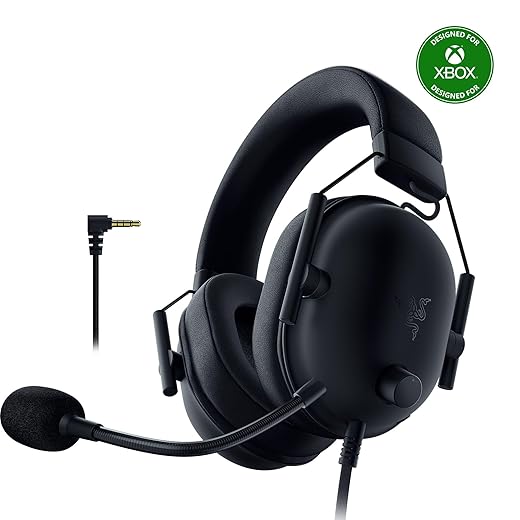
Step 6 — Real-world testing and value comparison
How to test spatial audio like a pro — and when to pay for it versus save your cash.Run tests in a quiet room. Use binaural demo tracks (search “binaural headphone demo” or use Dolby/Windows Atmos samples) to judge imaging, elevation, and stability.
Compare headsets on identical material and in our usual environment; prefer a midrange model with solid virtualization and comfort over an expensive novelty. Factor in warranty, software updates, and platform partnerships. Think long-term: are we buying for a console ecosystem that will retain support, or a PC setup where drivers evolve? This contextual, hands-on comparison is the decisive step in picking a headset that actually improves our games.

Make the call with context, not hype
We weigh format, platform fit, delivery, software maturity and real‑world testing today to choose a headset that actually improves our play—prioritizing usable spatial cues, ergonomics, and ecosystem integration over marketing noise; which tradeoffs are worth it for our game library?

Chris is the founder and lead editor of OptionCutter LLC, where he oversees in-depth buying guides, product reviews, and comparison content designed to help readers make informed purchasing decisions. His editorial approach centers on structured research, real-world use cases, performance benchmarks, and transparent evaluation criteria rather than surface-level summaries. Through OptionCutter’s blog content, he focuses on breaking down complex product categories into clear recommendations, practical advice, and decision frameworks that prioritize accuracy, usability, and long-term value for shoppers.