



Why real battery life matters more than glossy specs
We cut through marketing hours and spin to show how to pick a multisport GPS watch that actually lasts in real use. We focus on user experience, hardware trade-offs, and ecosystem fit so your watch survives race day and travel.
What we need to decide with confidence
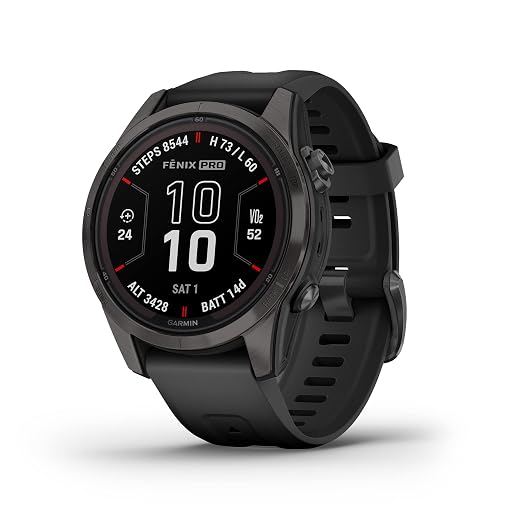
Read the fine print: advertised runtime vs real-world claims
Manufacturers brag in lab conditions — how do we translate that to our workouts?Read the fine print on battery specs before you decide. Manufacturers publish several metrics — GPS-only, mixed use, and standby — and each is measured under different, often idealized conditions.
Check these test variables we care about
Compare GPS watches by the baseline test details, not just “hours.” Two models with the same quoted runtime can behave very differently once you add music, notifications, or frequent route recalculations.

Match modes to use: GPS accuracy, logging rates, and power profiles
Would you trade sub-meter tracking for double the battery life? Let's quantify the cost.Match GPS mode to your sport. Choose between standard (1 Hz), high‑precision GNSS/multi‑band, and assisted/low‑power; each step up in precision multiplies power draw.
Set sampling intervals based on activity
Consider assisted positioning on fitness smartwatches for city runs and hikes—we get reasonable tracks with big power savings.
Understand manufacturer power modes
Pick the GPS mode + interval you’ll actually use and predict endurance from that combination.
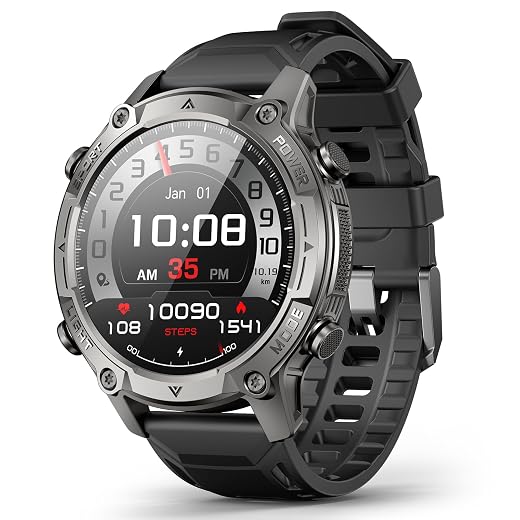
Hardware trade-offs: screen, sensors, and chipset
Bright screens and fancy sensors look great — but do they cost you your last mile?Compare display technology and make choices that match your priorities. AMOLED displays deliver rich maps and bright watch faces but chew battery; transflective and memory‑in‑pixel (MIP) screens give far better endurance in sunlight, which matters for multi‑day use. We’ve seen sport‑focused brands prioritize transflective/MIP for longevity while smartwatch‑first makers choose AMOLED for looks.
Evaluate sensors and GNSS choices on a Garmin watch. Continuous optical HR and multi‑band GNSS increase draw; a chest strap or lower sampling rate can cut hours off consumption. Barometers add useful elevation data with minimal cost.
Consider chipset efficiency and watch case design: newer, low‑power GNSS/SoCs and larger batteries in thicker bodies extend real life, while thin, fashionable cases limit capacity.
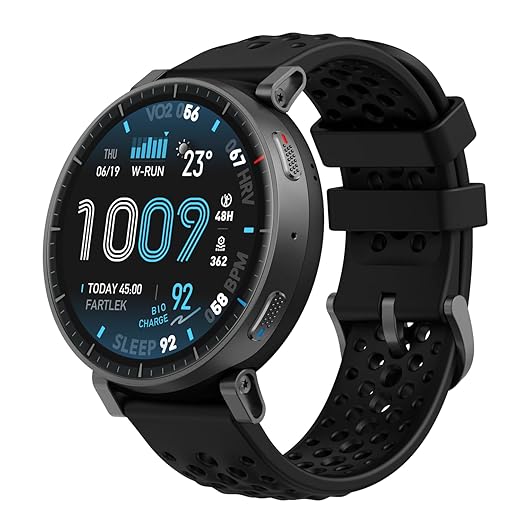
Software and ecosystem: why firmware, apps, and clouds drain or save power
Software isn’t neutral — background syncing, watch faces, and third-party apps can steal hours.Examine OS design and background processes on sport watches: closed platforms that limit third‑party code (think Apple, some sport brands) constrain rogue apps that kill battery, while open systems let faces and plugins run wild.
Disable constant notification and sync chatter on your multisport watch: filter push alerts on your phone, turn off live cloud syncing, and prefer manual or scheduled uploads to save hours.
Compare vendor update cadence and transparency in our product comparisons: choose makers who publish changelogs and push optimizations — we’ve seen meaningful life gains after firmware patches.
Limit third‑party watch faces and high‑polling plugins: remove faces that update every minute or apps that poll GPS/HR continuously.
Prefer devices whose companion apps let you toggle background services and view per‑app drain so you can control real‑world power use.
Trust but verify: how we test battery life and read reviews
Not all tests are equal — here’s the practical checklist we use to judge claims.Define a repeatable protocol in our how-to guides: we pick three activity profiles (30‑min run, 4‑hour ride, full‑day wear), lock a single GPS mode, set a consistent notification load, fix screen brightness, and run each scenario multiple times until the battery dies.
Run controlled field tests and note variance: we record averages and standard deviation, call out vendor modes that sound impressive but only apply in low‑power, low‑use cases.
Compare lab claims to long‑term user reports: we ignore one‑off glowing reviews and look for patterns across months — firmware updates often change the story.
Inspect battery graphs and export logs: we hunt for wakelocks, sync spikes, or sudden overnight drains that reveal hidden background activity.
Use community forums and changelogs: we treat active threads and fast vendor responses as reliability signals, not just raw hours.

Make the purchase decision: feature priorities and practical tips
Buy for the battery you need, not the feature you want — and squeeze more life from what you get.Decide your minimum GPS runtime and accept the accuracy trade-offs: we ask, do you need 30+ hours for an ultramarathon or 10–15 hours for long rides?
Prioritize must-have sensors and ecosystem fit: we pick optical HR and barometer for hill training, multi-band GNSS for precise pace, and strong phone-app mapping if we travel internationally.
Recommend feature combos by use-case
Tune sampling rates, disable always-on display, limit notifications, and keep firmware updated to extend real life.
Check warranty length and return windows — we test batteries for weeks, so buy where you can return or get firm post-purchase support.
A practical verdict: pick for the experience that lasts
We recommend tested endurance inside our ecosystem, tune power settings to reclaim hours, and balance hardware, software, and use. Try your candidate, then report results, and help others choose with confidence.
Frequently asked questions
What should I prepare before I choose a multisport gps watch with real battery life?
Start with the checklist in the “What we’ll need” section above—measure your space, confirm compatibility with your gear, and read the full walkthrough once before you change settings or buy parts. Multisport gps watch with real battery life goes faster when prep is done upfront.
How long does it take to choose a multisport gps watch with real battery life?
Most readers finish in about 30–90 minutes if they already have the right parts, but budget extra time for measurements, firmware updates, or a second pass when something does not behave the way the manual suggests on the first try.
What is the hardest part when you choose a multisport gps watch with real battery life?
The step that trips people up is usually alignment or configuration—getting measurements, cable routing, or software settings right before you commit. If results still look off, re-check the basics in order instead of swapping hardware immediately.
What mistakes should I avoid when I choose a multisport gps watch with real battery life?
Skipping measurements, ignoring ventilation or port limits, and rushing the final test are the common failures. Photograph your starting setup, label cables, and verify the outcome with the same content or workflow you will use every day—not a one-off demo.
When should I call a pro instead of trying to choose a multisport gps watch with real battery life myself?
Bring in help when the job needs structural work, licensed wiring, or tools you do not own, or when repeated attempts still fail after you have followed the troubleshooting section. A short paid visit can cost less than replacing gear you damaged by forcing the install.

Princess Rioboca is the Lead Editorial Writer at Option Cutter, bringing over seven years of hands-on experience in consumer technology journalism. Specializing in home networking and smart home architecture, she transforms complex technical data into practical, real-world upgrades. Princess personally tests and audits every product she reviews—evaluating real-world Wi‑Fi throughput, cable management durability, and streaming ecosystem stability—to filter out spec-sheet noise. Her rigorous, field-tested insights are designed to give readers transparent, unbiased buying advice on what to purchase, what to skip, and exactly why.















