



Why choosing the right rugged smartwatch matters now
We test and compare rugged watches from Garmin, Suunto, Apple, and challengers, because a wrist device now can save lives — some models last weeks, others die in hours. We explain what actually matters: fit, battery, sensors, software, ecosystem, and support.
What we need before we start

Top 5 Rugged Smartwatches You Must See Before You Buy
Step 1 — Define your real-world use case and priorities
Are we weekend hikers, thru-hikers, or multisport athletes? Your answer changes everything.Define what “rugged” must mean for our next outdoor smartwatch. Pin down whether we need splashproof reliability for open-water swims, an altimeter/barometer for mountaineering, or uninterrupted GPS and multi-day battery for backcountry treks. Translate scenarios into features we actually use.
List our primary priorities quickly:
Rank these by worst-case needs (what must never fail) and day-to-day needs in our how-to guides (what improves the experience). Use short real examples — a weekend hiker needs lighter weight; a 5-day trek demands battery-first thinking.

Step 2 — Evaluate build, durability standards, and real-world resilience
IP ratings, MIL-STD claims, and a scratched sapphire crystal — which of these actually matter to us?Scrutinize construction beyond marketing buzz on rugged watches: water resistance (IP or ATM), MIL‑STD claims, and screen materials (Gorilla Glass vs. sapphire) tell part of the story, but design details matter.
Check bezel protection, case geometry, and how buttons behave with gloves on rugged wearables—those determine whether a drop or a cold-weather climb becomes a headache. Favor corrosion-resistant finishes for saltwater use.
Read teardowns, long-term reviews, and forum threads on outdoor watches to spot recurring failure modes (popped crystals, flaky buttons, degraded seals). Don’t trust a spec in isolation.
Assess repairability and warranty on Garmin and rivals: prioritize models with replaceable parts, documented service options, and transparent warranty coverage—because a cheap, unserviceable watch that fails costs more over time.
Step 3 — Prioritize battery life and charging options
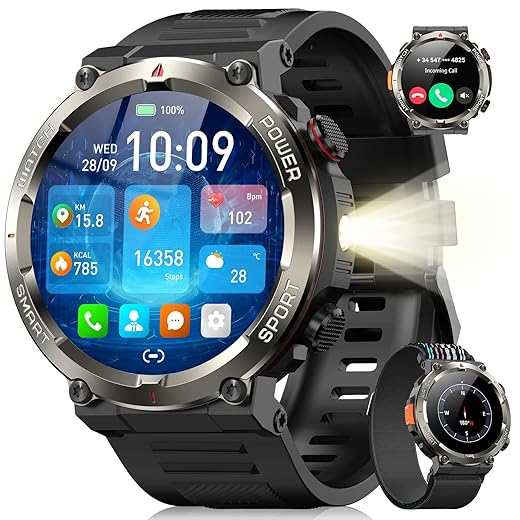
Do we want days, weeks, or emergency-mode months? Battery is the feature we can’t improvise in the field.Compare manufacturer claims with independent endurance tests so we know which trips a watch will actually enable. Test mode-dependent figures — GPS-on, full‑hybrid, and low‑power — and favor real‑world numbers over headline specs.
Look for power‑management features we can control on fitness smartwatches: adaptive GPS, offline route caching, minimal background syncing, and fast‑charge options. Prioritize tested endurance and charging flexibility, not just premium branding.

Step 4 — Inspect navigation, GPS accuracy, and sensor suite
Can we trust the map and altitude reading when it matters? GPS is the watch’s compass and truth.Inspect GNSS performance and sensor. Check for multi‑band/dual‑frequency GNSS (L1/L5) and support for GLONASS/Galileo — these cut drift in canyons and dense forest. Prefer a barometric altimeter and magnetometer for reliable elevation and heading when satellite fixes wobble.
Check software and UI for quick decisions: ensure offline maps, easy route following, clear breadcrumb trails, and one‑tap waypoint marking — download a topo and try the watch’s map zoom and pan in a store demo.
Test ancillary sensors relevant to your use case on smartwatches: compare wrist heart‑rate to a chest strap under hard effort, verify pulse‑ox and skin‑temperature readings for overnight or high‑altitude use, and decide which sensors justify the price.

Step 5 — Assess software, ecosystem, and third-party integration
A great watch without a good app is like a camera without a lens — pretty but limited. What’s the full experience?Evaluate the companion app, route workflows, cloud sync, and how the watch works with our phone and services. Test offline map downloads, easy GPX import/export, and whether firmware.
Test real scenarios: import a GPX from Komoot, push a run to Strava, and watch for automatic sync to TrainingPeaks — if any step is manual or flaky, that’s friction we’ll feel on long trips.
Check these key items before buying
Prefer brands that balance smooth native features with open export options — ecosystem lock‑in is common in 2026.
Step 6 — Fit, interface, and after-sales support
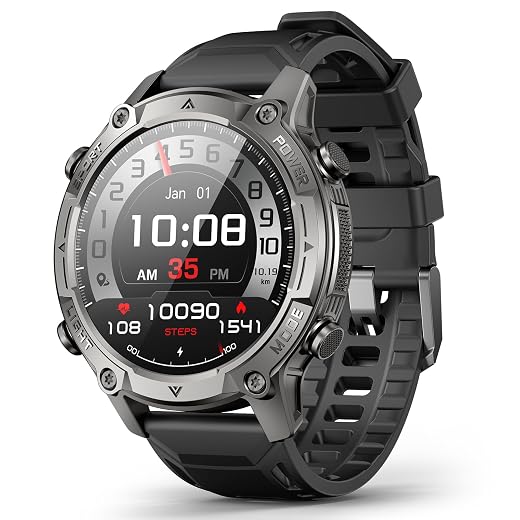
A rugged watch that’s uncomfortable or clunky to use becomes dead weight—so don’t ignore the feel.Test strap comfort and case size by wearing the watch through a full activity — hike, shower, or sweaty gym session — and note pressure points. Try button placement with gloves on; press every control blindfolded to see what’s reachable.
Try the UI outdoors: check legibility in bright sun, glanceability while moving, and whether you can build custom data screens (pace + elevation + battery) quickly. Prefer physical buttons or hybrid controls if you wear gloves or heavy clothing.
Inspect after‑sales terms before buying. Ask about warranty repairs, battery‑replacement policy, spare bands, mounts, and charger availability — these determine lifetime value, not just initial price.
Bringing it together: Choose with context, not hype
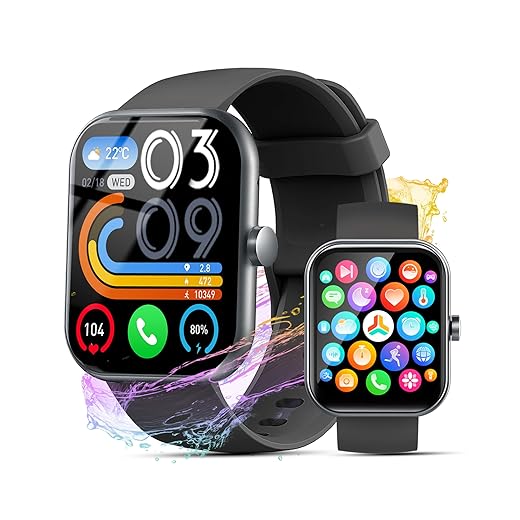
We recommend matching the watch to our prioritized list — duty, battery, navigation, ecosystem, and comfort — and choosing models with proven real-world performance and responsive support; try one, report back your experience, and help others pick better gear, faster and smarter.
Frequently asked questions
What should I prepare before I choose a rugged outdoor smartwatch?
Start with the checklist in the “What we’ll need” section above—measure your space, confirm compatibility with your gear, and read the full walkthrough once before you change settings or buy parts. Rugged outdoor smartwatch goes faster when prep is done upfront.
How long does it take to choose a rugged outdoor smartwatch?
Most readers finish in about 30–90 minutes if they already have the right parts, but budget extra time for measurements, firmware updates, or a second pass when something does not behave the way the manual suggests on the first try.
What is the hardest part when you choose a rugged outdoor smartwatch?
The step that trips people up is usually alignment or configuration—getting measurements, cable routing, or software settings right before you commit. If results still look off, re-check the basics in order instead of swapping hardware immediately.
What mistakes should I avoid when I choose a rugged outdoor smartwatch?
Skipping measurements, ignoring ventilation or port limits, and rushing the final test are the common failures. Photograph your starting setup, label cables, and verify the outcome with the same content or workflow you will use every day—not a one-off demo.
When should I call a pro instead of trying to choose a rugged outdoor smartwatch myself?
Bring in help when the job needs structural work, licensed wiring, or tools you do not own, or when repeated attempts still fail after you have followed the troubleshooting section. A short paid visit can cost less than replacing gear you damaged by forcing the install.

Princess Rioboca is the Lead Editorial Writer at Option Cutter, bringing over seven years of hands-on experience in consumer technology journalism. Specializing in home networking and smart home architecture, she transforms complex technical data into practical, real-world upgrades. Princess personally tests and audits every product she reviews—evaluating real-world Wi‑Fi throughput, cable management durability, and streaming ecosystem stability—to filter out spec-sheet noise. Her rigorous, field-tested insights are designed to give readers transparent, unbiased buying advice on what to purchase, what to skip, and exactly why.















