



Why this keeps happening (and why we care)
Robot vacuums getting stuck is the biggest frustration owners face. We’ve all seen a seemingly clever machine lapse into helplessness under a couch, tangled in cables, or stranded on a rug edge. This is not a quirk of one model but the result of chassis limits, sensor blind spots, home clutter, gradual wear, and software trade-offs.
product reviews article we”>In this article we unpack those causes and why they matter in the market. We examine chassis and mechanical design, sensors and navigation, the invisible traps in our homes, maintenance and wear, the software ecosystem, and the practical choices that reduce rescues. Our goal is simple: help you buy and set up a robot that cleans.


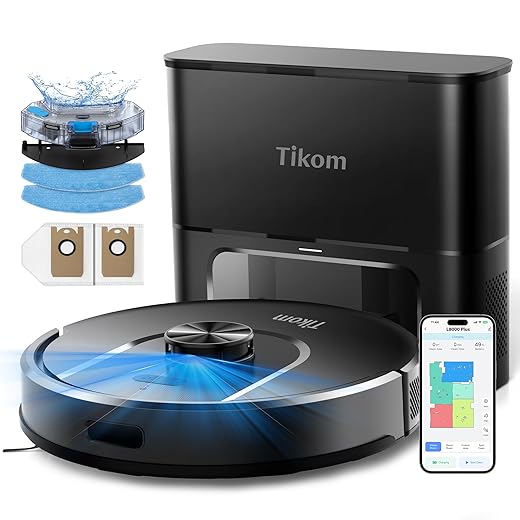

Chassis and mechanical design: the physical limits of a slim machine
We start with the tangible: the parts that literally decide whether a robot glides past a threshold or stalls. In practice, those choices are trade-offs between a sexy low profile and the physical grunt needed to conquer thresholds, pile, and entangling clutter.
The slimness trade-off
Manufacturers know buyers want something that disappears under the couch. That drives low ground clearance, shallow wheel wells, and tiny caster wheels. The consequence is predictable: less suspension travel, smaller wheel diameter, and weaker climb capability. We’ve watched otherwise capable machines hang up on a 1–2 cm door sill that a beefier wheel would bite over.
What to look for in the chassis
Design solutions and real-world differences
Some models prioritize clearance and climbing: Roborock’s mid-to-high-end units use bigger wheels and suspension to handle shag and thresholds; Neato’s D-shape gives edge access but demands sturdier bumpers and wheels to avoid snagging. At the opposite end, ultra-slim models like many budget RoboVacs win under-furniture access but often need more hands-on rescues.
Quick fixes and buying tips
When comparing listings, favor machines that call out wheel size/travel or a “climb” spec. Inspect images for visible spring mounts and replaceable side brushes. If rescue frequency matters more than fitting under a low sofa, prioritize wheel diameter and suspension over millimeter-thin profiles.
Next we’ll look at what happens when sensors try to compensate for these mechanical limits.
Sensors and navigation: when sensing fails the map
A big chunk of the “robot got stuck” problem lives in sensing and the software that interprets sensor data. Robots stitch together inputs from bump sensors, cliff switches, infrared/sonar, optical flow, vSLAM cameras, and LIDAR — and every one of those has a blind spot. When the software misreads or prioritizes the wrong signal, our tidy little map becomes a promise the robot can’t keep.
What the common sensors miss
Why sensor fusion and smarter software matter
Higher-end models (Roborock S7 MaxV, iRobot Roomba j7, Ecovacs T8 AIVI) combine cameras, LIDAR, and AI-powered recognition to avoid pet waste, cords, and slippers more reliably. Budget vacuums lean on bump-and-go logic and inexpensive IR, which explains why some machines need hourly babysitting while others rarely do.
Real-world limits and trade-offs
Better sensing and on-device ML cost money, drain CPU cycles, and chew battery life. Manufacturers balance these against price targets and, increasingly, subscription services for cloud processing and improved maps. That reduces rescues — at the cost of recurring fees or privacy trade-offs.
Quick fixes when sensing lets you down
Next, we’ll look at the spaces that fool sensors in the first place: the home’s invisible traps and how to adapt them.
Your home environment: the invisible features that trap robots
Our floors are the real obstacle course. The robot’s sensors and slim chassis only tell part of the story — the rest is how we furnish, wire, and live in our homes. Below we break down the common traps, how they fool different designs, and practical fixes that don’t involve buying a new vacuum.
A quick taxonomy of household obstacles
How each trap interacts with common robot designs
Smart-home mitigations manufacturers expect us to use
Practical setup tips
Maintenance and wear: the slow drift toward failure
Robots don’t stay crisp. Small, repeatable neglect turns a confident cleaner into a frequent rescue mission: hair wraps the main brush and kills traction, cliff sensors fog with dust and falsely sense drops, wheel encoders clog and the bot misjudges distance, and batteries lose the runtime needed to finish a job. We’ve seen machines that worked flawlessly for months start to stall weekly simply because routine care stopped happening.
What actually fails (and why it matters)
Design trade-offs manufacturers make
Some brands minimize chores with rubber, tangle-resistant extractors (iRobot Roomba’s dual rubber brushes) or self-cleaning docks on premium Roborock/Ecovacs models — but those features add hundreds to the sticker price. Washable HEPA filters and modular parts reduce lifetime costs, yet cheaper units bake maintenance into ownership: frequent consumable swaps and harder-to-find spares.
Maintenance rhythms that work
Warranty, parts, and service
When buying, we prioritize brands with easy-to-order parts and responsive support—replacement brushes and filters should be available without a months-long wait. A good warranty and accessible parts turn maintenance from a chore into predictable upkeep.
Keeping robots unstuck is part maintenance, part ecosystem — which is where software reminders and app integrations come in next.
Software, apps, and the ecosystem: remote fixes and hidden costs
Navigation and stuck prevention increasingly live in software and the cloud. The app is the robot’s brain interface — and a good one can turn a flaky cleaner into a reliable appliance. We’ve watched sloppy mapping UIs and brittle virtual barrier tools create more rescues than they prevent; conversely, clear drag‑and‑drop room editing, persistent multi‑floor maps, and one‑tap no‑go lines cut down on trips under sofas.
Mapping UI and rulebooks that actually work
Look for apps that let you rename rooms, draw precise no‑go polygons, and pin problem spots. Run a dedicated “mapping” job first, then walk the course and correct errors before regular runs. If your bot keeps crossing a threshold, add a tiny no‑go line there rather than yelling at it later — the app should make that quick.

Automatic behaviors: helpful, until they aren’t
Features like carpet‑boost, edge avoidance, and “avoid pet bowls” are useful, but they can also create paradoxes — skirt avoidance that keeps the robot from cleaning baseboards, or carpet‑boost that fights thicker rugs. Test toggling behaviors room by room and save profiles for rooms with lots of cords or low clearance.
Subscriptions, feature gating, and the sticker shock
Many vendors hide multi‑floor maps, scheduled emptying, or cloud‑based obstacle recognition behind subscriptions. We recommend checking which features are included versus paid. If you hate monthly fees, buy a model that offers the navigation stack locally (Roborock and some Ecovacs models offer better on‑device processing) or pay once for a higher tier.
Integrations, automations, and privacy tradeoffs
Smart‑home hooks reduce stuckness: schedule runs when geofencing says the house is empty, or turn on hallway lights for cameras to help visual navigation. But that convenience can mean camera streams and maps live in the cloud. Prefer local integrations (Home Assistant, Matter) when possible, audit permissions, and segment devices on a guest VLAN to limit exposure.
Quick checklist
Practical choices: how we set up, troubleshoot, and buy to avoid rescues
Dock placement and staging
Where we put the home base matters as much as the robot. Aim for a flat, open spot with ~1m clearance front and 0.5m each side. Avoid corners, rugs under the dock, and busy walkways. Elevate the dock off shag or uneven thresholds so the robot docks reliably.
Fast pre-run routine
We treat a cleaning run like prepping for a guest: 90 seconds of prep prevents 90% of rescues.
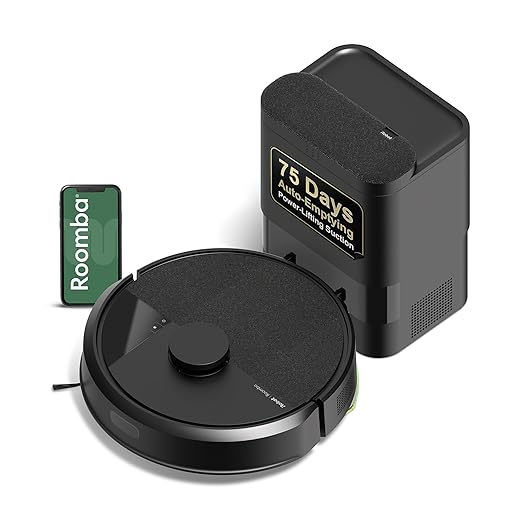
Match robot class to your floor plan
Bump‑sensor (basic): fine for tidy apartments with few thresholds and hard floors. Cheap and simple — but expect more rescues in cluttered homes.vSLAM/LIDAR (premium): worth it for multi‑room homes, many thresholds, or lots of furniture. Better maps, better edge avoidance, fewer surprises.
How to read specs that matter
Obstacle clearance = maximum lip height the robot can climb. Wheel diameter affects ability to surmount small rugs; bigger wheels = more torque and fewer stalls. Sensor suite (IR, camera, LIDAR) tells you whether navigation is reactive or map‑based — maps reduce repeated mistakes.
Buying guide by household profile
Quick troubleshooting and long‑term fixes
With these setup choices and buying trade‑offs settled, we’re ready to tie everything together in the conclusion.
A better ownership experience starts with design and setup
We’ve shown that robots get stuck for technical, environmental, and human reasons, and fixing it means attention to hardware, software, and housekeeping. Design trade-offs — slim chassis, cheaper sensors, or subscription-locked features — shape real-world reliability. That matters because buyers expect hands-off convenience, and the market rewards devices that finish job without frequent rescues.
Practically, we recommend matching form factor to your floors and thresholds, prioritizing robust sensors and good mapping, and committing to small maintenance habits. Manufacturers who balance aesthetics, mechanics, and ecosystems win our trust; those who hide capability behind subscriptions cost us time. Choose accordingly, set up, and you’ll spend less time rescuing and more time enjoying cleaning.
Frequently asked questions
What is the main point of “Why Your Robot Vacuum Keeps Getting Stuck”?
This piece explains where why your robot vacuum keeps getting stuck matters in real buying decisions—not just headline specs. We focus on trade-offs, who benefits most, and what to verify before you spend.
Who should read this why your robot vacuum keeps getting stuck guide?
Read it if you are actively shopping, upgrading, or trying to separate marketing claims from day-to-day use. Skip it if you already own the gear and are not planning a change this season.
What changed recently around why your robot vacuum keeps getting stuck?
Prices, firmware, and feature tiers shift quickly in this category. We call out what is new enough to affect your decision and what is incremental hype you can safely ignore.
How should I use this editorial when buying?
Treat it as context before you compare models: note the risks and priorities here, then cross-check specs and current pricing on the picks that match how you actually use the product.
What is easy to get wrong about why your robot vacuum keeps getting stuck?
Buyers often overweight one spec—brightness, speed, or brand—and underweight fit for their room, ecosystem, or warranty support. We flag the mismatch we see most often in reader questions.
Where should I go next after reading?
Use the related comparisons and top picks linked near the end of this article for model-level shortlists, then confirm return policies and compatibility with the devices you already own.

Iqra Jumar is Option Cutter's editorial writer. She writes practical editorials and buyer guides that focus on real-world upgrades—better Wi‑Fi, cleaner cable setups, smarter streaming, and everyday fixes—not spec-sheet noise alone. Her work helps readers decide what to change now, what to skip, and why.









