



Why picking a cord-safe robot matters more than you think
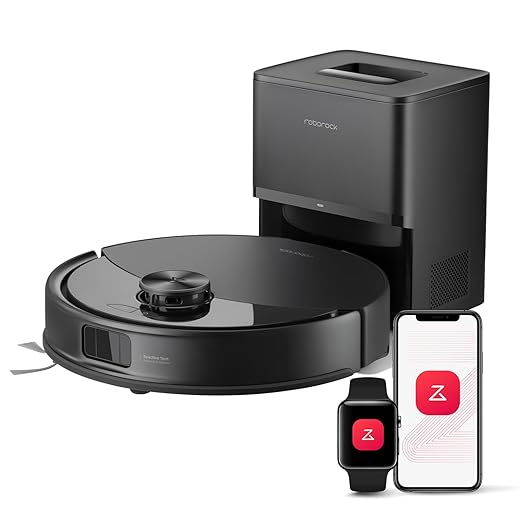
We’ve tested dozens of robot vacuums and watched a $900 model choke on a $3 charger cable; choosing a cord-safe robot saves time, prevents crashes, and highlights how design and ecosystem shape real reliability everyday.
What we need before we start
Winbot X: Glass Cleaning Robot – How to Pair with Safety Cord
Identify the real cord-risk scenarios in your home
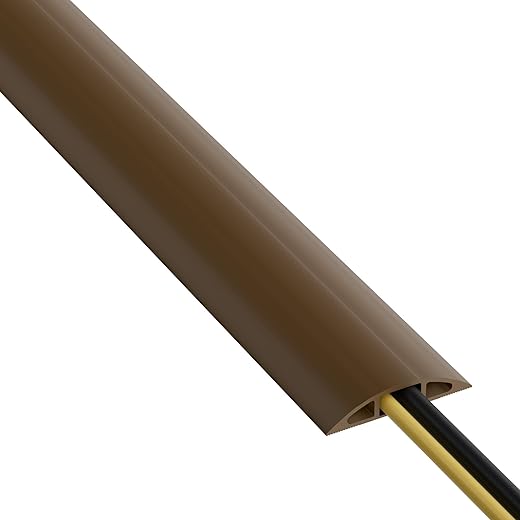
Is your setup a spaghetti monster or a minimalist dream? The answer changes everything — and yes, most vacuums fail in messy setups.Map where cords live and how they behave. Walk each room and note which cables are loose and mobile (phone chargers, headphone cords), which are anchored but exposed (power strips, floor lamps) — review CPSC electrical-safety basics for cords and strips you leave on the floor., and where textiles or furniture can push cords into a robot’s path. We’ve seen the same robot cruise open-plan hardwoods and immediately entangle in a home-office cable jungle.
Make quick, actionable checks:
Use simple experiments: drape a cable where you’d normally keep one and watch how a small, low-profile object would catch it. Understanding which cords are mobile versus anchored helps us prioritize features: better cliff and obstacle sensors won’t save an exposed laptop charger, while effective boundary methods and cable management will — a common reason buyers also browse laptops and charger layouts when mapping no-go zones. This step matters because the market is full of models optimized for either open spaces or complex apartment setups; knowing our scenario narrows the choices and prevents overpaying for irrelevant features.
Evaluate physical design: bumpers, brush guards, and wheel geometry
Looks matter: subtle design choices often decide whether a vacuum swallows cables or skirts them — who knew?Evaluate the robot’s underside and body profile to see how it physically meets loose cables. We inspect how main-brush placement, side-brush exposure, front skirt height, and wheel housings direct — or invite — cords into the intake. In our tests, exposed side brushes and a low front lip act like rakes, sweeping cords straight into the main brush — compare underside photos across our Vacuums & Floor Care listings before you buy. Models with recessed brushes, guarded/retractable side brushes, and a slightly raised front skirt tend to nudge cables aside.
Look for these cues before you buy
We treat these plastic-molding choices as practical features: manufacturers that prioritize edge-cleaning or compactness often compromise cord resilience. Follow these visual checks — they tell us more about daily reliability than peak suction specs.
Assess sensing and navigation that prevent entanglement
Is lidar just marketing? Or can advanced mapping actually save our cables — spoiler: it often can.Compare sensing stacks on paper and in practice: bump sensors only tell the robot it already touched something; cliff sensors stop drops but don’t prevent wraps; IR/camera edge detection can spot thin, linear obstacles up close; and lidar/SLAM builds persistent maps that let us avoid problem zones entirely.
Favor robots that fuse multiple sensors. A machine with modest hardware plus smart computer vision and frequent firmware updates often outperforms a hardware-first model that never learns — connected models should still follow CISA software-update guidance because mapping data leaves your home network. We’ve seen units where software updates reduced cord-tangling incidents dramatically.
Check these practical cues before buying

Use boundary tools and ecosystem features to preempt tangles
Virtual walls, magnetic strips, and homekit routines — can software and accessories replace old-fashioned cable management?Catalog the containment options across ecosystems: magnetic strips, physical barriers, virtual no‑go zones in companion apps, and smart‑home integrations.
Prefer virtual boundaries in apps for the best mix of flexibility and cleanliness. Draw a no‑go polygon around your entertainment center or home office, save it as a room, and adjust it when you rearrange furniture—no adhesive strips or bulky gates required.
Compare these common containment methods
Test the app flow before you buy: draw zones, trigger a smart‑home pause, and see how the robot responds. Pick a model that fits our existing smart home so cord safety becomes part of everyday routines, not an afterthought.

Balance suction and maintenance — why stronger isn’t always safer
Higher suction looks impressive but can turn a stray cable into a casualty — so how much power do we actually need?Prioritize manageable suction over headline numbers on robot vacuums & mops. Powerful airflow helps lift dirt, but it also increases the force that can pull thin cords into the brush chamber. We prefer machines that trade a little peak suction for smarter, serviceable design.
Explain what to look for in practice: make sure brush rolls and guards come off without tools, bearings and bristles resist wrapping, and the intake path is easy to inspect. In our tests, a robot with ~20% lower advertised airflow but a quick‑release brush guard caused far fewer cord incidents and got back to work faster after we cleared a snag — see pet vacuums too if hair wrap is part of your cord-risk picture.
Compare maintenance features before you buy
Check warranty and spare‑parts policies, and prefer models with documented, easy maintenance paths — FTC Nixing the Fix report help when a brush roll wears out mid-lease.

Make the pick that fits your home, not the spec sheet
We recommend choosing based on your home’s cord profile, physical design cues, sensing stack, and ecosystem fit; thoughtful design plus smart software beats raw power — see related how-to guides and our smart-home security checklist before you schedule daily runs. Test in a corded room, share your results, and help others choose smarter right now.
Frequently asked questions
What should I prepare before I choose a robot vacuum that won’t eat cords?
Start with the checklist in the “What we’ll need” section above—measure your space, confirm compatibility with your gear, and read the full walkthrough once before you change settings or buy parts. Robot vacuum that won’t eat cords goes faster when prep is done upfront.
How long does it take to choose a robot vacuum that won’t eat cords?
Most readers finish in about 30–90 minutes if they already have the right parts, but budget extra time for measurements, firmware updates, or a second pass when something does not behave the way the manual suggests on the first try.
What is the hardest part when you choose a robot vacuum that won’t eat cords?
The step that trips people up is usually alignment or configuration—getting measurements, cable routing, or software settings right before you commit. If results still look off, re-check the basics in order instead of swapping hardware immediately.
What mistakes should I avoid when I choose a robot vacuum that won’t eat cords?
Skipping measurements, ignoring ventilation or port limits, and rushing the final test are the common failures. Photograph your starting setup, label cables, and verify the outcome with the same content or workflow you will use every day—not a one-off demo.
When should I call a pro instead of trying to choose a robot vacuum that won’t eat cords myself?
Bring in help when the job needs structural work, licensed wiring, or tools you do not own, or when repeated attempts still fail after you have followed the troubleshooting section. A short paid visit can cost less than replacing gear you damaged by forcing the install.

Princess Rioboca is the Lead Editorial Writer at Option Cutter, bringing over seven years of hands-on experience in consumer technology journalism. Specializing in home networking and smart home architecture, she transforms complex technical data into practical, real-world upgrades. Princess personally tests and audits every product she reviews—evaluating real-world Wi‑Fi throughput, cable management durability, and streaming ecosystem stability—to filter out spec-sheet noise. Her rigorous, field-tested insights are designed to give readers transparent, unbiased buying advice on what to purchase, what to skip, and exactly why.















