



Why 120 Hz on a budget actually matters
We show a pragmatic way to pick a budget phone with a TRUE 120 Hz display — not marketing copy — focusing on real-world smoothness, battery trade-offs, panel quality, and ecosystem fit so you get noticeable value without surprises and long-term reliability.
What you'll need

Start by defining realistic priorities
Do we want buttery UI or all-day battery — can we have both on a tight budget?Define our priorities. We begin by deciding which trade-offs we’re willing to accept: a 120 Hz panel on a budget handset improves perceived responsiveness but often reduces battery life and can push phone makers to use cheaper panels or weaker processors.
Set a clear price band in our how-to guides so we don’t chase features outside our budget. For example, $200–300 usually gives basic 120 Hz with compromises; $300–400 often delivers better panels and chips. We use this map to compare models and avoid marketing fluff.

Verify it’s a real 120 Hz, not just lip service
Marketing says 120 Hz; does the screen actually refresh at 120 times per second?Confirm the phone supports true 120 Hz across everyday use, not only in a special “game” or benchmark mode. We look for adaptive refresh that steps down to save power and for manufacturers to explicitly state 120 Hz in normal UI or display settings.
Check these points before you buy
Try scrolling social feeds and opening apps to feel the difference.
Evaluate panel quality, not just refresh rate
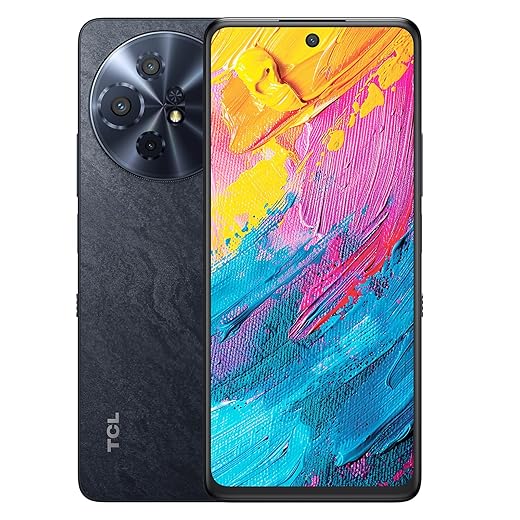
120 Hz + poor panel equals flashy numbers and disappointing visuals.Compare Galaxy A oled. We look beyond Hz: contrast, color accuracy, peak brightness, HDR support, and viewing angles shape daily experience more than refresh rate alone. Many budget phones pair 120 Hz with low‑res panels or dim backlights to cut cost — that kills the “premium” feel.
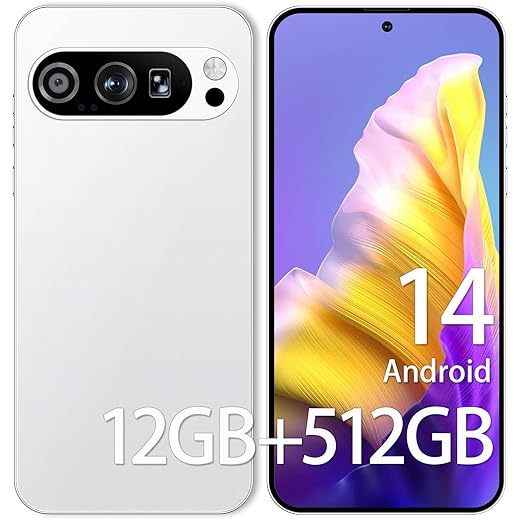
Test Pixel panels in person: bring a dark wallpaper to check deep blacks and blooming on OLEDs, and step outside to judge peak brightness. Use a calibration app or rely on lab reviews to verify color accuracy (sRGB/Display P3 coverage). Prefer FHD+ or higher, solid peak nits. These basics decide whether 120 Hz truly enhances your use.
Test performance and battery trade-offs
Can the chipset sustain 120 Hz without throttling and killing battery life?Analyze the SoC on a budget phone, thermal design, and battery capacity. We check whether a modest chipset can keep UI frame pacing consistent; otherwise 120 Hz becomes a wasted spec.
We prefer Phones with adaptive refresh and efficient midrange SoCs that maintain frame pacing. If we play games a lot, favor sustained performance over headline Hz. Practical advice: prioritize phones that offer adaptive refresh and efficient chips that balance smoothness with endurance.
Consider ergonomics and design impact
A fast screen is pointless if the phone is a brick or awkward to use one-handed.Assess how the display integrates into the handset — bezels, weight, curvature, and glass protection shape day‑to‑day comfort. Hold devices, swipe through menus, and notice which one feels faster to move and grip; a lighter, flatter phone often feels snappier than a heavy, curved one.
Check the following when you test phones in person
Also check fingerprint sensor placement (under-panel vs side), haptic feedback quality, and build finishes — these design choices influence perceived smoothness and premium feel, which matter as much as raw refresh rate.
Look beyond the display: cameras, software, and ecosystem
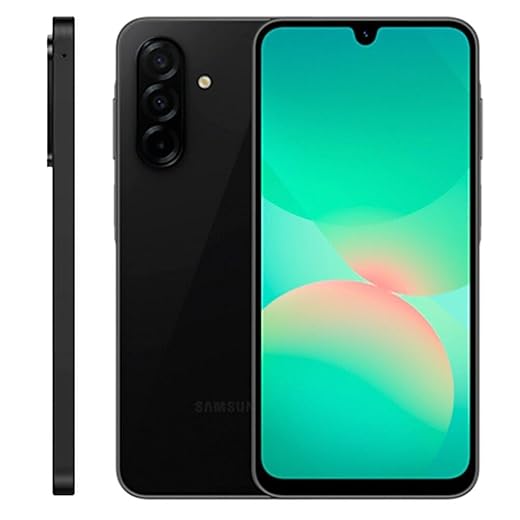
Is the phone an island, or does it play nicely with our apps, accounts, and longevity expectations?Place the 120 Hz screen in context: software polish, update policy, camera quality, and bloatware shape the overall value. We know a buttery refresh rate loses its charm when the skin stutters or updates never arrive.
Test the phone in everyday use: open multiple apps, stream HDR video, and snap shots in low light to see how the whole package performs.
We recommend verifying these before you buy.
Final checks: pricing, deals, and long-term support
Can we wait a sale or buy from a brand that will keep the phone useful for years?Compare street prices across retailers and watch seasonal sales; we often find last-year models drop $100–200 and give better firmware polish than bargain-new releases.
Assess warranty and software‑update commitments; prefer brands that publish timelines and have a history of delivering them.
Read multiple long-term reviews and forum threads to catch throttling or degradation reports.
Check return and warranty policies before buying; use a 14–30 day return window for real-world testing.
Make the choice that feels smooth for you
We prioritize real 120 Hz, usable panels, efficient performance and lasting software; test a candidate in person, pick the package that matches our needs, then try it and share results.
Frequently asked questions
What should I prepare before I choose a budget phone with a 120 hz display?
Start with the checklist in the “What we’ll need” section above—measure your space, confirm compatibility with your gear, and read the full walkthrough once before you change settings or buy parts. Budget phone with a 120 hz display goes faster when prep is done upfront.
How long does it take to choose a budget phone with a 120 hz display?
Most readers finish in about 30–90 minutes if they already have the right parts, but budget extra time for measurements, firmware updates, or a second pass when something does not behave the way the manual suggests on the first try.
What is the hardest part when you choose a budget phone with a 120 hz display?
The step that trips people up is usually alignment or configuration—getting measurements, cable routing, or software settings right before you commit. If results still look off, re-check the basics in order instead of swapping hardware immediately.
What mistakes should I avoid when I choose a budget phone with a 120 hz display?
Skipping measurements, ignoring ventilation or port limits, and rushing the final test are the common failures. Photograph your starting setup, label cables, and verify the outcome with the same content or workflow you will use every day—not a one-off demo.
When should I call a pro instead of trying to choose a budget phone with a 120 hz display myself?
Bring in help when the job needs structural work, licensed wiring, or tools you do not own, or when repeated attempts still fail after you have followed the troubleshooting section. A short paid visit can cost less than replacing gear you damaged by forcing the install.

Princess Rioboca is the Lead Editorial Writer at Option Cutter, bringing over seven years of hands-on experience in consumer technology journalism. Specializing in home networking and smart home architecture, she transforms complex technical data into practical, real-world upgrades. Princess personally tests and audits every product she reviews—evaluating real-world Wi‑Fi throughput, cable management durability, and streaming ecosystem stability—to filter out spec-sheet noise. Her rigorous, field-tested insights are designed to give readers transparent, unbiased buying advice on what to purchase, what to skip, and exactly why.















