


Which bargain sets can actually pass for premium — and which give the picture to prove it?
Not all cheap TVs look cheap anymore. OLED and full-array tech used to be the only way to get punchy HDR and deep blacks; now some sub-$500 TVs borrow pieces of that premium playbook — though our OLED TV picks still lead on contrast. The result: slimmer bezels, better upscalers, and color tricks that make everyday viewing feel noticeably richer.
We spent time with QLED panels, Roku’s tidy UI, and Fire TV’s hands-free tricks on smart TVs so we could stop guessing and start recommending. What matters now isn’t just resolution — it’s design, OS polish, and how a TV fits into your home ecosystem. Small refinements change the everyday experience more than you’d expect.
Top Picks







Amazon Fire TV 50-inch Omni QLED 4K
QLED color, Dolby Vision IQ, and local dimming deliver an unusually bright and punchy image for the price. The hands-free Alexa integration and ambient art mode add tangible lifestyle value, though the Fire TV interface comes with tradeoffs.
The short take
This 50-inch Amazon Omni QLED is one of the better examples of how QLED and decent local dimming can lift perceived picture quality in midprice TVs — though haloing still shows up versus top mini‑LED or OLED sets. We were impressed by color volume and HDR tone mapping, and Dolby Vision IQ’s scene-aware adjustments are a welcome touch when a room’s lighting changes.
Features that move the needle
Those features make the TV feel modern: adaptive brightness and Dolby Vision IQ tune images for different rooms, and the ambient mode is genuinely useful when the TV is idle. The QLED’s color saturation is a noticeable step up from standard VA or IPS budget panels.
Tradeoffs to be aware of
Our verdict
If you prioritize color pop and HDR flexibility on a midbudget QLED, this is one of the best values — pair it with a soundbar if built-in audio feels thin. Just come in with realistic expectations about the software layer and occasional processing artifacts — both are concessions for the price.
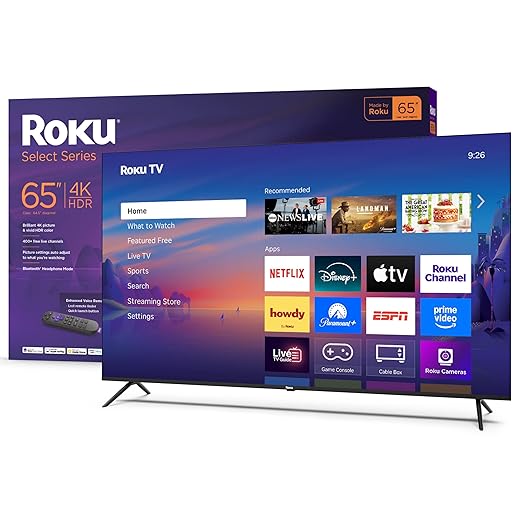
Roku 65-inch Select Series 4K HDR
A 65-inch that keeps the Select Series strengths — an uncluttered interface, speedy app access, and a modern look — while giving you a genuinely immersive screen size. It’s the best “big TV” pick if you want scale without sticker shock.
Why size matters here
A 65-inch television can transform a room, and what we like about this Roku model is how it delivers that sense of presence without expensive extras. The combination of a big screen, decent 4K/HDR handling, and the streamlined Roku UI makes it an easy recommendation for people upgrading from older HD or small 4K sets.
Features that improve the everyday experience
Because Roku emphasizes predictability, the TV behaves like a streaming appliance rather than an editing console: apps are front-and-center, updates arrive automatically, and customization is simple. That’s exactly what many buyers want when the priority is large, easy-to-use screens.
Real-world tradeoffs
The practical verdict
We recommend the 65-inch Select Series for families and entertainment-focused setups that want scale and simplicity. It’s the kind of set that looks premium in a home theater or main living area without demanding a big budget—or a tech degree—to maintain.
Roku 55-inch Select Series 4K HDR
An excellent balance of sharp 4K images, a clean interface, and thoughtful convenience features at a low price. The slim bezel and enhanced voice remote help it look and feel more expensive than the sticker suggests.
What we think
We see this 55-inch Roku Select as a practical, low-risk way to upgrade a living room or family room without having to solve your AV rack or streaming-account logistics. The set puts a fast, recognizable OS in front of a large screen with a minimalist bezel and a remote that feels noticeably more capable than the usual budget remotes. In other words, it’s built to feel modern in both hardware and daily use.
Key features and how they matter
We appreciate that Roku leans into a predictable, low-friction user experience: apps launch quickly, the layout is customizable, and the platform is purpose-built for streaming. Bluetooth headphone mode is handy for late-night watching, and the remote’s shortcuts make launching services faster than scrolling through a cluttered home screen.
Limits and practical advice
Why this matters now
We think the Roku 55-inch shows how much manufacturers can shave off price without taking away the parts of the experience that matter most: reliable streaming, a responsive UI, and a remote that doesn’t frustrate you. For people who want a large screen that doesn’t look cheap on the wall and who primarily stream movies and TV, this is a smart and inexpensive pick.
Samsung 50-inch Crystal UHD U8000 4K
A slim, metal-bodied 50-inch with effective 4K upscaling and a polished interface that feels more expensive than its price. The set leans into Samsung’s ecosystem with Knox security and broad, free-channel content.
What makes it stand out
Samsung’s Crystal UHD line aims to give buyers the look and experience of a pricier set while keeping costs down. We noticed the U8000F’s metalstream design immediately — it’s thin, neat, and unobtrusive on the wall. More importantly, the Crystal Processor 4K does reliable upscaling, so lower-resolution broadcast or cable content looks cleaner than you might expect.
Useful features for everyday viewers
Those features are practical: upscaling means your cable- or antenna-fed shows won’t immediately look inferior, and the on-device free channels give casual viewers lots to watch without new logins. The Knox security layer is an unusual but useful differentiator for people who care about device-level protections in a connected home.
Where it doesn’t compete with high-end TVs
In short
We see this as a refined budget pick: attractive industrial design, sensible upscaling, and good ecosystem support make it a smart choice for someone who wants a modern-looking TV with reliable everyday performance.
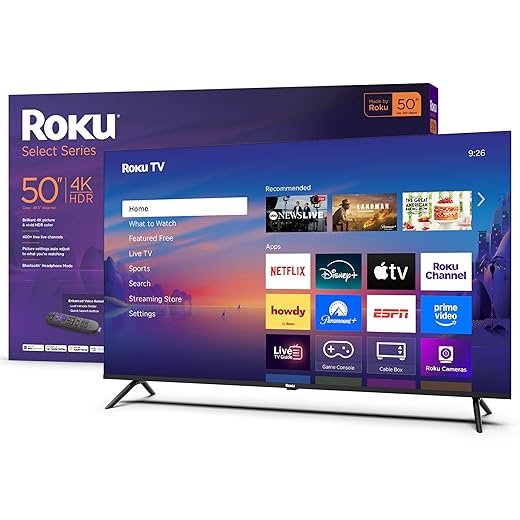
Roku 50-inch Select Series 4K HDR
A sensible 50-inch option that nails the basics: clear 4K picture, consistent performance, and Roku’s simple UI. It’s a no-drama set for someone who wants a good-looking TV that’s easy to set up and live with.
How it fits in the lineup
The 50-inch Roku Select is a pragmatic midpoint — large enough for shared rooms but not so big it dominates smaller spaces. We find the set appeals to viewers who want a clean streaming experience without the fiddly setup or subscription-first sales pitches that sometimes accompany big-brand flagship sets.
Important features
The Roku OS remains the product’s strongest asset. It’s quick to get to apps, easy to personalize, and tends to stay out of your way. For families, the lost-remote finder and Bluetooth headphone features are cleverly practical touches.
Tradeoffs and tips
Final take
When we consider cost, screen size, and everyday usability, this 50-inch Roku balances them well. It won’t beat premium models in peak HDR performance or audio depth, but for someone upgrading from an older 1080p set, it feels like a serious jump forward without a steep price tag.
VIZIO 55-inch V-Series Dolby Vision 4K
A well-rounded 55-inch that brings Dolby Vision and tri-band Wi‑Fi 6E to a value tier. It’s one of the few affordable sets that gives you better HDR handling and faster, more reliable streaming on congested home networks.
Why we recommend it
VIZIO’s V-Series has long chased the sweet spot — giving buyers more features than a basic budget TV while keeping the price approachable. The 55-inch model improves on that idea with Dolby Vision support and a processor tuned for upscaling and quick app navigation. In our view, the real differentiator is the inclusion of tri-band Wi‑Fi 6E, which matters in busy homes with multiple 4K streams.
Standout features
That mix gives the V-Series an edge for people who want richer content playback (Dolby Vision) without stepping up to a midpriced Sony or Samsung. The SmartCast platform is flexible; we like its Chromecast and AirPlay integrations because they reduce friction for phone-to-TV casting and multiroom workflows.
What we’d change and practical notes
Bottom line
For streamers who want more than baseline 4K but aren’t ready to pay for a premium TV, this VIZIO feels like an informed compromise: better HDR performance, faster Wi‑Fi, and features that actually impact daily use.
Roku 43-inch Select Series 4K HDR
A compact 43-inch set that delivers crisp 4K images, an efficient app experience, and surprisingly competent built-in speakers for casual viewing. It’s the one we’d recommend for bedrooms, small apartments, or secondary setups.
Why we like the 43-inch size
Not every room needs a giant screen, and the 43-inch Roku Select is a reminder that a smaller TV can still offer a refined experience. It’s easy to place, consumes less power, and often ends up in bedrooms, small living rooms, or kitchens where a big set would dominate the space.
Everyday features that make a difference
Those features give the TV an approachable mix of convenience and capability. The Roku OS is particularly useful here because it reduces setup friction and keeps the remote interaction simple — a pleasant experience for nontechnical family members.
Practical tradeoffs and tips
Our short verdict
For a small-room set that doesn’t feel like a compromise, this 43-inch Roku Select Series is hard to beat. It’s a pragmatic, well-rounded choice for people who want a modern smart TV experience in a modest footprint.
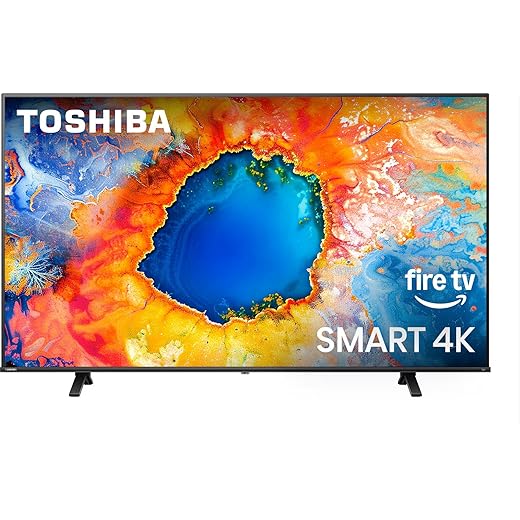
TOSHIBA 50-inch C350 Fire TV 4K
A 50-inch Fire TV that combines Toshiba’s processing (REGZA Engine ZR) with Fire TV’s app-rich platform to deliver a pleasing picture and usable sound for daily viewing. It’s particularly good if you switch between streaming and live TV or want Dolby Vision compatibility.
How Toshiba approaches value
Toshiba’s C350 series tries to give buyers recognizable processing tech and practical features at a modest price. The REGZA Engine ZR and AI upscaling are useful for making non‑4K sources look better on 4K TVs, and Dolby Vision plus Atmos decoding give the TV a technical toolkit that many budget competitors skip.
Notable features we relied on
We found that the TV’s tuning tends toward vivid color and strong midrange detail, which is appealing for TV and sports. The Fire TV OS keeps the experience consistent for people already using Alexa devices and Amazon services.
Everyday tradeoffs
Final thought
This Toshiba gives you a sensible mix of smart features and image enhancement tech, which makes it a good pickup for households that want both streaming and live-TV convenience without a big outlay.
VIZIO 50-inch V-Series 4K UHD SmartCast
This 50-inch VIZIO V-Series mixes Dolby Vision and low-latency gaming options in an affordable package. It’s a smart choice for households that mix streaming, casual gaming, and all-day TV watching.
Who this is for
We think this VIZIO hits the niche of a budget TV that doesn’t force you to pick between gaming TVs and good HDR playback. The V-Gaming Engine, low input lag, and variable refresh support make it more flexible than basic sets that only advertise 4K resolution.
Features that matter in daily use
Those specs translate to smoother gameplay, better upscaling of HD content, and a more pleasant streaming experience without juggling external dongles. We particularly like SmartCast’s integration with phone casting because it keeps content flow effortless.
Practical limitations
Bottom line
If you want a 50-inch with modern gaming capabilities and improved HDR handling without spending a lot, this VIZIO is a compelling, well-balanced choice.
INSIGNIA 50-inch F50 Series 4K Fire TV
An aggressively priced 50-inch that gives you 4K and Fire TV integration with a surprisingly clean picture for the money. It’s best for cost-conscious buyers who want a big-screen upgrade and don’t demand premium HDR or audio.
For budget-minded buyers
Insignia’s F50 Series is a textbook budget pick: you get Fire TV baked in, a big 4K screen, and a set of ports that covers common needs. We don’t expect it to outshine higher-end models in HDR tone mapping or contrast, but at this price it’s a sensible tradeoff for dorms, secondary rooms, or anyone replacing an old HD set.
Practical strengths
The Fire TV integration is often the reason to choose this TV: the platform is familiar and the voice remote makes navigation easy. For casual viewers who mainly stream Netflix, Prime, or YouTube, the experience is straightforward and reliable most of the time.
What to expect in day-to-day use
Bottom line
If you want a cheap route to a 50-inch 4K TV from our TVs under $500 picks and you accept some software rough edges and modest audio (Energy Department electronics shopping guidance helps when comparing energy use on listings, and EPA electronics recycling guidance explains responsible disposal if a set disappoints), the Insignia F50 is a defensible, practical choice.
Final Thoughts
If you want the most dramatic picture improvements for the price, we recommend the Amazon Fire TV 50-inch Omni QLED 4K (8.8). Its QLED panel, local dimming, and Dolby Vision IQ give punchy color and contrast that outpace most budget rivals. The hands-free Alexa and ambient art mode also make it feel like a thoughtfully designed living-room piece rather than a utilitarian appliance. Choose this if you watch a lot of HDR content and want a set that looks and behaves like a step up — just be prepared for the Fire TV interface, which bundles more Amazon-focused suggestions than some buyers prefer.
If your priority is scale, a clean smart experience, and a minimalist look, pick the Roku 65-inch Select Series 4K HDR (8.7). It’s our pick for anyone who wants a genuinely immersive screen without fuss: Roku’s fast, uncluttered UI, reliable app access, and a modern aesthetic make a 65-inch feel like a premium upgrade, not a compromise. Go with the Roku 65" when you want size and simplicity — and browse more Top Picks roundups, our OLED vs Mini‑LED guide, or product comparisons if you are still deciding on panel type — especially for big living rooms, sports, and shared family viewing.
Frequently asked questions
What is the main point of “Budget TVs That Don’t Look Budget Anymore”?
This piece explains where budget tvs that don’t look budget anymore matters in real buying decisions—not just headline specs. We focus on trade-offs, who benefits most, and what to verify before you spend.
Who should read this budget tvs that don’t look budget anymore guide?
Read it if you are actively shopping, upgrading, or trying to separate marketing claims from day-to-day use. Skip it if you already own the gear and are not planning a change this season.
What changed recently around budget tvs that don’t look budget anymore?
Prices, firmware, and feature tiers shift quickly in this category. We call out what is new enough to affect your decision and what is incremental hype you can safely ignore.
How should I use this editorial when buying?
Treat it as context before you compare models: note the risks and priorities here, then cross-check specs and current pricing on the picks that match how you actually use the product.
What is easy to get wrong about budget tvs that don’t look budget anymore?
Buyers often overweight one spec—brightness, speed, or brand—and underweight fit for their room, ecosystem, or warranty support. We flag the mismatch we see most often in reader questions.
Where should I go next after reading?
Use the related comparisons and top picks linked near the end of this article for model-level shortlists, then confirm return policies and compatibility with the devices you already own.

Iqra Jumar is Option Cutter's editorial writer. She writes practical editorials and buyer guides that focus on real-world upgrades—better Wi‑Fi, cleaner cable setups, smarter streaming, and everyday fixes—not spec-sheet noise alone. Her work helps readers decide what to change now, what to skip, and why.









