

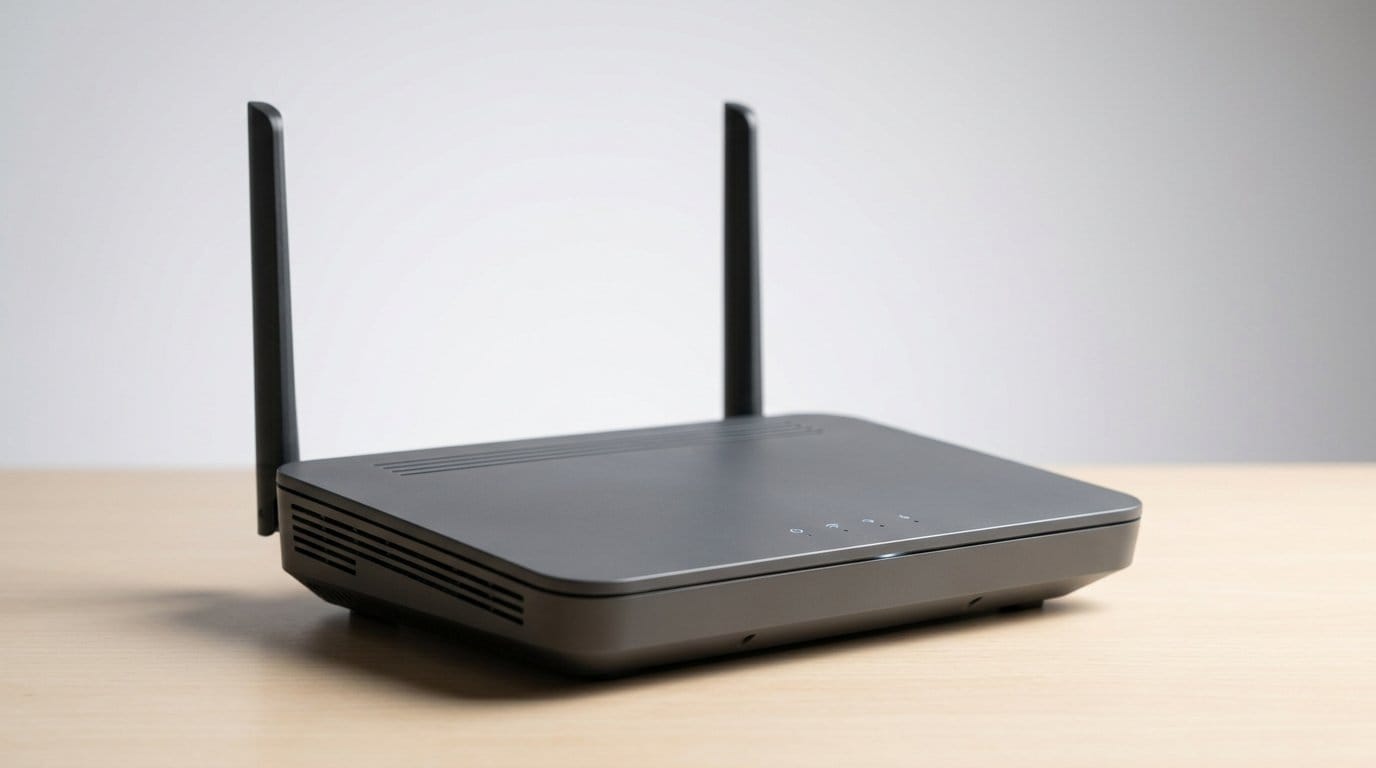

Why the right small upgrade can change apartment Wi‑Fi
Ever try streaming in one room while someone else Zooms in another and the signal collapses? In apartments we deal with thin walls, crowded channels, odd layouts, and ISP gear built for general use, not our realities. We ask: what single, practical upgrade gives the biggest real‑world improvement for most renters?
We value ease of setup, reliability, device compatibility, and bang for buck. We’ll examine constraints, compare upgrades that move the needle, explain why compact mesh often wins, and offer a checklist for choosing and deploying a solution that actually works.

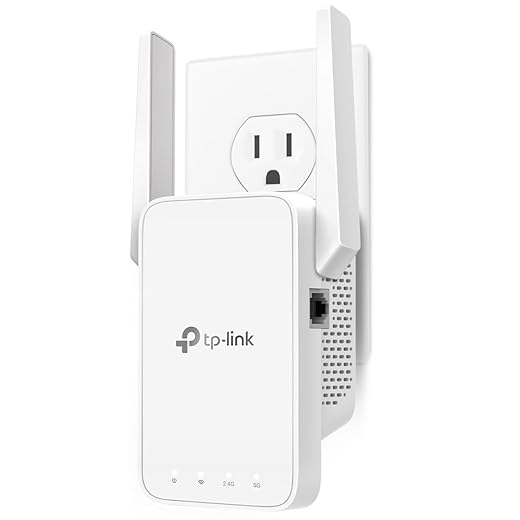


Mesh WiFi Explained: Why You Need One Now
What makes apartment Wi‑Fi different: constraints that shape our choice
We’ve all seen it: the router sits in a closet by the front door, the living room stream buffers, and the bedroom is a dead zone. Apartment networking isn’t the same problem as a suburban house — the physical realities, RF environment, and renter limitations force different trade‑offs. Here’s what actually shapes reasonable upgrade choices for most of us.
Physical layout and building materials
Thin walls can mean your signal bleeds into neighbors’ apartments — and theirs bleeds into yours — so more power doesn’t always help. Conversely, concrete floors, brick, and steel studs eat 5 GHz signals fast. That’s why a single, high‑power desktop router in one corner rarely gives uniform coverage.
Practical tip: run a quick walk‑through speed test (Speedtest or Fast.com) in every room before buying anything. Map where speeds fall below what you need.
A crowded radio spectrum
In many apartment buildings we see dozens of SSIDs on a channel scan, Bluetooth beacons, and interference from microwave ovens or poorly shielded electrical wiring. That congestion makes congestion mitigation (DFS support, automatic channel selection) and dual‑band management more valuable than raw top speeds.
Practical tip: use a Wi‑Fi analyzer app to identify the clearest channels and switch 2.4/5 GHz splits if your gear allows it.
Renter constraints and physical limits
We don’t have access to in‑wall cabling, and landlords may prohibit drilling or running visible cables. Power outlet scarcity is real — you might not be able to put a bulky router or extra switch where it would be ideal. That’s why compact, plug‑friendly devices often win in apartments.
Practical tip: consider devices that plug directly into outlets or are small enough to sit on a shelf; avoid solutions that require extensive wiring unless you can get landlord signoff.
Device behavior and user expectations
Apartment households typically mix mobile devices (phones, tablets, laptops) that hop between bands and latency‑sensitive uses (video calls, cloud gaming) with stationary high‑bandwidth devices (smart TVs, consoles). Our priorities become consistent coverage, low latency for interactive apps, and simple management so nontechnical roommates can use it.
Practical tip: prioritize 5 GHz for gaming/Zoom where coverage allows, but keep a robust 2.4 GHz presence for IoT.
What this means for upgrade choices
Given these constraints, we prioritize: even coverage over raw top speed, small physical footprint, easy setup and app control, and the option to add wired backhaul if the opportunity arises. Those priorities explain why certain upgrade types outperform others in apartment settings — and set the stage for the options we’ll evaluate next.
The upgrade options: what actually moves the needle
We survey the realistic upgrade paths for renters, explain how each one works, what gains to expect, and the practical downsides in apartment life. We also flag design and ecosystem trade‑offs you’ll live with after you buy.
Replace the ISP gateway with a better single router
What it is: swap the combo modem/router for a higher‑quality router (better radios, cleaner firmware).Benefits: improved throughput, modern Wi‑Fi features (MU‑MIMO, OFDMA), and usually better QoS and parental controls.Downsides in apartments: a single radio still struggles with dead spots and 5 GHz range limits; placement is constrained by ISP coax/ONT location.Ecosystem note: choose vendors with reliable firmware updates and clear apps. A cheap router with poor update cadence is a security risk. If you want an affordable, solid starting point, consumer models like the TP-Link Archer AX21 AX1800 Wi‑Fi 6 Router cover core features without breaking the bank.
Mesh Wi‑Fi systems
What it is: multiple nodes that create a single network and hand off devices seamlessly.Benefits: easier whole‑unit coverage, plug‑and‑play setup, and parental controls baked into vendor apps.Downsides: backhaul matters — wireless backhaul halves available capacity for distant nodes; cheaper mesh gear uses weak radios. Some vendors lock features behind subscriptions.Ecosystem note: favor systems with Ethernet backhaul support and a clear update history (Eero, Nest Wifi, Asus ZenWiFi vary in tradeoffs). Check interoperability: many vendors don’t mix nodes from different brands.
Adding an access point or range extender
What it is: plug an AP or range extender to boost signal in one area.Benefits: inexpensive, quick fix for a specific dead spot.Downsides: extenders introduce extra latency and can fragment your network (separate SSIDs or poor roaming). Management can become messy with multiple apps.Ecosystem note: enterprise‑grade APs (Ubiquiti, TP‑Link Omada) offer better control but require more setup.
Powerline and MoCA adapters
What it is: use existing electrical or coax wiring as a network backbone.Benefits: effective when Ethernet runs aren’t possible; MoCA especially gives near‑wired speeds over coax.Downsides: performance depends on building wiring and neighbor interference; not all apartments have coax in every room.Ecosystem note: these are niche but stable; choose kits from reputable brands and check firmware update policies.
Wired‑first approach (short Ethernet drops)
What it is: run short Ethernet to a small AP or switch wherever you can.Benefits: best consistency, low latency, and full bandwidth for gaming/TVs.Downsides: requires temporary drilling or cable visibility—ask landlords. Even a single 10–20 ft drop to an AP can transform a unit.Ecosystem note: a wired node keeps options open: swap APs later, avoid vendor lock‑in, and benefit from standard security/firmware cycles.
Why a compact mesh system is often the most practical upgrade
Device density and coverage: why many small radios beat one big one
In apartments we’re usually dealing with lots of devices in a compact footprint: phones, laptops, TVs, smart speakers, and a Nest camera clustered across a couple of rooms. A single high‑power router can deliver raw speed, but its coverage pattern is still one big lobed beam. Multiple compact mesh nodes give us many smaller, well‑placed radios that reach around walls and into corners. In practice that means fewer dead spots and more consistent performance when we move from the kitchen to the bedroom.
Interference handling and radio design
Mesh systems spread radios through the space so each node needs less transmit power to reach clients — that reduces co‑channel contention and often yields better real‑world throughput. Consumer mesh vendors (Eero, TP‑Link Deco, Google Nest Wifi, Asus ZenWiFi) tune things like band steering and adaptive channel selection in their firmware so devices are encouraged to use the best band and node automatically. That automated radio management is a big UX win for renters who don’t want to manually pick channels.
Backhaul: wireless vs wired — what actually matters
Not all mesh backhauls are equal. A single‑radio node that uses wireless backhaul will split available bandwidth between client traffic and node interconnect, effectively halving capacity to far nodes. Tri‑band systems or those with a dedicated backhaul radio (Netgear Orbi, some ZenWiFi models) mitigate that. Ethernet backhaul is still the gold standard: plugging nodes into a switch or using MoCA adapters gives near‑wired performance and lets you treat the mesh like distributed access points. Practical tip: buy mesh kits with at least one Gigabit Ethernet port per node and plan to wire one node if possible.
Design, placement, and the user experience
Node shape and antenna placement matter more than the glossy plastic. Short, vertical units sit on bookshelves and spread signal omnidirectionally; flat puck designs are better for counters. Look for guided placement and signal tests in the mobile app — Eero and Deco’s apps will tell you when a node is too far. Status LEDs that can be dimmed and simple reset buttons are small design details that matter in rental living.
Ecosystem and tradeoffs
We favor systems that are easy to expand, push regular firmware updates, and play nice with ISP gateways (bridge/AP mode). If you want true enterprise control and wired performance, Ubiquiti’s UniFi line or an Asus router with wired APs might be better — but they demand more setup and maintenance. Mesh is the practical middle ground: better coverage with minimal fuss, as long as you mind backhaul and pick a vendor with good update cadence and Ethernet options.
How to choose and deploy the upgrade: practical checklist and setup tips
We’ll give a hands‑on playbook so you can pick the right mesh kit and get it humming in a weekend. Think like a renter: minimal holes, predictable results, and an upgrade that survives roommate moves and gadget churn.
Quick pre‑purchase checklist
Feature tradeoffs to prioritize
Deployment, step by step
- Baseline test: run Ookla Speedtest near the ISP gateway, then walk the apartment with Wi‑Fi Analyzer (Android) or NetSpot (iOS/macOS) to map weak spots.
- Primary node: place the main unit near the ISP modem in an elevated, central spot — not inside a closed cabinet.
- Node placement heuristics: keep nodes visible, on open shelves, and roughly one room apart; avoid corners and floor placement. Aim for a midline between dead zones and the primary node.
- Backhaul: use Ethernet if available. If not, place nodes closer (fewer walls) or pick tri‑band hardware to reduce wireless backhaul penalties.
- Configure to avoid interference: use a single SSID for the mesh; disable the ISP router’s Wi‑Fi or set it to bridge/AP mode. For 2.4 GHz pick channels 1, 6, or 11; force latency‑sensitive devices onto 5 GHz.
Fallbacks & troubleshooting
Value and ecosystem: long‑term thinking for renters
We’re moving beyond raw speed. For apartment dwellers the smartest upgrade isn’t just about peak Mbps — it’s about software support, portability, and an ecosystem that won’t become a dead end the moment we move.
Software, support, and security matter more than you think
Firmware updates and responsive apps are the easiest ways a vendor extends a product’s useful life. Systems that get regular security patches and intuitive mobile management spare us late‑night troubleshooting and patch nightmares.
Total cost of ownership for people who move
Upfront price is only part of the story. We factor in replacement cycles, optional subscriptions, and the friction of re‑installing in a new unit.
Expansion, mixed vendors, and real‑world compatibility
Adding a node should be painless.
ISP compatibility and quick fixes
Double NAT and ISP‑supplied gateways are the real, recurring headaches.
Why this matters now
Apartments are getting denser, our upstream needs (video calls, cloud backups) are rising, and latency expectations are higher. A compact, well‑supported mesh system that’s portable, update‑friendly, and easy to expand buys us durability and peace of mind — not just a momentary speed bump.
Now that we’ve covered long‑term value and practical compatibility, we can wrap up with the single upgrade we recommend — browse our how-to guides.
The takeaway: a single, practical upgrade that balances simplicity and performance
We conclude that for most apartment dwellers a compact mesh Wi‑Fi system—and preferably with Ethernet backhaul where possible—is the single most practical upgrade. It solves coverage and congestion with minimal fuss, scales with our device mix, and keeps future options open more cleanly than a lone high‑end router or patchwork extenders. Our quick checklist: choose compact mesh with guest and QoS features, prefer units supporting wired backhaul, update firmware, centralize placement, and run occasional Ethernet to heavy devices.
Small, sensible tweaks—placement, updates, selective wiring—multiply return on this purchase.
Frequently asked questions
What is the main point of “The Most Practical Upgrade for Apartment Wi-Fi”?
This piece explains where the most practical upgrade for apartment wi-fi matters in real buying decisions—not just headline specs. We focus on trade-offs, who benefits most, and what to verify before you spend.
Who should read this the most practical upgrade for apartment wi-fi guide?
Read it if you are actively shopping, upgrading, or trying to separate marketing claims from day-to-day use. Skip it if you already own the gear and are not planning a change this season.
What changed recently around the most practical upgrade for apartment wi-fi?
Prices, firmware, and feature tiers shift quickly in this category. We call out what is new enough to affect your decision and what is incremental hype you can safely ignore.
How should I use this editorial when buying?
Treat it as context before you compare models: note the risks and priorities here, then cross-check specs and current pricing on the picks that match how you actually use the product.
What is easy to get wrong about the most practical upgrade for apartment wi-fi?
Buyers often overweight one spec—brightness, speed, or brand—and underweight fit for their room, ecosystem, or warranty support. We flag the mismatch we see most often in reader questions.
Where should I go next after reading?
Use the related comparisons and top picks linked near the end of this article for model-level shortlists, then confirm return policies and compatibility with the devices you already own.

Iqra Jumar is Option Cutter's editorial writer. She writes practical editorials and buyer guides that focus on real-world upgrades—better Wi‑Fi, cleaner cable setups, smarter streaming, and everyday fixes—not spec-sheet noise alone. Her work helps readers decide what to change now, what to skip, and why.









