Why an audio upgrade matters more than ever
Remote meetings are now the default way we work. Small audio problems — muffled voices, background noise, uneven levels — add up to wasted minutes and strained conversations. We tested setups and found clear pattern: better capture hardware plus modern, AI-driven processing and codecs raise intelligibility across the board.
This upgrade matters because it improves outcomes for everyone in meeting. Hosts run smoother sessions. Participants stay focused. Platforms benefit from fewer support tickets and higher perceived quality. In a crowded market, integrated hardware and smarter processing is the feature that changes daily meeting quality.


What the upgrade actually is: combining hardware and smarter processing
What we’re putting together
This upgrade isn’t a single chip or app — it’s the deliberate pairing of better capture hardware with smarter, real-time processing. On the hardware side we mean directional mic arrays, larger diaphragms, and cleaner preamps (think Shure MV7 for a podcaster, Logitech Rally or Poly Studio for huddle rooms). On the processing side we mean on-device or cloud features: adaptive noise suppression, acoustic echo cancellation, dereverberation, automatic gain control, and ML-driven conversational levelers.
The components, in practice
Why the pairing matters
Cleaner capture reduces the work ML models must do. When a mic’s preamp and directional array suppress room rumble and HVAC hum, noise-suppression models can run lighter, which means lower latency and fewer audible artifacts. We saw it in a hybrid training session: swapping to a beamforming speakerphone cut follow-up clarifications by nearly half because the model could focus on speech, not noise.
Quick, actionable deployment tips
This practical framing sets us up to dig into how the modern processing actually improves intelligibility in the next section.
The tech under the hood: how modern audio processing improves intelligibility
Noise suppression that actually knows the difference
We used to rely on band‑stop filters and gate thresholds that treated all non-speech the same. Modern noise suppression is trained to label sound: persistent hum (AC units), transient clatter (keyboard), and the speech we want. Neural models—often small, optimized networks running on-device—apply time‑varying attenuation so consonants and sibilants survive. The result: fewer clipped words and far less robotic “underwater” processing.
Beamforming and source separation
Microphone arrays feed spatial cues into algorithms that steer virtual beams toward a speaker and away from noise. When multiple mics are available, source separation can untangle overlapping voices so we can hear the presenter while someone in the background whispers. That’s why meetings with array-equipped devices now feel less like a muddled conference call and more like a live conversation.
Smarter training, fewer artifacts
Two big ML advances changed the sound: larger, diverse datasets (offices, cafes, transit) and improved loss functions that penalize signal distortion rather than just noise energy. Practically, that means models learn not only to remove noise but to preserve natural intonation. We hear fewer flattened vowels and less metallic timbre—especially on modest headsets.
Codecs, latency, and packet loss
A codec like Opus (wideband and adaptive) keeps clarity when bandwidth fluctuates; packet-loss concealment and jitter buffers smooth hiccups. But lower latency is crucial: if echo cancellation and processing add delay, conversational timing breaks down. That’s why on-device or edge-assisted processing—combined with adaptive codecs—gives the best perceptual result.
Quick, actionable tips
Next, we’ll apply these software realities to hardware choices—what mics and rooms amplify these benefits, and where compromises still show.
Hardware considerations: microphones, speakerphones, and room acoustics
When a new mic actually helps
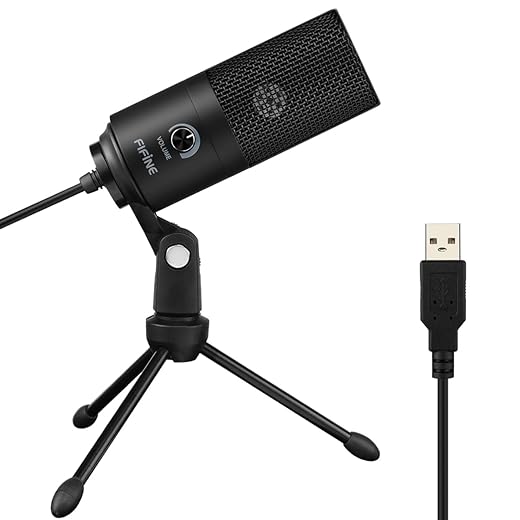
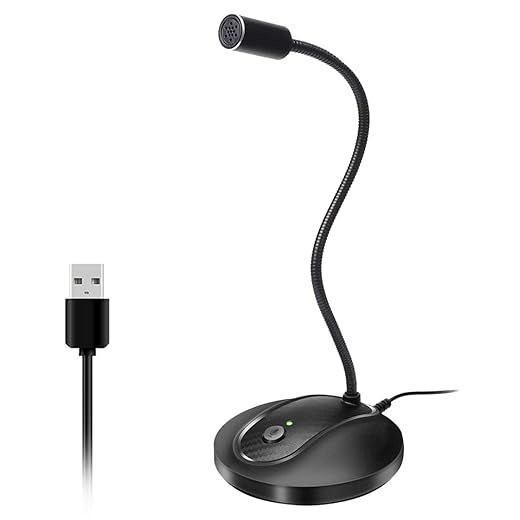
Upgrades don’t happen in software alone. A smarter algorithm needs a better signal to work with, and that’s where hardware choices matter. Reach for a USB condenser or a dynamic mic when you need clearer pick‑up of a single presenter (podcast, exec updates). Choose a beamforming conference bar or array when multiple talkers share a room. For many home‑office users, though, closer placement, a pop filter, or a cheap mic boom yields most of the audible benefit for a fraction of the cost.
Form‑factor tradeoffs: headsets, speakerphones, and room systems
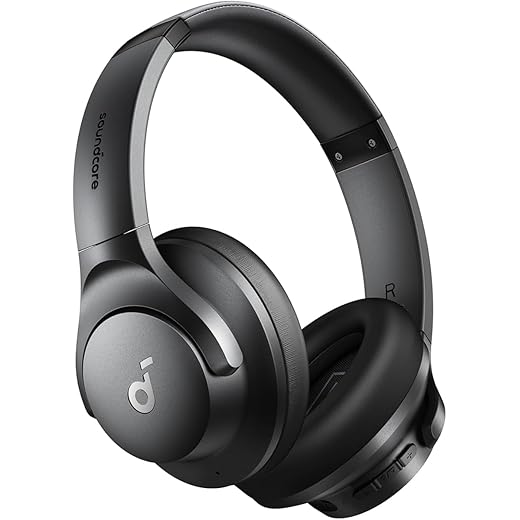
Headsets: best SNR and consistent distance to the mouth; they keep echo suppression trivial and mesh well with aggressive noise suppression. They’re ideal for individuals who move around or share noisy spaces.Tabletop speakerphones (Jabra Speak 710, Yamaha YVC‑330): convenient for small huddles; performance depends heavily on room acoustics and mic placement.Conference bars/dedicated systems (Logitech Rally Bar, Poly Studio, Yealink A20): beamforming arrays and built‑in processing shine in medium rooms and reduce the need for operator fiddling.
Room treatment and microphone etiquette
Small changes multiply processing gains. Position mics 6–12 inches from the speaker where possible; angle off‑axis from keyboard noise; add a rug or acoustic panels to tame early reflections. Teach simple etiquette—mute when not speaking, announce when you’ll step away—and you’ll reduce the rare cases where algorithms fail.
Competitive context and buying guidance
Vendors like Jabra, Poly, and Logitech increasingly bake ML denoising and echo cancellation into devices, selling turnkey ease. That raises the price but reduces IT overhead. If you want incremental, low‑risk wins, improve placement and get a USB mic or headset. If you want turnkey conference upgrades, prioritize bars and room systems with on‑device processing.
Next, we’ll look at how these hardware choices should inform interface design, controls, and predictable behavior for users.
Design and UX: controls, transparency, and predictable behavior
Clear controls and sensible defaults
We care about settings you can actually find during a call. Good products ship with sensible defaults—aggressive suppression off, standard echo cancellation on—and expose simple controls: microphone selection, mute, and a suppression slider labeled Low/Medium/High. Hide the training‑data or model names; show human terms. In our lab, when a teammate couldn’t find a suppression toggle, a five‑minute troubleshooting detour turned a five‑minute standup into a distraction.
Visual feedback and explainable labels
Users need to know what’s happening. Visual indicators on hardware (LEDs for mute/suppression state) and in‑call overlays (a small badge: “Noise suppression: Medium”) prevent surprises. We prefer UI that explains tradeoffs—“High = best background noise reduction, may soften consonants”—so people can make informed choices quickly.
Quick toggles for edge cases
Shared audio, music clips, or a speakerphone playing a video should be one‑tap exceptions. Provide a “Passthrough / Stereo Share” toggle and a hardware mute button that truly mutes the stream (not just the app). In one demo, a dedicated “Share Audio” toggle on a conference bar avoided the usual echo/artifact loop when someone played a YouTube clip.
Balancing automation with manual override
Automatic tuning makes life easier, but it must be reversible. Design patterns that work:
Vendor patterns we prefer
Integrated device+software solutions (Logitech with Rally Bar, Jabra headsets plus their Hub app) give predictable results because firmware, drivers, and UI are coordinated. Patchwork setups—USB mic plus third‑party filter—can work, but they often bury controls across apps, increasing friction in real meetings.
Ecosystem and compatibility: platforms, privacy, and deployment
Platform integration: where it has to work
An upgrade is only useful if it plays nicely with Zoom, Teams, Meet, and browser-based WebRTC sessions. We recommend prioritizing devices and stacks that offer:

Privacy: local vs cloud processing
On‑device ML keeps raw audio on the endpoint — better for compliance and latency. Cloud processing can use larger models and continuous updates, but raises consent, data residency, and latency questions. Our practical rule: enable on‑device by default, offer cloud enhancement as opt‑in with clear consent and a visible indicator during processing.
Deployment patterns for IT and prosumers
Rollouts look different for small teams and enterprises. Best practices we use:
Cost, lock‑in, and the competitive landscape
Vendors bundle hardware+software (Logitech, Jabra, Yealink) for a predictable UX; cloud players (NVIDIA Riva, Dolby.io, Amazon/Google ML services) license models to OEMs. That means better out‑of‑box performance — at the cost of subscription fees or tighter vendor coupling. To future‑proof, favor:
We test devices by swapping platforms: the ones that survive a Teams call, a Meet session, and a Zoom webinar without reconfiguration are the ones we trust to actually save time in real meetings.
Who should upgrade and how to roll it out effectively
We close the main body with pragmatic advice. In the last mile, decisions are less about featuresheets and more about who’s in the room, how often they talk, and how much friction the org will tolerate. Below we map profiles to sensible upgrade paths and give a rollout checklist you can act on this week.
User profiles and quick paths

Rollout checklist (practical)
Pitfalls and where to spend
These steps keep rollout low‑risk and high‑impact, and set us up cleanly for the final practical takeaways.
The practical upside: clearer meetings, fewer wasted minutes
We wrap up: combining modest new capture hardware with smarter on-device and cloud processing shifts meetings from a constant negotiation about audio into smoother collaboration. In today’s market, where UX and privacy define winners, solutions that balance sensible defaults, intuitive controls, and transparent policies win adoption quickly; they reduce cognitive load, cut time lost to repeats, and make remote work feel more like shared presence.
For most teams we recommend starting small: swap a few mics, enable smarter processing presets, measure meeting length and comprehension, then scale. Prioritize vendors with clear privacy commitments and simple UX. These modest, coordinated steps yield outsized gains—fewer interruptions, faster decisions, and meetings that move work forward.

Chris is the founder and lead editor of OptionCutter LLC, where he oversees in-depth buying guides, product reviews, and comparison content designed to help readers make informed purchasing decisions. His editorial approach centers on structured research, real-world use cases, performance benchmarks, and transparent evaluation criteria rather than surface-level summaries. Through OptionCutter’s blog content, he focuses on breaking down complex product categories into clear recommendations, practical advice, and decision frameworks that prioritize accuracy, usability, and long-term value for shoppers.