
Why one upgrade can change shared living for the better
We’ve all felt it: thermostats fighting over comfort, duplicated smart plugs, and nightly arguments about who forgot to lock the door. Shared homes generate small frictions that add up — wasted time, awkward compromises, and split tech ecosystems. A single, well-chosen upgrade can stop that noise: a shared smart hub and ecosystem that coordinates devices, automations, and group rules.
In this piece we focus on experience over specs. We’ll show why a central, shared system matters now — because devices are mature, integrations are better, and group living demands clear defaults. Expect practical guidance on design, compatibility, privacy, maintenance, and how to make collective decisions without resentment. This is about making communal life feel intentional, predictable, and actually enjoyable today.


Why a shared smart hub is the single best upgrade for communal homes
What a hub actually fixes
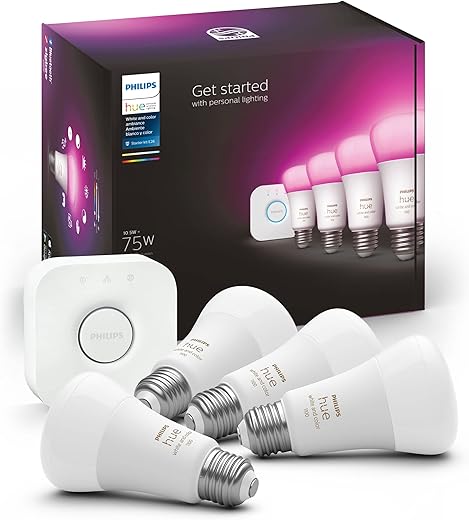
We’ve tried buying smarter individual gadgets and watched them quietly fragment the household: one roommate prefers Philips Hue scenes, another insists on Alexa routines, and guests get locked out of the good lighting setups. A shared smart hub changes the problem from “many incompatible devices” to “one place that mediates.” That matters because coordination — consistent controls, conflict resolution between preferences, and single-point automations — is the real daily win for communal living.
Local vs cloud and why it matters
Hubs come in flavors: cloud-first (Google Nest, Amazon Echo ecosystem), platform-bridging (Samsung SmartThings), and local-first (Hubitat). Local-first hubs reduce latency and keep automations running if the internet drops — helpful for a house where someone always forgets the password.
Quick, practical buying and setup tips
Trade-offs in one sentence
A hub centralizes convenience — and therefore centralizes failure modes — so plan for redundancy: local control, backups of rules, and recovery access for emergencies.
Next, we’ll dig into design and usability: how a hub can live in the background of your home without becoming another source of friction.
Design and usability: living with tech that respects how we actually share space
Interfaces: shared dashboards vs. personal apps
We’ve learned that in shared houses the control surface matters more than feature lists. A simple shared dashboard (wall tablet or foyer display) handles quick adjustments—lights, a thermostat override, a “movie mode” button—while personal apps let individuals tweak private preferences. Aim for progressive disclosure: expose three to five common controls on the shared UI, hide advanced scenes and automations behind personal apps. That keeps cognitive load low: roommates only need to learn a small, stable set of interactions.
Physical presence: discreet devices vs. visible panels
Visible panels are great for guests and quick communal actions; discreet controls (voice, phone) respect privacy and reduce clutter. We recommend one visible control in the entryway and smaller, unobtrusive units in private areas. Place panels where people naturally pause—by the front door, above the kitchen counter—so using them becomes a low-effort habit.
Cognitive load and real-world patterns
Most daily interactions are short: dim lights, nudge temperature, snooze reminders. Automations should take care of recurring tasks (trash day alerts, night lighting) so roommates only intervene for exceptions. Keep mode names plain (Leaving Home, Quiet Hours) and limit per-device options to three or four common states.
Conflict mediation and multi-user roles
Design the hub so conflicts resolve predictably: choose sensible defaults (last manual action wins for immediate comfort; scheduled automations override only during their windows). Use role-based permissions—admins can edit automations; roommates can create personal schedules. Onboarding should be frictionless: invite links, QR codes, or guest PINs plus a one-page “house rules” list in a shared drive.
Simplicity vs. power-user philosophies
Simplicity-first ecosystems reduce arguments and accidental breakage; power-user platforms offer fine control but demand a steward. For most communal homes, pick a simple system with admin-level power tools rather than a full DIY platform unless you have a committed tech-savvy housemate.
Next, we’ll examine how these design choices intersect with device compatibility and ecosystem politics.
Ecosystem and compatibility: pick a system that actually plays nicely with everyone’s devices
Closed vs. open ecosystems — the trade-offs we live with
In shared homes the practical question isn’t “what’s the coolest gadget?” but “will my roommate’s stuff work with ours?” Closed ecosystems (think Apple HomeKit, Amazon/Alexa-centric setups) often feel polished: one app, consistent rules, fewer surprises. But they can lock you into one vendor’s device catalog. Open platforms (SmartThings, Home Assistant) integrate more brands, but require someone to steward the setup.
We’ve seen houses where new roommates bring Zigbee bulbs that only synced to their hub, or where a tenant’s Nest camera refused to appear in the shared control panel. Those frictions add up fast.
Protocols that matter — what to check now
Voice assistants and multi-account realities
Voice is where account policies hit shared living. Apple shares homes via Apple IDs and Home invitations. Google ties devices to Google accounts and household members; Amazon uses account linking and household profiles. Test cross-account access, guest pins, and “secondary user” roles before buying—guest modes and per-device permissions differ widely and can be the difference between seamless sharing and lockouts.
A quick checklist for choosing a hub (do this now)
Next we’ll look at how those account and protocol choices intersect with privacy and security defaults that actually protect everyone in a shared home.
Privacy and security: shared responsibilities and practical defaults
Who controls what — make roles explicit
When multiple people use one system, ambiguity becomes the enemy. We recommend naming an admin (the steward) and then creating lesser roles: regular users, temporary guests, and devices-with-limited-permission (like a baby monitor that shouldn’t trigger whole‑home automations). Real homes show how this matters: someone leaves a smart‑lock code active after moving out, or a camera’s footage quietly spreads to a new account. Clear roles reduce that friction.
Sensible defaults and governance patterns
We want defaults that protect privacy without constant policing. Practical patterns to adopt now:

Design choices that matter in the market
Not all vendors treat shared homes the same. Products that process data on‑device or run locally (Hubitat, Home Assistant, Apple’s local HomeKit features) give us tighter control when trust boundaries shift. Many mainstream options (Ring, typical cloud‑first CCTV, budget IoT brands) still depend on cloud storage and centralized accounts—simpler for setup, harder when we need to revoke access fast.
Quick, actionable checklist
These defaults keep privacy intact while we decide who manages daily operations—next, we’ll get practical about installing and maintaining the hub without drama.
Installation, maintenance, and everyday management without drama
Choosing placement and network basics
We start where most projects fail: placement and the network. Put the hub or voice device in a central, common area — not a closet — so microphones and radios work reliably. If you have multiple floors, use a mesh or a router with good range; cheap Wi‑Fi extenders hide problems. Separate IoT from personal devices: a guest SSID for visitors and an IoT VLAN/SSID for cameras, bulbs, plugs, and appliances. That separation makes security and troubleshooting far simpler.

On‑ramping devices without chaos
Make onboarding a one‑time, documented process: factory reset, rename with room prefixes (Kitchen‑Light, Sam‑Lock), assign to the IoT network, and add to the hub with the household admin account. Decide up front whether devices join a shared account or individual accounts linked by guest access — shared accounts are simpler, personal accounts are safer for privacy.
Splitting responsibility so updates don’t become fights
We recommend a small steward team, not a single martyr. Split duties into:
Keep credentials in a shared password vault (1Password Families, Bitwarden) and require 2FA for admins.
Maintenance rhythms and replacements
Treat maintenance as a calendar item: monthly quick check (device status, pending updates), quarterly review (logs, automations), annual replacement fund for batteries or failed hubs. Enable auto‑updates where safe; for power‑users running Hubitat or Home Assistant, export configs regularly.
Document everything — and make it easy to use
A one‑page living doc and a simple checklist on the fridge win more than long manuals: “How to reboot,” “How to remove a roommate,” and emergency contacts. Modern consumer hubs have massively simplified setup, but the few technical steps we outline keep convenience from turning into constant tech babysitting. Next, we’ll look at cost, value, and how to make this choice together.
Cost, value, and how to decide together without resentment
A simple decision framework
We want decisions that are quick, fair, and defensible. Follow these four steps together:
Price tiers — where to spend (and where to save)
Budget (under $150): Echo Dot or a basic SmartThings-compatible hub + cheap plugs and bulbs. Good for simple voice control and lights; false savings appear when devices drop offline or need frequent replacement.
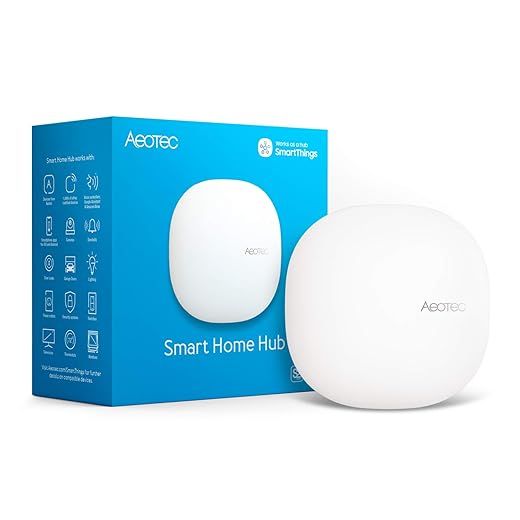
Midrange ($150–$400): A reliable hub (official SmartThings/Aeotec, Google Nest Hub), decent mesh Wi‑Fi, and name‑brand bulbs/plugs. This is the sweet spot for most shared homes — fewer outages, better compatibility, and manageable support.
Premium ($400+): Local-first platforms (Hubitat, Home Assistant on a NUC) plus high‑end locks/cameras and multi‑room voice. Best for privacy and performance, but requires stewarded maintenance.
Spend where it matters: reliable hub hardware, mesh Wi‑Fi, and proven lock/camera brands. Don’t overspend on gimmicky bulbs or single‑brand ecosystems that lock roommates in.
Subscriptions, replacements, and hidden labor
Factor in:
How to split costs without fights
We’ve found practical rules work best:
With this framework we minimize surprises and keep upgrades civil. Next, we pull these threads together in the conclusion.
Making the upgrade work for your household
We’ve argued that a shared smart hub is the best upgrade for communal homes because it reduces friction, centralizes control with sensible checks, and scales as occupants change. In today’s market winners blend intuitive UX, broad device compatibility, and privacy-first defaults; that matters because it turns novelty into reliable daily utility instead of an abandoned gadget.
Use this checklist when choosing: prioritize usability and clear access rules; require wide ecosystem support; pick strong privacy defaults; agree a cost and maintenance plan upfront. Treat the purchase as a governance project we all sign onto.

Chris is the founder and lead editor of OptionCutter LLC, where he oversees in-depth buying guides, product reviews, and comparison content designed to help readers make informed purchasing decisions. His editorial approach centers on structured research, real-world use cases, performance benchmarks, and transparent evaluation criteria rather than surface-level summaries. Through OptionCutter’s blog content, he focuses on breaking down complex product categories into clear recommendations, practical advice, and decision frameworks that prioritize accuracy, usability, and long-term value for shoppers.