

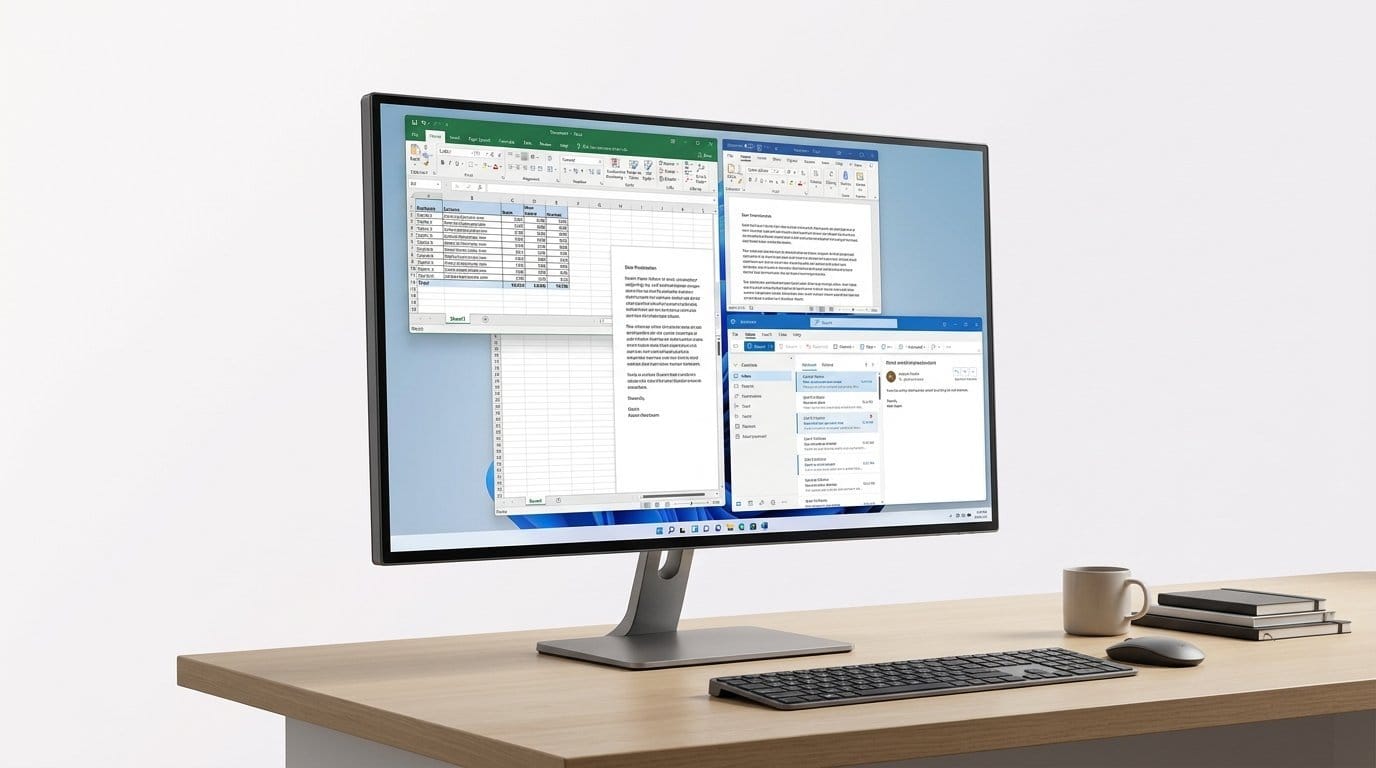

Can 4K make your spreadsheets feel *Zen*? Spoiler: the right monitor does more than just look pretty.
Bigger, cleaner screens actually change how we work. Studies and our desks agree: more usable pixels and better contrast cut context-switching and let you keep apps visible without squinting or alt-tabbing.
We care about more than raw resolution. USB-C/Thunderbolt hubs, better blacks, factory calibration, and sensible ergonomics all shape the daily experience. Pick the wrong 4K and you get a shiny paperweight; pick the right one and your laptop becomes a true desktop replacement.
Top Picks





ASUS ProArt 32-inch Mini-LED 4K Reference Monitor
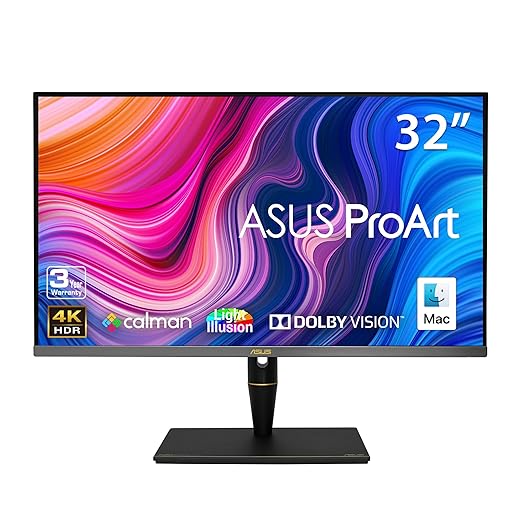
This is a flagship-level reference monitor with mini‑LED local dimming, quantum-dot color, and extensive HDR format support. We view it as a tool for high-end video and color work where fidelity and dynamic range matter above all.
Studio-level performance
The PA32UCX-PK is the kind of monitor you buy because the work requires it. With mini‑LED backlighting and hundreds to thousands of local dimming zones, this panel delivers exceptionally deep blacks and controlled highlights — that’s the technical advantage that actually helps graders and VFX artists make decisions with confidence. Quantum-dot and 10‑bit processing ensure the color gamut and gradation are industry-class.
Built for collaboration and accuracy
From a workflow perspective, this monitor is designed to be the reference in a room: it minimizes off-angle artifacts with Off‑Axis Contrast Optimization and offers the color fidelity and brightness range clients expect during reviews. It’s the kind of tool where we can match scopes and camera outputs to what’s on screen with far less compromise compared to traditional LED panels.
Why it matters now
Mini‑LED and quantum‑dot technologies have moved from prototypes to practical studio tools, and this monitor shows why: it brings TV‑class HDR performance into a color‑managed desktop environment. The cost is high and not everyone needs it, but for post houses, colorists, and serious HDR workflows, it reduces the guesswork and gives us consistent, high‑confidence previews.
Dell 32-inch 4K IPS Black Thunderbolt Hub
This 32-inch UltraSharp brings an ‘IPS Black’ panel that delivers noticeably deeper contrast for an LCD, and a Thunderbolt hub that simplifies multi-device workflows. We found it ideal for people who need extra screen real estate and strong connectivity for a laptop-first desk.
Where it fits
We think of the U3225QE as a productivity-first large monitor: the 31.5" size gives real, usable space for side-by-side windows and long timelines, and the improved IPS Black panel meaningfully raises perceived contrast on an IPS-type display. That’s valuable for designers working in mixed light, editors who need more context on timelines, and data professionals who want to fit large spreadsheets on a single panel.
Notable features in practice
The Thunderbolt hub stands out in day-to-day use: one Thunderbolt cable gives us video, fast charging, and a downstream USB hub for keyboard, mouse, and storage — exactly the set-up we prefer for a clean desk. The extra nits and contrast make color work easier to judge in bright rooms, and the 120Hz refresh keeps scrolling and UI motion feeling refined.
Considerations before you buy
If your workflow demands flawless macOS integration out of the box, plan for software and occasional firmware steps — some users required workarounds for macOS to fully expose the 120Hz options or to apply firmware updates. Also, if you don’t need the extra size or Thunderbolt features, a smaller UltraSharp might offer similar value for less money. For power users who want one monitor to be both a comfortable large canvas and a hub for peripherals, this is a compelling choice.
BenQ PD3205U 32-inch 4K Designer Monitor
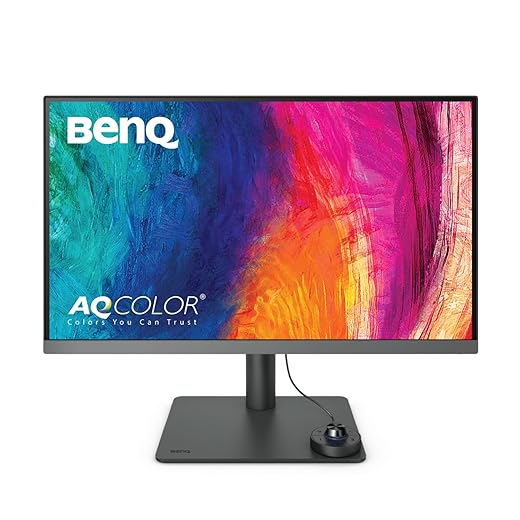
The PD3205U gives designers a roomy 32-inch canvas with factory calibration and reliable color coverage straight out of the box. We appreciate the ergonomics and the practical USB-C workflow for Mac users who want a larger, accurate workspace.
Big canvas for designers and multitaskers
We recommend the PD3205U to professionals who benefit from a larger work surface: the 32-inch 4K panel gives you the room to keep reference material, timelines, and palettes visible alongside your canvas. Combined with BenQ’s factory calibration and AQCOLOR tech, the display is ready for color work out of the box, which speeds up onboarding on new projects.
Features that make a difference
The inclusion of a calibration report is a practical detail we appreciate as it documents the monitor’s expected baseline. The HotKey Puck and KVM capabilities make day-to-day adjustments and multi-machine setups easier; these small workflow optimizations add up when you switch contexts multiple times a day.
Final context
If you have desk space and budget, the PD3205U is an investment in a comfortable, color-accurate workspace. It’s not a competitor to mini‑LED studio monitors in HDR peak performance, but for designers, video editors on an SDR/P3 pipeline, and anyone who values screen real estate and accurate color, it’s a very strong option.
BenQ PD2706U Mac-Ready 27-inch 4K Monitor
This BenQ is made for Mac and Windows creatives who want accurate color, a factory-calibrated baseline, and a productive single-cable experience. The KVM and 90W USB-C make it a versatile centerpiece for multi-computer desks.
Designed for creative desktop workflows
We like the PD2706U because BenQ carved the feature set around real designer needs: color accuracy, USB-C charging, and the ability to switch keyboards/mice between machines without extra hardware. That KVM feature is especially useful when you have a MacBook and a desktop PC on the same desk — it saves time and reduces cable clutter.
Useful features and ports
In practical terms, the high pixel density keeps text and UI elements ultra-sharp, and the calibration makes this monitor trustworthy for color edits without immediately needing a calibrator. The HotKey Puck becomes a surprisingly helpful part of the workflow: switching color spaces or activating a split-screen layout is faster than diving into on-screen menus.
Who should buy it
If you’re a designer, photographer, or hybrid developer/creator who bounces between two machines and needs reliable color, this BenQ is a strong choice. If you specifically need HDR mastering or extreme brightness, you’ll want a different, more expensive panel — but for most studio and office content work, this monitor hits a near-perfect balance.
Dell UltraSharp 27-inch 4K USB-C Hub
This UltraSharp balances resolution, connectivity, and professional polish in a compact package. We like it for single-cable laptop docks, accurate out-of-box color, and the practical extras that streamline an office workflow.
Why we recommend it
The U2723QE sits in that sweet spot where a monitor becomes more than a screen: it becomes the center of your desktop. With 4K resolution, an honest 90W USB-C supply, and an array of downstream ports (USB, DisplayPort out, LAN), it’s designed to replace a docking station and keep a laptop-based workspace tidy. For most office users — from engineers to product managers — that one-cable experience matters more than a few extra nits of brightness.
Design and workflow strengths
The monitor’s build and ergonomics keep it feeling like a premium office tool: thin bezels, a flexible stand, and a muted aesthetic that matches both Windows and Mac setups. The USB hub and LAN passthrough let us plug peripherals into the monitor and treat it like the single connection point to our laptop — that reduces daily friction.
Trade-offs and context
Where this UltraSharp really earns points is in reliability and ecosystem fit; Dell’s ecosystem integrates well with enterprise hardware and provides real-world features like network pass-through and strong USB-C power. The trade-offs are simple: it’s a 60Hz panel, so anyone migrating from high-refresh laptop displays may notice the difference, and there are occasional reports of USB-C waking issues that Dell has patched via firmware in later runs. Overall, for knowledge workers and creators who value consistent color and a clean desk, it’s hard to beat.
ASUS ProArt 27-inch Calman-Verified 4K Monitor
The PA279CV offers factory calibration, Calman verification, and a useful 65W USB-C hub in a 27-inch form factor. We recommend it for designers and photographers who want predictable color without stepping into enterprise pricing.
The professional angle
We regard the PA279CV as a pragmatic professional panel: it focuses on color accuracy and calibration instead of chasing peak brightness or gaming specs. For photographers and designers who need reliable sRGB and Rec.709 reproduction, the Calman verification and low Delta-E scores provide confidence that what we edit on-screen will behave predictably across other calibrated devices.
Connectivity and day-to-day benefits
That combination of connectivity and color fidelity makes it ideal for a single-cable laptop setup: we plug in a Mac or Windows laptop and get charging, a crisp 4K canvas, and a handful of USB ports for keyboard and storage. The ergonomics and OSD are geared toward creators who switch color spaces frequently.
Practical trade-offs
If your workflow requires HDR grading or very high dynamic range, this isn’t the PA32-series mini-LED pro monitor — it’s a more affordable calibrated choice. A minority of buyers report firmware or Type-C challenges, so we recommend updating drivers and testing connections before committing it to a mission-critical setup. Overall, for its price, it’s one of the most balanced ProArt models for creative professionals on a budget.
Dell 27-inch 4K USB-C 120Hz Monitor
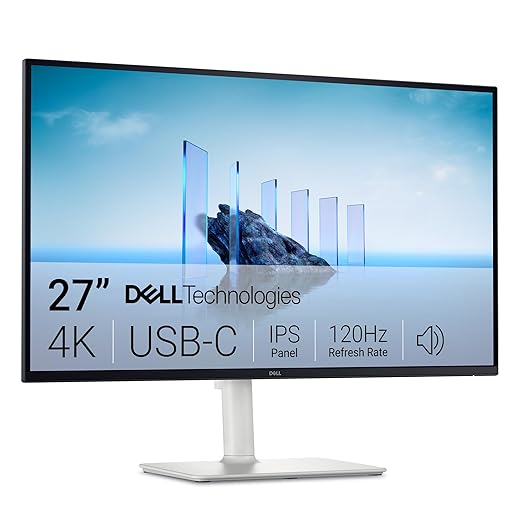
This model pairs 4K clarity with a smoother 120Hz desktop experience, which makes everyday productivity feel noticeably snappier. It’s a strong pick if you want crisp text, reliable color, and convenient USB-C charging without a premium price.
What we think
We see the S2725QC as the best value 27-inch 4K for office users who want an uplift in responsiveness without moving into gaming territory. The unusual pairing of 4K and a 120Hz refresh rate is the headline: scrolling, window management, and UI animations simply feel more polished than a typical 60Hz 4K panel. That responsiveness translates into less eye fatigue and a small but tangible productivity boost when you spend full days switching between apps and browser tabs.
Key features and everyday impact
Those specs add up into a practical desk monitor: the USB-C hub capability reduces cable clutter for a laptop-first setup, and the higher refresh rate makes scrolling through long documents and spreadsheets feel smoother. The integrated speakers and small bezel styling help the monitor blend into a tidy, multi-monitor setup.
Limitations and who this is for
We don’t call this a color-critical creative display—there are better calibrated panels for precise color work—but for writers, coders, analysts, and general office users, it’s an excellent mid-price choice. Two practical caveats: some users reported minor yellow tint or text clarity differences across units, and the 65W supply might be borderline for heavily loaded 15" laptops. If you need heavier charging or guaranteed perfect calibration, look higher; if you want crisp text and a noticeably smoother UI, this is a great pick.
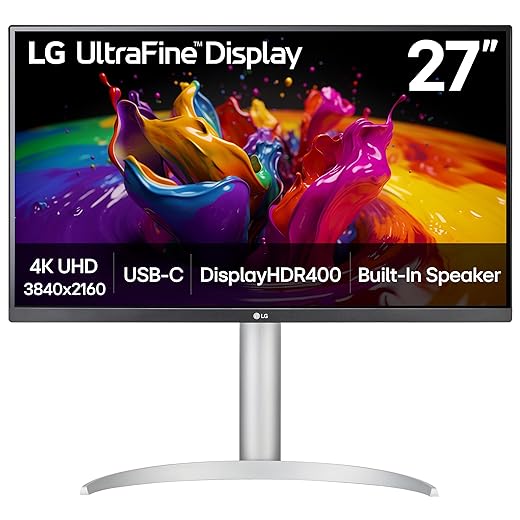
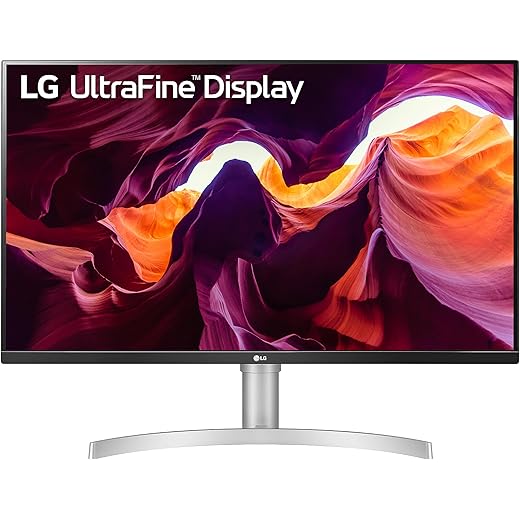
LG 27-inch Ultrafine 4K USB-C 90W Monitor
The 27UP850K-W pairs accurate color, USB-C 90W power, and a well-featured ergonomic stand into a relatively affordable package. It’s a sensible alternative to expensive reference displays for creators and Mac users who want a clean one-cable desktop.
Who it’s for
We view this LG as a practical Ultrafine option: it’s aimed at content creators who want strong color coverage and at professionals who prefer a Mac-like out-of-box experience without paying for a studio-calibrated pro display. The inclusion of 90W USB-C PD is a big practical win for laptop-first desks because it keeps the charging cable and video routed through a single connector.
Features that matter day-to-day
In use, the panel produces vivid images and crisp text — scaling to 2560x1440-like workspace feels right for many of us who don’t want tiny UI elements. The Switch app and on-screen multitasking tools can shave seconds off window management and make mounting video calls or reference material easier without a second monitor.
Trade-offs to weigh
We recommend it if you value single-cable convenience and color that’s “good enough” for most video/photo work. But if you require very high dynamic range or high refresh rates for motion-heavy tasks, you’ll want to look at pricier alternatives. Also be mindful of stand and build finishes — a few users reported manufacturing alignment issues on arrival, so inspect the unit and test returns when possible.
LG 27-inch 4K HDR10 Budget Monitor
This model delivers 4K clarity and respectable color for a modest price, making it an attractive upgrade for office users and casual creators. We recommend it when you want 4K real estate without spending on pro-grade calibration or hub features.
Practical summary
We treat the 27UL550-W as the straightforward 4K upgrade: it gives you the pixel density and basic HDR support that turns spreadsheets, documents, and long browser sessions into a much clearer experience. For office users who want readability and general-purpose color accuracy without a lot of extras, it’s an economical choice.
What you get and how it helps
The adjustable stand and portrait capability make this a flexible option for developers, writers, and anyone who benefits from vertical screen real estate. HDR will add punch to compatible content, but the monitor’s hardware HDR capability is modest — it makes movies and photos look better in a desktop context without matching full HDR TV performance.
Limitations and context
This monitor will not match the brightness or contrast of top-tier HDR-capable displays, and if you’re doing print-accurate color work you’ll want a factory-calibrated alternative. But for the price, you get a solid set of features that replace an old 1080p panel with a noticeable boost in clarity and workspace, which is a meaningful productivity win.
LG 32-inch 4K Ultrafine HDR Monitor
With a large 32-inch canvas and a modest price, this LG gives you comfortable pixel real estate for multitasking and media. We find it a good fit as a secondary large display or a primary monitor for non-color-critical office workflows.
Who should consider this monitor
If you want a 32-inch 4K display primarily for reading documents, spreadsheets, or watching reference videos while you work, the 32UR500K-B delivers a lot of value. The extra screen real estate reduces the need to shuffle windows and gives you a more desktop-like workspace, which we find helps focus on complex tasks like comparing documents or long-form editing.
Features and real-world use
The OnScreen Control and split-screen options make it easy to tile apps for multi-pane workflows, and the speakers are clearer than the small grills on many cheap monitors — they’re useful for meetings and casual media. We liked that it’s a plug-and-play upgrade for most laptops and desktops.
Caveats
This is not a specialized creative monitor: it lacks advanced factory calibration, and power users will notice limitations like limited brightness headroom and occasional hardware noise reports. Also, some units shipped with no height adjust or limited stand flexibility, so double-check the SKU if ergonomics are important. For the price, though, it’s a pragmatic large-screen option for many home offices.
Final Thoughts
For most office-focused setups, we recommend the Dell 32-inch 4K IPS Black Thunderbolt Hub. It pairs a roomy 32-inch canvas with an IPS Black panel that delivers noticeably deeper contrast than typical LCDs, and it folds a Thunderbolt hub into the stand—so you get clean cable management, single-cable charging, and instant multi-device switching. In short: it’s the best balance of productivity real estate, everyday color quality, and ecosystem integration for laptop-first desks — browse our Top Picks.
If you need absolute color fidelity and dynamic range—video editors, colorists, or anyone whose work is color-critical—choose the ASUS ProArt 32-inch Mini-LED 4K Reference Monitor. Its mini-LED local dimming, quantum-dot color, and broad HDR support make it a true reference tool. It’s more expensive and overkill for spreadsheet-heavy users, but it pays off where accuracy and HDR grading matter.
We picked those two because they solve two common pain points we see today: the Dell is about making your laptop workflow seamless and comfortable, while the ASUS is about giving color professionals the fidelity they actually need in 2026’s HDR-aware content pipeline.
Frequently asked questions
How did we pick these 4k monitors for office work and productivity options?
We shortlist models that balance performance, reliability, and value for typical buyers—not just the highest spec sheet. Hands-on notes, owner feedback, and return/warranty policies all feed the ranking.
Which 4k monitors for office work and productivity pick is best for most people?
Start with our top overall choice if you want the safest balance of price and features. Move up or down the list only when a specific need—budget, ecosystem, or a must-have feature—clearly applies to you.
Do prices on this 4k monitors for office work and productivity list change often?
Yes. Retailers run frequent promos, so use the live price buttons on this page and compare shipping and return windows before checkout—the best deal is not always the lowest sticker price.
Should I buy the cheapest 4k monitors for office work and productivity on the list?
Only if the trade-offs fit your use case. The budget pick can be excellent value, but check what you give up in build quality, software support, or key features you will use every week.
What if none of these 4k monitors for office work and productivity picks fit?
Use the comparison and guide links on this page to narrow by size, platform, or feature, then revisit the list with your must-haves written down—forcing a mismatch creates more returns than savings.
How often is this 4k monitors for office work and productivity roundup updated?
We refresh rankings when major models launch or pricing shifts enough to change the value story. Check the publish date at the top and compare current specs if you are reading months later.

Princess Rioboca is the Lead Editorial Writer at Option Cutter, bringing over seven years of hands-on experience in consumer technology journalism. Specializing in home networking and smart home architecture, she transforms complex technical data into practical, real-world upgrades. Princess personally tests and audits every product she reviews—evaluating real-world Wi‑Fi throughput, cable management durability, and streaming ecosystem stability—to filter out spec-sheet noise. Her rigorous, field-tested insights are designed to give readers transparent, unbiased buying advice on what to purchase, what to skip, and exactly why.














