



Choosing the Right Monitor: Productivity or Gaming?
We cut through specs to help us pick a monitor that fits our workflow and play. We explain trade-offs—resolution versus refresh rate, color accuracy versus price—and show how design, ergonomics, and ecosystem shape real‑world value in today’s crowded market context.
What We Need Before We Start
We’ll need
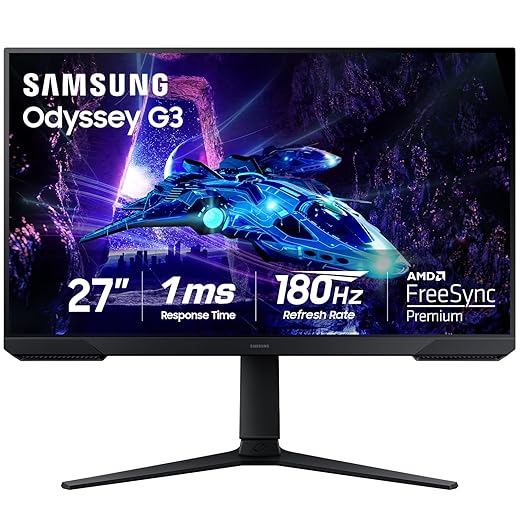
Top Monitors for Productivity and Gaming: The Ultimate Guide
Clarify the Primary Use: Workflows First, Benchmarks Second
Are we typing spreadsheets or chasing 240Hz leads? The answer rewrites every spec we care about.Clarify the primary use and how many hours we’ll spend at the screen. For productivity we prioritize readable text, accurate color for content work, and lots of real estate for multitasking. For gaming we prioritize low latency, high refresh, and reliable adaptive‑sync on gaming monitors.
Explain why this matters: a 34‑inch ultrawide can transform a video editor’s timeline and window management, while a pro esports player will accept lower pixel density to hit 240 Hz and rock‑steady frame pacing — see our ultrawide monitor picks. Check the OS/GPU ecosystem—macOS’s color pipeline, Windows’ window‑snapping, and console HDR/refresh limitations can make a spec useless in practice.
Productivity priorities: readable text, color accuracy, multitasking space.
Gaming priorities: latency, refresh rate, adaptive sync.
Ecosystem checks: GPU drivers, OS features, console compatibility.
Use this clarified purpose to drop features that don’t help our workflow before we pick size, panel type, or budget.

Size, Resolution, and Aspect Ratio: Get the Canvas Right
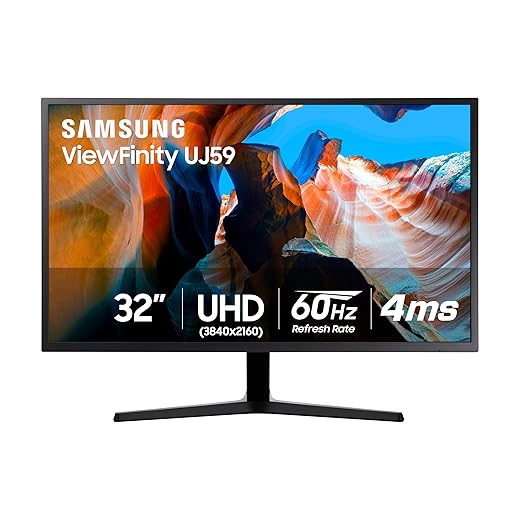
Bigger isn’t always better — sometimes wider beats denser. What screen real estate do we actually use?Choose a size and resolution that match your desk, eyesight, and tasks. We favor pixel densities at or above ~100 PPI for crisp text without constant OS scaling—27″ 1440p (~109 PPI) and 32″ 4K (~138 PPI) hit that sweet spot.
Compare common combos and why they work for us
Account for OS scaling, GPU horsepower, and app support—higher resolution only improves our daily experience if the OS and software render correctly and the GPU can drive the pixels.
Panel Type and Color: Match the Panel to the Work
IPS, VA, or TN? We say IPS is the versatile workhorse — but there are exceptions.Understand panel differences before you buy. We walk panel tech to UX: IPS gives wide viewing angles and accurate color—choose it for design, video, or sharing a screen — compare panel types in QD-OLED vs WOLED for gaming when OLED enters your shortlist. VA gives deeper contrast and better blacks for movies or dim rooms but can show slower pixel transitions. TN gives the fastest response for esports, at the cost of color depth and viewing angles.
Pick a color gamut that fits your pipeline: use sRGB for web, DCI‑P3 for modern video, and Adobe RGB for print work. Look for factory calibration or a Delta‑E <2, and prefer hardware LUT support if you use a color-managed workflow on business monitors.

Refresh Rate, Response, and Adaptive Sync: When Smoothness Matters
Is 60Hz enough, or have we already tuned our reflexes to 240Hz? Spoiler: it depends on the genre and competitiveness.Prioritize refresh rate and response time: refresh rate (Hz) dictates how often the image updates; response time (ms) governs how quickly pixels change. Together they shape perceived smoothness and input clarity—low frame-time variance matters as much as high Hz.
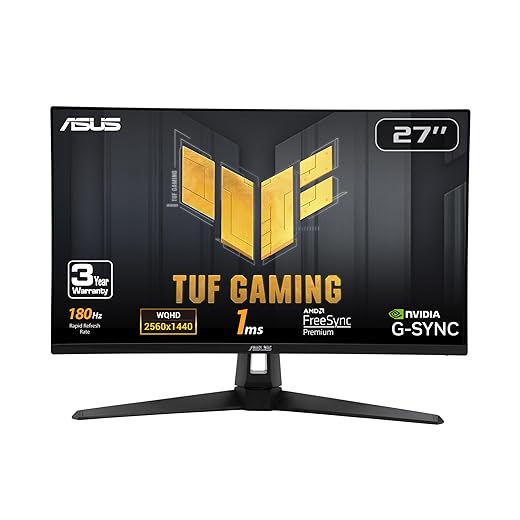
Choose 144Hz+ (and ideally 240Hz) for competitive shooters to reduce input lag and make every flick and peek feel precise — a jump we break down in 144Hz vs 240Hz monitors. For single-player narrative games, higher refresh improves fluidity, but chasing 144Hz at 4K often costs far more GPU power than it’s worth — the same GPU budget tension in our 240Hz 4K monitor guide.
Ergonomics, Connectivity, and Design: The Everyday Comfort Layer
A great panel ruined by a wobbly stand is a tragedy we can avoid — ergonomics materially change long-term satisfaction.Check stand adjustability first: height, tilt, swivel, and pivot reduce neck and eye strain during marathon sessions. If the stock stand fails, mount a VESA arm to regain posture options.
Prefer DisplayPort for sustained high-refresh modes, and choose USB‑C with power delivery (ideally 65W+) for a laptop-first desk through docking stations — pair cable habits with our USB‑C charging guide.
Look for these usability features

Budget & Trade-offs, Plus Our Buying Checklist
Can we get 90% of the experience for half the price? Spoiler: often yes — but check these items first.Frame common price bands and the trade-offs we accept at each level. Entry-level (~$100–$250) covers office productivity but often sacrifices color accuracy, stand quality, and HDR; mid-range (~$250–$600) is where most users get the best balance of color, refresh, and build; premium ($600+) brings excellent uniformity, higher HDR peak brightness, and pro-grade color out of the box.
Prioritize spend by workflow: choose color accuracy and calibration for photo/video editors; prioritize panel uniformity and DisplayHDR performance criteria for creators; spend on refresh rate and low latency for competitive gaming — see our QD-OLED comparison when HDR gaming is the goal. Test ergonomics using OSHA workstation setup guidance and USB‑C/DisplayPort behavior in person when possible.
Extend useful life with a VESA arm or an aftermarket calibration device if the panel shows promise but needs tuning.
Final Take: Buy for Your Workflow, Not the Hype
We’ve shown how to weigh specs against real needs, design, and ecosystem fit; we pick monitors that complement workflows or game libraries, prioritize comfort, and preserve upgrade paths — browse more how-to guides and our full monitors aisle before you buy. Ready?
Frequently asked questions
What should I prepare before I choose a monitor for productivity or gaming?
Start with the checklist in the “What we’ll need” section above—measure your space, confirm compatibility with your gear, and read the full walkthrough once before you change settings or buy parts. Monitor goes faster when prep is done upfront.
How long does it take to choose a monitor for productivity or gaming?
Most readers finish in about 30–90 minutes if they already have the right parts, but budget extra time for measurements, firmware updates, or a second pass when something does not behave the way the manual suggests on the first try.
What is the hardest part when you choose a monitor for productivity or gaming?
The step that trips people up is usually alignment or configuration—getting measurements, cable routing, or software settings right before you commit. If results still look off, re-check the basics in order instead of swapping hardware immediately.
What mistakes should I avoid when I choose a monitor for productivity or gaming?
Skipping measurements, ignoring ventilation or port limits, and rushing the final test are the common failures. Photograph your starting setup, label cables, and verify the outcome with the same content or workflow you will use every day—not a one-off demo.
When should I call a pro instead of trying to choose a monitor for productivity or gaming myself?
Bring in help when the job needs structural work, licensed wiring, or tools you do not own, or when repeated attempts still fail after you have followed the troubleshooting section. A short paid visit can cost less than replacing gear you damaged by forcing the install.

Princess Rioboca is the Lead Editorial Writer at Option Cutter, bringing over seven years of hands-on experience in consumer technology journalism. Specializing in home networking and smart home architecture, she transforms complex technical data into practical, real-world upgrades. Princess personally tests and audits every product she reviews—evaluating real-world Wi‑Fi throughput, cable management durability, and streaming ecosystem stability—to filter out spec-sheet noise. Her rigorous, field-tested insights are designed to give readers transparent, unbiased buying advice on what to purchase, what to skip, and exactly why.















