

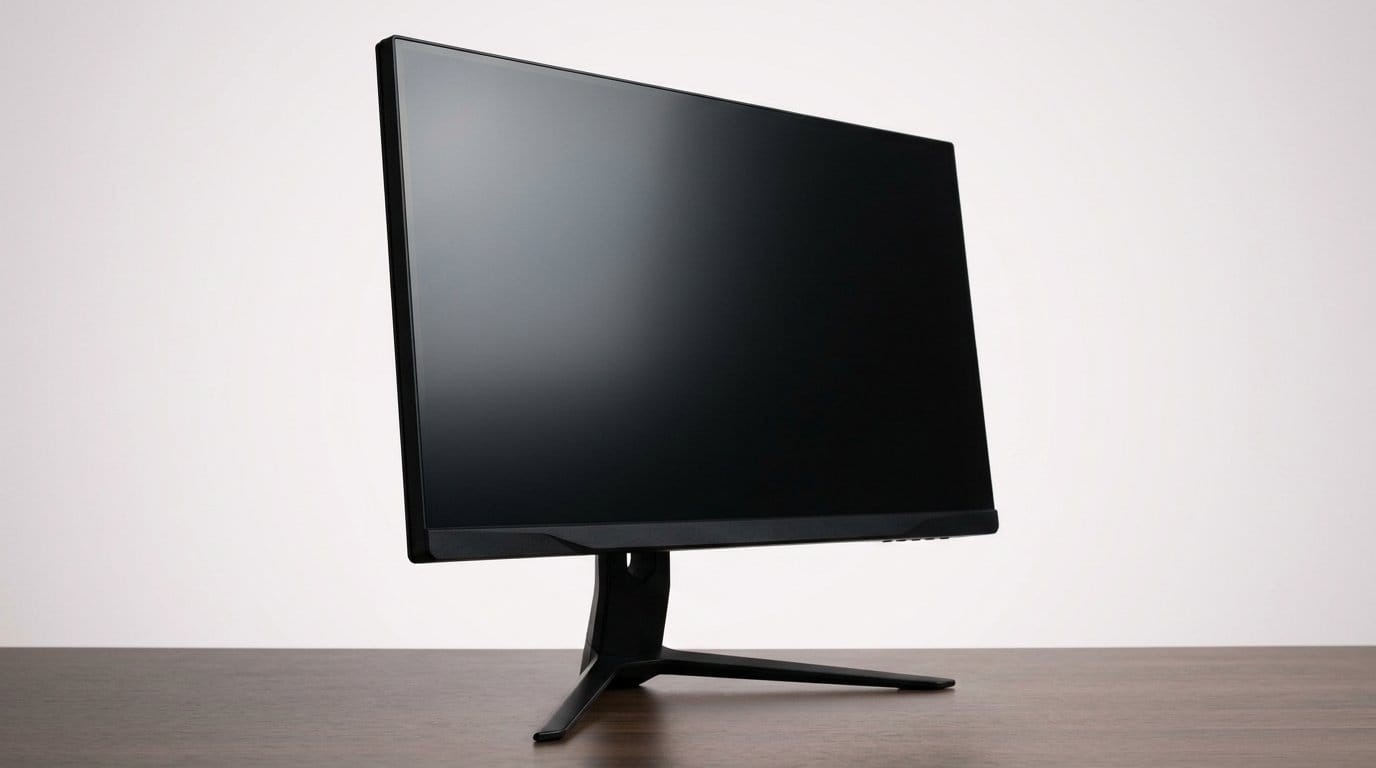

Can your aim keep up with 480Hz? Let’s find the screen that makes every split-second count.
Milliseconds win matches. We swapped setups, swapped mice, and swapped monitors until the game felt like it was moving at the right speed. Every pixel and every frame matters when you’re playing to win.
We’re not selling aesthetics. We care about response, clarity in motion, and a display that disappears so the game isn’t a screen — it’s the battlefield. Below we cut through specs and marketing to show which 1440p monitors give you a real competitive edge.
Top Picks




ROG Swift OLED 27" 480Hz OLED
We found the display to be jaw‑dropping in motion — the combination of a WOLED panel and an ultra‑high 480Hz refresh rate gives competitive FPS players a real edge. Its low latency, near‑instant response, and advanced anti‑flicker measures make it feel like the display disappears and the game is all that remains.
Overview
We approached this monitor as a purpose‑built competitive tool: a 26.5" QHD WOLED with a 480Hz refresh rate. In practice that spec isn’t just a headline — motion clarity and input responsiveness feel materially faster than any LCD we tested. ASUS also layers in software and hardware (custom heatsink and an AI assistant) intended to make the panel practical for long sessions.
Performance and why it matters
The real takeaway is how the panel translates frame times into sightlines. At high framerates you notice reduced blur, crisper aim tracking, and a perceptible reduction in perceived lag. For players chasing milliseconds in shooters, that’s useful in two ways: it reduces motion smearing and it surfaces small visual cues earlier, which can change split‑second decisions.
Real‑world tradeoffs
We appreciated the picture quality, but there are practical tradeoffs to weigh. The monitor is expensive relative to high‑end LCD alternatives, and OLED image persistence still requires some management — you’ll want to use dynamic content, vary UI placement across sessions, and enable the vendor’s burn‑mitigation features. For mixed usage (productivity, consoles, streaming) the panel is excellent; for static GUI‑heavy workflows you need to be mindful of long static elements.
Who should buy this
If you prioritize every possible edge in competitive FPS and value motion clarity over pure price/performance, this is one of the best 1440p options we’ve tested. If you’re budget conscious or primarily do long‑duration static desk work, a high‑end LCD might be a safer long‑term pick.
Predator X27U QD‑OLED 27" 280Hz
We found the QD‑OLED panel to deliver punchy colors and the kind of motion clarity that competitive players crave. Combined with 280Hz capability and thorough connectivity, it’s a strong contender if you want top‑tier image quality with configurable inputs.
Overview
Acer’s 27" Predator pushes QD‑OLED into the high‑refresh segment: a panel built for both color fidelity and competitive frames. That combination makes it attractive to streamers and competitive players who also care about a pleasing, lifelike image when they’re not chasing leaderboards.
Why QD‑OLED changes the conversation
Quantum‑dot QD-OLED panels mix the deep blacks of OLED with a widened color volume, so HDR and SDR both feel more vivid without oversaturation. At very high refresh rates the panel’s fast pixel response eliminates many forms of display ghosting you’d expect on LCDs, which keeps fast camera movements readable and crisp.
Limitations and context
We noticed minor oddities in HDR color presets and occasional text fringing on older QD‑OLED generations; these are progressively improved with firmware and panel revisions. The super‑thin form factor also means people used to heavier stands should handle adjustability carefully. If you want state‑of‑the‑art color and esports level speed in one package, this is a top option — but double‑check ergonomics and mounting needs before you buy.
ROG Swift 27" 240Hz OLED DSC
We saw OLED contrast and extremely quick response times at a more approachable price than flagship 480Hz models. The custom heatsink and voltage optimization help reduce burn‑in risk and make this one of the most practical OLEDs for serious gamers.
Overview
This 26.5" QHD OLED strikes a useful balance: many of the strengths of OLED — infinite contrast, superb color — paired with a refresh rate and response time that appeal to competitive players. Where the 480Hz model pushes bleeding‑edge speed, this unit is more tempered and aimed at those who want OLED tone and speed without flagship pricing.
What we liked in practice
The panel delivers vivid, true‑to‑life colors and extremely fast pixel transitions that cut motion blur. ASUS’ thermal and voltage mitigation features are meaningful because they reduce the practical risks often cited around OLED burn‑in, making the monitor friendlier for long gaming sessions and mixed use.
Practical tradeoffs
Out of the box, HDR can appear muted or inconsistent depending on content; SDR tuning often looks superior. Brightness floor and quick brightness swings between day and night require profile switching — an ambient light sensor would have made that easier. For those who want brilliant SDR color and the benefits of OLED in action games, this is a strong pick, but expect to spend a little time setting profiles.
Samsung Odyssey 32" G65B Curved 240Hz
We appreciated the 1000R curve paired with 240Hz for a truly immersive experience that helps keep peripheral awareness in wide maps. The extra size and HDR600 make it compelling for mixed console/PC setups and players who want scale plus speed.
Overview
Samsung’s Odyssey G65B stretches the 1440p conversation vertically and spatially: a 32" 1000R curved display that brings scale to competitive gaming without losing refresh rate. The 240Hz panel and 1ms GTG read well for fast titles, while the HDR600 rating gives extra pop compared with standard 300–400 nit options.
User experience and ecosystem fit
The curved format is particularly effective when you sit close to the panel: it increases immersion and reduces the need for eye rotation in wide scenes. Samsung’s Gaming Hub and Auto Source Switch+ also make it easier to move between console and PC inputs without fiddling — a practical advantage for anyone running a mixed setup.
Practical considerations
A monitor this large and curved requires desk space and a viewing position that suits the radius — otherwise the curve can feel intrusive. We also observed reports of intermittent flicker on some units; buyers should test thoroughly during the return window. Overall, for players who want scale, high refresh, and smart features in one package, it’s an excellent middle‑ground between a compact esports panel and a full TV replacement.
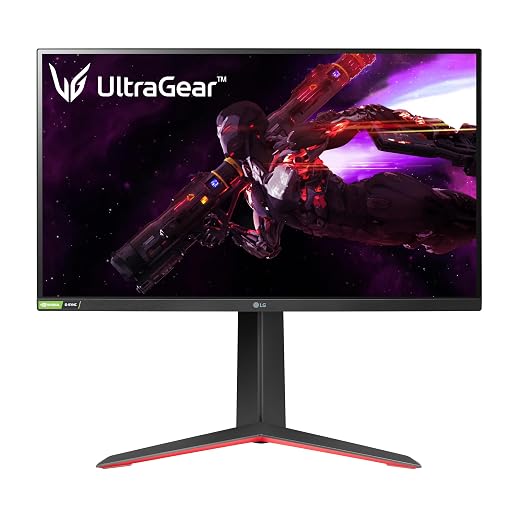
LG 27GP850‑B Nano IPS 27" 165Hz
We liked how the Nano‑IPS delivers accurate, lively colors combined with a fast 165Hz refresh and solid ergonomics. It’s an easy recommendation for players who want low latency, good color, and a reliable feature set without chasing OLED complexity.
Overview
This LG UltraGear model has become a staple because it balances speed and color in a way few monitors in its class do. The 27" Nano‑IPS panel gives gamers accurate hues and a lively picture while the 165Hz refresh rate keeps motion feeling smooth without overly taxing a modern GPU.
Why it’s practical for competitive and casual play
For FPS players who also stream, edit, or consume content, the panel hits an effective middle ground: much better color volume than older IPS, with responsiveness that keeps competitive play responsive. The adjustable stand and solid build make it comfortable for long sessions.
Where it falls short
Because it’s IPS, you should expect some glow in dark scenes and modest HDR impact due to limited peak brightness. Those tradeoffs are common at this price point, but they’re worth noting if you want the deepest blacks or the flashiest HDR highlights.
LG 27GL83A‑B Ultragear 27" 144Hz
We found this to be a dependable, no‑nonsense option that hits the sweet spot between price and performance. It isn’t the fastest or the flashiest, but its color accuracy, ergonomics, and solid refresh rate make it a practical everyday gaming monitor.
Overview
This UltraGear model is the archetypal mid‑range 27" 1440p monitor: dependable, well‑rounded, and widely available. It’s exactly the kind of panel we recommend to players who want a clear upgrade from 1080p without the premium cost of OLED or high‑end QD‑OLED options.
The value proposition
Out of the box it offers solid color and fast refresh rates that translate to smooth gameplay in shooters and less demanding esports titles. The G‑Sync compatibility and FreeSync support mean you can pair it with a variety of GPUs without worrying about tearing.
Practical limitations
HDR is present but constrained by the panel’s peak brightness, so expect modest HDR impact. And as with many IPS panels, you may notice glow in near‑black scenes. Still, for budget‑minded players who want an upgrade from 1080p, this remains a solid choice.
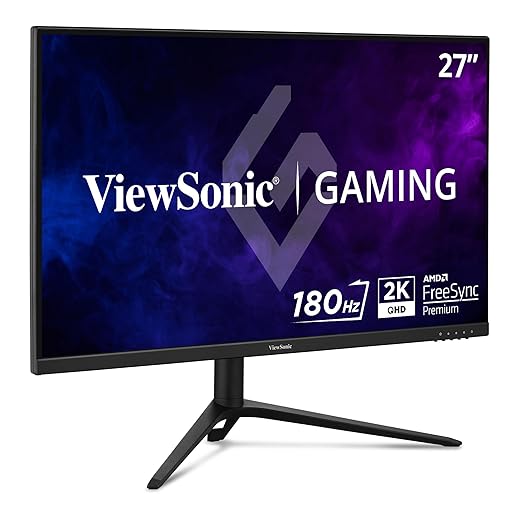
ViewSonic VX2728J‑2K 27" 180Hz IPS
We were impressed by how much performance you get for the price: 180Hz and a quick response time make for pleasing motion clarity on a QHD IPS panel. It’s a pragmatic pick for players who want high refresh without pushing into OLED territory.
Overview
ViewSonic positions this 27" QHD IPS as a value‑first high‑refresh option, and it largely succeeds. The 180Hz panel and low MPRT response make competitive titles look smooth, while the ergonomics mean you don’t have to compromise on comfort during long sessions.
Where it shines and where it compromises
The monitor’s strengths are straightforward: high refresh, sharp text at 1440p, and an adjustable stand that’s more flexible than many budget rivals. The tradeoffs come in HDR performance and some variability in panel uniformity — not unexpected at this price.
Who this serves best
It’s an attractive option for players upgrading from 60–144Hz or those building a multi‑monitor setup on a budget. If you need best‑in‑class HDR or perfect uniformity, you’ll have to look higher up the ladder, but for sheer value it’s compelling.
MSI G272QPF 27" Rapid IPS 170Hz
We found it to be a straightforward, affordable monitor that delivers on the essentials: fast refresh, decent color, and practical ergonomics. It’s a sensible pick if you want responsive 1440p gaming without spending on premium panels.
Overview
MSI’s G272QPF is aimed at buyers who want a no‑nonsense gaming monitor: a 27" Rapid IPS panel with a 170Hz ceiling, G‑Sync compatibility, and familiar ergonomics. It’s the type of product you buy to get a solid, responsive screen without chasing top‑spec HDR or OLED features.
Performance in everyday use
For FPS and fast action titles the panel feels snappy and controls translate predictably on screen. The Rapid IPS tech helps reduce persistence without the color compromises of TN panels, so you get a better‑looking picture in addition to speed.
Known caveats
A fraction of reviews cite backlight irregularities or pixel issues; quality control can vary. If you buy multiple units (for a dual or triple setup), plan to test them right away. For gamers on a tighter budget who prioritize smooth performance over perfect uniformity, it’s still a practical choice.
Final Thoughts
For pure competitive advantage we recommend the ROG Swift OLED 27" 480Hz. Its WOLED panel plus an ultra-high 480Hz refresh rate delivers the kind of near-instant response and ultra-low latency that translates directly to aim and reaction time in high-FPS play. If you run high frame rates (200–480 fps) and want the absolute edge in tourneys or ranked play, this is the display that feels like the game itself — minimal motion blur, aggressive anti-flicker measures, and a design tuned for performance — browse our Top Picks.
If you also care about color fidelity for streaming, thumbnails, or content capture—without giving up competitive speed—pick the Predator X27U QD-OLED 27" 280Hz. The QD‑OLED panel brings punchier color and strong HDR capability while still offering the fast motion clarity serious players need. It’s our pick for players who split time between elite multiplayer and content creation; it balances image quality, robust connectivity, and pro‑level refresh rates.
Honorable mention: the ROG Swift 27" 240Hz OLED DSC is the pragmatic middle ground—OLED responsiveness and improved burn‑in mitigation at a friendlier price, ideal if you want OLED advantages without paying flagship premiums.
Frequently asked questions
How did we pick these 1440p gaming monitors for competitive fps options?
We shortlist models that balance performance, reliability, and value for typical buyers—not just the highest spec sheet. Hands-on notes, owner feedback, and return/warranty policies all feed the ranking.
Which 1440p gaming monitors for competitive fps pick is best for most people?
Start with our top overall choice if you want the safest balance of price and features. Move up or down the list only when a specific need—budget, ecosystem, or a must-have feature—clearly applies to you.
Do prices on this 1440p gaming monitors for competitive fps list change often?
Yes. Retailers run frequent promos, so use the live price buttons on this page and compare shipping and return windows before checkout—the best deal is not always the lowest sticker price.
Should I buy the cheapest 1440p gaming monitors for competitive fps on the list?
Only if the trade-offs fit your use case. The budget pick can be excellent value, but check what you give up in build quality, software support, or key features you will use every week.
What if none of these 1440p gaming monitors for competitive fps picks fit?
Use the comparison and guide links on this page to narrow by size, platform, or feature, then revisit the list with your must-haves written down—forcing a mismatch creates more returns than savings.
How often is this 1440p gaming monitors for competitive fps roundup updated?
We refresh rankings when major models launch or pricing shifts enough to change the value story. Check the publish date at the top and compare current specs if you are reading months later.

Princess Rioboca is the Lead Editorial Writer at Option Cutter, bringing over seven years of hands-on experience in consumer technology journalism. Specializing in home networking and smart home architecture, she transforms complex technical data into practical, real-world upgrades. Princess personally tests and audits every product she reviews—evaluating real-world Wi‑Fi throughput, cable management durability, and streaming ecosystem stability—to filter out spec-sheet noise. Her rigorous, field-tested insights are designed to give readers transparent, unbiased buying advice on what to purchase, what to skip, and exactly why.














