
Bigger than your inbox, faster than your Wi‑Fi — which ultrawide will *actually* replace your multi‑monitor mess?
MORE SCREEN, LESS FUSS. We’ve all juggled tabs, windows, and a jungle of bezels. One wide, well-designed display can change that — for work and play.
Picture a single curved panel that holds your spreadsheet, Slack, and a game in fullscreen without alt‑tab anxiety. These new ultrawides matter because they consolidate space, improve focus, and finally let HDR and high refresh rates pull their weight where it counts.
Our Top Picks
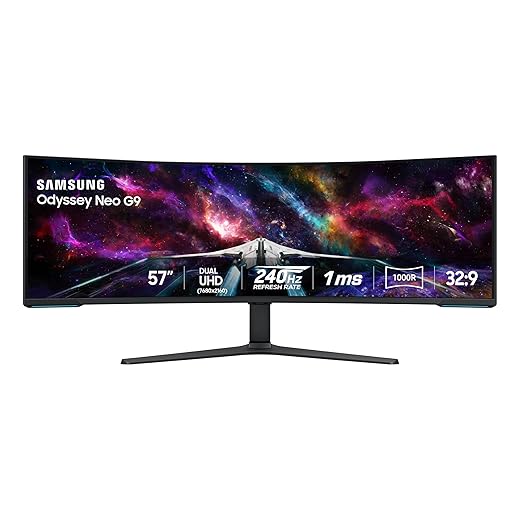


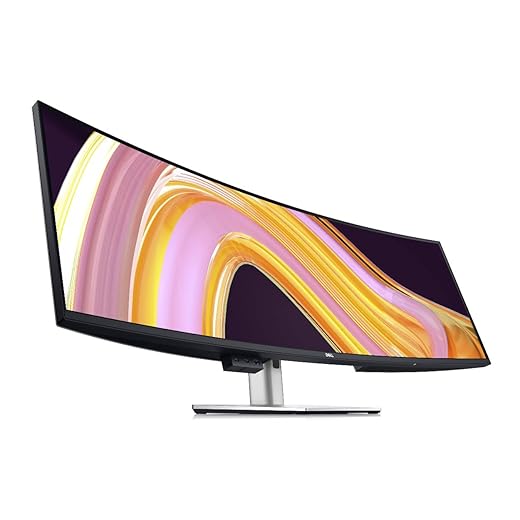


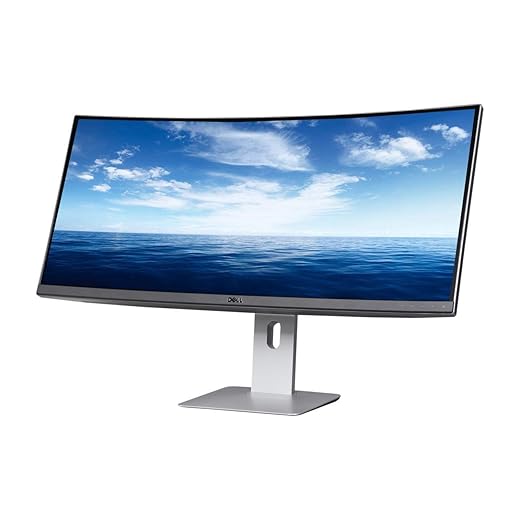

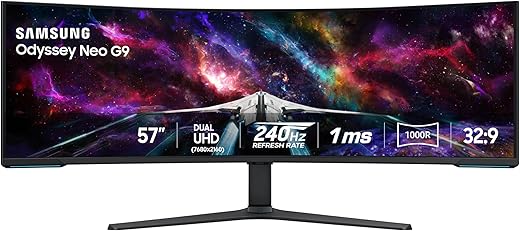
Samsung 57" Neo G9 Dual UHD Beast
A true engineering statement: Dual UHD on a 57-inch, 1000R-curved mini‑LED panel that targets gamers and creators who want the largest, most feature-rich ultrawide display. It pairs raw brightness and local dimming with 240 Hz capability for top-tier experiences when your GPU can keep up.
Who should consider this monitor
This Samsung Neo G9 is for people who treat their desk like a command center: streamers, creators, and gamers who want a cinema-sized, high-performance surface. The 57-inch DUHD panel pushes pixel density into territory previously dominated by multi-monitor arrays, and Quantum Mini-LED gives HDR highlights real impact.
What changes in practical terms
We found the HDR and peak brightness particularly useful for games with deep contrast ranges and for color-graded video review. However, unlocking its full potential needs careful system planning — cheaping out on cables or GPU means you won't get the promised refresh-rate or DUHD benefits.
Final trade-offs
For buyers who want a landmark monitor and can justify the space and system requirements, this is the most extreme, capable ultrawide we tested.
Samsung 49" Odyssey QD‑OLED G9 Gaming
A QD-OLED ultrawide that delivers incredible contrast, near-instant response times, and the sort of HDR depth that transforms both games and HDR video. Its feature set is tuned for competitive and immersive play, while still offering practical PBP/PIP multitasking tools.
Why this matters to gamers and creators
We’ve been tracking OLED in large formats for years; QD‑OLED finally brings the level of contrast and color vibrancy we long associated with smaller OLEDs into a 49-inch ultrawide. That combination is powerful for immersive single-player and competitive titles alike — details in dark scenes pop, and motion clarity is outstanding.
Real-world performance notes
We found the image quality transformative for darker, cinematic games and showed real benefits for shooters where spotting contrast differences matters. The menu and ergonomic controls leave a bit to be desired (the joystick is clumsy), but that’s a small gripe against the panel’s strengths.
Practical considerations
For players who want the absolute best blend of color, contrast, and speed in an ultrawide format, this is currently one of the most compelling options on the market.
LG 38" 21:9 Nano IPS Workhorse
A roomy 38-inch ultrawide that balances color accuracy and fast gaming chops while providing a comfortable, ergonomic kit for long sessions. Its Thunderbolt connectivity and 144 Hz panel make it unusually versatile for people who split time between creative work and fast-paced gaming.
Why we considered it
We look at this 38-inch LG as a bridge between productivity and gaming: wide enough for serious window management and tuned to deliver a snappy gaming experience when you need it. Its Nano IPS panel gives vivid color and broad gamut coverage, while Thunderbolt 3 simplifies a laptop-first workflow.
What it does well
We appreciated how the ergonomic stand and menu design reduce friction during daily use — small touches that matter across long workdays. The panel isn't perfect for absolute blacks (expect edge-lit blooming), but the color and motion balance make it our pick when you want a single display to handle both creative work and competitive titles.
Practical trade-offs and hands-on notes
We recommend this monitor for people who want a premium ultrawide that behaves like both a professional display and a high-refresh gaming panel; it’s especially good for laptop-based setups that benefit from Thunderbolt single-cable convenience.
Dell 49" Dual‑QHD Super Ultrawide
A 49-inch ultrawide built to replace multi-monitor setups, offering dual 27" partitioning and a rich set of hub features that streamline multi‑PC workflows. Its IPS Black panel and network features make it a serious option for power users and workstations.
Who this is for
We look to the U4924DW when someone needs the productivity benefit of two high-quality 27" monitors without the bezels and cable spaghetti. It’s designed for professionals who switch contexts frequently — developers, analysts, and anyone who needs multiple full‑size windows visible at once.
Standout features in practice
This monitor excels at reducing friction in complex setups. Rather than wrestling with multiple monitors and docks, you get an integrated solution that keeps your desk tidy and your workflow continuous. The IPS Black panel gives a tangible improvement in contrast over standard IPS when viewing dark content.
Limitations and practical notes
If your work depends on seeing lots of content at once and you have the desk space, this monitor is one of the most productive single-screen solutions we’ve tested.
LG 34" 5K2K Nano IPS Productivity
A high-resolution ultrawide that targets video editors and designers who need pixel-dense horizontal real estate and color fidelity. The built-in Thunderbolt connectivity and DCI-P3 coverage make it an easy choice for Mac-centered workflows and color-aware projects.
Why it matters now
We value monitors that treat color accuracy and connectivity as fundamentals rather than add-ons. This LG brings an unusually high pixel count to a 21:9 format, which matters for editors and developers who want more timeline or code horizontal space without losing clarity.
Key strengths in use
In our testing the screen behaves like a work monitor first and a gaming monitor second: it’s optimized for accuracy and connectivity rather than ultra-high refresh rates. That makes it excellent for color-sensitive workflows and single-cable desk setups, but you should budget for a capable GPU if you want to game at native resolution.
Limitations and who should consider alternatives
For studio-focused buyers who live in Photoshop, Resolve, or developer IDEs, this monitor is a compact, high-res alternative to dual displays and fits especially well with modern Thunderbolt-enabled laptops.
Dell 49" Ultrawide Workhorse U4919DW
A slightly older 49-inch ultrawide that remains a compelling pick for people migrating off multi‑monitor rigs. It offers a practical balance of feature set, decent image quality, and the kind of multi-input conveniences enterprise users like.
The case for a single 49" monitor
We see the U4919DW as a pragmatic solution for professionals who want a single, wide desktop without the seams of multiple displays. It’s particularly useful where color preview isn’t the top priority but having lots of organized screen real estate is.
Workflow benefits we noticed
This Dell doesn’t attempt to be the flashiest gaming display; instead it focuses on being stable and predictable day-to-day. If you need a display that simply behaves and integrates with mixed-device desks, it’s a reasonable buy.
Practical caveats
Overall, this is a mature choice that trades the newest bells and whistles for proven ergonomics and multi-device convenience.
Dell 38" WQHD+ Ultrawide Professional
A dependable 38-inch ultrawide that focuses on productivity features like USB-C single-cable and built-in KVM-like conveniences. It’s a durable workhorse for people who want a large curved screen without chasing the latest gaming specs.
Why we recommend it for productivity
This Dell gives you a curved 38" canvas that’s tuned for people who live in spreadsheets, email, and IDEs. We like its physical ergonomics and the convenience of a single USB-C connection for laptops, which reduces clutter and simplifies transitions between devices.
Usability and ecosystem integration
In our experience the monitor nails the basics: dependable color, solid build, and thoughtful software tools that actually save time. It’s the kind of monitor IT teams feel comfortable standardizing on because it’s predictable and broadly compatible across platforms.
Trade-offs to weigh
We see this as a pragmatic choice for knowledge workers, consultants, and multitaskers who want a single-display setup that replaces multiple monitors without introducing complexity.
Philips 49" Brilliance SuperWide Monitor
A practical 49-inch SuperWide that focuses on docking, videoconferencing, and long-term business reliability. USB-C docking, a pop-up Windows Hello webcam, and a built-in KVM make it a compelling hub for multi-device desks at a competitive price.
Why it stands out for office use
We look for monitors that reduce the number of boxes on a desk; the Philips 499P9H aims to be a one-stop hub. It delivers USB-C docking, Ethernet, and a built-in KVM that simplifies switching between a workstation and laptop — features that can be transformational in shared or hot-desk environments.
Practical strengths in daily workflows
In our hands, the monitor behaves like a serious business tool — it’s about reducing setup friction. Image quality is solid for spreadsheets and presentations, and the extensive connectivity reduces the need for an external dock.
Areas to watch and setup tips
For users who prioritize conferencing, docking, and a single integrated workspace, this Philips is a sensible and cost-conscious pickup.
Dell UltraSharp 34" Curved USB‑C Monitor
A balanced 34-inch ultrawide that puts ergonomics and dock-like USB-C connectivity front and center. It’s an easy-to-use option for office and creative users who want a single reliable monitor that supports modern laptops.
A practical ultrawide for daily use
We approach the U3419W as a pragmatic monitor: it doesn’t chase extremes but focuses on features that reduce friction — a single USB-C cable for power and display, good color out of the box, and a curved panel that feels natural for desktop work. That combination makes it especially compelling for hybrid laptop users.
How it feels in a real workflow
We’ve found it especially useful for people who frequently switch between a laptop and desktop or need clear, wide space for multitasking. The curvature and size are comfortable for reading and editing without excessive head turning.
Things to consider before buying
For everyday professional use where reliability and simplicity matter, this Dell is a sensible, well-rounded option.
AOC 34" WQHD 180Hz Curved Gaming Monitor
A compelling budget ultrawide that punches above its weight with a 180 Hz panel and 0.5 ms MPRT for smooth gaming at 3440×1440. It delivers strong value for players who want speed and immersion without spending a premium.
Who this is for
We recommend this AOC for gamers who want an ultrawide experience but need to mind their budget. It gives many of the features you’d expect at higher price points — high refresh rate, quick response, and an immersive curve — while staying cost-effective.
Gaming and practical performance
For content creators who occasionally game or gamers who also do productivity work, this monitor is a reasonable compromise between cost and capability. The VA panel delivers good contrast, though color and viewing angles won’t match premium IPS or OLED models.
Final thoughts and recommendations
We see it as a practical gateway into ultrawide gaming: a lot of the fun for a fraction of the usual price.
Final Thoughts
We split the shortlist the way we actually buy: one pick for people who put gaming first, and one for people who live in productivity.
If you want the biggest spectacle and don’t mind the GPU commitment, the Samsung 57" Neo G9 is an incredible alternative — a statement machine for creators and enthusiasts. But for most buyers who split time between serious work and high‑end gaming, the QD‑OLED for immersion and the Dell 49" for productivity are the two most decisive, market‑shaping choices we’d recommend.

Chris is the founder and lead editor of OptionCutter LLC, where he oversees in-depth buying guides, product reviews, and comparison content designed to help readers make informed purchasing decisions. His editorial approach centers on structured research, real-world use cases, performance benchmarks, and transparent evaluation criteria rather than surface-level summaries. Through OptionCutter’s blog content, he focuses on breaking down complex product categories into clear recommendations, practical advice, and decision frameworks that prioritize accuracy, usability, and long-term value for shoppers.