Click, clack, frag — can one keyboard do both flawless typing and lightning-fast gaming?
We think the right keyboard can make your whole day better.
You type for work and frag for fun. You want satisfying acoustics and zero-lag inputs. Short commute to the desk. Long sessions at night.
We tested a range of boards from prebuilt perfection to heavy, mod-friendly metal. We focused on feel, acoustic tuning, layout and ecosystem — and whether a keyboard earns its place on both a writer’s desk and a gamer’s battlestation.
Our Top Picks





Keychron Q1 Max: Full-Metal Custom
We found a heavy, well-built keyboard that rewards tinkering and long-term ownership. Its wireless latency, hot-swap flexibility, and premium acoustic tuning make it a compelling choice for people who want a near-custom experience out of the box.
Why we care
We approach this keyboard as a near-custom build you don’t have to assemble yourself. The metal case, gasket-mounted double‑layer dampening, and high‑quality internals make it a product that sits between enthusiast custom kits and polished prebuilt boards. That matters because it brings hobby-grade sound and feel to people who prefer something that works well immediately.
Key features and what they mean in use
In practice, these elements add up to a keyboard that feels heavy, stable, and consistently tuned across the board. Gamers will appreciate the responsive 2.4 GHz mode; creators and devs will like the programmable layers and macro potential. Hot-swap sockets let us try different switch types quickly, which prolongs the board’s relevance.
Limitations and practical context
Who should buy it
We recommend this to users who want a premium typing experience and long-term customization. If you enjoy modding—switches, keycaps, and firmware tweaks—this board delivers a flexible foundation without the wait or fiddly soldering of a full custom kit.
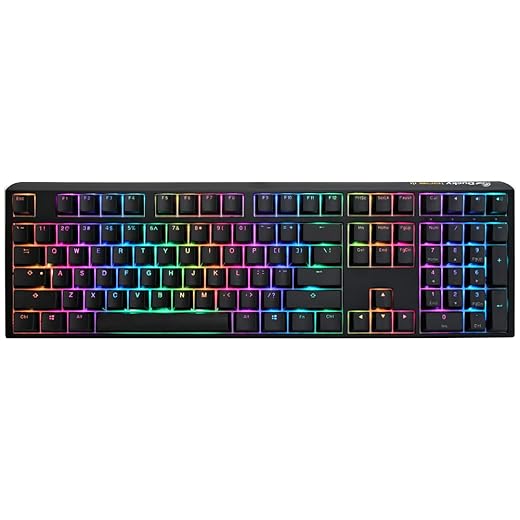
Ducky One 3 Classic: Refined Prebuilt
We found excellent prebuilt acoustics and a refined, low‑profile case that outperforms many rivals out of the box. The inclusion of top‑tier dampening and double‑shot PBT keycaps makes it a standout for typists.
Where it shines
Ducky took a measured approach with the One 3: better acoustics, thoughtful stabilizers, and premium keycaps. For anyone who cares deeply about how a board sounds and feels, the silicone plate dampener, EVA foam, and improved stabilizers provide a mature acoustic profile that many prebuilt boards lack.
Features that improve everyday typing
In our testing the One 3 delivered a controlled, pleasant thock with minimal hollow resonance. It’s the kind of out‑of‑the‑box polish that narrows the gap to custom builds, and for many users that’s a big deal.
Caveats and who benefits most
We recommend the One 3 for typists and enthusiasts who want a high‑quality prebuilt that delivers much of the acoustic and tactile satisfaction of a custom board without the parts hunt.
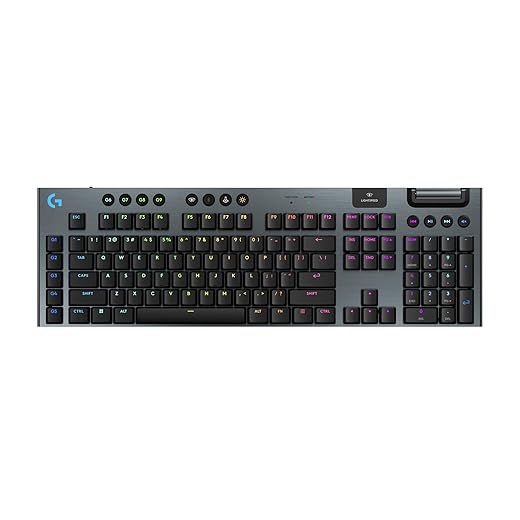
Logitech G915 X: Low‑Profile Wireless Powerhouse
We found a rare combination of low‑profile switches and full wireless reliability that works across gaming and productivity. The build, media controls, and software integration make it an excellent full‑size option where desk real estate and wrist comfort matter.
What sets it apart
This keyboard attempts to solve a common trade‑off: you want a slim typing posture but don’t want to lose mechanical switch responsiveness. The low‑profile GL switches combined with LIGHTSPEED wireless give low latency and a comfortable hand position, which benefits both long typing sessions and fast gaming.
Day‑to‑day experience and ecosystem benefits
We liked the consistent feel: the low profile minimizes wrist extension while still delivering mechanical feedback. G HUB is a practical companion for lighting and macros, especially if you already use Logitech mice or headsets.
Considerations before buying
For people who want a premium, low‑profile wireless mechanical keyboard that integrates into a Logitech ecosystem, this is a top contender.
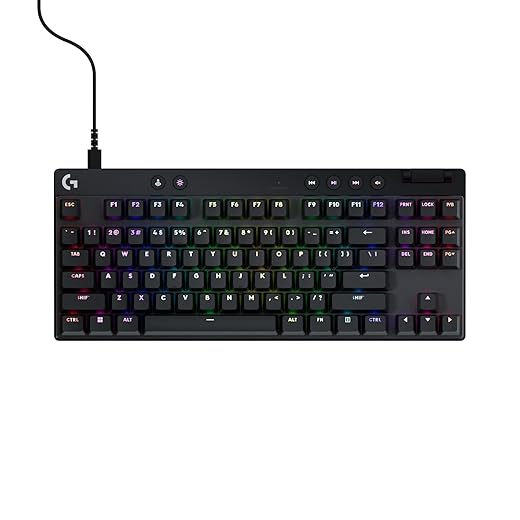
Logitech G PRO X TKL Rapid
We found its magnetic analog switches and rapid‑trigger mode meaningfully change inputs in fast FPS play, letting us tune actuation without software. The compact footprint and pro‑focused features make it a strong pick for competitive players.
Design intent and competitive context
This keyboard is built with esports in mind: small footprint, customizable actuation, and a focus on instantaneous responsiveness. The magnetic analog switch design gives players control over how early a key registers, which can be the difference between a hit and a miss in tight competitive matches.
How the features translate to play and productivity
For streamers and pro players, the keyboard’s responsiveness is palpable. We appreciated the tactile clarity and the fact that many adjustments can be made on the fly with FN layers, but G HUB still provides the best workflow if you want to save and manage multiple profiles.
Tradeoffs to consider
Overall, we recommend this for competitive gamers and anyone who wants fine‑grained control over key actuation.
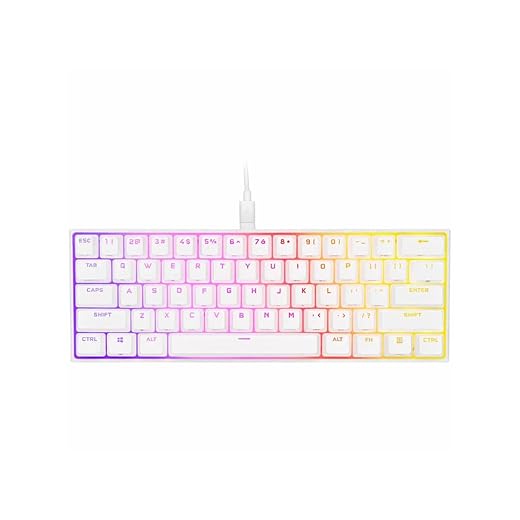
Corsair K65 RGB MINI: 60% Performance
We like the K65 MINI for players and travelers who need a high‑performance 60% keyboard. Its Cherry MX Speed switches and AXON hyper‑processing make it feel extremely quick and consistent for competitive play.
Design philosophy
Corsair built the K65 RGB MINI to bring high‑end performance into a pocketable 60% package. The thinking is simple: give competitive players a compact board they can carry to LANs without sacrificing raw responsiveness.
Technical highlights and how they affect play
In our experience, the keyboard feels immediate and consistent; macro and lighting support via iCUE make personalization straightforward. The tradeoff is the smaller layout: users coming from full‑size boards will need to relearn some modifiers and FN layers.
Use cases and recommendations
We recommend the K65 RGB MINI to players who travel, stream, or want the smallest possible high‑performance keyboard. If you need a numpad or rely on dedicated arrow keys a lot, choose a larger layout instead.
Ducky Shine 7: Classic Shine Upgrade
We appreciate the refined typing profile and sturdy construction paired with Cherry Silent Red switches for quieter operation. It’s a solid option for people who want a premium Ducky typing experience with reduced acoustics.
The Shine lineage continued
The Shine series from this manufacturer has long been a favorite for people who prioritize build quality and consistent typing feel. This iteration pairs that lineage with quieter Cherry Silent Red switches, which are intended to keep the mechanical feel while lowering the acoustic profile.
Practical features and how they affect use
We found the Silent Red configuration an appealing compromise: you keep the responsive mechanical action without the loud click that often characterizes enthusiast boards. The tradeoff is that it’s less portable and commands a price premium over minimalist competitors.
Who should consider the Shine 7
If you want a premium, reliable Ducky with a quieter switch profile and a proven feature set, this is a solid pick. It’s especially appropriate for people who type extensively and share a workspace where louder switches would be a problem.
Razer Huntsman Elite: Optical Speed Keyboard
We appreciated the optical actuation for snappy, consistent registrations and the robust build quality. The combination of a plush magnetic wrist rest and extensive Chroma support makes it a strong pick for immersive setups.
Speed and construction
The Huntsman Elite leverages optical actuation to minimize the time between press and registration—an advantage in fast twitch competitive play. It complements that speed with a solid aluminum top plate and a generous wrist rest that’s rare among large gaming keyboards.
Practical experience
The Huntsman is large and built for a dedicated desk where size isn’t an issue. Typists will like the responsiveness, and gamers will enjoy the quick actuation. The wrist rest’s magnetic attachment and plush surface make long sessions feel less fatiguing.
Who should consider it
We recommend it for gamers who prioritize speed and immersive lighting and who don’t mind the keyboard’s larger desk footprint. If you’re trying to minimize desk clutter or prefer a low profile, there are better options.
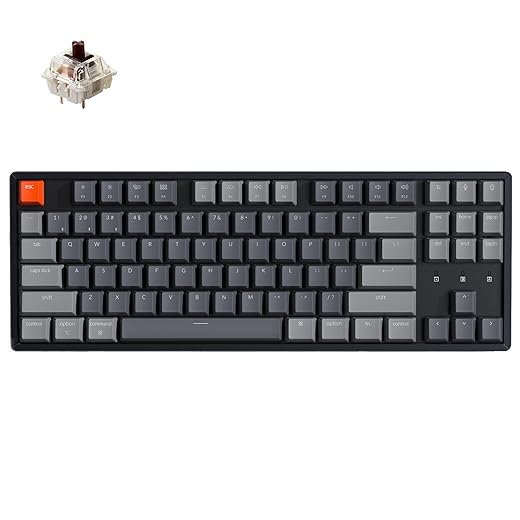
Keychron K8: Hot-Swappable Tenkeyless
We found a solid aluminum‑framed tenkeyless that’s easy to live with day to day. Its hot‑swap capability and multi‑device Bluetooth make it especially useful for people who value both typing feel and cross‑device convenience.
What it is and why it matters
The K8 is Keychron’s tenkeyless offering with hot‑swap sockets and an aluminum frame. We appreciate the balance it strikes: compact enough for smaller desks but still retaining essential keys for coding and productivity. Hot‑swap support lowers the barrier to switching switches and experimenting with feel.
Features that affect daily experience
On the desk, the K8 feels robust thanks to the aluminum housing. We noticed particularly good stability for large key presses and a generally satisfying acoustic signature. The wireless mode is reliable for office tasks and casual gaming, though competitive gamers may prefer wired 1 ms polling for fewer variables.
Limitations and practical advice
We recommend the K8 to people who want a durable TKL that’s easy to personalize, especially those new to switch swapping.
Keychron K2: Compact 75% Wireless
We like the K2 for small‑desk setups where wireless convenience and a compact layout matter. It balances useful features and price, making it an excellent entry point into mechanical keyboards.
Overview
The K2 is a compact 75% wireless keyboard that trades a numpad for a smaller footprint while retaining arrow and function clusters. For people who work across a laptop and a tablet or juggle three devices, the Broadcom Bluetooth chipset and the ability to switch between three paired devices is the K2’s core convenience.
Notable features in everyday use
In our time with the K2, we found it comfortable for long typing sessions and pleasant as a daily driver. The Super mechanical Brown-style switch option gives tactile feedback without being too noisy; if you want a clicky profile, the manufacturer also offers other switch types.
Trade-offs and who it’s for
Razer BlackWidow V3: Clicky Classic
We see this keyboard as a reliable, mainstream choice for people who prefer clicky switches and deep software customization. It’s approachable and feature-rich, though the louder switch profile won’t suit every shared workspace.
Where it fits in the market
This is Razer’s tried‑and‑true clicky keyboard aimed at gamers who like audible feedback and comprehensive RGB integration. It’s an easy, out‑of‑the‑box experience with plenty of software hooks for personalization.
Features that matter in daily use
For people who enjoy the click and clack, the typing experience is satisfying. Razer’s software ecosystem makes mapping macros and lighting straightforward, which helps if you like a coordinated look with other Razer peripherals.
Practical tradeoffs
We recommend this to players and typists who prioritize tactile feedback and deep software customization, provided the acoustic profile fits their environment.
Final Thoughts
Best for Typists — Ducky One 3 Classic (9 out of 10)
We recommend the Ducky One 3 Classic as the top choice if typing and acoustic quality are your priority. Out of the box it delivers some of the best acoustics and a refined, low-profile case that feels more expensive than its peers. Double-shot PBT keycaps and factory dampening mean you get that premium, consistent typing experience without modding. In today’s market—where many users don’t want to tinker—Ducky’s approach matters: you get near-custom sound and feel right away. Ideal for writers, developers, and anyone who spends hours at the keyboard and cares about how each keystroke sounds.
Best for Competitive Gaming — Logitech G PRO X TKL Rapid (8.8 out of 10)
For fast-paced gaming we recommend the Logitech G PRO X TKL Rapid. Its magnetic analog switches and rapid-trigger mode change how inputs register, letting us tune actuation and gain a measurable edge in FPS play—no deep software setup required. The compact TKL footprint is esports-friendly and the hardware feels built for LAN and high-intensity sessions. In a market chasing lower latency and more configurable actuation, this keyboard gives players exactly what matters: speed, consistency, and a pro-level feature set.
If you want one board that leans toward customization and long-term ownership, the Keychron Q1 Max is our top alternative. It’s a heavy, full-metal custom-style board with wireless capability, excellent acoustic tuning, and the hot-swap flexibility to grow with you.

Chris is the founder and lead editor of OptionCutter LLC, where he oversees in-depth buying guides, product reviews, and comparison content designed to help readers make informed purchasing decisions. His editorial approach centers on structured research, real-world use cases, performance benchmarks, and transparent evaluation criteria rather than surface-level summaries. Through OptionCutter’s blog content, he focuses on breaking down complex product categories into clear recommendations, practical advice, and decision frameworks that prioritize accuracy, usability, and long-term value for shoppers.