



Why Smart Homes Still Feel Like Beta
We strip away hype and show how to build a smart home that actually works. 60% of smart gadgets end up unused; we focus on seamless UX, compatible ecosystems, practical routines, and decisions that matter now for years to come.
Requirements

Smart Home Starter: Build and Grow Your Auto-Home Today
Start with the experience, not the gadgets
What if choosing routines first saved us from gadget chaos?Define the everyday moments we want automated first—arriving home (lights, locks, thermostat), bedtime, and an energy-saving away mode—so tech choices solve problems, not the other way around. Decide whether we need low-latency local control (Apple HomeKit, Matter-capable devices) or broader cloud integrations (Alexa, Google), because that trade-off shapes reliability and latency.
Sketch routines and map required sensors and controls. Ask: what must work if the cloud dies?
Start by drafting three core routines
Prototype with tactile switches and simple schedules first—we found physical switches + local schedules fail less and cost less than chasing dozens of half-compatible gadgets. Prioritize devices that support Matter and local control.

Choose a reliable network backbone
Is your Wi‑Fi the weakest link? Spoiler: it usually is.Choose mesh Wi‑Fi with a dedicated 5GHz backhaul or run a separate IoT VLAN — devices are only as smart as their connectivity; follow FCC safe home wireless connections guide when you segment IoT gear.
Compare off‑the‑shelf routers to managed systems; enterprise features (guest isolation, scheduled reboots, automatic firmware updates) pay off in day‑to‑day reliability.
Prefer Ethernet where possible: wired hubs and a hub‑in‑the‑closet remove flaky wireless links for cameras and hubs.
Segment smart devices from personal devices, use strong passwords, and enable automatic updates.
Measure latency; aim for sub‑100ms local control to avoid the small lags that ruin perceived polish.
Pick routers with solid update histories and optional managed switches so devices integrate instead of fighting for airtime.

Pick an ecosystem (and live with two at most)
Can you realistically mix Apple, Google, and Amazon? Not without pain.Choose a primary ecosystem—HomeKit, Google Home, or Amazon Alexa—on a voice assistant hub and tolerate at most one secondary. We tested cross‑platform bridges and Matter: Matter fixes basic discovery, but advanced features (secure video, routines, local automations) still differ by vendor. We watched scene sync break and automations conflict when devices lived in two worlds, which confused guests and cost time.
If you must mix, standardize on a single hub type and prefer devices with robust local APIs or Matter support. Use a secondary controller only for genuinely unsupported hardware (for example, HomeKit for privacy‑forward locks and Google for superior voice search).

Invest in a small central controller, wisely
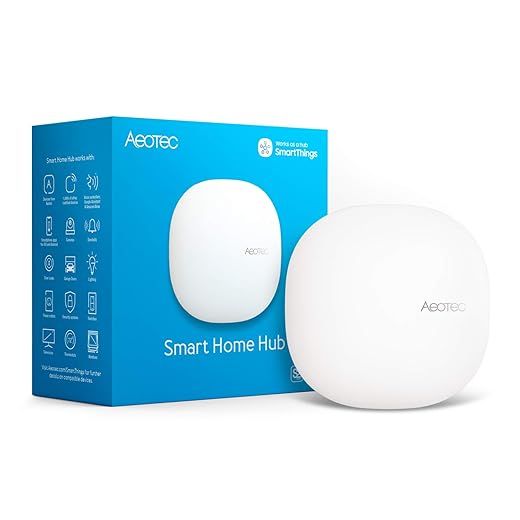
Hubs are boring—until your cloud connection drops. Buy smart, not everything.Choose a central controller — either a local hub (Home Assistant, Hubitat) or a well‑supported cloud hub — so automations run even when a vendor cloud doesn’t. We prefer local‑first control for lower latency, better privacy, and resilience.
Prefer Home Assistant when you want extreme customization and local integrations. Use Hubitat if you want sturdy, local automations with less tinkering. Consider paid cloud hubs only for polish, but beware subscription lock‑in.
Size CPU, storage, and backups to your use: lightweight single‑board computers for simple rules; a Raspberry Pi 4 or small Intel NUC for complex logic, heavy scripting, or on‑device camera processing. Add reliable SD/SSD backups and UPS power.

Design for failure — monitoring and maintenance
Expect micromoments of chaos—then make them invisible.Set up monitoring as a core feature: we log device state, uptime, and errors so small problems surface as concise action items, not panic.
Schedule quarterly reviews and teach household members simple recovery steps.

Privacy, security, and future-proofing
We prioritized privacy—because convenience without trust is hollow.Make privacy and security non‑negotiable: encrypt data, minimize cloud dependencies, and map every data flow so we know what leaves the house and why. Explain choices to household members so recovery isn’t a mystery.
Audit vendors before buying: check firmware‑update cadence, clear privacy policies, and local‑processing or end‑to‑end encryption options (especially for cameras) using the NIST home IoT privacy guidance. Disable unnecessary cloud features; choose local NVR or encrypted cloud with exportable backups when possible.
Use strong authentication: unique passwords, password manager, and hardware 2FA (YubiKey or similar) for admin accounts — NIST multi-factor authentication guidance explains why admin hubs deserve more than a reused password. Rotate keys and factory-reset devices when ownership changes.
Prioritize future‑proofing: pick Matter/Thread‑capable gear in our Smart Devices shop and vendors with active dev communities. Export configs (Zigbee/Thread backups, controller snapshots) and document setups to simplify migrations when companies pivot or disappear.
Make It Work, Then Make It Neat
We prioritized routines, resilient networks, clear ecosystem choices, and pragmatic controllers so homes behave predictably amid shifting platforms — start with our smart-home security checklist and more how-to guides before you add another gadget; this matters now because reliability beats gimmicks. Try our approach, refine it now, and share what worked—join the conversation and show us your setup
Frequently asked questions
What should I prepare before I set up a smart home that actually works?
Start with the checklist in the “What we’ll need” section above—measure your space, confirm compatibility with your gear, and read the full walkthrough once before you change settings or buy parts. Smart home that actually works goes faster when prep is done upfront.
How long does it take to set up a smart home that actually works?
Most readers finish in about 30–90 minutes if they already have the right parts, but budget extra time for measurements, firmware updates, or a second pass when something does not behave the way the manual suggests on the first try.
What is the hardest part when you set up a smart home that actually works?
The step that trips people up is usually alignment or configuration—getting measurements, cable routing, or software settings right before you commit. If results still look off, re-check the basics in order instead of swapping hardware immediately.
What mistakes should I avoid when I set up a smart home that actually works?
Skipping measurements, ignoring ventilation or port limits, and rushing the final test are the common failures. Photograph your starting setup, label cables, and verify the outcome with the same content or workflow you will use every day—not a one-off demo.
When should I call a pro instead of trying to set up a smart home that actually works myself?
Bring in help when the job needs structural work, licensed wiring, or tools you do not own, or when repeated attempts still fail after you have followed the troubleshooting section. A short paid visit can cost less than replacing gear you damaged by forcing the install.

Princess Rioboca is the Lead Editorial Writer at Option Cutter, bringing over seven years of hands-on experience in consumer technology journalism. Specializing in home networking and smart home architecture, she transforms complex technical data into practical, real-world upgrades. Princess personally tests and audits every product she reviews—evaluating real-world Wi‑Fi throughput, cable management durability, and streaming ecosystem stability—to filter out spec-sheet noise. Her rigorous, field-tested insights are designed to give readers transparent, unbiased buying advice on what to purchase, what to skip, and exactly why.















