


Why Qi2 Matters for a 3‑in‑1 Charger
We walk you through choosing a QI2 3‑in‑1 that works for Apple and Android, focusing on real‑world speed, fit, and design. We cut through marketing noise so you pay for performance, not gimmicks and get reliable everyday convenience right now.
What We Need
We need:
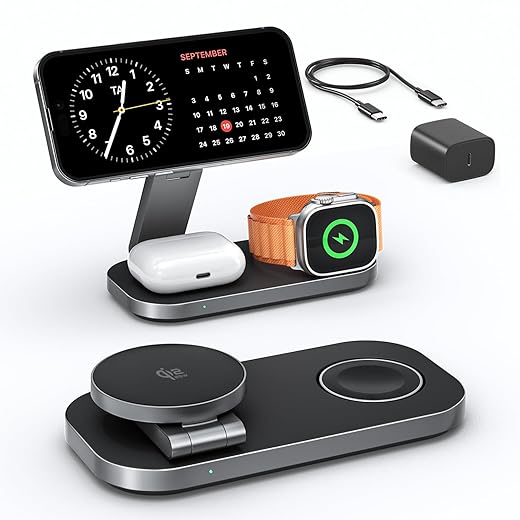
Understand Qi2: Standards, Benefits, and Limits
Is Qi2 just faster Qi—or a new rulebook for docks?Demystify Qi2 so we know what to demand from a 3‑in‑1 station. Qi2 brings tighter magnetic alignment, standardized power‑delivery tiers, and authentication that cuts heating and improves efficiency—important when a phone, earbuds, and watch share one dock.
Explain why that matters: better alignment means the phone sits where the coils are, reducing micro‑shifts that trigger throttling. Authentication lets the charger and phone negotiate safely, so you get predictable top‑ups instead of one device hogging heat-limited power.
Give a concrete example: an iPhone with MagSafe will snap to center and often hit advertised speeds; many Android phones need either a multi‑coil pad or a magnetic alignment accessory to match that behavior.
Note backwards compatibility: legacy Qi gadgets will charge, but they usually miss alignment and peak speeds. That’s why one phone can feel fast on a dock while another lingers.
Prioritize stations that advertise:
We’ll use that lens to judge candidates in the next steps and avoid snake oil.

Match Power Needs: How Much Wattage Do You Actually Need?
Do you really need 15W for everything—or are we chasing specs?Match power budgets early. Advertised per‑device peaks (for example, “15W phone / 5W earbuds / 2.5W watch”) are usually per‑port maxima—not the real simultaneous output you’ll see on a busy nightstand.
Check the station’s total USB‑C PD input and how it allocates power under load. A dock with a 65W inlet can still throttle if its allocation firmware is stingy. Look for concurrent‑charging charts in specs or third‑party measured tests showing real simultaneous outputs.
Prefer designs that account for platform quirks. Remember: Apple Watch doesn’t run on Qi2—demand a proper MagSafe‑style puck or an integrated watch charger (some docks ship a slow third‑party puck). For Android, favor multi‑coil pads or magnetic alignment features to avoid mid‑charge throttling on folding phones or with cases.
Follow this quick checklist before buying:
Avoid opaque power claims; transparency matters.

Evaluate Build and Design: Materials, Footprint, and User Experience
Will it live on our nightstand or become desktop clutter—how tiny is too tiny?Treat the physical design as the charging UI. Hold the dock. Rub the pads. If it feels flimsy, it will annoy you daily. We prioritize tactile cues—weight, finish, and non‑slip surfaces—because they determine whether you keep the charger or relegate it to a drawer.
Prefer metal‑cased bases and rubberized contact areas. Metal sheds heat better than cheap plastic; rubber pads keep phones aligned. Seek multi‑coil arrays or adjustable magnets so cases don’t defeat alignment—one off‑center coil can mean slow charging overnight.
Balance footprint against convenience. Compact puck‑style chargers look tidy but often force crowding when you add a watch and AirPods; wider bases give breathing room and reduce mutual interference. Consider depth and angle for one‑handed placement, especially in the dark.
Demand practical extras. Look for detachable PD bricks, tidy cable routing, and dimmable or well‑placed LEDs. Avoid integrated bricks if you travel.
Test these things in the store or with reviewers’ photos. Try placing phones one‑handed, check how the dock holds different sizes, and note whether LEDs glare when you wake at 3 a.m.
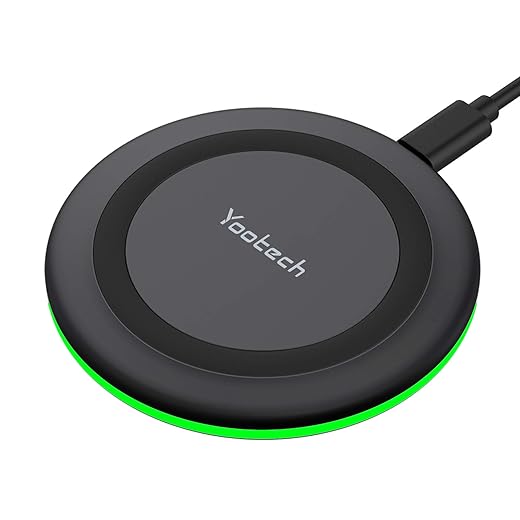
Check Compatibility and Ecosystem Fit: Apple, Android, and Cross‑Platform Caveats
Can one dock please both ecosystems—or are we compromising too much?Check device authentication and watch integration first. A dock that feels perfect for an iPhone can be useless for a Galaxy. For Apple, insist on authentic MagSafe or an Apple‑recommended watch puck—some chargers fake the MagSafe field and charge inconsistently or break Apple Watch behaviors.
Verify coil layout and magnet adjustability on Android. Coil and magnet placement varies by model and case thickness; prefer multi‑coil arrays or adjustable mags so phones land on a working coil even with a thick case. Try to picture placing your phone one‑handed in the dark.
Test software UX and edge cases. Will an iPhone show the charging animation? Will an Apple Watch enter Handoff or begin a software update when docked? These interactions affect nightly charging and daily convenience.
Prioritize firmware support, warranty, and modularity. Vendors that push updates fix throttling and heat issues; replaceable watch pucks and user‑swappable cables extend lifespan and reduce e‑waste. Before buying, scan forums and owner threads for real‑world pairing reports and problem fixes.
Key checks before you buy:

Compare Brands and Buy: Our Practical Decision Framework
Want an easy pick? We narrow the field with a five‑point litmus test.Turn analysis into action. Use this short, strict checklist so buying feels decisive, not risky.
Short‑list three categories: a compact travel puck for minimalists, a balanced bedside base for mixed couples, and a premium desktop dock with modular pucks and a high‑watt PD brick. Test shortlisted units for a week where possible; if a product fails two or more checklist items, drop it.

Final Recommendation
We prioritize authentic certification, honest power delivery, thoughtful design, and cross‑platform support so we get dependable charging without needless cost or complexity; standards guide choices—what will you choose?

Chris is the founder and lead editor of OptionCutter LLC, where he oversees in-depth buying guides, product reviews, and comparison content designed to help readers make informed purchasing decisions. His editorial approach centers on structured research, real-world use cases, performance benchmarks, and transparent evaluation criteria rather than surface-level summaries. Through OptionCutter’s blog content, he focuses on breaking down complex product categories into clear recommendations, practical advice, and decision frameworks that prioritize accuracy, usability, and long-term value for shoppers.









