



Why wireless surround now makes sense
We take a practical, design-minded approach to building wireless surround that balances audio fidelity, convenience, and ecosystem trade-offs. We’ll guide our choices, room planning, and network setup so you get reliable, upgradeable sound that fits your habits and space today.
What we need

Set Up a Powerful Surround Sound System: Step-by-Step Guide
Step 1 — Define goals and audit your space
Do you want movie-theater impact or seamless background music? The answer changes everything.Measure your room and decide what we use the system for: movies, multi‑channel music, or immersive gaming. That choice drives speaker count, subwoofer power, and latency tolerances.
Map seating and sightlines. Note the primary listening position distance (feet/meters), secondary seats, and whether seating moves for parties or gaming sessions.
Consider structural constraints: open‑plan living rooms, thick masonry walls, and apartment noise limits all affect wireless range, speaker placement, and maximum output.
Audit existing gear and ecosystems. Check the TV’s eARC/ARC support, whether our phones are Apple or Android, and which smart speakers we already own. That tells us whether Sonos, Apple AirPlay, Google Cast, DTS Play‑Fi, or a proprietary Wi‑Fi solution will integrate without painful compromises.
Assess aesthetics and visibility. Decide if we want wall‑mounted satellites, compact bookshelf speakers, or a single soundbar-plus‑rears — and whether a visible hub or power plugs are acceptable.
This step matters because the wrong system choice—e.g., choosing a compact soundbar for a large room—creates persistent disappointment; a thoughtful upfront audit steers us to solutions that actually fit our daily use and expectations.
Step 2 — Choose your wireless architecture and components
Wi‑Fi, Bluetooth, or proprietary mesh: yes, the tech choice is a political statement about flexibility and sound quality.Compare architectures across latency, multi‑room support, codec quality, and ecosystem lock‑in. We frame choices around real first‑use problems: lip‑sync during movies, gapless multi‑room music, and whether we want to expand later.
Prefer Wi‑Fi systems (Sonos, DTS Play‑Fi, AirPlay 2) for higher bitrates, robust multi‑channel streaming, and tight multi‑room sync. For example, pick Sonos or a Play‑Fi speaker if we want lossless music and easy whole‑house grouping.
Use Bluetooth only for quick, casual listening or guest setups. Expect lower fidelity and no guaranteed AV sync; it’s universal but not ideal for a dedicated home theater.
Consider proprietary wireless rear modules bundled with soundbars for plug‑and‑play simplicity. Note real‑world tradeoffs: they work immediately but often lock us into a single vendor and limit upgrades.
Pair a soundbar or AV receiver that supports high‑bitrate or lossless wireless rear channels when cinema is primary. Choose a modular multi‑room ecosystem for music‑first builds so we can add surrounds and subs later.
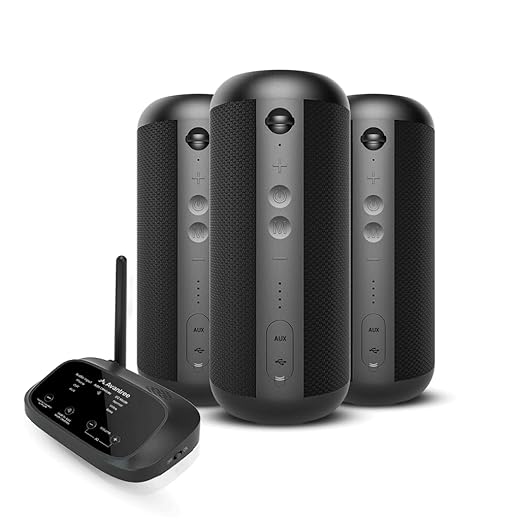
Step 3 — Network planning and setup for rock-solid wireless audio
A solid router matters way more than a fancy speaker — who knew infrastructure would outperform brand loyalty?Place routers or mesh nodes near primary listening areas so our speakers and hubs get the strongest possible signal; line‑of‑sight to the hub-to-rear path matters for proprietary rear links.
Use 5 GHz bands for high-throughput links and lower interference; pick channels manually in crowded buildings when auto‑selection flutters.
Reserve bandwidth or enable QoS so audio packets get priority — this prevents dialogue drops and preserves tight lip‑sync during movies.
Ensure a wired backhaul or Ethernet‑connected mesh node for the speaker hub in congested apartments; running a single cable behind the TV often fixes jitter faster than upgrading speakers.
Enable the following router settings to avoid common pitfalls
Test playback under real conditions (Netflix at peak hours, a multi‑room playlist) and adjust. We’ll notice fewer stutters, steadier multi‑room sync, and that network fixes outperform buying pricier hardware when connectivity is the real bottleneck.

Step 4 — Placement, calibration, and acoustic tuning
A $300 speaker in the right place will beat a $1,000 speaker trapped in a corner — placement is the secret sauce.Place front L/R speakers at ear height and toe them in so the high‑frequency sweet spot sits on our listening axis; aim for equal distance from the primary seat and keep them 1–2 feet from side walls when possible.
Position the center channel directly under or above the screen, angled toward ear level; tilt it if wall‑mounting forces a non‑ideal height.
Choose surround types based on the room and aesthetics: bookshelf on stands for precise imaging, wall mounts to save floor space, or in‑ceiling for a diffuse, immersive effect — each trades directivity for integration.
Run through these quick checks
Use the receiver/soundbar auto‑setup as a baseline, then manually adjust level and delay while listening to familiar movie scenes. Experiment with subwoofer phase and crossover (start at 80 Hz), and smooth peaks with room‑correction apps or an SPL meter.
Combine the one‑button convenience with hands‑on tweaks to get the best real‑world result.

Step 5 — Integration, testing, and future-proofing
Don’t just turn it on — stress-test, integrate with apps, and plan upgrades so the system keeps improving.Validate performance with varied content. Play a dialog‑heavy film, an orchestral or spatial music track, and a latency‑sensitive game to judge clarity, imaging, and sync. Listen for dropouts, lip‑sync shifts, and bass timing.
Test casting and AirPlay stability, voice control interactions, and rapid source switching. Try casting music while AirPlaying a podcast, or switching the TV to game mode—note where glitches appear so we can target fixes.
Document every working configuration. Save SSID/channel choices, QoS settings, firmware versions, receiver EQ snapshots, and pairing states—these details matter when a manufacturer changes an app or protocol.
Troubleshoot with this checklist
Prefer ecosystems that use standard codecs and offer swappable modules or third‑party integrations. Avoid vendor‑locked wireless links unless convenience outweighs lock‑in. Escalate to firmware updates or wired backhaul when basic fixes fail; integrations iterate fast, so this keeps our system reliable and extensible over years rather than obsolete after one app update.
Wrap-up: balance convenience with control
We recommend choosing the smallest ecosystem that meets our audio goals and network realities; prioritize solid network planning and placement over expensive gear—this delivers lasting satisfaction without lock‑in. Try a build, iterate, and share your setup and results with us — browse our how-to guides.
Frequently asked questions
What should I prepare before I build a wireless surround-sound setup?
Start with the checklist in the “What we’ll need” section above—measure your space, confirm compatibility with your gear, and read the full walkthrough once before you change settings or buy parts. Wireless surround-sound setup goes faster when prep is done upfront.
How long does it take to build a wireless surround-sound setup?
Most readers finish in about 30–90 minutes if they already have the right parts, but budget extra time for measurements, firmware updates, or a second pass when something does not behave the way the manual suggests on the first try.
What is the hardest part when you build a wireless surround-sound setup?
The step that trips people up is usually alignment or configuration—getting measurements, cable routing, or software settings right before you commit. If results still look off, re-check the basics in order instead of swapping hardware immediately.
What mistakes should I avoid when I build a wireless surround-sound setup?
Skipping measurements, ignoring ventilation or port limits, and rushing the final test are the common failures. Photograph your starting setup, label cables, and verify the outcome with the same content or workflow you will use every day—not a one-off demo.
When should I call a pro instead of trying to build a wireless surround-sound setup myself?
Bring in help when the job needs structural work, licensed wiring, or tools you do not own, or when repeated attempts still fail after you have followed the troubleshooting section. A short paid visit can cost less than replacing gear you damaged by forcing the install.

Princess Rioboca is the Lead Editorial Writer at Option Cutter, bringing over seven years of hands-on experience in consumer technology journalism. Specializing in home networking and smart home architecture, she transforms complex technical data into practical, real-world upgrades. Princess personally tests and audits every product she reviews—evaluating real-world Wi‑Fi throughput, cable management durability, and streaming ecosystem stability—to filter out spec-sheet noise. Her rigorous, field-tested insights are designed to give readers transparent, unbiased buying advice on what to purchase, what to skip, and exactly why.















