



Locking Down the Living Room: Why Smart-Home Security Is Nonnegotiable
We walk homeowners through practical, usable steps to secure smart-home devices across competing ecosystems. We explain design trade-offs, vendor behavior, and why frequent attacks and fragmented platforms make proactive, simple defenses essential for privacy, reliability, and everyday convenience without adding complexity.
What we need before we start

20 Essential Home Security Tips You Must Know
Take an inventory: map every device and its permissions
If we don’t know what’s connected, we’re flying blind — a five-minute map beats guesswork.Start by enumerating devices we own and the accounts they use, including vendor apps and cloud services so we know what surface we’re defending.
Check our router’s client list and open vendor apps to reveal TVs, plugs, indoor cameras, hubs, voice assistants, and oddball smart bulbs.
Walk through rooms to spot hidden or battery-powered devices—narrow‑field cameras behind shelves, smart plugs tucked under tables—that apps sometimes omit.
Note who has admin access and which services retain motion or voice history; document third‑party integrations and unused vendor cloud accounts.
Include at minimum the following checks:
Router client list
Vendor apps/accounts
Room walkthrough for physical devices
Admin users & cloud services
Third‑party integrations
Pinpoint forgotten IP cameras and deprecated integrations; these hidden vectors determine how we segment networks and trim data retention.
Prefer vendors with clear device names and usable account pages; opaque ecosystems create hidden risks and long‑term maintenance costs.

Update aggressively: firmware, apps, and the OS layer
Updates are boring — until they patch a critical exploit. Auto-updates are convenience and insurance.Prioritize devices with known vulnerabilities and enable automatic updates where feasible — follow CISA IoT security guidance when you triage firmware. Check vendor patch cadences—some ecosystems push monthly security fixes, others deprioritize older models—so we focus first on anything with CVEs or ongoing exploit reports.
Enable auto‑updates for hubs and critical endpoints when possible; where auto‑updates aren’t available, set calendar reminders and update apps and hubs first, then endpoints. Accept the trade‑offs: immediate patches improve security but can disrupt integrations; use staged updates on a test device or a single room to catch breakages.
Key actions to follow
Enable auto‑updates where safe
Check vendor release notes & rollback options
Update hubs and controllers before endpoints
Set reminders if auto‑update isn’t available
Staged testing on one device first
Test every update briefly: verify routines, integrations, and that the device still boots—secure but unusable gear gets reverted.

Tighten accounts: unique passwords, MFA, and a password manager
Passwords alone are quaint — add multifactor and a manager and we dramatically lower takeover risk.Use unique, strong passwords for every vendor account and consolidate credentials into a password manager we trust (for example, 1Password or Bitwarden). Store notes for recovery codes and device ownership details.
Enable multi‑factor authentication on hubs, smart door locks, and cloud services; prefer push notifications or hardware security keys over SMS where available. Test sign‑ins so we know the approval flow.
Evaluate ecosystems for usability: Apple and Google integrate MFA and device approvals smoothly into their OSes, while many budget vendors still force awkward SMS or email flows—this matters for everyday family use and device recovery.
Document recovery options and teach household members how to approve MFA prompts to avoid lockouts.

Network hygiene: segment IoT and lock down local access
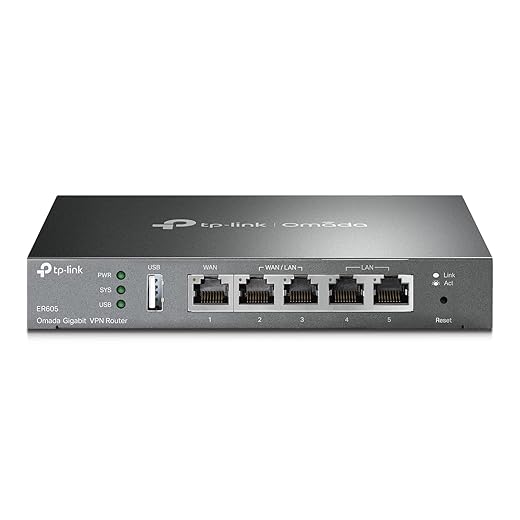
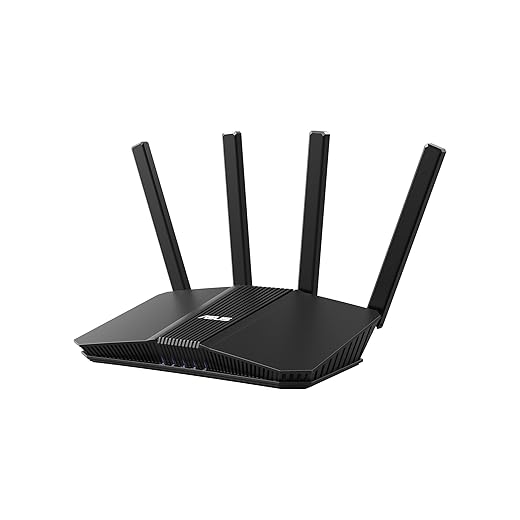
Treat IoT like a houseguest — limited access, no keys to the family vault.Segment your network. We isolate smart devices on a dedicated VLAN or guest SSID so cameras and bulbs can’t talk to our banking laptops. Modern mesh routers and consumer firewalls expose simple toggles for an “IoT” network; where they don’t, we create a secondary SSID and enable client isolation.
Prioritize VLANs and firewall rules if you’re comfortable — they cut lateral movement and contain breaches. Disable UPnP where feasible and limit port forwarding; only open ports when a vendor explicitly requires one and we trust its support.
Test device behavior: some ecosystems (Philips Hue, Sonos) assume same‑LAN discovery, so choose the router UX that balances convenience and security for your household.
Harden device settings and reclaim privacy
Microphone always-on? Motion history stored forever? We’ll turn off the parts that don’t serve us.Audit each device’s privacy options: disable unnecessary microphones, reduce event retention, opt out of diagnostic-data sharing, and limit integrations to only the services we use — a baseline we repeat across our how-to guides. For voice assistants, review voice history, enable stricter privacy modes and set automatic deletion windows. In our testing, many vendors bury aggressive data collection in obscure app menus; we favor products with granular toggles and clear explanations because that improves the user experience and reduces surprises.
We weigh ecosystem design and vendor behavior — devices that respect privacy often get better long‑term support and offer clearer ROI for cautious buyers. Where a local-only mode exists, enable it and document the steps so the device can run without cloud dependency.

Monitor and prepare: logging, alerts, backups, and an incident plan
Assume something will fail — detection and a plan separate inconvenience from disaster.Set up router and hub logs, periodic device health checks, and unfamiliar-login alerts.
Aggregate vendor notices and forward key signals to one inbox or a notification app so we don’t miss anything.
Keep encrypted, offline backups of hub configs and recovery codes.
We set up basic monitoring: router logs, device health checks, and notifications for unfamiliar logins. Enable vendor alerts and integrate important signals into a single channel (email or an app) so we don’t miss critical events. Keep secure backups for hub configurations and account recovery info. Draft a short incident plan: isolate the affected device, change passwords, check network logs, and contact the vendor. For larger smart homes, consider third-party monitoring subscriptions or home security systems with threat detection. We weigh cost versus peace of mind—ongoing monitoring is increasingly offered as a premium by ecosystems, and that reflects a market shift toward managed security for connected homes.
Secure smarter, not harder
We prioritize practical security that respects convenience and ecosystem design, showing why audits, aggressive updates, segmentation, and incident planning matter — and we use NIST network-connection security guidance when comparing connected gear listings; try these steps in your home, share outcomes with the community, and help raise the bar for smarter, safer devices.
Frequently asked questions
What should I prepare before I secure your smart-home devices against hacks?
Start with the checklist in the “What we’ll need” section above—measure your space, confirm compatibility with your gear, and read the full walkthrough once before you change settings or buy parts. Secure your smart-home devices against hacks goes faster when prep is done upfront.
How long does it take to secure your smart-home devices against hacks?
Most readers finish in about 30–90 minutes if they already have the right parts, but budget extra time for measurements, firmware updates, or a second pass when something does not behave the way the manual suggests on the first try.
What is the hardest part when you secure your smart-home devices against hacks?
The step that trips people up is usually alignment or configuration—getting measurements, cable routing, or software settings right before you commit. If results still look off, re-check the basics in order instead of swapping hardware immediately.
What mistakes should I avoid when I secure your smart-home devices against hacks?
Skipping measurements, ignoring ventilation or port limits, and rushing the final test are the common failures. Photograph your starting setup, label cables, and verify the outcome with the same content or workflow you will use every day—not a one-off demo.
When should I call a pro instead of trying to secure your smart-home devices against hacks myself?
Bring in help when the job needs structural work, licensed wiring, or tools you do not own, or when repeated attempts still fail after you have followed the troubleshooting section. A short paid visit can cost less than replacing gear you damaged by forcing the install.

Princess Rioboca is the Lead Editorial Writer at Option Cutter, bringing over seven years of hands-on experience in consumer technology journalism. Specializing in home networking and smart home architecture, she transforms complex technical data into practical, real-world upgrades. Princess personally tests and audits every product she reviews—evaluating real-world Wi‑Fi throughput, cable management durability, and streaming ecosystem stability—to filter out spec-sheet noise. Her rigorous, field-tested insights are designed to give readers transparent, unbiased buying advice on what to purchase, what to skip, and exactly why.















