


Why 2.5 Gb and 10 Gb Matter Now
We’ve moved multi‑gig ports from niche to practical: more devices, faster NAS, and Wi‑Fi 6/6E backhaul demand higher throughput. We evaluate hardware, software, and ecosystem fit so readers pick a router that delivers real-world speed, longevity, and seamless, reliable integration.
What we'll need

Step 1 — Audit Your Real-World Needs
Do we really need 10 Gb everywhere? Often 2.5 Gb covers modern homes — let’s be honest about what we actually use.Map every device that will actually benefit from multi‑gig: NAS drives, gaming rigs, pro workstations, and Wi‑Fi access points used as wired backhaul. Inventory what’s active at once and quantify simultaneous flows—streaming 4K, multi‑device backups, large uploads—so we know peak concurrent demand.
Check ISP limits and ask: will our internet ever exceed 1 Gb? If not, multi‑gig is mainly for LAN transfers.
List key beneficiaries and counts:
Evaluate cable runs and environment: test existing Cat5e/Cat6; upgrade to Cat6a/Cat7 only if runs or futureproofing justify the cost. Build a pragmatic plan mapping devices to needed port speeds.

Step 2 — Decode Port Types and True Throughput
Not all ‘multi‑gig’ labels are created equal — can we trust the marketing numbers? Here’s how to read the fine print.Decode the physical options and what they actually buy us. Understand these basics and pick accordingly.

Step 3 — Inspect Hardware, Cooling, and Real-World Design
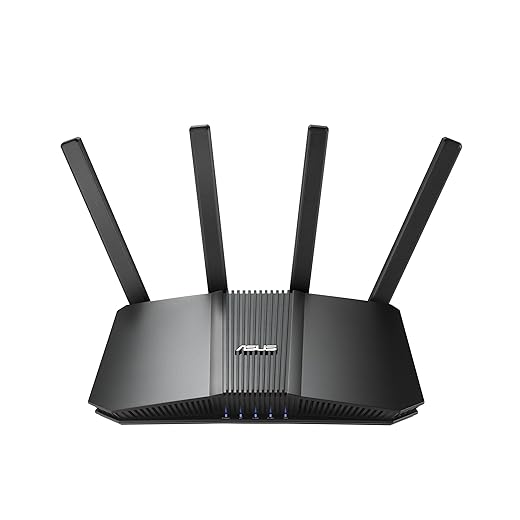
A flashy metal chassis means more than looks — does the router have the guts to sustain multi‑gig transfers?Inspect the internal hardware that determines sustained multi‑gig performance: we look past headline port speeds to the CPU cores/clock, dedicated switching silicon, cooling, and power delivery.
Step 4 — Check Software, Ecosystem, and Security Features
Raw speed is table stakes — how the router works with our devices and protects them is what actually matters.Assess the firmware and ecosystem like they’re as important as the silicon. Ask how often the vendor issues updates, whether the web UI and companion app feel polished, and if the router plays nicely with mesh nodes, NAS, VPNs, and cloud backup.
Look for these make-or-break capabilities:
Compare stock firmware to third‑party builds, test VPN throughput on your CPU, and verify the vendor’s update cadence and cloud policies so the router is useful, secure, and future‑proof.

Step 5 — Test Performance, Compatibility, and Bottlenecks
How we test: synthetic benchmarks are fine, but real transfers tell the truth. What compatibility snags will surprise us?Run a consistent test suite: local NAS→client transfers, multi‑client simultaneous flows, and WAN throughput with and without NAT. Use real files (large sequential and many small files) so we see disk and CPU behavior.
Include cable and module variety: test Cat5e, Cat6a, and a known‑good SFP+ module (and a DAC of the correct length). Watch link LEDs and use tools like ethtool or the router UI to detect link negotiation fallbacks (10 Gb dropping to 1 Gb).
Check for common compatibility issues:
Interpret results by isolating bottlenecks: if CPU tops out, tune offload/QoS; if disks are slow, optimize NAS; if link is 1G, fix cabling or transceiver first.
Step 6 — Buy, Configure, and Optimize for Everyday Use
Unbox to uptime: the right setup and small tweaks make ports feel twice as fast — literally.Balance ports, price‑per‑gigabit, warranty, and vendor support when picking a model. Compare units by real‑world port layout (uplink vs. LAN) and RMA experience; prefer models that give useful 2.5/10G where you need it.
Disable CPU‑heavy services you don’t use (Deep Packet Inspection, unused VPN daemons) to free routing headroom. Enable jumbo frames (MTU 9000) only after setting the same on your NAS and NICs; test a large file copy to confirm gains. Set smart QoS for latency‑sensitive traffic (VoIP/streaming) and map VLANs—example: VLAN 10 for storage, VLAN 20 for guest.
Monitor sustained throughput and link health with Netdata, Prometheus/Grafana, or the router’s SNMP; set alerts for link drops and error counters.
Plan upgrades: swap cables to Cat6a, replace SFP modules with vendor‑approved units, then add a 2.5/10G PCIe NIC before considering a router replacement.

Wrap-up: Choose Purposefully
We match port capability to measured needs, favoring real sustained throughput, ecosystem fit, and firmware quality over headline speeds. That approach yields routers that last. Try these steps, test your setup, and share results so we can refine recommendations together.

Chris is the founder and lead editor of OptionCutter LLC, where he oversees in-depth buying guides, product reviews, and comparison content designed to help readers make informed purchasing decisions. His editorial approach centers on structured research, real-world use cases, performance benchmarks, and transparent evaluation criteria rather than surface-level summaries. Through OptionCutter’s blog content, he focuses on breaking down complex product categories into clear recommendations, practical advice, and decision frameworks that prioritize accuracy, usability, and long-term value for shoppers.









