


Why AI Room Recognition Is a Game Changer for Robot Vacuums
We care about easy, reliable cleaning — and AI room recognition changes the game: it maps spaces, adapts routines by room, and ties performance to software and ecosystem, so we choose smarter, not just stronger suction over months, not minutes anymore.
What You’ll Need Before We Start
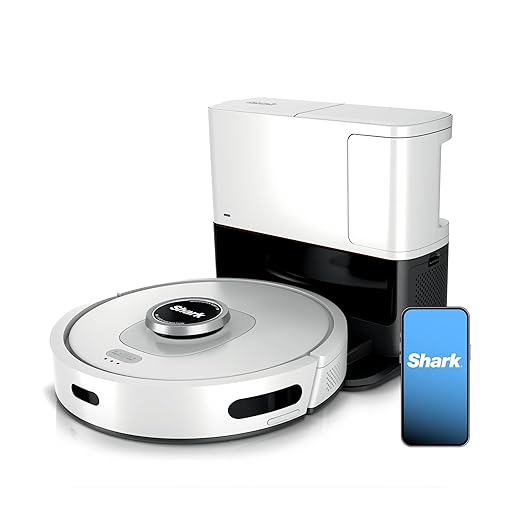
Decipher the Tech: What 'AI Room Recognition' Actually Means
Is it clever mapping or just marketing fluff? Let’s separate the signal from the noise.Decipher the core technologies so we know what a robot actually sees: vSLAM, LiDAR, depth cameras, and whether semantic segmentation runs on‑device or in the cloud.
Label rooms in the app, test a full mapping run, and watch for mislabels (kitchen marked as living room breaks targeted cleaning). Prioritize architectures that match our privacy and update expectations: responsiveness, accurate persistent maps, and vendor commitment matter in the long run.
Assess the User Experience: Maps, Edits, and Daily Control
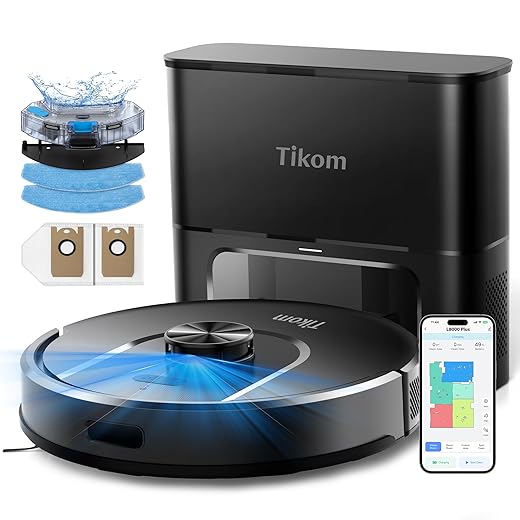
If the app sucks, the smartest mapping system is worthless—how good is the UI really?Assess the map UI and editing tools. We look for clear visuals, fast edits, and obvious controls so the robot behaves how we expect each day.
Check these UX essentials:
We focus on the UX around mapping: how easy it is to view, name, merge, split, and lock rooms; how multi-floor mapping works; and whether the app supports scheduled room-based cleaning. We emphasize the importance of clear visual maps, quick manual overrides, and intuitive zone creation because real users rarely accept imperfect automation. We’ll also call out features that matter in practice—auto room naming, recovery after map loss, and how well the app explains why the robot cleaned the wrong room—because these design choices determine day-to-day satisfaction.

Weigh Sensors and Hardware: Tradeoffs That Affect Recognition
Cameras, LiDAR, or bump sensors? The answer isn’t one-size-fits-all.Compare cameras, LiDAR, and hybrids for room segmentation accuracy, low-light behavior, and obstacle avoidance—we test how each prints the map and recovers in dim rooms.
Consider camera-based semantic recognition: we get furniture, rug, and doorway labels but face privacy questions and failure in low light; remove curtains? Not the robot.
Prefer LiDAR when you want geometry-first mapping: we get precise walls and robust darkness performance, which reduces misclassification in open-plan spaces.
Evaluate hybrids for balance: we see better object classification with LiDAR-backed positioning.
Inspect CPU, memory, and firmware: we check if on-device AI can run fast, store multiple maps, and receive over-the-air improvements.
Check Ecosystem and Integrations: Does the Robot Fit Your Home?
Smart-home compatibility isn’t a luxury—it’s the difference between convenience and frustration.Check integrations with Alexa, Google Home, HomeKit, IFTTT, and SmartThings before you buy. Ensure the robot exposes room-level controls to those platforms; otherwise you can’t automate “after dinner, clean the dining room.”
Verify these things in the app and docs:
Test by creating a simple routine (light off → start dining-room clean) and searching the vendor’s developer docs and forums before committing.

Evaluate Real-World Performance and Ongoing Costs
Does it still work well after three months, or become a drawer of replacement parts?Test the robot in the conditions you actually have. We run repeatable, practical checks so the map and parts survive daily life.
Run these hands‑on tests and note results:
Calculate total cost of ownership: add consumables, subscription fees for cloud features, spare-part prices, and expected repair times. Verify vendor support responsiveness and spare-part availability before committing.
Make the Decision: A Simple Scorecard and Buying Checklist
Want a winner? Here’s how we’d rank candidates for different homes and budgets.Create a simple scorecard we can use: rate mapping accuracy, app UX, sensors/hardware, ecosystem, maintenance costs, and privacy model on a 1–5 scale.
Prioritize categories by persona and assign weights accordingly:
Watch vendor demos, test an in-store mapping if possible, read firmware-update histories for cadence and bug fixes, and set a 30-day evaluation plan to verify room recognition in our real layout.
Bringing It Together
We’ve moved the choice from raw specs to software, UX, and ecosystem; use the guide to pick a robot whose AI room recognition reliably fits your home, factor long‑term support, try it, and share results with us.

Chris is the founder and lead editor of OptionCutter LLC, where he oversees in-depth buying guides, product reviews, and comparison content designed to help readers make informed purchasing decisions. His editorial approach centers on structured research, real-world use cases, performance benchmarks, and transparent evaluation criteria rather than surface-level summaries. Through OptionCutter’s blog content, he focuses on breaking down complex product categories into clear recommendations, practical advice, and decision frameworks that prioritize accuracy, usability, and long-term value for shoppers.









