



Why the right tracker matters more than ever
We cut through marketing haze to help you choose a fitness tracker that fits how you move, live, and charge. We prioritize real-world UX, design trade-offs, and ecosystem lock-in so you buy something useful, not just flashy in today’s market.
What you’ll need before we start
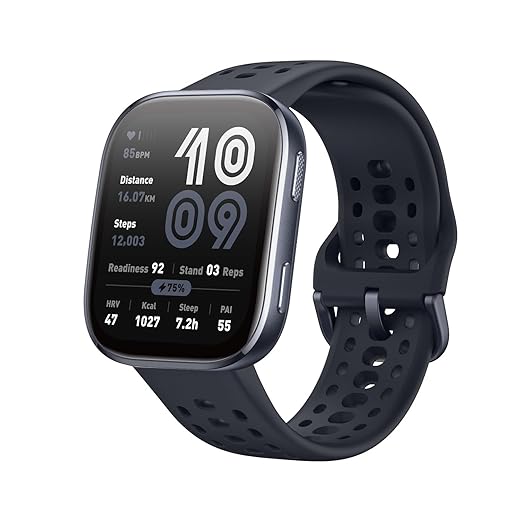
Top Fitness Trackers You Need to Consider Before Choosing
Clarify what ‘fitness’ means to you
Are we training for a marathon, tracking sleep, or just trying to move more? Pick one truth and start there.Define your priorities first in our fitness trackers & accessories hub: are we training for pace and intervals, trying to hit a daily step target, lifting with form feedback, optimizing sleep and recovery, or just staying generally active? The UX trade-offs change depending on that choice—GPS, heart-rate sampling, battery, and app depth aren’t equally important for every goal.
Consider these core priorities:
Cardio / running: precise pace, splits, and routes matter.
Step-based activity / general movement: simple count and reminders suffice.
Strength training: rep detection, lightweight wrist design, and quick workout logging.
Sleep & recovery: continuous HR/HRV and long battery for multi-night tracking.
General wellness: stress scores, guided breathing, and casual coaching.
Score each requirement from 1–5 across four hardware/software axes: accuracy, battery life, comfort, and app depth. Weight higher the axes that match our primary goal (e.g., accuracy for runners, battery for sleepers).
Use concrete examples: athletes should favor fitness trackers with multi-band GPS and robust satellite support; sleep-focused users should pick trackers with validated sleep staging and multi-day battery. Remember: music controls, contactless payments, and built-in coaching add cost and can lock us into an ecosystem.
By the end of this step we’ll have a prioritized checklist that drives the rest of our decisions, so feature marketing no longer distracts us from real needs.
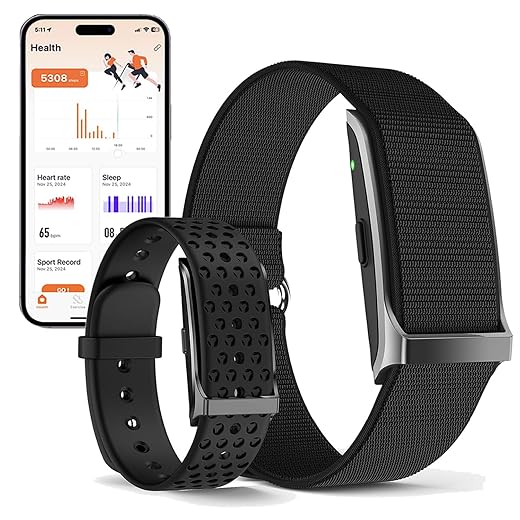
Decide how much accuracy you actually need
Do we chase lab-grade metrics or “good enough” nudges? Spoiler: the right answer depends on how seriously we take the data.Assess sensor trade-offs. Optical HR (wrist) gives reliable trends and steady-state zones but struggles with rapid wrist motion or sprints; use an electrical chest strap for interval peak accuracy. Treat SpO2 as a supplemental metric for sleep/altitude, and rely on accelerometers for steps and rep detection—not clinical precision.
Understand GPS differences. Entry-level trackers often piggyback on our phone for location; higher-end units use standalone, multi-band GPS for tighter route fidelity and fewer dropouts. If mapping and splits matter, demand standalone, multi-band chips — a common reason runners cross-shop smartwatches too.
Balance battery vs sampling. Increase sampling frequency (1s HR, continuous GPS) and rich datasets, and battery life plummets. Reduce sampling for multi-day tracking and better sleep windows.
Compare two user stories
Check vendor validation studies and community tests before buying, and focus on averages and trends instead of one-off absolute precision. Choose the right accuracy level to save money and reduce friction and avoid paying for features we won’t use.
Weigh comfort, design, and durability
If it’s uncomfortable, we won’t wear it—design matters more than a glossy spec sheet.Choose a form factor that you’ll actually wear daily. Wristwatches are versatile for workouts and on-device control, slim bands balance sleep comfort and displays, rings maximize sleep compliance but sacrifice screens, and clips work for kids or pockets. Pick what fits your routine.
Consider how materials affect wearability and reliability. Prefer soft, breathable straps for long training sessions; opt for secure clasps if you sweat or lift. For example, swimmers and rowers should pick silicone or woven straps from fitness tracker accessories with sturdy buckles to avoid mid-set failures.
Prioritize durability features that matter in the real world. Demand water resistance rating, glass type (Gorilla Glass or sapphire), and scratch resistance for outdoor use. Choose devices with replaceable bands and reinforced lugs if you plan heavy use.
Match interaction models to use cases. Favor touchscreens for quick in-the-moment control and maps; choose button-driven interfaces for sweaty, gloved, or wet conditions to avoid missed inputs.
Check aftercare and ecosystem resiliency. Compare warranty length, availability of replacement parts, and third-party band markets—these determine whether the tracker stays wearable and valuable for years, not just the first month.

Map the ecosystem: apps, integrations, and privacy
Is the app delightful or a walled garden? Our pick hinges on how devices play with others and who owns our data.Map how the tracker lives in software. A watch is only as useful as its companion app, cloud services, and third‑party connections. We see Apple Watch + Apple Health delivering frictionless iPhone integration; Garmin + Strava serving endurance athletes with deep metrics and community challenges; Fitbit and Oura leaning into sleep and wellness with polished dashboards and optional (sometimes essential) subscriptions.
Audit the companion app for clarity and coaching quality. Open the app, follow a guided workout or sleep report, and judge whether insights are actionable or just pretty graphs. Note which features are paywalled.
Check integrations and portability. Confirm support for Apple Health/Google Fit, Strava, TrainingPeaks, and whether the company lets us export history (CSV/JSON/TCX) — and browse related how-to guides before you commit. Try finding “Download your data” before buying.
Inspect privacy and data‑sharing practices. Read the privacy policy for terms about advertising, data resale, and retention, and use FTC child privacy online guidance and the FDA digital health overview when comparing wearables listings. Look for opt‑outs and encryption promises.
Test account portability. Use free trials, sync a few weeks of data, then disconnect to see whether we keep our history or lose it.
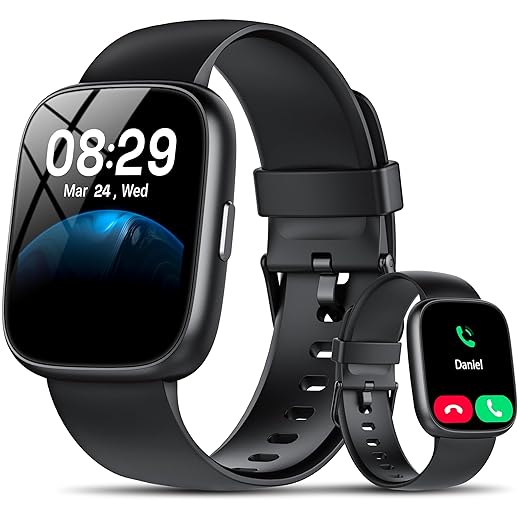
Compare total cost of ownership and long-term value
Upfront price is only the down payment—how many months of subscriptions, batteries, or broken bands are we buying?Calculate a three‑year total cost of ownership before you buy any fitness tracker — upfront price rarely tells the whole story. Add the device price, likely subscription fees (Fitbit/Oura‑style analytics, coaching services), replacement bands, chargers, and expected repairs. Weigh that against realistic lifespan: a well‑supported tracker that gets firmware updates can stay useful longer.
Factor recurring charges into our decision. Try a free trial of premium features and note which insights we actually use. If a vendor hides core analytics behind a subscription, that cheap upfront price can become expensive fast.
Check band availability, battery policies, and repair options. Choose a watch with user‑replaceable bands and a battery rated for multi‑year use, or confirm manufacturer battery replacement. Example: a $200 tracker with $70 proprietary bands and no battery service can cost more than a $120 tracker with standard straps over three years.
Consider resale and trade‑in programs if we plan to upgrade. Prioritize premium hardware only when we need pro metrics, structured training, or raw sensor fidelity; otherwise, prefer budget or midrange devices with solid UX, long battery life, and an open accessory ecosystem.
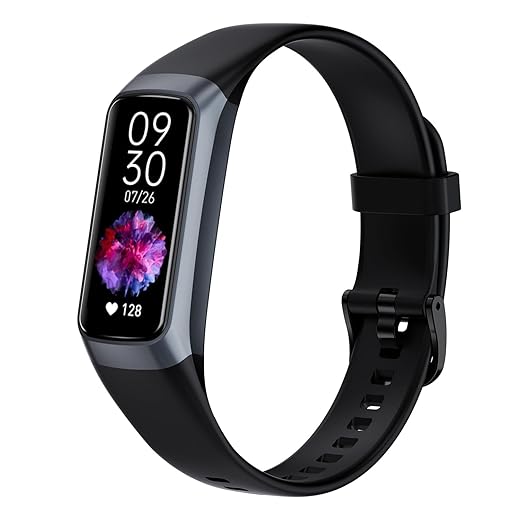
Make the practical choice, not the aspirational one
Weigh priorities, accuracy, comfort, ecosystem fit, and total cost to choose a tracker we’ll actually wear and use; the right device quietly nudges better habits, respects our time, and fits our tech life—so which practical tracker will change our routine?
Frequently asked questions
What should I prepare before I choose the right fitness tracker for your lifestyle?
Start with the checklist in the “What we’ll need” section above—measure your space, confirm compatibility with your gear, and read the full walkthrough once before you change settings or buy parts. Right fitness tracker goes faster when prep is done upfront.
How long does it take to choose the right fitness tracker for your lifestyle?
Most readers finish in about 30–90 minutes if they already have the right parts, but budget extra time for measurements, firmware updates, or a second pass when something does not behave the way the manual suggests on the first try.
What is the hardest part when you choose the right fitness tracker for your lifestyle?
The step that trips people up is usually alignment or configuration—getting measurements, cable routing, or software settings right before you commit. If results still look off, re-check the basics in order instead of swapping hardware immediately.
What mistakes should I avoid when I choose the right fitness tracker for your lifestyle?
Skipping measurements, ignoring ventilation or port limits, and rushing the final test are the common failures. Photograph your starting setup, label cables, and verify the outcome with the same content or workflow you will use every day—not a one-off demo.
When should I call a pro instead of trying to choose the right fitness tracker for your lifestyle myself?
Bring in help when the job needs structural work, licensed wiring, or tools you do not own, or when repeated attempts still fail after you have followed the troubleshooting section. A short paid visit can cost less than replacing gear you damaged by forcing the install.

Princess Rioboca is the Lead Editorial Writer at Option Cutter, bringing over seven years of hands-on experience in consumer technology journalism. Specializing in home networking and smart home architecture, she transforms complex technical data into practical, real-world upgrades. Princess personally tests and audits every product she reviews—evaluating real-world Wi‑Fi throughput, cable management durability, and streaming ecosystem stability—to filter out spec-sheet noise. Her rigorous, field-tested insights are designed to give readers transparent, unbiased buying advice on what to purchase, what to skip, and exactly why.















