



Why a Large-Format TV Changes the Home Theater Game
We guide you to choose a large-format TV that actually improves viewing, not merely adds inches. Shock: a 75‑inch can replace a projector in many rooms. We prioritize picture, sound, room fit, smart ecosystem, and value in our how-to guides for theater-grade home theater experiences.
What you'll need

Choosing the Right TV Screen Size: A Quick Guide
Start with the Room: Size, Sightlines, and Lighting
How big is too big? Spoiler: context beats inches every time.Measure the diagonal sightline distance and wall space before you pick a screen. For example, a 75‑inch looks great at about 6.5–9.5 ft (2–3 m); too close and you see pixels, too far and the scale is lost.
Account for seating layout and sightlines. Map primary and secondary seats, note side views, and mark the lowest and highest eye levels so the TV’s center sits within the comfortable viewing band rather than at your chin or forehead.
Decide between a fixed mount or an articulating bracket based on use. If you host group viewing or have multiple seating zones, choose an articulating arm; if the room is fixed and symmetrical, a low-profile wall mount looks cleaner.
Consider ceiling height and center‑of‑screen alignment, and plan for light control. Track windows, lamps, and reflections and decide whether a roller blackout, heavy drapes, or smart shades are needed to preserve contrast and hdr punch.
Remember: screens grew faster than many living rooms. Match TV size to real-world conditions so contrast and hdr, inc..

Pick the Right Panel Technology and Resolution
OLED, QD-OLED, Mini-LED — are the differences just marketing or night-and-day?Choose panel tech by viewing experience, not spec sheets. We focus on what you’ll actually see: blacks, highlights, and color in real rooms.
Prefer OLED or QD‑OLED for dark-room cinema. They deliver near-perfect blacks and cinematic contrast, so shadow detail and film-grade grading feel intentional. Choose Mini‑LED or full‑array local dimming when you need punchy HDR highlights in bright rooms—those arrays push higher peak brightness and hold more color in highlights.
Consider these practical picture factors
Decide resolution pragmatically: 4k. Pick 8K only if you sit very close to a very large screen or use native 8K sources—otherwise upscalers matter more than extra pixels.
Beware manufacturer peak‑nit and contrast claims; verify with independent reviews. Factor in HDR format support and built‑in upscalers, since software and firmware improve long‑term value.

Think About Sound and Integration with Your AV Ecosystem
Why built-in TV speakers don’t cut it — unless you like dialog buried in bass.Consider audio as part of the purchase, not an afterthought. A very large picture demands matching scale in sound, or dialogue and spatial cues will feel small and thin.
Choose between three practical paths and know their trade-offs
Check the TV’s HDMI 2.1 features, number of HDMI inputs, and eARC support. Verify native Dolby Atmos/DTS:X support and whether the TV can route game consoles without breaking HDR or variable-refresh features. For smart homes, insist on your preferred voice assistant, AirPlay/Chromecast support, and Matter compatibility to make the TV a reliable hub.

Evaluate Smart Features, Software, and Future-Proofing
Does the TV get smarter over time, or does it age like yesterday’s phone?Evaluate the TV’s operating system first: sluggish menus or missing apps sour daily use faster than poor black levels. We want responsive UIs (Roku, Google TV, webOS, Tizen), predictable app availability, and an interface that surfaces our subscriptions instead of burying them.
Look for broad codec and HDR support so the TV won’t become obsolete. We prefer sets that handle Dolby Vision, HDR10/10+, and HLG, and that list HDR playback, low input lag, ALLM, and VRR for gaming — if a console is part of the setup, these matter as much as picture quality.
Assess the manufacturer’s firmware track record and update cadence. We check forums and reviews to see if a brand pushed timely fixes and new codecs; that history predicts whether your TV will keep streaming services working years from now.
Consider ecosystem compatibility and real-life workflows. We test AirPlay/Chromecast, voice assistants, and Matter/HomeKit support, and favor TVs that accept our existing streaming accounts and smart-home routines.
Plan for longevity with warranty, service options, and modular add-ons: an external soundbar, Apple TV/Nvidia Shield/Roku stick, or an AVR can extend usable life and reduce ecosystem lock‑in.

Balance Price, Value, and Real-World Performance
Buy what actually improves our nights, not what dazzles in the spec sheet.Synthesize our findings into a decision framework: prioritize panel performance if we watch movies in dim light, prioritize brightness and anti-reflective coatings for sunny rooms, and prioritize software and HDMI features if we game on a console. For example, an OLED gives the cinephile the inky blacks we crave, while a Mini‑LED wins in a west‑facing living room.
Compare models hands‑on: bring HDR test clips or stream Dolby Vision trailers in store and check for consistent color, low blooming, and shadow detail. Notice how spec sheets exaggerate contrast — we trust what we see in person.
Factor total cost of ownership into the decision
Pick a shortlist strategy: choose a category (best‑in‑class OLED, best bright Mini‑LED, best value large screen) and test two finalists in person or under liberal return policies. This pragmatic approach helps us avoid marketing hype and buy a TV that delivers long‑term enjoyment.
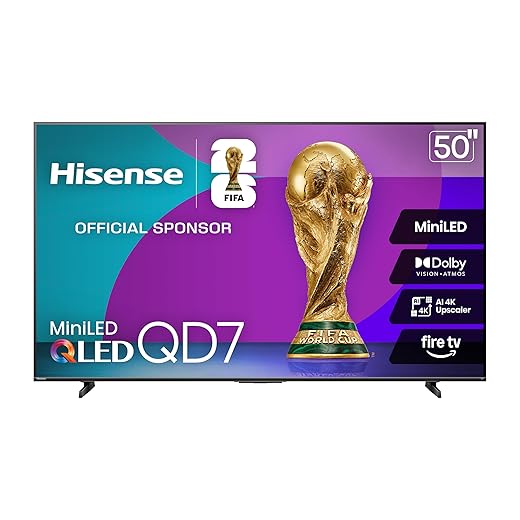
Make the Choice — and Enjoy the Movie Night
We’ve used measurements, panel science, audio strategy, and software to map choices to real needs; picking a large‑format TV is about fitting experience to space and ecosystem, not chasing inches. Try our checklist, set up home theater, share results, and tell us transformed nights, please.
Frequently asked questions
What should I prepare before I choose a large-format tv for a home theater?
Start with the checklist in the “What we’ll need” section above—measure your space, confirm compatibility with your gear, and read the full walkthrough once before you change settings or buy parts. Large-format tv goes faster when prep is done upfront.
How long does it take to choose a large-format tv for a home theater?
Most readers finish in about 30–90 minutes if they already have the right parts, but budget extra time for measurements, firmware updates, or a second pass when something does not behave the way the manual suggests on the first try.
What is the hardest part when you choose a large-format tv for a home theater?
The step that trips people up is usually alignment or configuration—getting measurements, cable routing, or software settings right before you commit. If results still look off, re-check the basics in order instead of swapping hardware immediately.
What mistakes should I avoid when I choose a large-format tv for a home theater?
Skipping measurements, ignoring ventilation or port limits, and rushing the final test are the common failures. Photograph your starting setup, label cables, and verify the outcome with the same content or workflow you will use every day—not a one-off demo.
When should I call a pro instead of trying to choose a large-format tv for a home theater myself?
Bring in help when the job needs structural work, licensed wiring, or tools you do not own, or when repeated attempts still fail after you have followed the troubleshooting section. A short paid visit can cost less than replacing gear you damaged by forcing the install.

Princess Rioboca is the Lead Editorial Writer at Option Cutter, bringing over seven years of hands-on experience in consumer technology journalism. Specializing in home networking and smart home architecture, she transforms complex technical data into practical, real-world upgrades. Princess personally tests and audits every product she reviews—evaluating real-world Wi‑Fi throughput, cable management durability, and streaming ecosystem stability—to filter out spec-sheet noise. Her rigorous, field-tested insights are designed to give readers transparent, unbiased buying advice on what to purchase, what to skip, and exactly why.















