


Picking a Mini‑LED That Actually Works in Sunlight
We cut through glossy specs and showroom tricks to find mini‑LEDs that stay bright in real sun; some panels lose over 50% perceived contrast outdoors. We explain what matters — brightness, reflection control, HDR tone mapping, and ecosystem fit today.
What You’ll Need
We’ll need:

Mini LED vs OLED TVs: Don’t Make These Mistakes
Assess Your Room Before You Shop
How bright is ‘bright’? Measure first — your couch’s angle matters more than the showroom spec.Map the room with us: mark window placement, light direction, and where we actually sit. Measure or estimate ambient light — use a lux‑meter app on your phone (or note whether the camera auto‑exposure clips highlights) — because direct sun can be orders of magnitude brighter than indoor lamps and demands different TV characteristics.
Note these quick items before we shop:
For example: if our couch faces an east window, prioritize peak brightness and strong anti‑glare coatings; if the room has dark walls, we can get away with slightly lower peak nits but still need good local dimming.

Prioritize Peak Brightness and Sustained HDR Output
Numbers aren’t everything — but here’s the key spec that actually improves daylight viewing.Prioritize peak nits, but chase sustained HDR output. Peak numbers sell—manufacturers advertise tiny‑window spec peaks (2% or smaller) that look impressive in marketing shots. Sustained HDR is the brightness a TV can hold on realistic scenes, and that’s what matters in sunlit rooms because ambient light washes out tiny highlights.
Look for these practical targets and checks:
Remember: lots of mini‑LED zones help only if the TV sustains brightness and has smart dimming—high zone count + weak sustained output still looks washed out.
Evaluate Reflection Control and Panel Finish
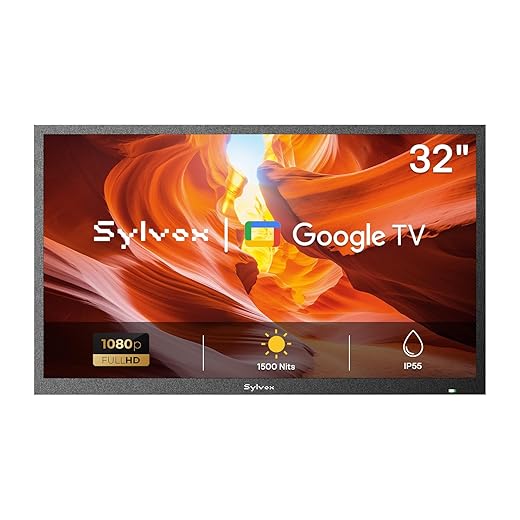
Matte coating, glossy pop, or somewhere in between — which keeps glare away without killing vibrancy?Evaluate the screen’s finish in person and on paper. We compare matte anti‑reflective coatings and semi‑gloss finishes so you pick what works in your room.
Matte coatings reduce mirror‑like glare but can soften contrast and desaturate colors. Glossy/semi‑gloss preserves punch and black depth but invites reflections — think patio doors or a lamp bouncing off the screen. In our bright family room, a matte TV kept picture legible; in a dim home theater, glossy felt more cinematic.
Check reflectance like this:
Also inspect bezel width, TV depth, and stand style — a shallow set or centered pedestal can let you tilt or shift the TV to avoid direct glare.

Look Beyond the Panel: HDR Tone Mapping and Software
A bright panel is only as good as the TV’s brain — can it keep highlights from clipping in sunlight?Evaluate HDR tone mapping behavior in person. We don’t just want raw nits — we want software that keeps highlights visible without crushing midtones. Play native HDR10 and Dolby Vision clips and toggle dynamic tone‑mapping or adaptive HDR modes to see how the TV remaps bright scenes in sunlight.
Watch for these signs:
Compare ecosystems: Samsung’s firmware often pushes higher peaks for pop, LG and Sony lean on dynamic metadata to retain highlight detail, and TCL’s behavior can vary by model and OS. Check recent firmware updates and user reports for real‑world performance.

Consider Viewing Distance, Size, and Resolution Tradeoffs
Bigger isn’t always better in bright rooms — distance and resolution change what we actually perceive.Measure where we actually sit before picking a size. In bright rooms reflections and lower perceived contrast make fine 4K detail harder to notice, so prioritize size and placement over pixel density if we sit farther back.
Favor a larger screen if our typical distance exceeds the range where 4K is obvious. For example, on a 55″ 4K TV we should sit about 4–7 feet to benefit from native resolution; on a 65″ move that to roughly 5–9 feet. If we sit beyond those ranges, good upscaling matters more than raw pixels.
Place the TV to control glare: wall‑mount slightly above eye level with a tilt, or use a stand that lets us angle the screen away from windows. Adjusting placement often improves perceived contrast and immersion more than jumping to a higher resolution.
Match the TV to Your Ecosystem and Future Needs
Don’t just chase brightness — will the TV play nicely with your soundbar, streaming stick, and smart home?Check that the TV fits our devices and habits. Confirm HDMI 2.1 if we want 4K120 gaming or VRR from a PS5/Series X; demand at least two full 2.1 ports for future-proofing. Verify eARC for lossless Dolby Atmos passthrough to a soundbar, and test passthrough behavior for multiple HDMI sources when possible.
Inspect the smart platform: prefer mature ecosystems (Google TV, Roku, Samsung Tizen, LG webOS) with the apps we use and a track record of timely updates. Consider brand firmware cadence—manufacturers that push updates can actually improve HDR tone mapping or add features over time.
Make a quick buying checklist:
Prioritize price only if we plan to upgrade soon; otherwise favor long‑term support and connectivity for sunnier rooms.
Bring It Home and Fine‑Tune
We wrap with a quick checklist: measure your room, demand sustained HDR brightness, confirm low reflectance and matte finish, prioritize tone‑mapping, software and ecosystem fit, then test candidate sets in your actual space — because specs meet lived experience today?

Chris is the founder and lead editor of OptionCutter LLC, where he oversees in-depth buying guides, product reviews, and comparison content designed to help readers make informed purchasing decisions. His editorial approach centers on structured research, real-world use cases, performance benchmarks, and transparent evaluation criteria rather than surface-level summaries. Through OptionCutter’s blog content, he focuses on breaking down complex product categories into clear recommendations, practical advice, and decision frameworks that prioritize accuracy, usability, and long-term value for shoppers.










