

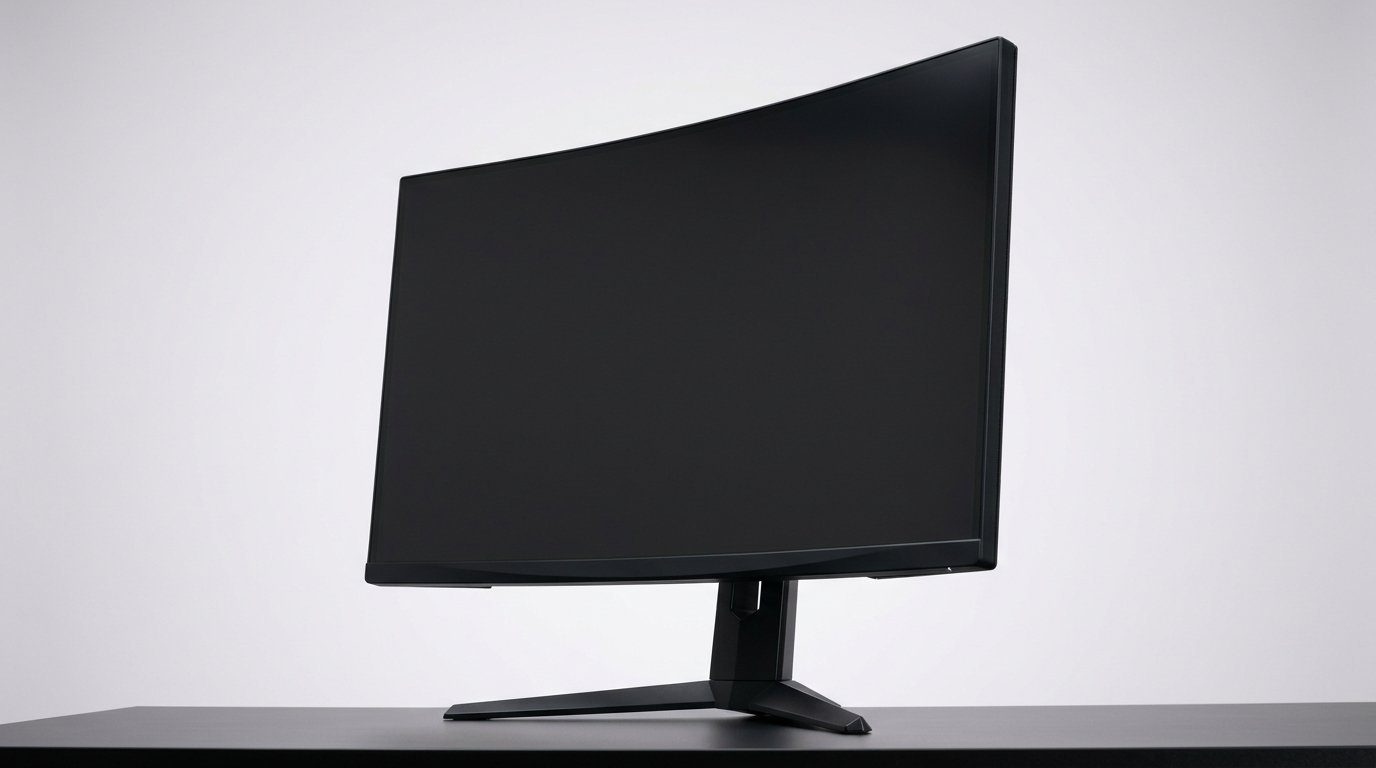

Pixels, Hz, and a little RGB — which monitor will actually level up your setup?
We care about one thing: how it feels to play. Lag, blur, or washed-out color ruins the moment. We look for panels that cut latency, keep motion crisp, and still look good on a desk.
From tiny 22-inch scrappy fighters to 34-inch ultrawide workhorses, and from tight budgets to higher-refresh midrange picks, we break down the real trade-offs. Expect clear advice on design, ergonomics, and how each monitor fits into today’s GPU and peripheral ecosystems.
Top Picks
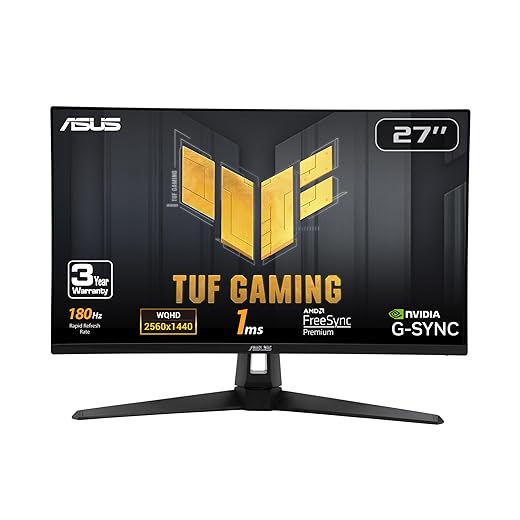



ASUS TUF 27" QHD 180Hz Fast IPS
A strong all‑rounder that combines QHD resolution with a very high refresh rate and ELMB Sync to tame blur and tearing. It’s aimed at gamers who want crisp detail and motion clarity without moving into premium price tiers.
Why this model stands out
We include this ASUS TUF as our go-to 27‑inch QHD pick because it straddles the line between high performance and practical price. The 180Hz Fast IPS panel gives a visible advantage over typical 144Hz QHD screens, especially in fast shooters, and ELMB Sync is a useful innovation that lets low persistence blur reduction coexist with variable refresh rate.
Key features and benefits
Tradeoffs and context
HDR remains an entry‑level implementation here: it improves contrast in supported titles but lacks the brightness and local dimming of premium displays. If you need next‑level HDR or Pro color workflows, you’ll want to step up. That said, for competitive and content‑creation crossover users, the color gamut and performance are compelling.
Practical takeaways
We recommend this model for gamers who want a sharp QHD canvas and the highest practical frame rates without going to niche, ultra‑expensive panels. It’s a sensible upgrade if your GPU can sustain QHD at high frame rates and you want motion clarity as much as resolution.
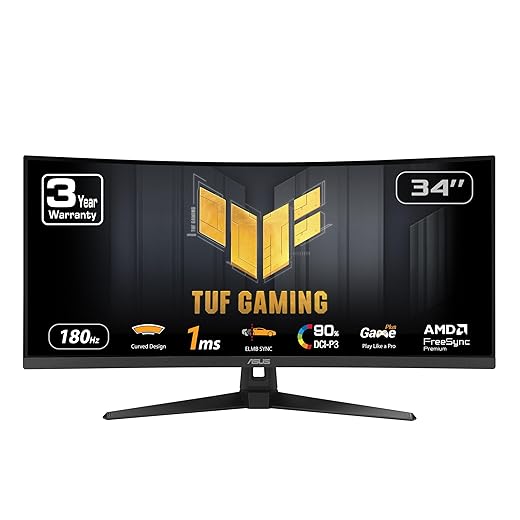
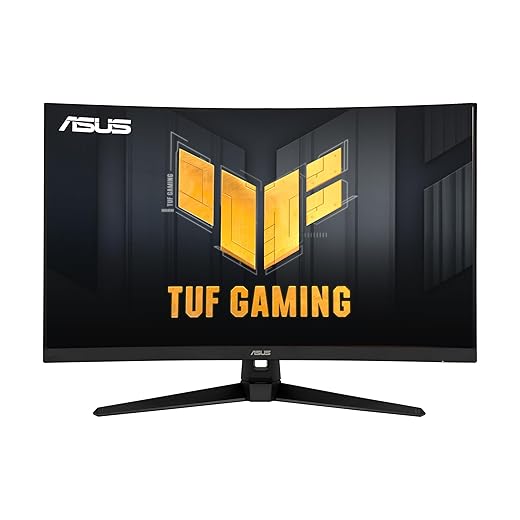
ASUS TUF 34" Ultrawide 180Hz Curved
An ultrawide that balances high refresh rates with a wide color gamut for both gaming and productivity. Its combination of speed, curvature, and color makes it a versatile single‑display workspace for creators and competitive players alike.
Why an ultrawide matters now
Ultrawide monitors like this ASUS TUF 34" model matter because they replace multi‑monitor piles for many users—more horizontal canvas for timelines, chat, and reference material while still delivering high refresh rates for gaming. The 1500R curve enhances immersion without forcing you to turn your head constantly.
Notable features and their impact
Practical tradeoffs and context
We like this for people who want a single screen that can do both work and play. The speaker array is fine for video calls or casual media, but for immersive audio or competitive headsets you should keep dedicated audio. Some buyers will notice the usual ultrawide tradeoffs—wider desks required and occasional game UI scaling quirks in older titles.
Final thoughts
For anyone building a focused desk setup where screen real estate and motion clarity both matter, this monitor is one of the more balanced ultrawide options available. It competes well with pricier models by offering a strong mix of speed, color, and ergonomics, making it a reliable choice for mixed‑use setups.
Samsung Odyssey G5 27" QHD 200Hz IPS
A strong value proposition that pairs 1440p clarity with a 200Hz refresh and fast MPRT response, all on an IPS panel. It’s one of the best budget ways to step into high‑refresh QHD gaming without significant compromises.
Why it matters in the current market
This Odyssey G5 model is notable because it brings very high refresh rates (200Hz) to the 27‑inch QHD class on an IPS panel—something that until recently was reserved for more expensive displays. For gamers whose GPUs can push high frame rates at 1440p, it’s a practical, affordable way to get both fluid motion and picture fidelity.
What we liked about it
Tradeoffs and real‑world tips
Like many monitors in this segment, HDR is present but restrained by panel brightness and absence of local dimming. The lack of robust ergonomics on the stock stand means we often recommend a VESA arm for better height and tilt adjustment. Also, enabling the full 200Hz often requires manual setting changes and ensuring you’re using the right cable and port.
Final verdict
Overall, this monitor represents one of the better buys for players who want to move into high‑refresh 1440p gaming without spending a premium. It’s a balanced choice for anyone who values motion clarity, accurate colors, and a strong feature set for a modest price.
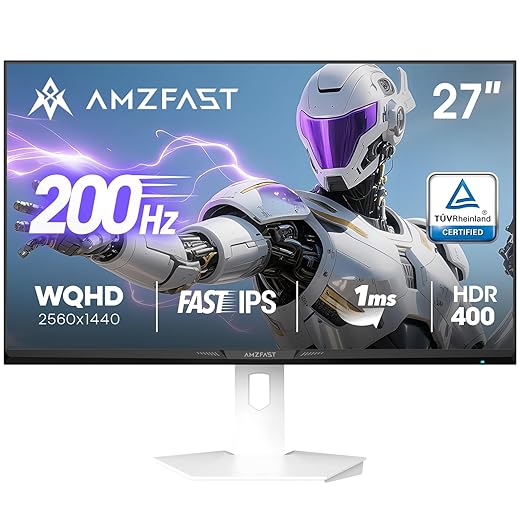
Amzfast 27" QHD 200Hz White Gaming Monitor
This 27‑inch 1440p monitor gives surprisingly strong performance for the price with very high refresh rates and HDR400 certification. It’s an excellent value for competitive players who also want good color and ergonomics without breaking the bank.
Why it’s notable
This Amzfast 27" monitor is a classic example of how smaller manufacturers have pushed features down the price ladder: WQHD resolution, very high refresh capability, HDR400, and eye‑care certifications. For many players, that combination means excellent real‑world value—high frame rates for esports and enough resolution for immersive single‑player titles.
What we liked in testing and reports
Tradeoffs and practical advice
The panel is broadly impressive for the segment but not flawless—contrast and black levels won’t match the very best IPS or advanced VA panels, and long‑term reliability remains a question for smaller brands. We recommend using DisplayPort for peak refresh rates and spending a little time in OSD calibration to nail down color and response settings.
Who should buy this
If you want the highest practical refresh at 1440p and care about both competitive smoothness and decent image quality, this monitor is one of the best value propositions. For people who need pro‑grade color accuracy or brand assurance, consider stepping up to tier‑one models.
LG UltraGear 24" IPS 144Hz Monitor
A compact, fast IPS display that balances color fidelity and low-latency performance for players on a budget. It’s a good pick for competitive gamers and anyone moving from a 60 Hz display to something snappier.
Why we considered it
We picked this 24-inch UltraGear as the archetypal budget competitive monitor: IPS color at a PPI that looks crisp on small screens, a high refresh rate that can be overclocked to 144Hz, and adaptive sync compatibility to reduce tearing. For players who prioritize frame rate and color accuracy without spending much, this model hits a practical sweet spot.
What it does well
Tradeoffs and who it’s for
The stand and ergonomics are the monitor’s weakest link; wobble under desk movement and limited height adjustment are common complaints. HDR10 support is present but limited—don’t expect the kind of peak brightness or local dimming you’d see in high‑end HDR displays. We recommend mounting it on a VESA arm if you care about stability, or pairing it with an external audio solution if you need better sound.
Practical takeaways
If your priority is a small, fast screen for FPS or esports titles and you want decent color for streaming and content, this monitor offers a compelling price-to-performance ratio. It’s not a premium multimedia monitor, but in 24‑inch form factor setups it’s one of the better value choices we’ve tested.
ASUS TUF 32" Curved QHD 165Hz Monitor
A good entry into larger curved 1440p monitors with a higher refresh rate and ELMB motion clarity. It’s a practical step up for users moving from 1080p to a more immersive, single‑screen layout.
Why we like the size and curvature
The 32‑inch 1500R curve creates a very comfortable viewing geometry for single monitor setups—good for immersive gaming and wide timelines. At 2560×1440, you get more workspace than 1080p without the GPU demands of 4K, and the 165Hz refresh provides a noticeably smoother feel in motion‑sensitive titles.
Strengths in daily use
Practical limitations and recommendations
Some users have reported refresh‑rate or flicker issues depending on GPU drivers or adaptive‑sync settings; those can usually be fixed with driver or OSD tweaks. If you rely on built‑in speakers, be prepared to supplement with dedicated audio for better fidelity. For desk setups, the monitor’s size means you’ll want adequate depth and possibly an adjustable arm.
Who should consider this
This model is particularly attractive for players and generalists upgrading from 24" 1080p panels who want a larger, more cinematic view without jumping to ultra‑wide or 4K. It’s a reliable midrange choice that favors balance over bleeding‑edge features.
CRUA 32" Curved 4K 144Hz Monitor
A large, curved 4K panel that promises high resolution and wide color coverage at a competitive price. It’s an attractive choice for those who want a cinematic field of view, but build quality and tuning can vary.
What it aims to be
This CRUA 32‑inch curved monitor tries to deliver the immersive spectacle of a 4K curved screen—1500R curvature, UHD detail, and 144–160Hz headroom—at a price that undercuts established brands. That combo is compelling for streamers and single‑screen multitaskers who want cinematic immersion rather than multi‑monitor setups.
Key features and how they matter
Limitations and practical advice
The main caveat is execution: smaller companies often ship panels with inconsistent factory calibration and variable QA. Expect some manual calibration to get the best color, and be prepared for VA‑specific traits like slower pixel change and potential ghosting in very fast action. Built‑in speakers and RGB lighting are nice but not a substitute for a proper audio setup.
Who should consider it
If you want a single, immersive 4K screen for both gaming and media and are comfortable doing a little calibration and accepting some tradeoffs for the price, this is a tempting option. If you prioritize absolute reliability, uniformity, or the fastest pixel response for competitive FPS play, look to a high‑end IPS or tier‑one manufacturer instead.
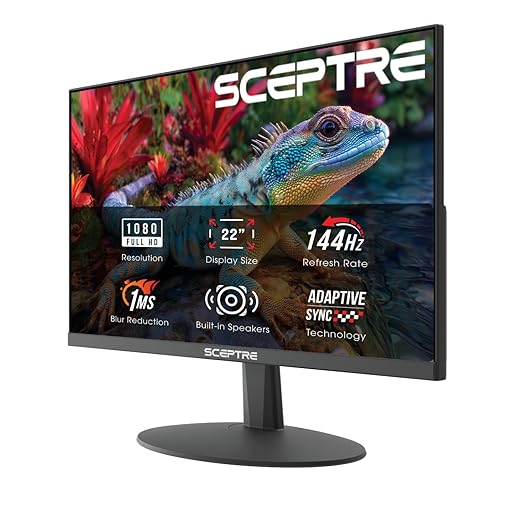
Sceptre 22" 1080p 144Hz Entry Gaming Monitor
A no‑frills 22‑inch monitor that gives you high refresh at a very low price and includes integrated speakers. It’s a sensible pick for secondary displays, beginner setups, or compact desks where footprint matters more than premium features.
Who this monitor is for
We see this Sceptre as a practical choice for entry‑level gamers, kids, or anyone who needs a compact, fast screen on a tight budget. The small footprint is ideal for cramped desks, and the nearly borderless design makes it easy to pair multiple units side‑by‑side.
Strengths in the real world
Limits and tradeoffs
Do not expect accurate color, sophisticated HDR, or advanced ergonomics at this price—this is a functional, budget‑focused monitor. The smaller size also means QHD or 4K benefits are not applicable here; if your priorities are image fidelity or professional color work, look higher up the ladder.
Practical takeaways
If you need a cheap, compact gaming monitor to replace an old 60 Hz screen or add a second display for chat and maps, this is a defensible pick. For demanding gamers or content creators, it’s a stopgap rather than a long‑term investment.
Final Thoughts
For most of us, the ASUS TUF 27" QHD 180Hz is the best single pick. It balances QHD detail with a very high refresh rate and ELMB Sync motion clarity, so games feel both sharp and fluid without forcing a premium spend. We liked its ergonomics and overall tuning — it slots into modern mid‑to‑high GPU systems (think RTX 3070/4070 or equivalent) and handles both competitive shooters and single‑player titles with equal competence.
If you want the best value for high‑refresh 1440p gaming, the Samsung Odyssey G5 27" QHD 200Hz IPS is our runner‑up. It gives you 200Hz responsiveness and an IPS image at a lower price than most rivals, making it the smarter step up from 1080p for players on a budget.
If your priority is a single immersive workspace instead of peak frame rates, consider the ASUS TUF 34" Ultrawide 180Hz — it’s the clearest choice for people who split time between creative work and gaming. We recommend these three because they strike the most useful balances today: motion clarity and refresh rate where it matters, plus practical ergonomics and color that won’t feel dated next year — browse our Top Picks.
Frequently asked questions
What is the main point of “Gaming Monitors for Every Setup and Budget”?
This piece explains where gaming monitors for every setup and budget matters in real buying decisions—not just headline specs. We focus on trade-offs, who benefits most, and what to verify before you spend.
Who should read this gaming monitors for every setup and budget guide?
Read it if you are actively shopping, upgrading, or trying to separate marketing claims from day-to-day use. Skip it if you already own the gear and are not planning a change this season.
What changed recently around gaming monitors for every setup and budget?
Prices, firmware, and feature tiers shift quickly in this category. We call out what is new enough to affect your decision and what is incremental hype you can safely ignore.
How should I use this editorial when buying?
Treat it as context before you compare models: note the risks and priorities here, then cross-check specs and current pricing on the picks that match how you actually use the product.
What is easy to get wrong about gaming monitors for every setup and budget?
Buyers often overweight one spec—brightness, speed, or brand—and underweight fit for their room, ecosystem, or warranty support. We flag the mismatch we see most often in reader questions.
Where should I go next after reading?
Use the related comparisons and top picks linked near the end of this article for model-level shortlists, then confirm return policies and compatibility with the devices you already own.

Iqra Jumar is Option Cutter's editorial writer. She writes practical editorials and buyer guides that focus on real-world upgrades—better Wi‑Fi, cleaner cable setups, smarter streaming, and everyday fixes—not spec-sheet noise alone. Her work helps readers decide what to change now, what to skip, and why.









