

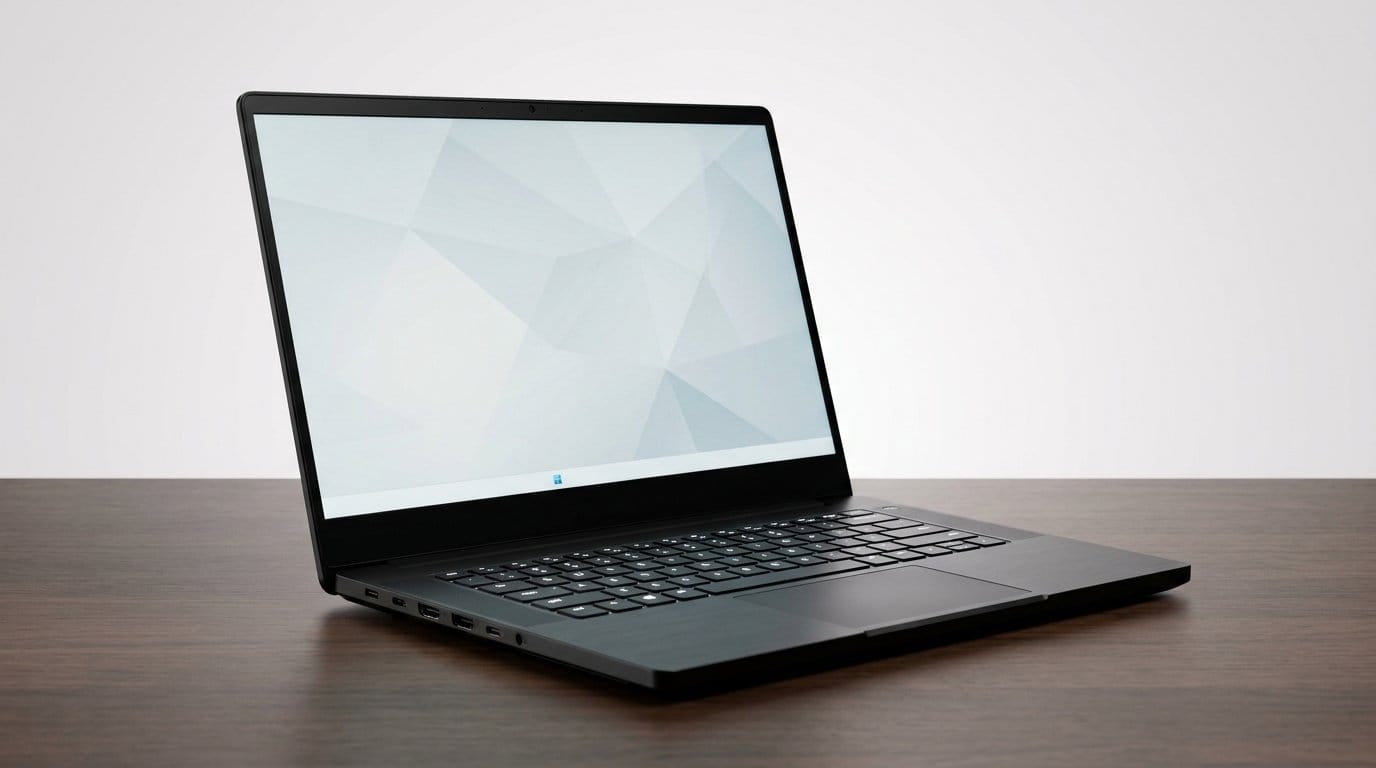

Gaming power, work polish — who said RGB can’t help spreadsheets?
Gaming laptops are finally useful for work. GPUs aren’t just for framerate now — they speed up video export, AI-assisted editing, and complex builds when you pair a strong chip from our graphics cards category with the right machine. OLED displays and faster memory make them better for creators, too.
We cut through the noise to find machines that behave like honest-to-goodness work laptops: reasonable thermals, thoughtful port layouts, and screens you can trust. We focus on real-world use — design, ecosystem fit, and where each machine actually shines in a modern workflow across our Top Picks.
Top Picks




Lenovo Legion Pro 7i — High-Performance Desktop Replacement
We regard this as a near-desktop-level machine that’s tuned for serious gaming and heavy creative workloads. The combination of Intel Core Ultra processors, RTX 5070 Ti, and a 16" PureSight OLED makes it a compelling choice for power users who want a single machine for work and play.
Who should consider the Legion Pro 7i
We recommend this Lenovo laptop to creative professionals, streamers, and power users who need high sustained performance in a portable-ish chassis. It’s built to be a desktop replacement: the CPU and GPU choices, paired with a robust cooling system, make it suitable for long editing sessions, complex simulations, and high-FPS competitive gaming.
Why the hardware matters
Beyond raw silicon, the Legion Pro 7i prioritizes keeping performance predictable. The vapor chamber and tuned fans remove a lot of the thermal guesswork that usually forces you to throttle in long runs; Lenovo’s AI optimizations help allocate resources to where they matter for your workflow.
Trade-offs and ecosystem notes
This is a premium device and carries the associated weight and power needs. We found it best used as a primary machine that travels occasionally rather than a daily commuter laptop. Lenovo’s ecosystem — Vantage, Legion Space, and driver support — makes it easier to tune profiles between work and gaming, which is a genuine productivity win.
HP OMEN 16 Slim — Slim Performance Workhorse
We recommend this as a versatile option for creators who need GPU power plus a portable chassis. The combination of Core Ultra CPU, RTX 5070, and 32GB DDR5 makes it productive for both AI-enhanced workflows and everyday office tasks.
Why we like the OMEN 16 Slim
We see this HP as a practical pick for people who need a serious CPU/GPU combo in a chassis that’s not unwieldy. The Intel Core Ultra 7 and RTX 5070 give you the kind of headroom that speeds up everyday creative workflows — photo editing, some 3D work, and AI-accelerated features — while staying lighter than a full desktop replacement.
Everyday performance and ergonomics
HP has tuned the OMEN 16 Slim to bridge creative and gaming needs. With 32GB of DDR5 memory, the laptop handles large browser sessions, virtual machines, and editing timelines well. The array of ports and Gigabit LAN ensures it fits into most desk setups with a docking station, and the 16" screen gives a comfortable working area.
Considerations for professional use
If you depend on absolute color accuracy for print or film work, consider a higher-end OLED panel; the OMEN’s IPS is solid but not class-leading. Also, plan to plug in for sustained heavy workloads — see how to speed up a slow laptop if thermal throttling shows up under load: battery capacity is fine for meetings and short tasks but not marathon rendering sessions.
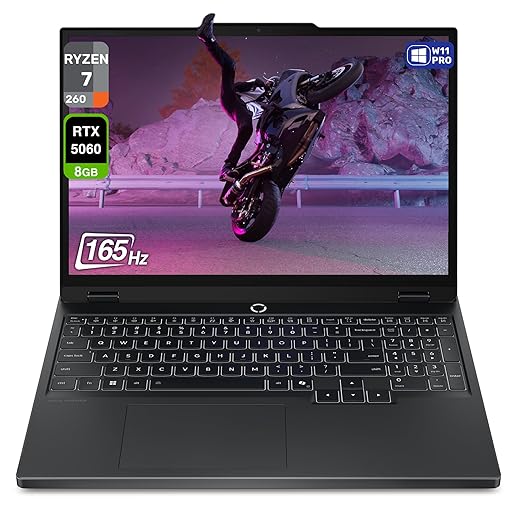
Lenovo Legion 5 Gen 10 — Versatile Performer
We like this as a true work-friendly gaming laptop: a high-res WQXGA OLED, solid CPU/GPU pairing, and Lenovo’s reasonable thermals make it a reliable desktop replacement. A few firmware quirks appear in reviews, but the overall hardware package is strong for mixed workflows.
A laptop built around the display
The Legion 5 Gen 10 is one of the clearer examples of gaming laptops leaning into productivity-first hardware. The 15.1" WQXGA OLED gives creatives and analysts alike a lot of screen real estate and accurate color out of the box — a tangible advantage when you’re editing photos, prepping presentations, or reading spreadsheets for hours.
Performance, thermals, and day-to-day utility
With a Ryzen 7 260 and RTX 5060, the machine comfortably bridges office workloads and GPU-accelerated tasks. Lenovo’s thermal design keeps performance consistent during extended use, which matters more than peak numbers if you run long simulations or compile code throughout the day.
Practical considerations
We recommend checking firmware and testing hibernation and sleep states before committing, since a few buyers reported issues in that area. For most users, the Legion 5 is a sensible desktop-replacement pick: powerful, well-connected, and with a display that makes everyday work noticeably better.
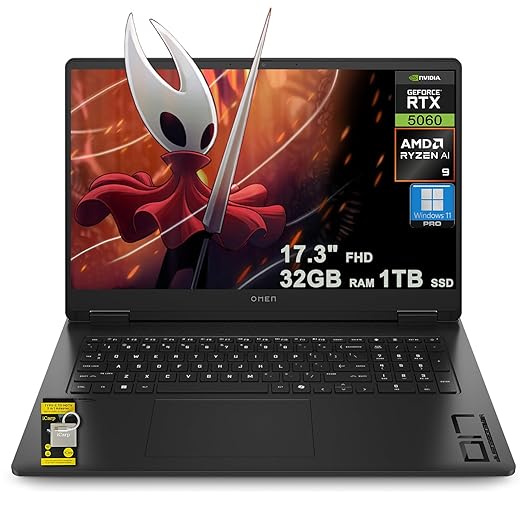
HP Omen 17 — Large-Screen Desktop Replacement
We view the Omen 17 as a sensible choice when screen real estate and sustained performance matter more than portability. Its Ryzen Zen 5 chip and RTX 5060 GPU make it a capable machine for large spreadsheets, compile jobs, and GPU-accelerated creative work.
A desktop experience in a laptop shell
We think of the Omen 17 as a sensible compromise for professionals who want laptop mobility but primarily work at a desk. The 17.3" screen delivers more usable area than 15-inch machines, which helps when you keep multiple windows open or work with timelines and large datasets.
Performance where it counts
The pairing of AMD’s Zen 5 Ryzen AI 9 365 and an RTX 5060 gives robust CPU and GPU throughput. For people who run heavy local workloads — large compilations, batch media exports, or training small ML models — the Omen 17 handles those tasks without the compromises smaller ultrabooks would force.
Practical trade-offs
The machine is heavy and geared toward being desk-first. If you travel frequently or need long battery life between meetings, the weight and power draw make this a less attractive daily carry. But if your workflow includes long render jobs or large-scale spreadsheets, the Omen 17 is a capable single-machine solution that reduces context switching.
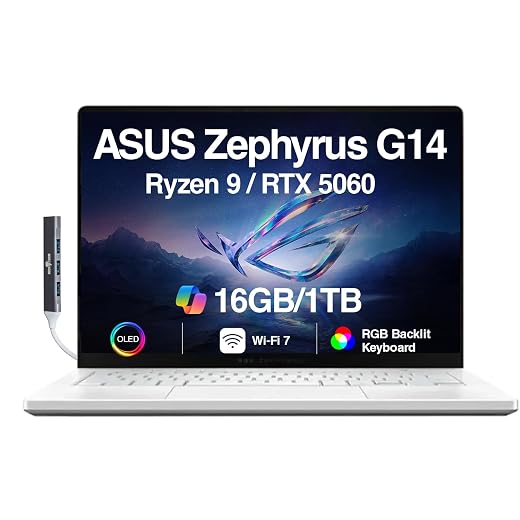
ASUS ROG Zephyrus G14, Compact Workhorse
We like this as a carry-anywhere machine that punches above its weight for both creative work and gaming. Thermals and occasional stability reports temper our enthusiasm, but its OLED panel and Ryzen CPU make it an excellent productivity-first gaming laptop.
Why we consider it
We see the Zephyrus G14 as a niche but useful blending of gaming-grade silicon and a laptop-sized-for-work profile. Its 14-inch ROG Nebula OLED at 2.8K gives you a high-resolution canvas that's rare in this size class — useful for photo editing, spreadsheets with dense data, and content review. At the same time, the combination of a Ryzen 9 Zen4 CPU and an RTX 5060 keeps it capable for rendering and modern games when you need it.
Real-world strengths and design tradeoffs
The machine balances desktop-class performance into a chassis that travels easily. That matters if you commute, work in cafés, or frequently move between meetings. We found the keyboard and port selection sensible for a daily driver, and the included DKZ USB hub helps plug in dongles without fuss.
What to watch for
Thermals are the elephant in the room: in sustained workloads the chassis gets hot and some buyers report system freezes. For office-heavy workflows the heat might only be an annoyance; for multi-hour compile or render sessions you should plan for an external cooling pad or consider a heavier-duty chassis.
In short, we recommend this to people who want serious performance in a small, well-made package and who accept a thermal/performance tradeoff for that portability. If your work routinely pushes sustained high loads, plan for better cooling or a larger desktop-replacement option.
MSI Stealth 15M — Thin Performance Laptop
We appreciate this as a thin-and-light laptop that doesn’t force you to sacrifice too much performance. It’s a practical choice for professionals who want gaming-capable graphics without a bulky chassis.
Design and portability
We see MSI’s Stealth 15M as a pragmatic compromise: it gives you an RTX 3060 inside a chassis that’s still svelte enough for daily commutes. That portability matters if you’re switching between remote work and on-site meetings, or if you prefer a laptop that fits easily into a backpack without giving up essential ports.
Performance and real-world use
The 11th-gen Intel Core i7 paired with the RTX 3060 handles typical productivity tasks — browser-heavy workflows, video calls, light video editing — plus reasonably demanding graphics work. Thunderbolt 4 is especially useful for people who want to dock to external monitors or add fast NVMe enclosures when at the desk.
Why it matters now
We recommend it for hybrid workers who need honest performance without the bulk of a full desktop-replacement gaming laptop. If your day includes compiling code, editing 1080p video, and multitasking across dozens of tabs, this machine keeps things snappy. But if you do heavy 4K color grading or long render jobs, consider a larger chassis with better sustained thermal headroom.
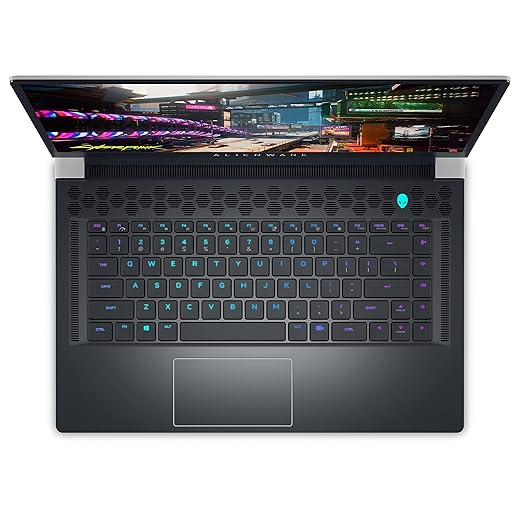
Alienware X15 R2 (Renewed) — Thin and Powerful
We consider this a good pick if you want a thinner Alienware with strong CPU and plenty of RAM and storage. As a renewed device, it can offer value, but condition and warranty should be vetted.
What makes the X15 R2 interesting
We like the X15 R2 when we need a high-performance laptop that still manages a comparatively slim profile. The 12th-gen i7 and 32GB of memory make it a great machine for running multiple VMs, heavy development tools, or large browser sessions — and the 2TB SSD keeps active projects local and fast.
Renewed purchase considerations
Refurbished units are a pragmatic way to step up to higher-tier hardware for less money, but that bargain comes with variability. We recommend checking the refurbisher’s process, confirming battery cycle count, and validating thermal performance under load during the return window.
Practical tips
If you’re buying renewed, run a stress test and battery health check and confirm that the seller provides a clear return policy. For day-to-day use, pair it with a dock or external monitor to reduce heat exposure and maximize productivity.
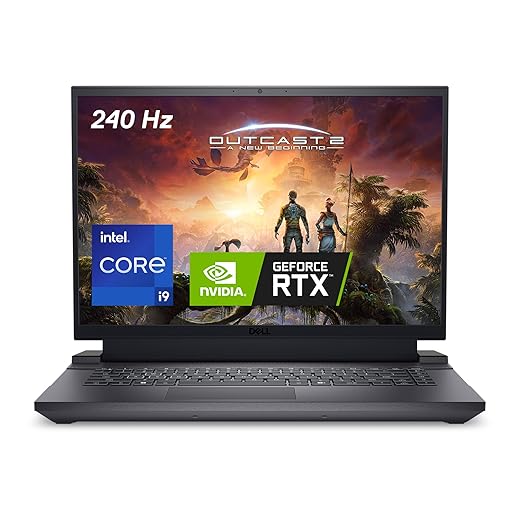
Dell G16 — Value-Oriented 16-inch Power
We find the Dell G16 attractive for buyers who want strong gaming-capable hardware without flagship pricing. It offers a good QHD+ display and an RTX 4070, though inconsistent quality control and software bloat can diminish the experience for some users.
Positioning and who it’s for
We see the Dell G16 as a pragmatic option for people who want a large-screen gaming laptop that doubles as a capable workstation. Its 16:10 QHD+ panel gives more vertical space for spreadsheets or IDEs, and the RTX 4070 accelerates GPU-optimized workloads like video encoding and model inference.
Real-world behavior and ecosystem
Dell’s G series borrows a lot from Alienware design thinking without the full premium price — that’s a win for value-focused buyers. However, our reading of user reports shows inconsistent software experiences; Alienware Command Center and other OEM utilities have been mentioned as resource-heavy and sometimes problematic. We recommend disabling or trimming OEM apps and keeping drivers up to date.
Practical takeaway
If you need a cost-effective desktop replacement with a big display and modern GPU, the G16 is a strong contender. Do expect to spend a little time cleaning up preinstalled software and to consider an external cooling pad if you frequently run long GPU/CPU tasks. Buyer vigilance on QC and returns policy is advisable.
Alienware M15 R6 — Performance with Signature Style
We like the M15 R6’s performance and distinctive Alienware aesthetics for users who want a premium gaming laptop that also works for heavy multitasking. However, buyer reports about firmware and software stability mean you should test thoroughly on arrival.
Design and audience
Alienware has always leaned into a distinct design language, and the M15 R6 continues that tradition. We think its look and keyboard feel will appeal to users who want a machine with presence in an office or streaming setup. For many power users, that aesthetic combined with strong internals is the primary draw.
Performance and everyday use
With an RTX 3070 and a high-refresh 15.6" display option, the M15 is well-suited to both demanding gaming and GPU-accelerated productivity. The laptop also offers upgrade paths for memory and storage, which matters if you plan to keep the machine for several years as your workloads grow.
Caveats and practical notes
A number of users report software-related crashes tied to OEM utilities; we recommend a fresh Windows install or careful management of bundled tools if stability matters. Despite that, the M15 R6 is a capable desktop-replacement for users who want a high-performance, upgradeable rig with a distinctive look.
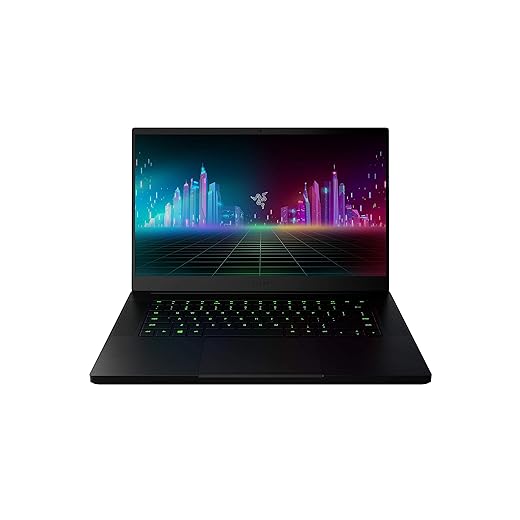
Razer Blade 15 (Renewed), Sleek Aluminum
We view this Razer Blade as a good pick if you want a compact, high-quality aluminum build on a budget. Its older CPU/GPU and refurbished status mean it’s a balance of style and performance rather than cutting-edge power.
Who this is for
We recommend the renewed Razer Blade 15 for people who prioritize a refined chassis and compact design for travel and client-facing work, but who don’t need the absolute latest silicon. If you value a lightweight aluminum laptop that feels premium in meetings, this is a sensible, often more-affordable way in.
Key practical features
The Blade’s CNC unibody frame remains one of the best-built Windows laptops in its class, and the 120Hz FHD panel is an advantage when you switch from spreadsheets to fast-refresh web-apps or video. While the GTX 1660 Ti in many refurbished listings won’t be enough for heavy GPU rendering today, it can handle moderate creative workloads and most esports titles at reasonable settings.
Trade-offs and advice
Buying renewed saves money but requires a careful check of condition and warranty. We advise verifying the seller’s refurbishment process, asking about battery health, and ensuring return windows are sufficient to validate hardware. For creative pros planning multi-hour renders, this laptop is an entry-level option — we’d prioritize newer GPUs if that’s your workflow.
Final Thoughts
For a single machine that replaces a desktop and stands up to heavy creative work, our Top Picks winner is the Lenovo Legion Pro 7i in our laptops shop. It delivers near-desktop performance with Intel Core Ultra processors, an RTX 5070 Ti, and a 16" PureSight OLED that matters for color-critical work. The chassis and thermals are tuned for sustained loads, so video editors, 3D artists, and developers who run long compile jobs get consistent performance without needing a separate workstation.
If you need something more portable without giving up GPU power, the HP OMEN 16 Slim is our top portable recommendation among laptops you can carry between meetings. With a Core Ultra CPU, RTX 5070, and 32GB of DDR5, it balances mobility, expandability, and real-world productivity for creators who travel or move between meetings. It’s a practical pick for AI-assisted workflows, multitasking, and anyone who wants strong performance in a lighter chassis.
If you want a carry-anywhere alternative with great battery and an OLED for color work, consider the ASUS ROG Zephyrus G14 as a compact option; for budget-conscious users who still need capable GPU horsepower, the Dell G16 offers solid value — or compare with tablets that replace a laptop if you travel light. We tested for usable thermals, display fidelity, and system polish — these picks represent the best trade-offs between gaming muscle and day-to-day productivity.
Frequently asked questions
What is the main point of “Gaming Laptops You Can Actually Use for Work”?
This piece explains where gaming laptops you can actually use for work matters in real buying decisions—not just headline specs. We focus on trade-offs, who benefits most, and what to verify before you spend.
Who should read this gaming laptops you can actually use for work guide?
Read it if you are actively shopping, upgrading, or trying to separate marketing claims from day-to-day use. Skip it if you already own the gear and are not planning a change this season.
What changed recently around gaming laptops you can actually use for work?
Prices, firmware, and feature tiers shift quickly in this category. We call out what is new enough to affect your decision and what is incremental hype you can safely ignore.
How should I use this editorial when buying?
Treat it as context before you compare models: note the risks and priorities here, then cross-check specs and current pricing on the picks that match how you actually use the product.
What is easy to get wrong about gaming laptops you can actually use for work?
Buyers often overweight one spec—brightness, speed, or brand—and underweight fit for their room, ecosystem, or warranty support. We flag the mismatch we see most often in reader questions.
Where should I go next after reading?
Use the related comparisons and top picks linked near the end of this article for model-level shortlists, then confirm return policies and compatibility with the devices you already own.

Iqra Jumar is Option Cutter's editorial writer. She writes practical editorials and buyer guides that focus on real-world upgrades—better Wi‑Fi, cleaner cable setups, smarter streaming, and everyday fixes—not spec-sheet noise alone. Her work helps readers decide what to change now, what to skip, and why.









