



Stunning OLED and RTX power — but you’ll pay for the privilege.
We want a laptop that actually feels like a portable creative workstation — not a compromise between color accuracy, sustained GPU horsepower, and a sensible port selection. The Dell Premium 16 shoots for that middle ground, pairing a 16.3″ 4K OLED touchscreen (120Hz) with a 15th‑Gen Intel Ultra 7 CPU and a discrete GeForce RTX 5050, aiming to deliver desktop-class visuals and GPU‑accelerated workflows without hauling a tower.
That combination matters because it changes how we work: faster exports, more accurate color for grading, and fewer detours to a desktop for heavy tasks. In return you get a thoughtful I/O mix (Thunderbolt 4, SD reader, Type‑C charging), a comfortable keyboard and long battery capacity — but also a premium price, a relatively heavy chassis, and soldered (non‑upgradeable) memory, which are important trade‑offs for anyone weighing longevity and value.
Dell Premium 16 4K OLED, Ultra 7, RTX 5050
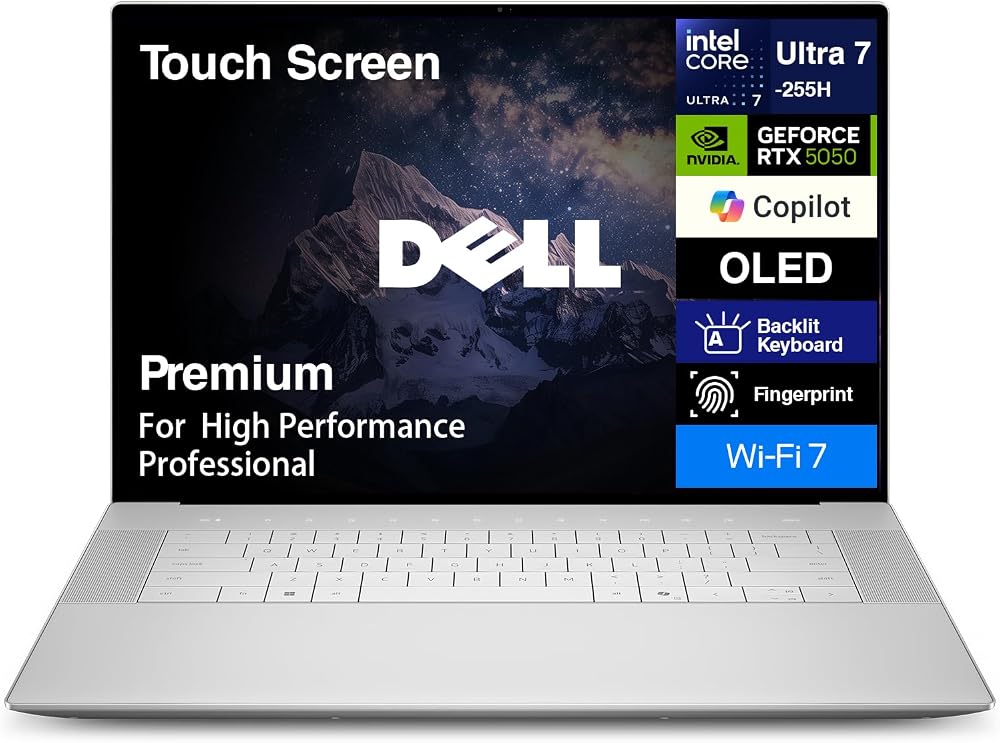
We see this as a machine built for creators who need high fidelity visuals and GPU-accelerated workflows without hauling a desktop rig. It delivers excellent sustained performance and an exceptional display, though the trade-offs are cost, weight, and limited internal upgrade paths.
Dell 16 Premium Review: 120Hz OLED
What we set out to evaluate
We approached this laptop with a simple brief: how well does a 16‑inch, high‑resolution OLED workstation fit into day‑to‑day creative workloads and mobile productivity? Browse our laptops aisle before you compare creator machines. Our interest was less in raw spec numbers and more in how those specs translate to color work, video editing, 3D tasks, and long editing sessions away a desk. Over multiple days of mixed photo editing, Premiere timelines, and long browsing sessions, we focused on ergonomics, thermals, and the real-world balance between power and battery life.
Design and ergonomics: a careful, pragmatic rethink
The chassis keeps the clean aluminum look that has become a hallmark of premium Dell machines in our product reviews hub. It’s not a radical redesign, but the build says ‘station’ more than ‘ultraportable’ — which is appropriate for its target user.


We appreciated the placement and travel of the keyboard for long typing and editing sessions, and the hinge maintains a stable angle when you dock with a Thunderbolt dock.
The display: why a 4K OLED still matters
The 16.3‑inch 4K OLED panel is the headline feature. For anyone doing color grading, retouching, or high‑resolution video, the jump to OLED display tech brings deeper blacks, punchier highlights, and a contrast ratio that an LCD with local dimming struggles to match. The 120Hz refresh rate reduces motion judder when scrubbing timelines or scrolling dense documents, and the touchscreen is responsive enough to be genuinely useful with creative apps on a calibrated monitor workflow.
| Panel attribute | Why it matters |
|---|---|
| 3840×2400 4K resolution | Clears up fine details in photos and allows precise placement in layouts |
| OLED contrast and deep blacks | Better preview of HDR and cinematic footage; richer image reproduction |
| 120Hz refresh | Smoother UI, less eye strain during long editing passes |


The color reproduction out of the box is strong; we recommend a quick calibration if you need absolute accuracy for print work with an external monitor.
Performance: CPU, GPU, and real‑world workloads
Under the hood, the combination of Intel’s 15th‑gen Ultra 7 processor and a discrete RTX 5050 GPU produces multi‑threaded grunt and respectable GPU acceleration for creative apps. In our timelines and export tests, the machine handled 4K footage with effects and color grading applied, and real‑time playback was possible with optimization.


Thermals are handled thoughtfully: the chassis keeps surface temps mostly comfortable under heavy load, but the fans do spin audibly during sustained exports — compare against gaming laptops if raw GPU headroom is the priority.
Battery life, charging, and daily use
The 99Wh battery capacity is among the larger cells you’ll find in a laptop this size, and paired with Type‑C charging it gives you flexibility on the road.
For commuting and short on‑site shoots, the battery is competitive; for all‑day remote editing on 4K timelines, plan to carry a charger — our laptop picker guide covers similar trade-offs.
Ports, expansion, and ecosystem integration
The three Thunderbolt 4 ports are a highlight. They open up options for fast external storage, docking stations, and monitors. The full‑size SD card reader is a deliberate nod to photographers, and the combination of wired and wireless connectivity (Wi‑Fi 7 readiness and Bluetooth 5.4) helps future‑proof the machine for peripheral ecosystems.
We liked that Dell prioritized ports that matter to professionals rather than obsessing over ever‑thinner bezels at the of usability.
What we’d change and where this fits in the market
There are trade‑offs. The machine leans toward being a mobile workstation rather than an ultraportable: that means better performance and a bigger display but more weight. The soldered high‑speed RAM helps performance and efficiency but limits upgrade paths for users who want to expand memory later. In a market that includes thin-and-light creator laptops and heavier mobile workstations, this model sits squarely in the middle: powerful, screen-centric, and tailored for content pros who travel — see our laptop picker guide — but also want a near‑desktop experience.
Bottom line
We view this 16‑inch machine as a pragmatic, high‑caliber option for creators who need a top‑tier screen and reliable GPU performance in a single portable package. It is not a bargain, and it doesn’t aim to be. Instead, it focuses on delivering a coherent experience where display quality, ports, and compute power come together in a way that matters for real creative workflows.
FAQ
Is the 4K OLED worth the battery trade-offs for everyday use?
For creative work where color fidelity and contrast are important, yes — the OLED is a meaningful upgrade. For everyday office tasks, you can scale down brightness or lower the refresh rate to extend battery life, but you should expect shorter runtimes compared with lower‑resolution LCD models.
Can we upgrade the RAM or storage later?
The storage (M.2 NVMe) is usually user‑accessible and can be swapped for larger drives, but the LPDDR5X memory is soldered. That makes the storage upgrade path viable, but it limits long‑term memory expansion.
How does the RTX 5050 compare to laptop GPUs previous generations?
The RTX 5050 offers a significant step forward in CUDA and ray‑tracing performance versus many prior midrange laptop GPUs. For GPU‑accelerated creative tasks like rendering and effects, you’ll see improvements in render times and real‑time playback, particularly when paired with modern drivers and supported apps.
Is this a good laptop for gaming as well as creative work?
It can handle modern games at decent settings thanks to the RTX 5050 and the 120Hz panel, but this laptop is optimized for content creation. If gaming is your primary use, there are lighter‑weight gaming laptops that may offer better value per dollar for pure frame rates.
How does the machine handle heat during long exports or 3D renders?
Thermals are managed effectively and the chassis keeps surfaces reasonable, but fans do become audible under sustained load. For lengthy, intensive renders it’s a capable machine—expect the fan ramp and plan for a well‑ventilated setup if you need to stay quiet.
Is the built‑in SD card reader fast enough for pro photographers?
Yes — the full‑size SD reader is designed for convenience and speed in photo workflows. For very high write speeds (like some CFexpress workflows), dedicated card readers may still offer faster transfers, but for most DSLR and mirrorless use cases it’s a practical, time‑saving inclusion.
What accessories would we recommend pairing with this laptop?
A compact Thunderbolt dock for extra ports, a colorimeter for professional color calibration, and a high‑capacity external NVMe SSD for archival and scratch space are the most useful additions for power users.

Ayesha Aftab is Option Cutter's product review editor. She writes in-depth product reviews and buyer guides that focus on real-world performance—battery life, build quality, everyday usability, and value—not spec-sheet noise alone. Her work helps readers decide whether a product is worth buying with clear verdicts and honest limitations.















