


Why a 140W USB-C Charger Matters Now
We break down how a 140W USB‑C charger keeps modern high‑performance laptops fast, cool, and compatible, showing trade‑offs in design, real‑world usability, and ecosystem fit so you can confidently pick a future‑proof charger that actually works for your workflow today.
What You’ll Need
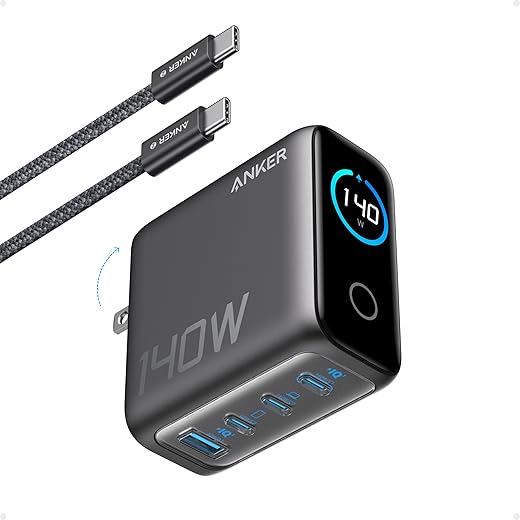
Read Your Laptop’s Power Profile
Do we really need 140W — or is it marketing hype? Let’s decode the specs so we don’t buy the wrong brick.Read your laptop’s spec sheet and support pages to identify its maximum USB‑C input and which power profiles it accepts. We start here because a 140W brick is only useful if the machine can negotiate the right voltage and handshake.
Check your model’s manual, BIOS/firmware notes, or the manufacturer’s support page for exact PD/PPS wording. If the spec says “PD3.1 EPR 28V/5A,” we’re likely good; if it flags an OEM-only requirement, don’t assume a third‑party 140W brick will work.
Pick the Right Cable and Connector
Cables are the weak link — why a premium cord is more important than a flashy brick.Pick a cable that matches the brick’s handshake and your laptop’s input. A 140W charger is only as good as the cable’s current and voltage rating and its E‑marker chip.
Inspect the spec label and prefer cables explicitly rated for 5A 48V or 6A+ when you expect PD3.1/140W profiles. Avoid vendors that skimp with 5A‑only cables and push higher voltages — that increases heating risk. Favor short, thick cables with strong strain relief and tight connector tolerances; longer runs add resistance and heat.
Important checks:
Prefer certified third‑party cables rather than ambiguous OEM bundles to protect performance and warranty.

Evaluate Thermal Design and Form Factor
Small and hot? Big and cool? We explain why size, GaN tech, and thermal choices change the real-world experience.Evaluate charger design with an eye on thermal performance, usability, and noise so we understand how it behaves under real workloads.
Look for ventilation slots, heat‑spreading alloy housings, and explicit thermal specs or third‑party thermal tests.
Compare compact GaN pucks and larger bricks: compact units can be surprisingly efficient but feel hot on a lap; larger bricks dissipate heat better but cost portability. For example, a GaN puck may hit 60–75°C during sustained gaming, while a bigger brick stays cooler but adds bulk.
Review port layout and shared‑power behavior — single‑port 140W units deliver full sustained power; multi‑port bricks may throttle when powering multiple devices.
Test with sustained loads and watch for laptop charge‑rate drops, high surface temps, or noisy active cooling so we avoid chargers that force thermal compromises.
Vet Safety, Firmware, and Brand Reliability
Not all 140W bricks are equal — certifications and firmware updates separate the credible players from the risky ones.Check manufacturer trustworthiness and certifications before buying. We prioritize USB‑IF PD/Programmable Power Supply certification and global safety marks like UL, CE, and PSE because a 140W rail leaves little room for sloppy engineering. Look for published safety test reports and clear contact/support channels.
Demand transparent firmware and update policies. Prefer brands with active ecosystems (firmware, drivers, support) — those vendors tune charging handshakes and reduce weird voltage cutouts we’ve seen in cheap units.
Consult reviews, lab tests, and warranty fine print. Pay attention to:
Avoid vendors with opaque specs or poor post‑sale support; replacing a failed high‑draw unit is more painful than paying a little extra up front.
Match Ports to Your Workflow
Do we need one relentless 140W port or a multitasking hub? Here’s how to pick based on how we actually work.Map your typical device combinations. We sketch scenarios and pick ports that keep the laptop at peak power when it matters.
Choose a single‑port 140W charger if you run heavy workloads — gaming or video export — and need sustained maximum input. For light travel, a compact brick with a foldable plug and one full‑power USB‑C cable beats a multi‑port compromise.
Opt for multi‑port GaN only if you need simultaneous charging (laptop + phone + tablet), but verify intelligent power allocation and published per‑port limits so the laptop retains priority. In practice, a claimed “140W total” pack can drop laptop draw to 60–100W under load, which throttles performance.
Check these quick points:

Test Under Real Loads and Decide
Want confidence? We prove chargers with stress tests, thermal checks, and cross-device compatibility trials.Test candidates under realistic workloads before buying or immediately after. Connect the laptop, run sustained heavy loads (for example Cinebench R23 multi‑thread plus a GPU stress or a gaming benchmark), and observe behavior under continuous draw.
Check interoperability across devices—phone, tablet, portable monitor—and note handshake failures or odd behaviors. Update charger firmware if available and retest. Compare results across units, then weigh price, warranty, and real‑world sustained 140W performance. We publish our findings and preferred models so readers can compare measured numbers instead of trusting marketing claims alone too.
Make the Practical Choice
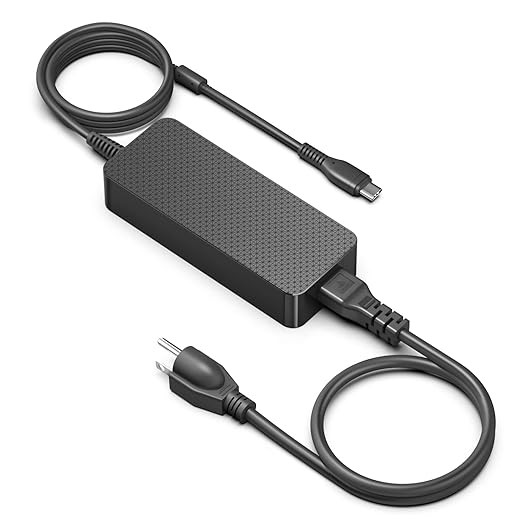
Weigh specs, thermals, cable quality, and ecosystem trust—prioritize certified PD3.1, rated cables, and firmware so laptops charge fast, safe, and predictably; we try a 140W setup, test it under load, and share your results to help others and tell us

Chris is the founder and lead editor of OptionCutter LLC, where he oversees in-depth buying guides, product reviews, and comparison content designed to help readers make informed purchasing decisions. His editorial approach centers on structured research, real-world use cases, performance benchmarks, and transparent evaluation criteria rather than surface-level summaries. Through OptionCutter’s blog content, he focuses on breaking down complex product categories into clear recommendations, practical advice, and decision frameworks that prioritize accuracy, usability, and long-term value for shoppers.









