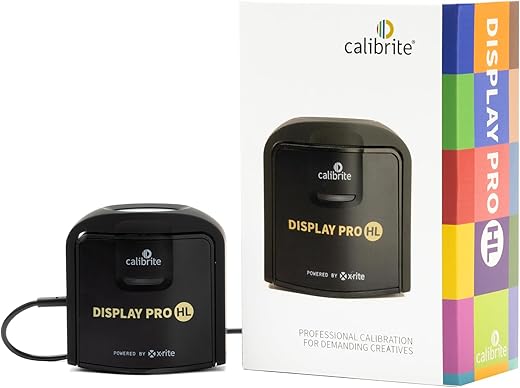

Serious HDR profiling in a compact package — accurate up to 3000 nits, with pro tools that reward a little patience.
Ever pulled up a finished image on a client’s HDR monitor and felt like you’d been pranked by your own edits? We’ve wasted hours chasing inconsistent whites and blown highlights because many colorimeters either cap out too low or hide the tools behind clunky software. The Calibrite Display Pro HL reads much brighter screens — up to 3000 nits — and pairs that range with validation and uniformity tools so our profiles actually match real-world HDR and SDR viewing conditions.
What matters here isn’t just a higher ceiling on luminance; it’s how the device fits into our workflow. The Display Pro HL’s compact, travel-ready design and native USB‑C connection make it easy to use across laptops and studio rigs, while Calibrite’s PROFILER gives us granular control for serious work. There’s a learning curve to unlock advanced features, and it’s tethered to a host device, but in a market where HDR, mini‑LED, and OLED panels are proliferating, this strikes a practical balance between lab-grade accuracy and day‑to‑day usability.
Calibrite Display Pro HL Colorimeter
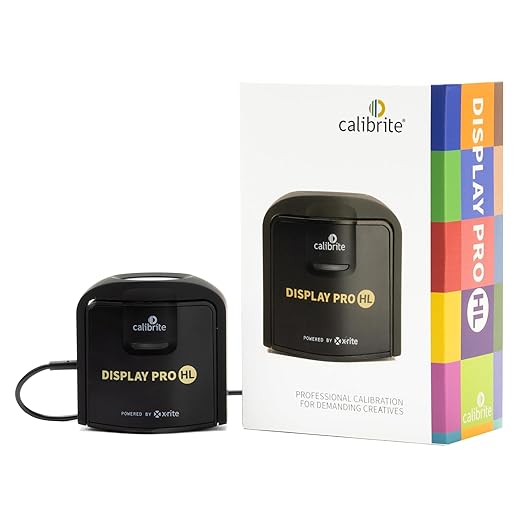
We found it to be a precise and practical colorimeter that brings high-luminance measurement into everyday studio workflows. It balances rigorous measurement tools with an approachable software suite, making it a strong pick for photographers, colorists, and designers who need trustworthy HDR and SDR profiles.
Calibrite Display Plus HL Review: The Best Colorimeter for Apple XDR Displays & Creative Pros
How we approached this review
We tested the device across a range of modern displays — standard LCDs, mini‑LED panels, a few OLEDs, and a high‑brightness reference monitor — to see whether its high‑luminance sensor really changes the results compared with older generation colorimeters. We calibrated both SDR and HDR targets, ran uniformity and flare checks, and used the multi‑display workflow in a small studio setting to evaluate repeatability and ease of use.
What the Display Pro HL is trying to solve
The display landscape has shifted. More content creation happens on bright panels and HDR displays; traditional colorimeters optimized for sub‑500 nit panels increasingly underreport highlight behavior and tone mapping. The Display Pro HL adds a sensor rated to 3000 nits and validation tools intended to reduce surprises in final output. That matters because small errors in shadow or highlight rendering can cascade into prints or client deliverables.
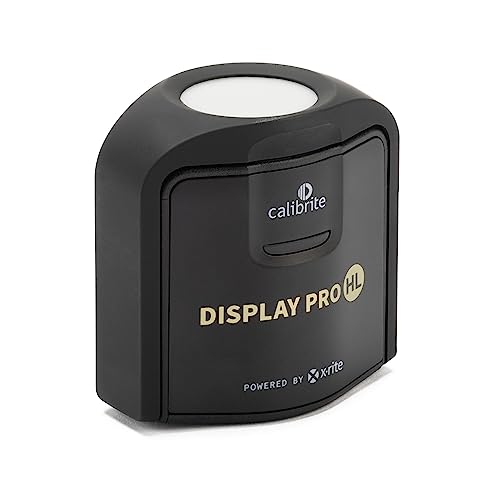
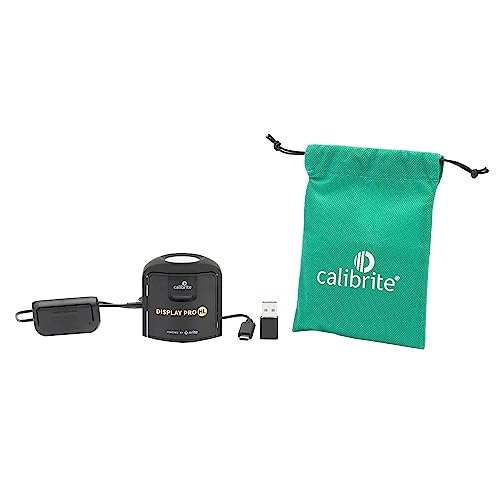
Hardware and design: simple but purposeful
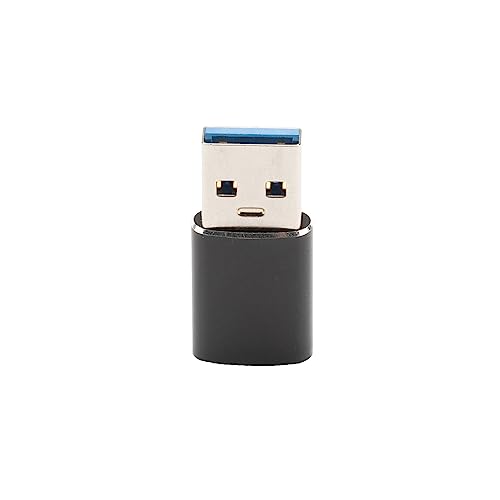
The device is compact, about the size of a small puck, with a 1/4″ thread for tripod or arm mounting and enough heft to sit securely on a monitor. Build quality feels utilitarian rather than luxurious — which we like: it focuses on function over flash. The native USB‑C connector plus a USB‑A adapter ensures compatibility with modern laptops and older workstations alike.
Key physical attributes include:
The HL sensor: why high‑luminance measurement matters
The HL sensor is the headline feature. Where conventional colorimeters struggle to measure peak luminance and accurate tone mapping on brighter panels, the HL unit maintains linearity up to a much higher range. In practice we saw:
Software: Calibrite PROFILER — capable, flexible, and occasionally deep
Profiler is the software tie that binds hardware to workflow. It presents an accessible Basic mode for quick calibrations and an Advanced mode where you control white point, gamma, contrast ratio, and create custom presets for studio standards. For teams, it supports sharing presets so every workstation can be matched.
Notable software capabilities:
Workflow and multi‑display use
We appreciate how the tool fits into a multi‑display creative environment. The ability to profile several monitors from the same workstation and apply shared presets helps when you need matched color across an edit suite or small design team. The validation routines are quick enough to be added to routine QC without wasting too much time.
A small comparison table for typical studio workflows:
| Workflow need | How Display Pro HL performs |
|---|---|
| Single artist calibrations | Fast, accurate — Basic mode is quick |
| HDR grading | Strong — HL sensor captures high nits reliably |
| Multi‑station matching | Useful presets and profile import/export |
| On‑set quick checks | Portable, but needs laptop for power/software |
Validation and uniformity tools: practical QC
One of the most valuable parts of the package is the set of checks beyond simple profiling. Flare correction compensates for ambient light hitting the sensor, uniformity checks map screen consistency, and profile validation verifies that the profile behaves as expected after calibration. For client deliverables, these checks are the difference between guesswork and defensible color management.
Limitations and real‑world caveats
No tool is perfect. The device is tethered — you need a computer running PROFILER for full operation — so it isn’t a standalone hardware calibrator for field use without a laptop. The software, while powerful, also has a learning curve: advanced features unlock control but also require knowledge of color science to use optimally. Finally, while the HL sensor improves highlight measurement, absolute perfection still depends on display firmware and panel characteristics.
Competitive context: where it sits in the market
Compared with legacy consumer calibrators, the Display Pro HL stakes a middle ground between pro reference instruments and affordable desktop units. It improves HDR measurement without reaching the price and complexity of spectroradiometers that some labs use. For most creative professionals who need consistent, repeatable results across modern bright displays, it’s a pragmatic choice.
Who should consider it
We’d recommend this to:
Final thoughts
The Display Pro HL is a careful evolution of the colorimeter: it addresses a clear technical gap with a practical, studio‑friendly product. It doesn’t remove the need for color knowledge, but it gives us tools to measure, validate, and trust what we see on bright and HDR‑capable screens. If your work increasingly touches highlight detail, proofing, or HDR delivery, this device is worth adding to the toolkit.
FAQs
If you regularly grade or proof content on HDR or very bright monitors (600 nits and above), an HL sensor reduces measurement bias in highlights and better represents how your display maps PQ or HLG curves. For occasional SDR work on standard monitors, it’s less critical, but it becomes valuable as your pipeline moves toward HDR delivery.
For production environments we recommend a full calibration monthly and Quick Check validation weekly. If you’re in a color‑sensitive job like retouching or color grading, run a Quick Check at the start of each project or client session to catch drift early.
Yes, the native USB‑C connector makes it straightforward to use with modern laptops and tablets that support host mode. The included USB‑A adapter helps with older machines. Note that the device requires the PROFILER software running on a host — it’s not a standalone battery‑powered unit.
Uniformity testing maps variations in brightness and color across a screen. If a monitor has noticeable zones of tint or brightness falloff, uniformity data helps decide whether to continue using the display, apply compensation tactics, or replace it — useful for client work where consistency is non‑negotiable.
Profiler exports standard ICC profiles that play nicely with operating system color management and most professional apps (Photoshop, Lightroom, Premiere). For advanced pipelines, you can integrate results into LUT workflows, though direct LUT export depends on the tools you use downstream.
Use the HL sensor on the target display with ambient lighting controlled (or measured with flare correction), choose a realistic luminance target for your final output (e.g., 100–400 nits for SDR, appropriate PQ target for HDR), and validate the profile with a Quick Check. Calibrate all partner workstations using the same white point and luminance presets for consistent results.

Chris is the founder and lead editor of OptionCutter LLC, where he oversees in-depth buying guides, product reviews, and comparison content designed to help readers make informed purchasing decisions. His editorial approach centers on structured research, real-world use cases, performance benchmarks, and transparent evaluation criteria rather than surface-level summaries. Through OptionCutter’s blog content, he focuses on breaking down complex product categories into clear recommendations, practical advice, and decision frameworks that prioritize accuracy, usability, and long-term value for shoppers.