



Big Cinema Feel, Small Price Tag
We show how to convert a living room or spare room into a satisfying, budget-conscious home theater by prioritizing where to spend and save — browse more in our how-to guides and sound bars & home audio aisle before you buy.
What we need
We need a dedicated room or corner, tape measure, drill, cable ties, a modest budget, willingness to compare ecosystems and specs, and patience for setup and calibration.

Build a High-End Home Theater on a Budget
Plan the Room Like Designers, Not Hobbyists
Why room choice beats raw horsepower — awkward layouts ruin sound more than cheap amps do.Measure the room and sketch seating positions before you buy anything. Map wall-to-wall dimensions, ceiling height, and where people will actually sit — that drives screen size and speaker placement.
Identify sightlines and set viewing distance. Aim to sit about 1–1.5× the TV diagonal for 4K on 4K TVs (or 2–3× for 1080p) so text stays sharp and immersion increases without eye strain. Mount the screen so the center sits roughly at seated eye level.
Flag reflective surfaces and tame them first. Lay down a rug, move a lamp, or hang a fabric-backed picture where reflections hit the screen; these simple fixes often improve perceived clarity more than pricier gear.
Add modest acoustic treatment before upgrading speakers. Place 2–4 foam or fabric panels at first-reflection points and add a couch-side rug to cut reverb — we’ve found this sharpens dialogue and imaging far more cost-effectively than swapping to an expensive speaker pair.
Decide room intent and pick gear to match. If you have a dedicated dark room, prioritize a projector; if you live in a multi-use living room, choose a bright 4K TV and an integrated soundbar that fits your streaming ecosystem. This is where user experience is defined: a perfectly spec’d system is wasted without correct room context.
Set a Smart Budget and Prioritize What Matters
Spend where the ear and eye notice it most — shocking savings follow a few simple rules.Allocate the money where it changes the experience. We recommend a starting split:
Shift those percentages based on use. For console gaming, increase screen and source (e.g., 40/25/25/10) so you can get low-latency HDMI 2.1 and a 120Hz panel. For shared living-room streaming, move money to screen + smart soundbar (e.g., 45/30/15/10) and prioritize AirPlay/Chromecast and app compatibility. For movie fidelity, boost audio (e.g., 30/45/15/10) to fund a true surround setup or better speakers.
Consider trade-offs: choose an AV receiver + speakers for better soundstage, upgrade paths, and discrete component control, but expect more wiring and setup. Choose a high-end soundbar for simplicity, space savings, and built-in AirPlay/Chromecast — check for eARC to preserve high-bitrate audio.
Buy slightly older, well-reviewed models — read EPA electronics reuse and recycling guidance when open-box or renewed AV gear is part of the plan. Manufacturers iterate fast; last year’s hardware often keeps the key features but drops price, giving much better value for our budget-focused builds.

Choose the Screen and Source: Brightness, Resolution, and Ecosystem
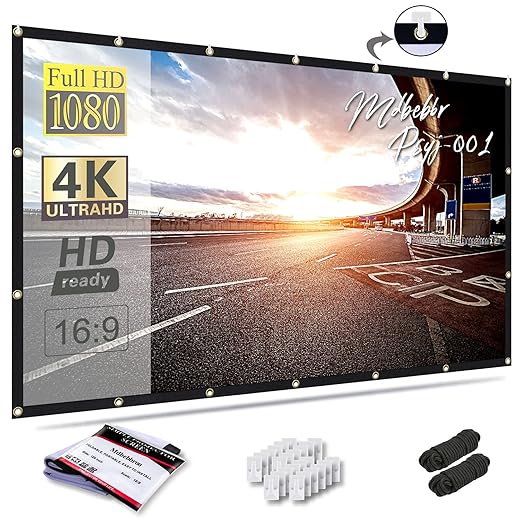
TV or projector? Spoiler: it depends on light, space, and how much we stream.Compare TV vs. projector in practical terms: TVs win in bright rooms and for console gaming because they deliver low input lag and consistent brightness; projectors win for scale and cinematic immersion in a darkened room. For example, pick a 55–75″ 4K TV for a sunlit living room, or a 100″+ projector setup for a dedicated, blackout-capable media room.
Pick sensible specs to avoid buyer’s remorse
Prefer devices with full codec and passthrough support (Dolby Vision, HDR10+, Dolby Atmos, AV1) and HDMI 2.1 if you want 4K@120Hz and VRR for next-gen consoles. Check eARC on your TV/receiver to preserve high-bitrate audio.
Choose modern wireless audio protocols (AirPlay 2, Chromecast, DTS Play-Fi, Sonos) when multiroom simplicity matters — they cost a bit more but remove complexity and keep the system feeling like a single, polished product.

Build the Soundstage Without Overbuying
We get cinematic sound with fewer speakers — clever placement beats sheer wattage.Aim for a compact 5.1 system from our home theater systems: center, two fronts, two surrounds, and a powered sub. We prefer this setup because a strong center gives clear dialogue and a tight sub supplies cinematic weight—both deliver more perceptual uplift than matching tall towers that skimp on midrange.
Choose gear sensibly. Pick a center with focused midrange; pair modest bookshelf fronts with a powered sub for punch and controlled low end. We’ve found bookshelf+sub combos often outclass cheap floorstanders because they preserve vocal clarity and bass authority.
Choose an AV receiver that covers core features
Consider powered (active) speakers or a modular soundbar if you want to skip a receiver—fewer boxes, simpler setup, good DSP.
Place speakers and attend to basics
Use room correction to tame peaks and improve imaging—real-world results: clearer dialogue, tighter bass, and a believable surround field without overspending.

Setup, Calibrate, and Integrate: Make It Feel Like a Product
A tuned system is a good system — a few minutes of calibration beats weeks of tweaking.Align the screen so the center is at eye level and the image fills the intended viewing angle; we aim for a 30–40° diagonal field for a true-cinema feel.
Place speakers to spec: center low and aimed, fronts toe-in, surrounds slightly behind and above; we use a tape measure and a chair as a reference rather than guesswork.
Name inputs on the receiver—“Apple TV,” “Xbox,” “Blu‑ray”—so switching is frictionless for guests.
Route HDMI so all sources feed the receiver and one eARC HDMI returns to the TV; for example, plug game consoles and streamers into the receiver’s 4K HDR ports.
Run room‑calibration (Audyssey/Dirac/AutoEQ) and trust it; calibration fixes timing and room peaks that cost far more to cure with expensive hardware and yields bigger perceptual gains than swapping speakers.
Consolidate control: use a single remote or app (Logitech/Harmony style or HomeKit/Google Home routines) and enable voice shortcuts for movie mode.
Automate lights and pulls: map a “Movie” scene to dim lights and close shades.
Update firmware, label and tie cables, and plan upgrades: replace the sub or receiver first.
Choose an ecosystem with broad third‑party support (Matter/Google/Alexa-friendly) to avoid future ripouts.

Cinema at Home, Sensibly Done
We’ve shown how design-led planning, smart spending, careful screen/source choices, and calibrated integration deliver soulful, future-aware home theater experiences without overspending — see more how-to guides and our full sound bars aisle before you buy.
Frequently asked questions
What should I prepare before I build a home theater on a reasonable budget?
Start with the checklist in the “What we’ll need” section above—measure your space, confirm compatibility with your gear, and read the full walkthrough once before you change settings or buy parts. Home theater on a reasonable budget goes faster when prep is done upfront.
How long does it take to build a home theater on a reasonable budget?
Most readers finish in about 30–90 minutes if they already have the right parts, but budget extra time for measurements, firmware updates, or a second pass when something does not behave the way the manual suggests on the first try.
What is the hardest part when you build a home theater on a reasonable budget?
The step that trips people up is usually alignment or configuration—getting measurements, cable routing, or software settings right before you commit. If results still look off, re-check the basics in order instead of swapping hardware immediately.
What mistakes should I avoid when I build a home theater on a reasonable budget?
Skipping measurements, ignoring ventilation or port limits, and rushing the final test are the common failures. Photograph your starting setup, label cables, and verify the outcome with the same content or workflow you will use every day—not a one-off demo.
When should I call a pro instead of trying to build a home theater on a reasonable budget myself?
Bring in help when the job needs structural work, licensed wiring, or tools you do not own, or when repeated attempts still fail after you have followed the troubleshooting section. A short paid visit can cost less than replacing gear you damaged by forcing the install.

Princess Rioboca is the Lead Editorial Writer at Option Cutter, bringing over seven years of hands-on experience in consumer technology journalism. Specializing in home networking and smart home architecture, she transforms complex technical data into practical, real-world upgrades. Princess personally tests and audits every product she reviews—evaluating real-world Wi‑Fi throughput, cable management durability, and streaming ecosystem stability—to filter out spec-sheet noise. Her rigorous, field-tested insights are designed to give readers transparent, unbiased buying advice on what to purchase, what to skip, and exactly why.















