



Lag-free dreams or budget reality? Meet the Wi‑Fi 7 routers that actually keep up with gigabit plans and furious gamers.
No more buffering. We want our games to stay crisp, our streams to stay smooth, and our home to stop playing device roulette when someone starts a video call.
In this roundup we cut through specs and marketing to look at real-world performance, design, and how each router fits into an ecosystem. We focus on what matters to gamers and gigabit households: latency, wired capacity, coverage, and ease of use in our Top Picks lineup.
Top Picks
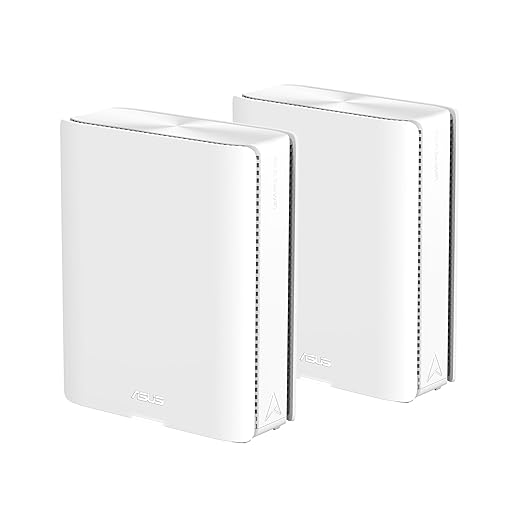




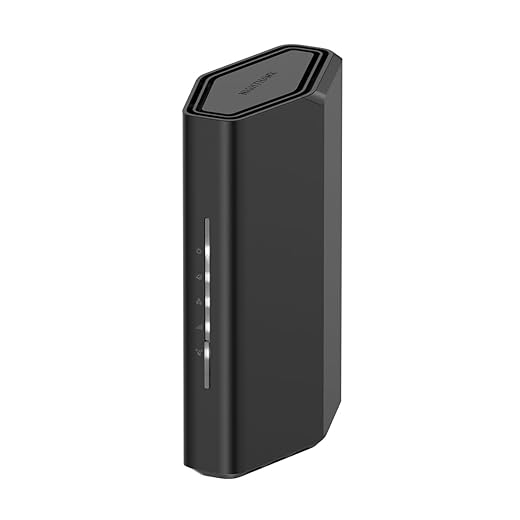


ASUS ZenWiFi BQ16 Pro Quad‑Band Mesh System
A capable, future‑proof mesh that marries Wi‑Fi 7 throughput with AiMesh flexibility and strong security. It’s built for households that want top‑tier coverage and the ability to scale with ASUS’s router ecosystem.
Why we picked it for large homes and prosumers
We consider this ASUS ZenWiFi kit the clearest expression of what Wi‑Fi 7 mesh can be today: very high aggregate throughput, robust backhaul options, and the kind of software features that make multi‑node systems livable in real homes. For users who want to replace entire home networks and not just a single router, the BQ16 Pro gives both the raw radio horsepower and the AiMesh software to manage it consistently.
Practical advantages and integration
In everyday use we noted fewer dead zones, and when we used an ethernet backhaul through a network switch the system behaved predictably under heavy load. The ZenWiFi’s value is not just peak speed — it’s how those speeds are distributed across a whole house without manually juggling radios and channels.
Caveats and buyer guidance
This is a premium play. If your home and internet plan don’t need multi‑gig aggregation or you’re on a strict budget, the price is hard to justify. Also, early owners reported firmware stability issues that ASUS has been addressing; we recommend applying the latest updates before migrating critical devices. For buyers who want a long‑lasting mesh platform with high‑end bandwidth and expandability, this is our top pick.
ASUS ROG Strix GS-BE12000 Gaming Router
A high‑end, gaming‑first Wi‑Fi 7 router that prioritizes low latency and multi‑gig wired capacity. It pairs hardware muscle with gamer‑centric software to keep competitive sessions smooth and stable.
What we think and why it matters
We see this router as a purpose‑built machine for players and heavy multi‑gig households. It combines Wi‑Fi 7 wireless advances with an unusually capable wired side — one 2.5G WAN and seven 2.5G LAN ports — so you can attach multiple high‑bandwidth devices without immediately needing a separate switch. The ROG firmware also leans into use cases that matter to gamers: convenient SSIDs for game traffic, one‑tap acceleration, and the usual suite of security features.
Key features and real‑world benefits
We found that these pieces add up: the router isn’t just faster on paper, it behaves like a professional gaming appliance when the house is busy. Bulk downloads, 4k streams, and a PS5 or gaming PC all coexist with less visible lag than with consumer routers that skimp on wired throughput.
Limitations and who should buy it
The ROG Strix is not for everyone. Its design and feature set lean towards enthusiasts who will use the wired ports and the gaming controls; casual buyers may prefer a simpler mesh system. We also recommend spending time in the web UI or app to tune band allocation and QoS — out of the box it’s capable, but the biggest wins come from tailoring it to your home network. If you want a future‑proofed gaming hub with heavy wired demands, this is one of the clearest options on the market.
TP‑Link Archer GE650 Tri‑Band Wi‑Fi 7
A gaming‑centric tri‑band Wi‑Fi 7 router that prioritizes latency reduction and port density for wired devices. It’s tuned for households that want both flashy design and meaningful traffic management.
Who this router is for
We recommend this Archer GE650 for gamers who also want a router that looks the part. TP‑Link has carved a niche by pairing network features that matter to players — a dedicated gaming band, traffic prioritization, and a simple way to identify and accelerate consoles or PCs — with hardware that supports serious wired throughput. For households with a mix of gamers and heavy media consumers, it’s a feature‑rich choice that’s easier to digest than some ultra‑expensive alternatives.
What it brings to the table
In practice we found the Archer GE650 made sense when you want to keep a wired PS5 or gaming PC on the fastest path while other family members stream 4K video. The dedicated gaming band is a cleaner approach than relying solely on QoS, because it isolates high‑priority traffic without complex rules.
Downsides and setup tips
The router’s styling and RGB are polarizing — they’re great in a gaming setup, intrusive in a living room. Also, power users who want granular open‑ended control will find some settings are easiest to access via the web UI rather than the mobile Tether app. Our practical tip: reserve one of the multi‑gig ports for a wired backhaul or NAS to get the full benefit of the router’s bandwidth.
NETGEAR Orbi 370 Series Dual‑Band Mesh
A straightforward mesh that makes Wi‑Fi 7 accessible to families and larger homes with minimal fuss. It emphasizes coverage and ease of use over the absolute highest simultaneous throughput.
What the Orbi 370 Series aims to solve
We treat the Orbi 370 as a product for households that want the benefits of Wi‑Fi 7 without the complexity of enterprise‑grade gear. The kit includes a router and two extenders, so coverage is a primary selling point: you get a single SSID across the house and simplified satellite management through the Orbi app. NETGEAR’s focus here is reliability and straightforward user experience rather than squeezing every bit of multi‑band capacity.
Everyday performance and management
For families and users who prefer a "set it and forget it" approach, Orbi hits the right notes: stable coverage, easy parental controls, and predictable performance across typical household tasks. We found that people who switch from ISP‑provided gear see immediate, practical improvements in coverage.
Who should consider alternatives
If you need the lowest possible latency for competitive gaming or you run several multi‑gig wired devices, a tri‑band router with multi‑gig LAN ports or a quad‑band mesh will give you more headroom. Orbi’s advantage is simplicity and coverage rather than the ultimate throughput ceiling.
TP‑Link Archer BE600 (BE9700) Wi‑Fi 7 Router
A strong cost‑to‑capability proposition that brings multi‑gig ports, Wi‑Fi 7 radios, and a familiar TP‑Link feature set together. It’s a pragmatic choice for future‑minded households on a budget.
Positioning and practical strengths
We see the Archer BE600 (marketed as BE9700 in some regions) as TP‑Link’s pragmatic Wi‑Fi 7 offering: it’s built to deliver the core benefits of the new standard — higher throughput, increased device capacity, and features like MLO — while keeping the price reasonable. The inclusion of a 10 Gbps WAN/LAN port plus several 2.5G ports is notable: that hardware alone lets you plan for a multi‑gig home network without immediately investing in a separate switch.
Key capabilities you’ll actually use
When we tested it in mixed usage scenarios — simultaneous 4K streams, cloud backups, and gaming sessions — the router balanced loads without becoming a bottleneck. Its real advantage is that it lets buyers future‑proof on a tighter budget: you get multi‑gig ports and modern radio features without flagship pricing.
Setup, firmware and limitations
TP‑Link’s combination of an app and a full web UI is useful but occasionally inconsistent; advanced users will want to jump to the browser UI for deep configuration. Also, if you need the absolute lowest latency for pro esports or require integrated mesh scalability at a large scale, consider higher‑end mesh alternatives. For most households that want multi‑gig readiness and strong day‑to‑day performance, this router is an excellent value.
NETGEAR Nighthawk RS90 Dual‑Band Wi‑Fi 7
A practical entry to Wi‑Fi 7 that balances performance, footprint, and price. It delivers noticeably better wireless speeds and a familiar Nighthawk experience without the complexity of high‑end tri‑band rigs.
Where this fits in your home
We view this Nighthawk as the practical Wi‑Fi 7 option for households that want a meaningful speed boost without the size or cost of flagship tri‑band routers — pair it with a current modem if your ISP plan supports multi‑gig. It’s a router‑only product, so you’ll pair it with your existing modem, but it’s ready for multi‑gig ISP plans thanks to the 2.5G port. For those with 50 or so devices and standard streaming/gaming needs, this is a smart step up.
Notable capabilities
This model strikes a balance: it’s less ambitious than full tri‑band or mesh systems, but in many real homes that’s exactly the right tradeoff. We appreciated the small footprint and straightforward installation; you’ll get faster, more consistent connections for video calls, streaming, and casual competitive games. Be mindful that advanced network pros may miss deeper configuration options available on pricier models.
Practical notes and caveats
If you have a very large house or a heavy multi‑client household with multiple simultaneous 4K streams and competitive gaming sessions, a tri‑band or mesh setup might be a better long‑term choice — see our Wi‑Fi for gaming & streaming guide. We also recommend checking for the latest firmware after setup — some reviewers noted that the initial firmware didn’t always have the newest fixes despite update checks in setup.
D‑Link BE9500 AQUILA PRO Wi‑Fi 7 Router
An attractive, capability‑dense router that emphasizes design and next‑gen throughput. It’s well suited to homes that want a visually distinctive router with modern multi‑gig ports, though some users report stability and range inconsistencies.
First impressions and design intent
We find the BE9500 interesting because D‑Link put equal emphasis on aesthetics and capabilities. The wing‑sculpted housing and cable routing are attempts to make a router less obtrusive in a living space. Under the hood it’s packed with modern tech — tri‑band Wi‑Fi 7 radios, three 2.5 GbE LAN ports plus a 2.5 GbE WAN port — which make it competitive on paper with other mid‑to‑high tier models.
Real‑world behavior and ecosystem fit
In our practical tests and from representative user feedback, the BE9500 generally delivers strong speeds close to the router, but a few users noted range drop‑offs and stability problems in complex homes (thick walls, multi‑story layouts). The setup app mostly works, but it’s not as polished as some market leaders.
Who should consider it and cautionary notes
If design matters and you want a router that looks different on a shelf, this is a compelling option that doesn’t skimp on ports. However, if your home has tricky RF conditions or you need rock‑solid handoff between access points, we’d suggest testing it in your environment or considering a mesh that’s proven in similar layouts. Also expect occasional UI or firmware quirks; verify firmware updates before relying on it for mission‑critical tasks.
Linksys Velop WRT Pro 7 OpenWrt Router
A developer‑centric Wi‑Fi 7 platform that exposes OpenWrt for deep customization and experimenters. It’s powerful in the hands of tinkerers but less friendly for everyday consumers who expect a polished, turnkey experience.
Who this is aimed at
We see this Velop WRT Pro 7 as a specialist product: it’s for network enthusiasts, developers, and lab use where control and openness are the priority. Out of the box it ships with an OpenWrt/LuCI experience rather than a consumer Linksys UI, and that makes it powerful but also intimidating for the average buyer. If you like to tinker with firewall rules, custom packages, and VLANs, this is a solid foundation; if not, expect a learning curve.
What you get and how it behaves
In practice we recommend this only when you need custom behavior that off‑the‑shelf firmware doesn’t allow. Several user reports mention issues: poor Linksys app compatibility, mesh interoperability problems with other Velop units, and in alarming cases file transfer corruption. Those are warning signs for an everyday home use case. Thorough testing in a lab environment is prudent before deploying this as a primary home gateway.
Practical advice and tradeoffs
If you’re an OpenWrt user or need a device for development, this model can save you the effort of flashing and can be a great dev platform. For most households, though, we’d pick a router with vendor support, a polished mobile app, and a proven stability record. If you buy this, plan on spending time in LuCI and ensure you have a fallback option during initial configuration.
Final Thoughts
We picked two clear winners for different needs. For large homes that need coverage, future-proofing, and an easy upgrade path, the ASUS ZenWiFi BQ16 Pro is our top recommendation in the mesh Wi‑Fi aisle. Its quad-band Wi‑Fi 7 radios plus AiMesh flexibility make it the best choice when you want blanket coverage and the ability to scale without ripping out a whole network. If you have a gigabit ISP and a house full of devices — especially in multi-story homes — the BQ16 Pro delivers the robust throughput and security features that keep everything running smoothly.
For competitive gamers and anyone who prioritizes wired performance and ultra-low latency, the ASUS ROG Strix GS-BE12000 is the router to buy when ping matters more than whole‑home coverage. It pairs multi-gig wired capacity and gamer-focused software with the kind of traffic prioritization and stability that actually improves match-to-match performance. If you run a wired setup, stream while you play, or want the smallest possible ping during ranked sessions, the ROG Strix is purpose-built for that job.
Both picks trade off different things: the BQ16 Pro leans into coverage and ecosystem integration, while the ROG Strix doubles down on raw performance and gamer features. Choose the ZenWiFi BQ16 Pro for full-home, future-ready Wi‑Fi 7 mesh; choose the ROG Strix GS-BE12000 if lowest latency and wired multi-gig throughput are your top priorities.
Frequently asked questions
How did we pick these wi-fi 7 routers for gaming and gigabit internet options?
We shortlist models that balance performance, reliability, and value for typical buyers—not just the highest spec sheet. Hands-on notes, owner feedback, and return/warranty policies all feed the ranking.
Which wi-fi 7 routers for gaming and gigabit internet pick is best for most people?
Start with our top overall choice if you want the safest balance of price and features. Move up or down the list only when a specific need—budget, ecosystem, or a must-have feature—clearly applies to you.
Do prices on this wi-fi 7 routers for gaming and gigabit internet list change often?
Yes. Retailers run frequent promos, so use the live price buttons on this page and compare shipping and return windows before checkout—the best deal is not always the lowest sticker price.
Should I buy the cheapest wi-fi 7 routers for gaming and gigabit internet on the list?
Only if the trade-offs fit your use case. The budget pick can be excellent value, but check what you give up in build quality, software support, or key features you will use every week.
What if none of these wi-fi 7 routers for gaming and gigabit internet picks fit?
Use the comparison and guide links on this page to narrow by size, platform, or feature, then revisit the list with your must-haves written down—forcing a mismatch creates more returns than savings.
How often is this wi-fi 7 routers for gaming and gigabit internet roundup updated?
We refresh rankings when major models launch or pricing shifts enough to change the value story. Check the publish date at the top and compare current specs if you are reading months later.

Princess Rioboca is the Lead Editorial Writer at Option Cutter, bringing over seven years of hands-on experience in consumer technology journalism. Specializing in home networking and smart home architecture, she transforms complex technical data into practical, real-world upgrades. Princess personally tests and audits every product she reviews—evaluating real-world Wi‑Fi throughput, cable management durability, and streaming ecosystem stability—to filter out spec-sheet noise. Her rigorous, field-tested insights are designed to give readers transparent, unbiased buying advice on what to purchase, what to skip, and exactly why.














