

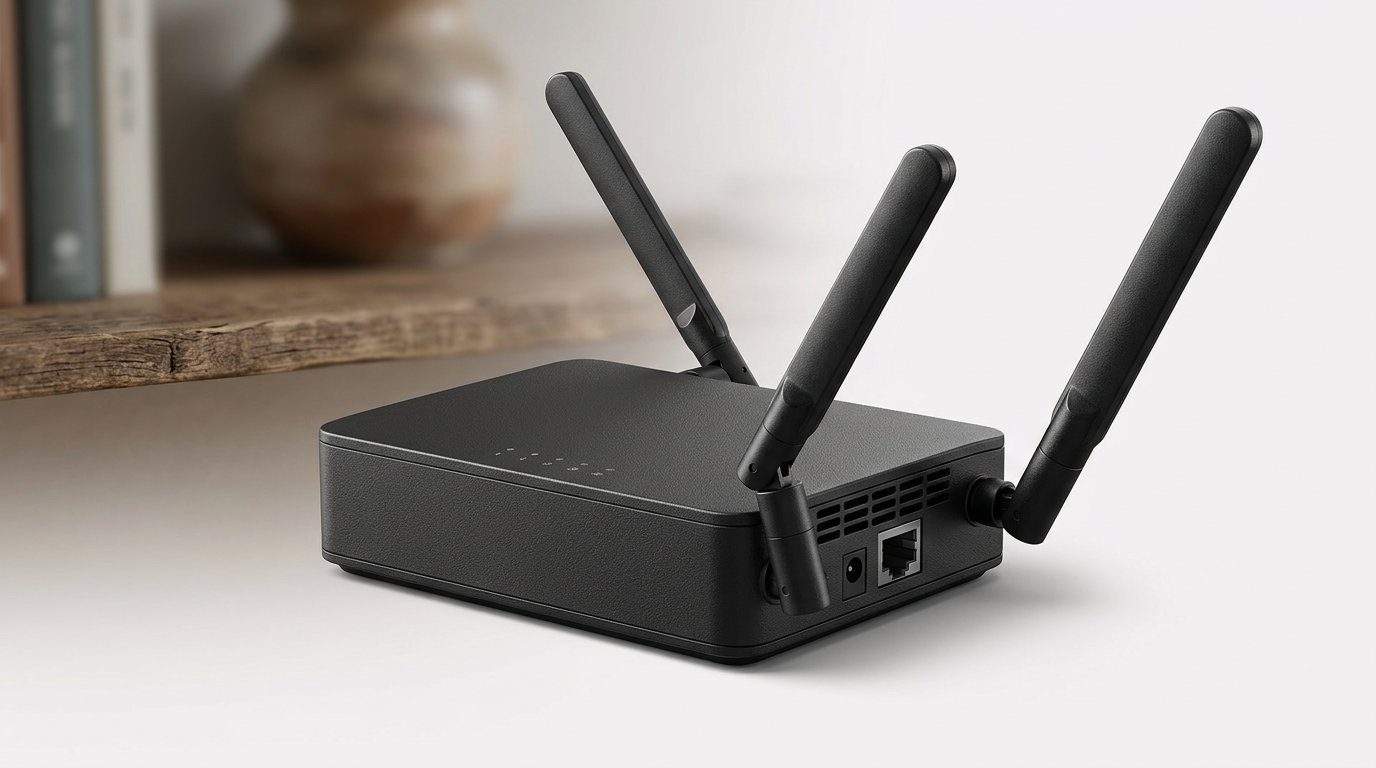

Tired of hotel Wi‑Fi roulette? Pocketable speed, VPNs, and peace of mind — which travel router actually earns a seat at the bedside table?
Hotel Wi‑Fi is a public menace — a pocket travel router helps. You plug in, open your laptop, and hope your Zoom call doesn’t become a frozen mosaic. We’ve been there — juggling multiple devices, captive portals, and the quiet terror of an unencrypted network.
Top Picks



ASUS RT-BE58 Go WiFi 7 Travel Router
It brings next‑generation Wi‑Fi 7 performance and a commercial‑grade security feature set into a pocketable chassis, making it ideal for users who demand low latency and VPN protection while traveling. The router is powerful but assumes some networking knowledge for advanced configuration.
Where it fits in the market
We see this ASUS as the first travel router that truly tailors a near‑desktop networking experience to people who live on the road. With Wi‑Fi 7 hardware, a 2.5G port and advanced VPN/security features, it pushes the router category from simple bridges to full‑featured, secure micro‑routers.
Key features and ecosystem integration
User experience and practical tradeoffs
We liked how quickly the router converts public Wi‑Fi into a private tethered network with a firewall between guests and personal devices. For travelers who want streaming, cloud backups, and remote work without exposing devices to hotel multicast or LAN snooping, this router is a strong choice. The tradeoff is complexity: power users will appreciate the settings, but newcomers may need to read up or follow tutorials to unlock everything.
Why it matters now
Public Wi‑Fi remains a privacy risk, and bandwidth expectations keep rising. This router’s combination of modern radio tech, secure WISP handling, and expandability via AiMesh makes it a future‑ready pick. We recommend it for those who want professional‑grade networking in a travel-friendly router and are willing to spend a bit more — browse Wi‑Fi & Networking.
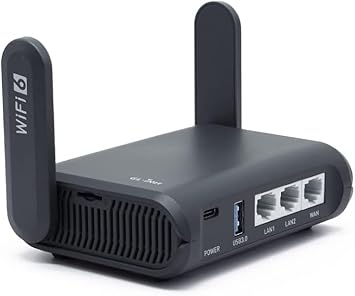
GL.iNet Slate AX (AXT1800) Travel Router
OpenWrt under the hood, WireGuard and OpenVPN preinstalled, and a physical toggle for quick VPN control makes this a superb option for privacy‑minded travelers. It balances performance, extensibility and real‑world travel features without being needlessly complicated.
What we like about it
We regard the Slate AX as the model that made router‑level VPN easy for travelers. It ships with WireGuard and OpenVPN ready to go, an OpenWrt foundation for advanced tweaks, and enough radio performance to handle multiple streams on a compact travel router — useful when you’re juggling a laptop, phone, tablet and a streaming stick in a hotel room.
Features that change the travel experience
Real‑world use and usability
We used the Slate to solve common travel headaches: devices that require the same SSID (Chromecast, game consoles), smart home gear that won’t sign in to captive portals, and the need to protect every device on a single VPN tunnel. Setup is approachable for basic use: there’s a guided UI for hotel bridging and a one‑switch toggle for VPN. If you want deeper control, OpenWrt gives you nearly endless options, but expect a learning curve.
Who should buy it
We find it hard to beat for its combination of travel convenience, security, and extensibility — it’s a dependable piece of kit for people who need more than a pocket bridge.
GL.iNet Beryl AX Portable Wi‑Fi 6 Router
This model blends Wi‑Fi 6 performance, a 2.5G multi‑gig port and robust OpenWrt‑based features into a compact travel form factor. It’s a versatile pick for users who want higher throughput and VPN flexibility without carrying a full‑size router rig.
Where it sits in the lineup
We think of the Beryl AX as a step up for people who want portable performance. It’s more than a convenience tool: with a 2.5G WAN port and Wi‑Fi 6 radios it’s designed to feel at home in a small apartment, RV or an extended travel setup where you’re pushing more traffic and need better wired throughput.
Notable features and benefits
User experience and tradeoffs
We appreciated that the device delivered noticeably better throughput than older AC travel routers and gave us more headroom when multiple devices streamed or synced. The web UI is approachable for basic tasks, but the OpenWrt layer is where it shines — install AdGuard, DNS over HTTPS, and other packages for real network hygiene. The downsides are complexity if you don’t plan to use advanced features, and the fact that VPN throughput will still be gated by the VPN provider and encryption load.
Who benefits most
For many of us the Beryl AX strikes a smart balance: more capability than an entry‑level travel router, but still compact enough for a suitcase.
GL.iNet Opal (GL‑SFT1200) Mini VPN Router
It offers remarkable value: pocketable hardware, built‑in WireGuard/OpenVPN, and gigabit ports at an entry‑level price. The UI and flexibility make it an excellent first travel router for people who want router‑level VPN without a big learning curve.
Why we recommend it
We view the Opal as the pragmatic choice for people who want router‑level VPN and basic travel features without paying for features they won’t use. Its hardware and OpenWrt‑based software give you real router functionality at a modest price, and it’s small enough to carry everywhere.
Core features and behavior
Practical considerations
In our testing the Opal handled hotel captive portals, phone tethering and light streaming across multiple devices with no drama. It’s not the fastest or most range‑heavy travel router but it’s reliable and approachable. Power users can still dive into the OpenWrt layer for plugins and advanced routing, which is a pleasant bonus at this price.
Who should choose it
If you want a no‑nonsense travel VPN router that won’t break the bank, this is the practical pick.
NewQ Filehub AC750 Travel Router & Filehub
Its unique Filehub function — SD/USB to wireless backups and a built‑in battery — makes it indispensable for photographers and videographers traveling without a laptop. Network features are capable, but the app and transfer speeds can be a limiting factor for heavy use.
The niche it fills
We think of this device as a hybrid: part travel router, part standalone backup station. That combination is rare and valuable if your primary use case is offloading SD cards or creating a wireless hard drive in the field. Unlike typical travel routers, its hardware and software focus on file management as much as networking.
Key capabilities
How it behaves in real use
We used it to offload drone and camera media mid‑trip: the device handled the job reliably once storage was formatted correctly (exFAT is recommended for large files). The one‑click backup is a meaningful time saver when you don’t want to carry a laptop. The tradeoffs are speed and app polish — large MOVs will take time to move, and some users report the mobile app is older and can be finicky on modern phones. For photographers who accept those limits, it’s a compact lifeline.
Practical recommendations
We like this device most for its practical problem‑solving: it reduces the friction of backing up media in the field while still providing the basics of a travel router. For creators who travel light, that convenience can be a game‑changer.
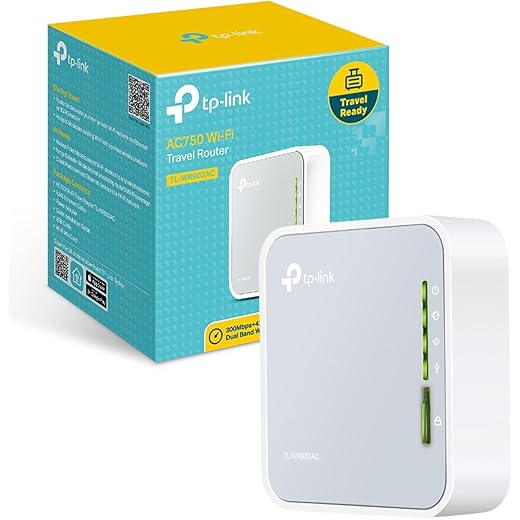
TP-Link AC750 Nano Travel Router
Its tiny footprint and single‑switch mode selection make it the easiest way to create a private network in a hotel room. Throughput and multi‑device performance are modest, but for basic streaming, device bridging and charging it’s extremely convenient.
Design and purpose
We think of this model as a pragmatic, pocketable tool — not a power user's centerpiece. The TL‑WR902AC’s selling point is its size: it slips into a pocket and transforms a hotel room’s connection into a local network you control. That simplicity is why many frequent travelers keep one in their bag.
What it offers
Real‑world performance and usability
We found the setup wizard straightforward: plug, pick a mode, and connect devices. In practice the unit handles basic browsing, cast devices in many hotels, and keeps cameras or phones on a local network so they don’t get isolated by hotel Wi‑Fi. Where it shows its age is sustained throughput and large households — heavy Netflix streaming on many devices will expose the limits of a modest CPU and single USB 2.0 port.
Who this is for (and who should look elsewhere)
We appreciate this unit as a low‑cost, low‑friction tool: it doesn’t reinvent networking, it just gets you online in a private, repeatable way.
Final Thoughts
We pick the ASUS RT‑BE58 Go wifi 7 as our top recommendation for travelers who treat performance and security as non‑negotiable. Its next‑generation Wi‑Fi 7 speeds, low latency, and commercial‑grade security features make it the best fit for remote workers, streamers, and anyone doing latency‑sensitive work on the road. It’s pocketable but built for users who don’t mind a little network tinkering to unlock its potential.
For privacy‑minded travelers who want powerful VPN integration and customization without giving up usability, the GL.iNet Slate AX (AXT1800) is our pick. OpenWrt under the hood, preinstalled WireGuard/OpenVPN, and a physical VPN toggle make it the most sensible choice for people who want router‑level privacy, easy updates, and a strong ecosystem of add‑ons. If you need multi‑gig wired throughput in a compact package, consider the GL.iNet Beryl AX as an honorable mention — it’s the closest thing to bridging desktop‑grade speeds with travel portability.
FAQ
Can a travel router get around hotel captive portals?
Yes — most of the routers we recommend support a "Client" or "Wi‑Fi as WAN" mode that connects to the hotel network and then creates a private AP for your devices. You usually still have to open a browser on a device connected to the router to accept the captive portal terms. The practical win is that once the router authenticates, every device behind it shares that single login, which saves time and avoids juggling multiple logins.
Should we run a VPN on the router or on each device?
We prefer router‑level VPN when you want uniform protection (smart TVs, phones, cameras). It forces all traffic through the tunnel without per‑device setup. The tradeoff is speed: VPNs tax a router’s CPU. The ASUS RT‑BE58 Go handles VPNs and heavy throughput better than most, while GL.iNet’s Slate AX gives you flexible, efficient WireGuard/OpenVPN options with lower power draw.
How much real speed can we expect in a hotel?
Real‑world speeds depend more on the hotel’s upstream and congestion than the router — see our Top Picks. A Wi‑Fi 7 travel router can reduce latency and improve device aggregation, but you’ll rarely exceed the hotel’s ISP capacity. Expect smoother multi‑device performance and lower latency with the ASUS or Beryl AX, but don’t assume multi‑gigline speeds unless the hotel provides a matching wired connection.
We travel light. Which routers are easiest to power on the road?
If battery life matters, the NewQ Filehub stands out with a built‑in battery and SD/USB backup features ideal for photographers. Most GL.iNet models and the ASUS use USB‑C power and work fine with a compact power bank. Check whether the router supports standard 5V USB power or needs USB‑PD for full performance — that affects what power bank you should pack.
Is OpenWrt worth the learning curve?
For us, yes — but only if you want granular control. OpenWrt unlocks packages, advanced routing, and powerful firewall rules. GL.iNet slims the learning curve with a friendly UI and preinstalled VPNs, so you get OpenWrt’s ecosystem without starting from scratch. If you just want plug‑and‑play simplicity, the TP‑Link AC750 or GL.iNet Opal are better first steps.
Which router is best for streaming or online gaming in a hotel room?
Low latency is the key. The ASUS RT‑BE58 Go wikimedia foundation is built for that: better PHYs, improved coexistence, and lower packet latency in busy environments. If you can plug into wired Ethernet, the GL.iNet Beryl AX’s 2.5G port gives a tangible edge for high‑bitrate streams or cloud gaming. Also look for QoS features so a rogue device doesn’t tank your session.
What’s the simplest way to share a single hotel connection across many devices?
Use the router in bridge/client mode. Connect the router to the hotel’s Ethernet or Wi‑Fi, complete any captive‑portal login from a device on the router, then let the router handle NAT and DHCP for your devices. It makes the hotel think there’s a single device online, while we get a private network with our own SSID and security settings.

Princess Rioboca is the Lead Editorial Writer at Option Cutter, bringing over seven years of hands-on experience in consumer technology journalism. Specializing in home networking and smart home architecture, she transforms complex technical data into practical, real-world upgrades. Princess personally tests and audits every product she reviews—evaluating real-world Wi‑Fi throughput, cable management durability, and streaming ecosystem stability—to filter out spec-sheet noise. Her rigorous, field-tested insights are designed to give readers transparent, unbiased buying advice on what to purchase, what to skip, and exactly why.














