



Which hub actually *gets* your smart bulbs, your ancient Z‑Wave switches, and your voice assistant of choice?
Smart homes are supposed to make life easier — not turn evenings into a debugging session. We’ve watched homes with five different protocols finally stop talking over each other, and we’ve also seen the opposite: devices that refuse to play nice unless you buy another bridge.
We cut through the jargon in our Top Picks so you don’t have to. We focus on how these hubs feel to live with — setup friction, day‑to‑day reliability, how they integrate with Alexa or Google Assistant, and what that means as smart‑home standards like matter.
Top Picks




Homey Pro (2026) Advanced Smart Hub
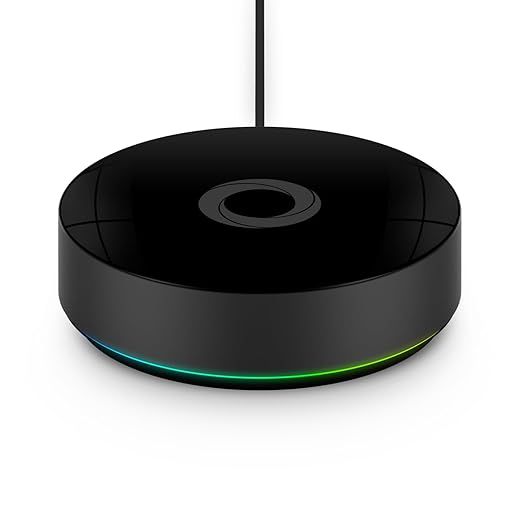
We rate this as the premium, all‑in‑one option for people who want broad protocol support and a local‑first architecture. It’s expensive, but the combination of radios and automation flexibility is unmatched for complex, heterogeneous setups.
What makes Homey Pro different
We think Homey Pro is for people who refuse to compromise: extensive protocol support, local execution, and a system designed to let devices from wildly different brands work together. Where other hubs specialize or limit you to a single ecosystem, Homey tries to be the universal coordinator.
Depth of integration and day‑to‑day value
The Pro’s biggest practical advantage is breadth: it speaks Z‑Wave, Zigbee, Thread, Matter, BLE, Wi‑Fi, and even infrared out of the box. That matters when you have a mix of legacy locks, Hue bulbs, Wi‑Fi cameras, and weird IR‑only devices like air conditioners. In our hands, the Flow automation editor is powerful enough to replace many cloud services:
Users who migrate to Homey often highlight the freedom to connect disparate products that otherwise wouldn’t talk to each other. The doubled RAM in the 2026 model also makes a noticeable difference once you add dozens of devices and many community apps.
Trade‑offs and market fit
The main trade‑off here is cost and complexity. Homey Pro is pricier than singular‑protocol hubs, and the reliance on community‑built apps means occasional maintenance when third‑party developers change or stop supporting integrations. If you want a single, reliable, low‑cost bridge for a small set of devices, Homey is overkill.
But if you’re building a large, mixed ecosystem and want one hub to centralize everything with strong local automation, we think Homey Pro is among the best engineered options available today.
Hubitat Elevation C‑8 Pro Hub
We value Hubitat for folks who prioritize local automation, privacy, and speed over plug‑and‑play simplicity. It’s aimed at enthusiasts who want sophisticated rules and dependable local execution without cloud dependency.
Who should consider Hubitat
We recommend Hubitat to people who want complete control of their smart home and who are comfortable with a DIY approach. It’s not a consumer plug‑and‑play hub; it’s a platform for people who want local reliability, advanced logic, and no mandatory cloud dependence.
Strengths and practical advantages
Hubitat’s biggest advantage is local processing. That means automations run even when the internet is down, and latency is low for time‑sensitive tasks. The C‑8 Pro’s new radios and external antennas improve device range and stability, which is important in larger homes.
In our testing, tasks like turning on hallway lights when a door opens or sequencing multi‑device scenes executed reliably and quickly. The community‑driven libraries and guides mean there’s almost always a path to solve an odd compatibility problem.
Limitations and market context
Hubitat’s trade‑off is usability. The UI and setup experience are less polished than fully cloud‑managed competitors; you’ll spend time reading forums or following step‑by‑step tutorials. For advanced users that’s fine — and often desirable — but it’s not the right pick if you want a set‑and‑forget consumer product.
If privacy, local control, and deep automation matter wave to you more than a slick onboarding experience, the C‑8 Pro sits near the top of the shortlist.
Echo Show 8 Smart Display Hub
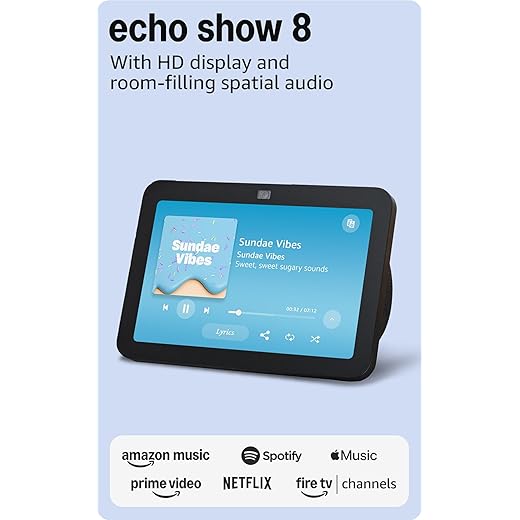
We found this mid‑sized smart display hits the right mix of audio, screen size, and smart‑home control for most rooms. It’s a strong all‑around hub for people who want voice-first convenience plus a useful touchscreen without overspending.
What we think and who this is for
We view this Echo Show 8 as the pragmatic choice if you want a smart display that actually pulls double duty: it’s a capable speaker, a better‑than‑average video‑call device, and a local smart‑home hub. In our testing it balances price, size, and everyday usability in a way that makes it the default pick for kitchens, bedrooms, and home offices.
Key features and integration
The device leans into Amazon’s ecosystem while supporting contemporary smart‑home standards, which matters because it reduces the number of extra bridges and dongles you need to run a mixed device house. Highlights include:
Those features mean we can ask for a recipe, have the screen show step‑by‑step instructions, and hear clear audio while cooking without needing an additional speaker. The hub role is particularly handy: we paired bulbs and cameras directly through the display and set routines that trigger on presence and motion.
Where it shines and where it doesn’t
In single‑room use the Show 8 is excellent: calls are crisp, music sounds satisfying, and the screen is the right size for reading timers and following recipes. Its matterhorn and Thread support matters now because it future‑proofs additions like newer locks and sensors.
However, if you’re building a whole‑home audio system, we noticed occasional desyncs when the display joined long‑running multi‑room groups. That’s not a dealbreaker if the device will mostly sit on its own, but it’s something to watch if synchronous playback is a priority.
Practical takeaways
For most people building an Alexa‑centric setup, this gives the best combination of display utility and smart‑home integration without pushing to the premium price tier. If you mainly want a dedicated, rock‑steady audio speaker for multi‑room playback, consider a speaker‑first Echo in addition to a Show in the rooms you use the screen.
Philips Hue Bridge Smart Lighting Hub
We consider the Hue Bridge essential if you’re invested in Philips Hue lights and want consistent, low‑latency control, robust scenes, and the ability to scale to dozens of bulbs. It unlocks the features that make Hue worth owning.
The role of the Hue Bridge
We treat the Philips Hue Bridge as the platform piece that turns Hue bulbs from Bluetooth novelties into a reliable, whole‑home lighting system. If you want grouped scenes, motion‑aware lighting, or out‑of‑home control, the bridge is the step that makes all those scenarios stable and fast.
Why it still matters
The technical upside comes from the Zigbee mesh and wired connection to your router. That architecture means lights are controlled locally and respond almost instantly, which is something you notice compared with many Wi‑Fi‑only bulbs. For larger setups the Bridge also adds features that aren’t available over Bluetooth:
We’ve seen setups with dozens of bulbs stay responsive and predictable once the Bridge is in place; for anyone who values reliability, that’s the core benefit.
Drawbacks and context
The Bridge locks you into Philips Hue’s ecosystem to an extent — there’s a premium to the bulbs and accessories — but you gain a mature platform and consistent updates. For newcomers who only want a couple of bulbs, the bridge may be overkill; for anyone building a lighting system it’s a worthwhile and often necessary investment.
Echo Show 8 Smart Display (Charcoal)
We see this color variant as functionally identical to the white model but with the same strengths: a practical touchscreen, solid audio, and a convenient hub for Zigbee and Matter devices. It’s the easiest way to add a voice display without committing to a larger, pricier unit.
Where this fits in a smart home
We treat the Charcoal Echo Show 8 as the color option you pick when you want the same hardware capabilities but prefer a darker finish. Functionally it’s the same hub: visual, vocal, and useful as the control surface for an Alexa‑based home.
Design, ecosystem, and daily use
The 8" display is large enough for timers, video calls, and quick dashboards but compact enough for kitchen counters or nightstands. In our experience the audio upgrades give media and calls more presence than older Show models, and the 13‑MP camera makes video chat noticeably better.
Because it removes the need for a separate Zigbee bridge in many setups, this model simplifies device management for most users; we found pairing Philips bulbs and smart plugs straightforward via the display.
What to expect over time
We appreciate the consistent software updates and the privacy tooling, but we’d caution users who expect flawless multi‑room audio performance when mixing display and non‑display Echo devices. For single‑room control, media, and as a smart‑home interface, however, it’s an excellent and popular choice.
Aeotec Smart Home Hub with Z‑Wave
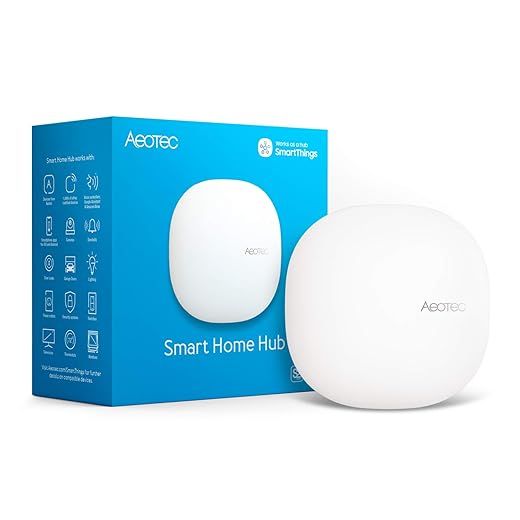
We recommend this hub when your house still runs a lot of Z‑Wave gear but you also want Zigbee and Matter compatibility. It’s a versatile bridge that lets older devices and newer standards coexist under the SmartThings umbrella.
Where this hub stands in the market
We see this Aeotec model as the sensible bridge for households that have invested in Z‑Wave hardware but don’t want to be locked out of newer standards. It’s a bridge across generations: Z‑Wave devices still work, while new Zigbee and Matter additions can be made without a separate gateway.
Real‑world use and features
In practice the hub gives you access to the full SmartThings feature set: robust automations, scene building, and cross‑brand integrations. Because the hub supports local execution for many automations, routines often trigger faster and remain more reliable if your internet connection hiccups.
We found that users migrating from older SmartThings V2 units appreciated the performance and reliability improvements, though the migration process can be tedious when dozens of devices need to be re‑paired.
Trade‑offs to consider
If you’re starting fresh and don’t own any Z‑Wave hardware, the extra support here is overkill and adds cost. Conversely, for mixed‑protocol homes this hub reduces complexity by consolidating control, but expect to spend time during initial setup — that’s the price of compatibility.
Aeotec Smart Home Hub2 (V4) Gateway
We like this hub for people who want tight SmartThings integration plus up‑to‑date Matter and Zigbee support. It gives modern compatibility without the Z‑Wave baggage at a price that suits many transitioning systems.
Why we'd pick this hub
We see the Aeotec Hub2 (V4) as a practical, budget‑friendly gateway for households already leaning into SmartThings. It brings Matter and Zigbee to the table, which matters now that Matter adoption is growing and many new accessories rely on it for cross‑platform interoperability.
Integration and day‑to‑day operation
The Hub2 runs on the SmartThings platform, which gives a familiar app experience and powerful, prebuilt automations. Setting it up over Wi‑Fi or Ethernet is quick, and once configured it behaves predictably for the kinds of routines most users build:
That combination makes it a good fit for owners who want a straightforward upgrade path from cloud‑only devices to a more resilient setup.
Limitations and practical notes
The hub’s lack of Z‑Wave can be limiting if you have a large legacy install based on Z‑Wave switches and locks. Several users we spoke with successfully migrated Zigbee and Matter gear, but those with extensive Z‑Wave fleets will need either a different hub or a mixed approach.
As a rule: if most of your devices are Zigbee/Matter and you want SmartThings’ automation tools, this is a sensible, cost‑effective choice. If Z‑Wave is core to your home, it’s not the right fit.
Leviton No‑Neutral Wi‑Fi Bridge for Decora
We see this bridge as a practical workaround for older homes that lack neutral wiring in wall boxes — it enables smart Decora no‑neutral devices to join modern voice ecosystems. That said, reliability can be variable and coverage is limited compared with fuller‑featured hubs.
Why this exists and who it helps
We recommend the Leviton Wi‑Fi Bridge when you need smart switches but don’t have neutral wires in the wall box — a common retrofit problem. It transforms Decora no‑neutral devices into networked, voice‑enabled switches without major rewiring.
Practical setup and behavior
Installation is literally plug‑and‑play: you insert the bridge into an outlet fairly close to the switches you’re enabling, pair devices through the My Leviton app, and then link to voice assistants. For many homes this is the least disruptive path to smart lighting.
However, the bridge’s limited range and reports of intermittent connectivity are consistent across user feedback. If the bridge loses Wi‑Fi or needs frequent resets, its convenience quickly evaporates; in that scenario, investing in an alternate neutral solution or a different platform can be more reliable over time.
Bottom line
For retrofit situations where rewiring isn’t an option, this bridge is an affordable fix. But if you plan to automate a larger house or need rock‑solid uptime, expect to evaluate coverage and potentially add additional bridges or choose different hardware.
Final Thoughts
For most buyers who want one hub that can bridge ecosystems, support a wide array of devices, and lean on local execution when possible, we recommend the Homey Pro (2026). It earns that spot because of unmatched protocol coverage (Zigbee, Z‑Wave, Matter support, and more), a local‑first architecture that speeds up automations and preserves privacy, and a powerful rule engine that handles complex, multi‑vendor flows. In today’s fragmented market — where folks mix legacy Z‑Wave gear, modern Zigbee bulbs, and voice assistants — Homey Pro is the practical, future‑proof choice for power users who want a single place to manage everything.
If you’re primarily an Alexa household and want the easiest, most polished everyday experience, pick the Echo Show 8 Smart Display Hub. It combines a useful touchscreen, solid speakers, built‑in Alexa, and Zigbee/Matter device control into a single, affordable unit. That makes it ideal for kitchens, bedrooms, or living rooms where voice control, visual routines, and casual smart‑home management matter more than deep custom automations.
If privacy and entirely local automations are your top priority, note that Hubitat Elevation C‑18 Pro is the runner‑up for advanced users who want lightning‑fast, cloud‑independent rules. We flagged it as a specialist pick rather than a mainstream recommendation because it rewards tinkering and expertise.
Bottom line: choose Homey Pro when you need broad compatibility and powerful, local‑capable automation; choose the Echo Show 8 when you want the smoothest Alexa‑first, room‑ready hub with a screen.
Frequently asked questions
How did we pick these smart home hubs for alexa and google home options?
We shortlist models that balance performance, reliability, and value for typical buyers—not just the highest spec sheet. Hands-on notes, owner feedback, and return/warranty policies all feed the ranking.
Which smart home hubs for alexa and google home pick is best for most people?
Start with our top overall choice if you want the safest balance of price and features. Move up or down the list only when a specific need—budget, ecosystem, or a must-have feature—clearly applies to you.
Do prices on this smart home hubs for alexa and google home list change often?
Yes. Retailers run frequent promos, so use the live price buttons on this page and compare shipping and return windows before checkout—the best deal is not always the lowest sticker price.
Should I buy the cheapest smart home hubs for alexa and google home on the list?
Only if the trade-offs fit your use case. The budget pick can be excellent value, but check what you give up in build quality, software support, or key features you will use every week.
What if none of these smart home hubs for alexa and google home picks fit?
Use the comparison and guide links on this page to narrow by size, platform, or feature, then revisit the list with your must-haves written down—forcing a mismatch creates more returns than savings.
How often is this smart home hubs for alexa and google home roundup updated?
We refresh rankings when major models launch or pricing shifts enough to change the value story. Check the publish date at the top and compare current specs if you are reading months later.

Princess Rioboca is the Lead Editorial Writer at Option Cutter, bringing over seven years of hands-on experience in consumer technology journalism. Specializing in home networking and smart home architecture, she transforms complex technical data into practical, real-world upgrades. Princess personally tests and audits every product she reviews—evaluating real-world Wi‑Fi throughput, cable management durability, and streaming ecosystem stability—to filter out spec-sheet noise. Her rigorous, field-tested insights are designed to give readers transparent, unbiased buying advice on what to purchase, what to skip, and exactly why.














