
Need more screen, not more suitcase? Portable monitors that actually survive travel and make work feel less cramped.
We travel light, but we work heavy. One extra screen can turn a cramped airplane tray or a tiny hotel desk into a productive workspace.
Remote work is no longer just about portability. We care about good stands, useful aspect ratios, reliable power delivery, and real-world color. Tiny details—16:10 layouts, touch input, and 60W passthrough—actually change the day-to-day experience.
Top Picks



Lenovo ThinkVision M14t Gen2 Touchscreen
The Gen2 touch model raises the bar for portable monitors by blending higher resolution, a 16:10 aspect ratio, and a capable touch layer. It’s a strong choice for professionals who want laptop-like interaction on a compact external screen.
What is different about Gen2
We see the M14t Gen2 as a step up for users who want a more laptop-like experience outside their main machine. The taller 16:10 aspect ratio and higher resolution give you noticeably more vertical space for documents and code. For anyone who spends their day in text-heavy apps, that extra space changes how much you can do without constant scrolling.
Workflow and ecosystem notes
The touchscreen makes annotation, presentations, and UI navigation more natural — particularly on Windows devices where touch is well supported. We recommend this to designers who need quick markup capability and to consultants who demo work to clients on the go. It’s a premium alternative to the usual non-touch portable monitors and worth the extra cost if touch adds to your workflow.
Practical trade-offs
The extra resolution and touch electronics add cost and a bit of weight compared with basic models. Also, macOS touch support is limited, so if you’re primarily a Mac user the touch layer is less valuable. Still, for mixed Windows/mobile workflows, the Gen2 is among the most compelling portable monitors available.
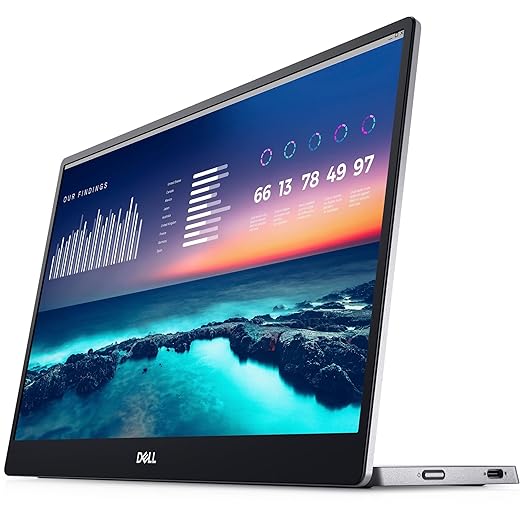
Dell C1422H 14" FHD Travel Monitor
This Dell unit prioritizes refined design, consistent performance, and serviceability — qualities that matter when you depend on a travel monitor for client work. The combination of low weight, thoughtful stand, and Dell’s support makes it a safe choice for professionals.
Why it’s popular with professionals
We often recommend this Dell for people who want a worry-free travel monitor. The continuous tilt stand is more useful than folio covers because it provides stable, adjustable angles. Combined with the single-cable workflow and ComfortView eye-care features, it’s set up for long days on the road.
Design, support, and real-world use
Dell’s focus on ergonomics and serviceability shows: the monitor pairs cleanly with business laptops and its warranty/advanced-exchange options are meaningful for enterprise users. We found it especially comfortable for long document and spreadsheet sessions, and the panel holds up well under different lighting conditions.
Considerations and alternatives
If you want the maximum image fidelity for content creation, there are portable options with wider color gamut at higher price points. But for most remote workers, consultants, and attorneys who value reliability and low-friction setup, this monitor is an excellent all-around pick.
ViewSonic 15.6" VG1655 Powered Portable Monitor
The combination of 60W USB-C power delivery, a premium aluminum build, and a built-in stand makes this a standout for users who want fewer adapters and reliable power passthrough. It’s an excellent fit for users who run heavier laptops or need a tidy single-cable desk while traveling.
Why the power delivery matters
We like this ViewSonic because it addresses a small but meaningful pain point: managing power and peripherals in transit. The 60W passthrough means many laptops can remain charged while driving the monitor, so you avoid juggling multiple chargers and hubs. For consultants and road warriors who rely on consistent uptime, that capability matters.
Design and support considerations
The VG1655’s premium enclosure gives it a reassuring feel that holds up to regular travel, and ViewSonic’s three-year warranty is a practical differentiator if you depend on the device for client work. Pairing it with a power brick that supports PD simplifies workflows for Mac, Windows, and USB-C–capable phones.
Limitations and competitive context
It’s not the thinnest option you can buy — we pay a modest weight and thickness penalty for better build and power delivery. Compared with cheaper alternatives you’ll pay more up front, but for people who value integrated power delivery, a sturdier build, and longer support, the tradeoff is often worth it.
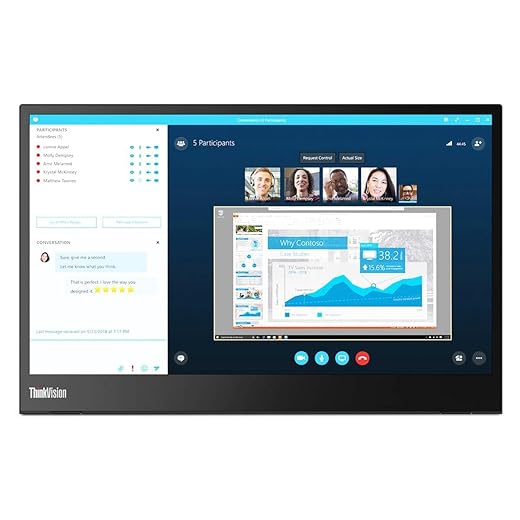
Lenovo ThinkVision M14 14" Portable Display
It combines a compact footprint, solid brightness, and dual USB-C ports in a package that feels intentionally designed for business travelers. The M14 is the most well-rounded portable monitor for people who need consistent performance and a thoughtful physical design.
Why we recommend it
The ThinkVision M14 stands out because it nails the ergonomics and compatibility that mobile professionals actually use. Two USB-C ports (one on each side) make it easier to integrate into modern laptop setups, and the tilt-adjustable profile gives you control over angles without bulky stands. For us, that combination matters more than a spec-sheet chase.
Design, ecosystem, and workflow
Lenovo has thought about how people work on the road: light carry weight, quick setup, and predictable behavior with business-class laptops. The pass-through and dual-port design simplifies cabling when your laptop has only one free port. We found it integrates cleanly with Windows and Mac devices, and it’s a sensible fit for clinicians, analysts, and anyone who needs reliable extra screen real estate on short trips.
Comparisons and limitations
Compared with some 15.6" alternatives you give up a little screen area, but you gain portability and easier placement in smaller bags. It’s not targeted at photo or video professionals who need extreme color fidelity, but for spreadsheets, code, and multitasking it’s one of the best-balanced options in this class.
ASUS 15.6" ZenScreen Ultra-Portable
This model nails the core promise of a travel monitor: light, thin, and simple to set up with a single USB-C connection. Its design and reliable compatibility make it a practical daily companion for people who need extra screen space on the road.
What we like and why it matters
We appreciate this ZenScreen for delivering the essentials of a travel monitor without fuss. The hybrid-signal approach and USB-C single-cable convenience means fewer dongles and faster setup in hotels, coffee shops, or client sites. For people who frequently move between workstations, that simplicity saves time and reduces friction.
Design and daily use
The unit’s award-winning slim profile and light weight make it an unobtrusive addition to a travel kit. We found the included smart cover / stand works well for most desk situations, and the option to prop it with a pen or tripod screw thread adds practical flexibility. It's the kind of accessory you don’t notice until you need it — then it becomes indispensable.
Limitations and who it’s for
This is not the monitor to buy for color-critical editing or gaming; the panel is tuned for general use rather than studio-level reproduction. But for remote work, spreadsheets, extra browser windows, and presentations, it hits the right balance between portability, image quality, and price. Compared with cheap generic alternatives, it’s noticeably better built and more dependable over time.
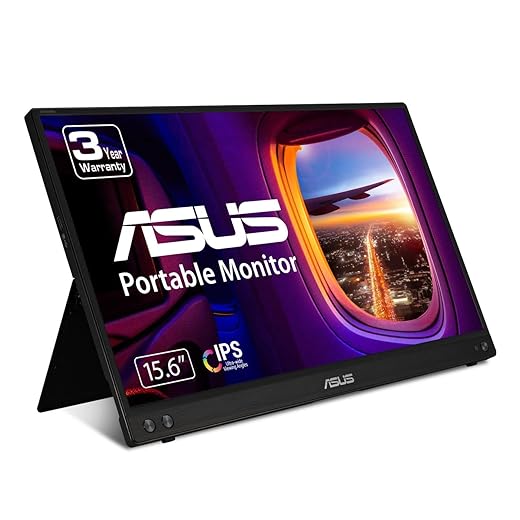
ASUS 15.6" MB16ACV Kickstand Monitor
Its kickstand design and hybrid USB-C connection make this a workhorse for mobile professionals who want reliability at a modest price. It strikes a pragmatic balance of portability, brightness, and plug-and-play behavior for meetings and travel.
Where this model fits in the market
We regard this MB16ACV as a practical choice for people who want a dependable secondary display without the premium price of high-end portable panels. Its kickstand is a more robust, everyday solution than some folio-style covers, which matters when you’re setting up at a coffee shop or temporary workspace.
Real-world use and ecosystem
In our testing the monitor is straightforward: plug in USB-C and extend the desktop. For modern laptops and many phones that support USB-C alt-mode the experience is seamless; for older systems, the included adapters make the MB16ACV usable with legacy ports. The unit’s brightness and viewing angles are tuned for productivity, making it suitable for long calls, documents, and web work.
Trade-offs to be aware of
If you prioritize cinema-level contrast, HDR, or professional color work, this isn’t the device for you. The trade-off is clear: you get a thinner, lighter package with good real-world ergonomics at the expense of top-tier panel technology.
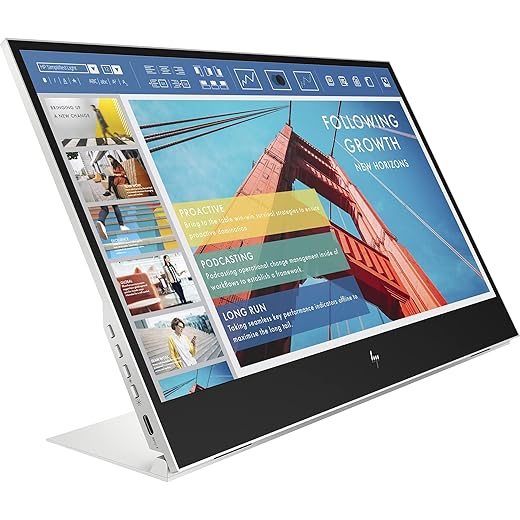
HP E14 G4 14" USB-C Portable Monitor
This HP model gives you a conventional portable monitor experience at a reasonable price and with features that cover common remote-work needs. It’s a straightforward alternative for budget-conscious users who still expect IPS viewing angles and decent brightness.
The HP position in the lineup
We consider the HP E14 G4 a practical value play for organizations outfitting staff with a basic mobile second screen. Its IPS panel delivers the viewing angles we expect, and the included USB hub features can simplify desk setups when you’re short on ports.
Everyday usability
For remote sessions, extra editor windows, and side-by-side documents, the HP is capable and undemanding. It’s not attempting to be the flashiest or brightest model in the category; instead, it’s configured to do the routine tasks reliably. That makes it useful for teams where consistency and budget both matter.
Limitations to keep in mind
If you frequently work outdoors, demand very high brightness, or color-accurate panels for creative work, the E14 G4 won’t satisfy those needs. But for standard productivity and simple multi-screen workflows, it’s a sensible, lower-cost option.
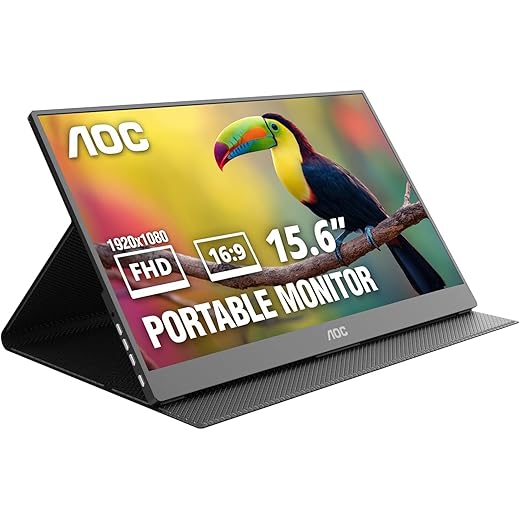
AOC 15.6" 16T20 Travel-Friendly Display
This AOC is a good pick for shoppers who prioritize price and basic functionality over the last bit of color fidelity. It covers the essentials—USB-C power/video, mini HDMI, and a smart cover—making it a pragmatic choice for occasional travelers or students.
Who should consider this model
We recommend the AOC 16T20 to people who want an extra screen without spending much. It’s particularly compelling for students, hobbyists, and travelers who need an occasional second display or a compact game/console companion.
Use cases and practical notes
The monitor’s larger 15.6" surface gives more working area than typical 14" options, which is valuable for multitasking. It also supports inexpensive console or phone setups via HDMI or USB-C, which increases its flexibility. In everyday use we found it performed well for web work, reading, and light media consumption.
Trade-offs for the price
The trade-off is that color and peak brightness are not on par with premium models, and some included accessories (like short USB-C cables or a basic stand) can feel under-specified. For its price bracket, though, it’s a compelling, utilitarian offering.
Final Thoughts
For professionals and power users who want laptop-like interaction on the road, we recommend the Lenovo ThinkVision M14t Gen2 Touchscreen. Its higher resolution and 16:10 aspect ratio give you more vertical space for documents and code. The responsive touch layer turns the monitor into a pseudo-laptop when you need it, and the refined industrial design keeps the unit light and durable. In today’s market, that combination matters because content creation and multitasking are moving beyond simple second-screen needs—touch and extra vertical real estate let you work more naturally away from your desk.
If your priority is a tidy, single-cable travel setup with true power convenience, the ViewSonic 15.6" VG1655 is our pick. The 60W USB-C power delivery and robust aluminum build let you run heavier laptops and keep cables minimal. That matters for anyone who wants a hotel‑room desk that looks and behaves like a proper workstation without hauling a separate power brick.
Honorable mention: if you want vendor-backed reliability and the most conservative, serviceable choice for client work, the Dell C1422H is the go‑to option—its thoughtful stand and Dell support make it the professional’s safety net.

Chris is the founder and lead editor of OptionCutter LLC, where he oversees in-depth buying guides, product reviews, and comparison content designed to help readers make informed purchasing decisions. His editorial approach centers on structured research, real-world use cases, performance benchmarks, and transparent evaluation criteria rather than surface-level summaries. Through OptionCutter’s blog content, he focuses on breaking down complex product categories into clear recommendations, practical advice, and decision frameworks that prioritize accuracy, usability, and long-term value for shoppers.