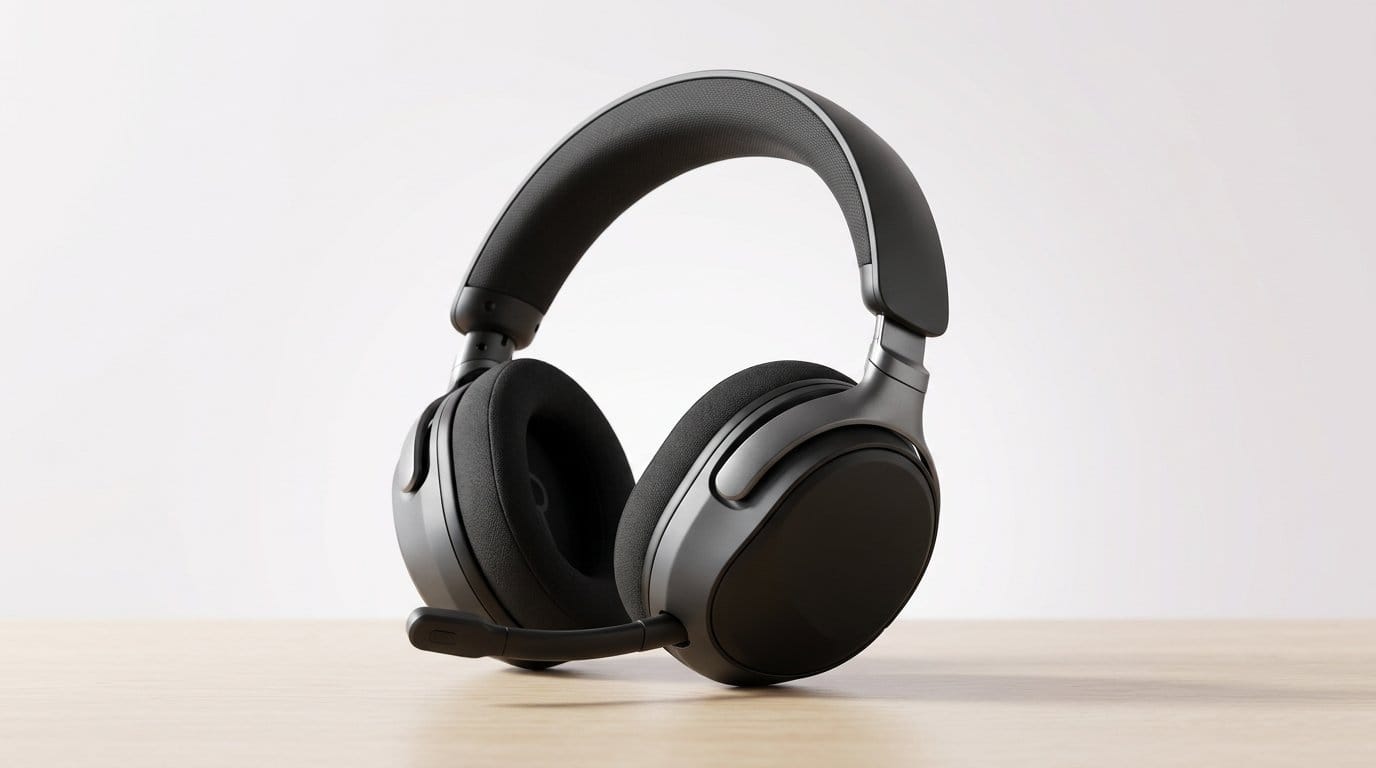

Docked for streaming, untethered for marathons — which headset wins your PS5 + PC setup?
Great audio changes how a game feels. We want footsteps to snap into focus on a gaming headset, explosions to land with weight, and chat to cut through without shouting.
We test for comfort, latency in our Top Picks, and how a headset fits into both PS5 and PC life. We look at docks, batteries, native console features, and the software baggage that comes with them.
Top Picks




Arctis Nova Pro Wireless — Dual Battery
We value the Nova Pro Wireless for its hot-swap battery system, pro-grade audio tuning, and flexible multi-system connectivity. It functions as a docked, pro-level solution for PC and console users, though the price and software dependency make it a specialist purchase.
Why we picked it
The Arctis Nova Pro Wireless targets people who want a single headset to cover competitive play, streaming, and daily multimedia. The defining feature is the two-battery base-station: swap a charged cell into the headset and keep playing while the base charges the spare. That workflow changes how you think about battery life — it effectively removes downtime.
Key features and ecosystem fit
We think this is one of the most convergent packages in the current market: you get low-latency wireless for competitive play, the convenience of bluetooth stack. Combined, these features cover most use cases for streamers and pros without swapping headsets.
Trade-offs and real-world implications
The Nova Pro's base station is part of the appeal — but it's also the price driver. You pay for a full desktop solution rather than a stripped-down peripheral. That investment makes sense if you value the workflow (charged spare in the dock, quick switching between PC/console), but less so for someone who only needs a simple bluetooth low energy beacon.
In practice, we found the anc to be effective for drowning out desk noise and the Sonar profiles genuinely useful for tuning competitive audio (footsteps and positional cues). The one caveat is reliance on SteelSeries' software: firmware and profile updates materially affect performance, so a stable software stack is important.
Bottom line
For multi-system users, competitive players, and streamers who want an all-in-one, pro-grade wireless system, the Arctis Nova Pro Wireless is a standout. It's expensive, but the combination of hot-swap power, ANC, and flexible connectivity makes it the most capable fully wireless desktop solution in this roundup.
Cloud Alpha Wireless — 300-Hour Battery Power
We value the Cloud Alpha Wireless for its unbelievable battery endurance and comfortable HyperX signature fit. Audio is tuned for gaming clarity with dual-chamber drivers, but the microphone and software features are more conservative than boutique studio headsets.
Why battery life matters
We keep returning to one headline: the Cloud Alpha Wireless redefines what we expect from wireless headset uptime. For players who run long daily sessions or don't want to charge every few days, a headset that lasts weeks between charges changes how often you have to interact with the device.
Sound and comfort profile
Beyond battery, the Cloud Alpha Wireless keeps things simple and reliable. The RF dongle gives a stable 2.4GHz connection and the headset prioritizes wearability and consistent audio over flashy DSP gimmicks. For many users that practical approach is exactly what matters: excellent uptime and predictable performance.
Trade-offs and practical considerations
The mic is detachable and decent, but if you're looking for stream-of-consciousness broadcast quality you'll likely pair a USB mic. The lack of Bluetooth is another deliberate choice: HyperX optimized for long RF battery life rather than multi-device Bluetooth convenience.
In short, if you want a comfortable, durable wireless headset that you can largely forget about charging, this is the one to beat — especially for PC users who value uptime and straightforward performance.
BlackShark V2 Pro — Competitive Wireless Headset
We like the BlackShark's pro-tuned drivers, low-latency HyperSpeed wireless, and noise-isolating cups for concentrated play. The microphone and build are generally good for the category, though there are occasional connectivity or durability gripes among long-term users.
The competitive angle
We treat the BlackShark V2 Pro as a contestant-focused headset: everything about it is designed to minimize distractions and maximise in-game information. The Triforce Titanium drivers split frequencies for cleaner mids and highs, which helps pick out footsteps and subtle audio cues.
Key features and what they mean
Comfort and isolation are strong suits: the closed earcups create a tight seal that reduces environmental noise, letting players focus during matches. That design choice is excellent for tournament-like conditions but can feel isolating for casual living-room setups where you want awareness of your surroundings.
Trade-offs and practical notes
We saw mixed long-term reports: while many users praise the sound and battery life, others note reliability concerns such as start-up quirks or microphone arm looseness. It's one reason to test the fit and mic response during returns window if you're buying online.
Overall, for players who prioritize low latency, clear competitive audio, and extended battery life, the BlackShark V2 Pro is a sensible pick — especially when you value esports-oriented tuning over a warm, music-first signature.
Virtuoso RGB Wireless XT — Dual Wireless
We respect the Virtuoso XT for its wide-frequency drivers and dual-wireless capability (Slipstream + Bluetooth), which suits users who split time between high-fidelity desktop audio and phone calls. The trade-offs are a relatively short battery and stock earpads that don't fit every head.
Who should consider it
We position the Virtuoso RGB Wireless XT for players who care about absolute sound quality and want flexible connectivity. If you're someone who alternates between high-resolution PC audio, console play, and phone calls, the Virtuoso's ability to run Slipstream and Bluetooth simultaneously is compelling.
Highlights and ecosystem details
The result is a headset that feels and sounds like a step up from mainstream gaming models. The broadcast mic performs well for calls and streaming, and the ability to switch between wired 24/96kHz USB and wireless modes makes it a flexible studio-to-living-room headset.
Practical trade-offs
A two-digit battery figure in hours can be limiting for long LAN days or extended couch sessions without charging. Also, some users report the included earpads are shallow; swapping to thicker aftermarket pads dramatically improves comfort and soundstage experience.
If you want a premium, multi-protocol headset and are prepared to tweak pads or accept daily charging, the Virtuoso XT slots neatly between audiophile aspirations and real-world gaming convenience.
ASTRO A50 Wireless Gen4 — Base Station
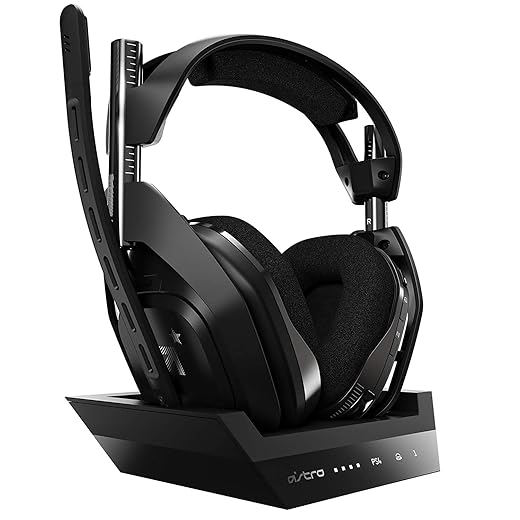
We appreciate the A50's MixAmp integration and Astro Audio V2 tuning for clear, balanced game/chat mixes. The dedicated base station and RF connection suit couch-and-console setups, but battery life and platform age make it less feature-packed than newer rivals.
Why console players still choose it
We think of the ASTRO A50 as a practical, console-friendly headset that nails the basics: a good default EQ, a MixAmp-style base station for quick adjustments, and a comfortable fit for living-room sessions. The base station makes switching and tweaking audio painless without menu diving, which is important for couch play.
What the system brings to the table
The A50's combination of base-station convenience and tuned audio makes it an easy recommendation for players who want a fuss-free console experience. That station removes some of the friction you get from dongle swaps, Bluetooth pairing, or menu-based audio routing — you dock, you play.
Trade-offs and market context
The A50 Gen4 is a mature product: it does its job well, but newer headsets offer features that the A50 lacks, such as hot-swap batteries, longer single-charge runtimes, or smaller desktop footprints. If you value the MixAmp workflow and prefer the simplicity of a dedicated station over constantly juggling dongles, it's still a very practical choice.
For users who want the absolute newest specs (multi-day battery, magnetic swaps, or studio-level microphones), other headsets in this roundup might be more compelling. For a comfortable, console-oriented headset with an integrated control station, the A50 remains a trusted option.
PULSE Elite Wireless Headset — Planar
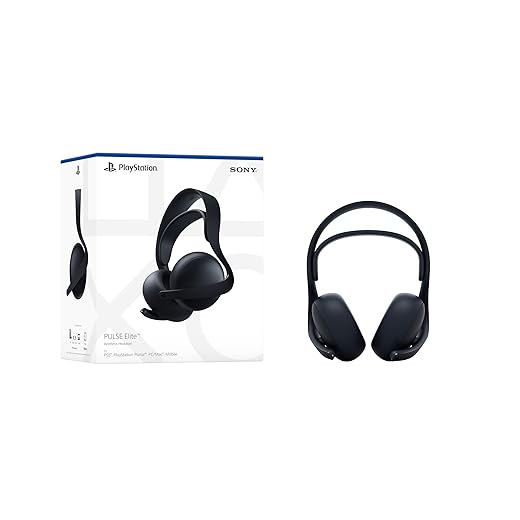
We like the way PlayStation Link prioritizes low latency and clarity for console play, and the planar drivers deliver a detailed, spacious soundstage. Battery life and an AI-assisted microphone make it a great choice for extended sessions, but Bluetooth fallback and range are noticeably secondary.
Why this matters
We see the PULSE Elite as Sony's answer to players who want console-optimized, low-latency audio without the compromises of standard Bluetooth. Its PlayStation Link wireless protocol is designed around the PS5 ecosystem — that matters because timing and positional cues are critical in competitive and immersive single-player games alike.
What the hardware delivers
We appreciate Sony putting planar drivers into a mainstream peripherals product because that kind of driver usually shows up in higher-end audiophile gear. In practice the PULSE Elite gives game audio an immediacy and clarity that highlights footsteps, ambience, and directional cues more distinctly than many coil-based gaming headsets.
Real-world use and trade-offs
Design-wise, the headset leans into PS5 integration: firmware updates via the console, a companion app for tuning, and a USB adaptor for the PlayStation Link dongle. That tight ecosystem is a strength if you live in Sony's world — the wireless connection is fast and stable when set up correctly — but it becomes limiting for users who want a pure Bluetooth experience across multiple devices.
Bottom line
We recommend the PULSE Elite for PS5 owners who want a console-first, high-fidelity headset with advanced mic tech and strong battery life. It's not the most cross-platform-friendly option, but when used inside the intended Sony ecosystem it delivers very competitive audio and communication quality.
HS80 RGB Wireless — Dolby Atmos Ready
We appreciate the HS80's Slipstream low-latency connection and strong microphone clarity, which make it a great PC-first headset for immersive Dolby Atmos content. Integration with iCUE and occasional software conflicts can be a pain, and battery life is middling for a wireless flagship.
Positioning and use case
We think of the HS80 RGB Wireless as a PC-centric, premium-feeling headset that leans into immersive audio and a strong mic for calls and streaming. Corsair's Slipstream tech gives a snappy wireless experience, and Dolby Atmos on PC brings a three-dimensional sense to both games and movies.
Design and ecosystem integration
The strength here is ecosystem: if you already use Corsair accessories and iCUE, the HS80 integrates cleanly and lets you save profiles and lighting behaviors. That unified approach matters for people who like to tune every parameter and sync peripherals across a desk setup.
Limitations we noticed
Battery life is the primary compromise — the HS80's ~20-hour claim is fine for daily use but below what some wireless rivals deliver. Additionally, we've seen cases where third-party audio drivers or EQ apps conflict with iCUE/Dolby workflows, creating extra troubleshooting. For users who want a plug-and-play experience across consoles and phones, the HS80 is less flexible — it's primarily a PC headset.
If you prize a broadcast-grade mic and Atmos-style immersion for PC gaming, this headset is a strong contender; if you need exceptional battery life or cross-platform Bluetooth versatility, you'll want to weigh other options.
Cloud II Core Wireless — 80-Hour Battery
We appreciate the Cloud II Core's enormous battery life and comfortable fit for extended use. It sacrifices premium extras like advanced ANC and multi-device DAC switching but gives reliable wireless audio and solid spatial tuning for the price.
Who this is for
We see the HyperX Cloud II Core Wireless as a pragmatic choice for players who want solid wireless performance and comfort without paying flagship prices. The headline here is battery life — 80 hours is a convenience multiplier for people who don't want to babysit a charger.
What it does well
The Cloud II Core doesn't chase every spec. Instead, it leans into fundamentals: reliable wireless audio, comfortable ergonomics, and a long-lasting battery. For many users that trade-off is exactly the right one — you get a headset you can leave on for hours without worrying about a mid-session charge.
Limitations and context
Where it falls short is in advanced features: no ANC, no hot-swap batteries, and no multi-system dock. It's strictly targeted toward PC and console players who prioritize comfort and uptime over studio-grade tuning or professional streaming workflows.
If you need a fuss-free, comfortable wireless headset that won't die mid-session and add spatial audio benefits for games, this is a strong, cost-conscious pick.
Final Thoughts
Our top pick is the Arctis Nova Pro Wireless — Dual Battery. For anyone who splits time between a gaming PC and a console setup, it nails the practical trade-offs that matter today: a hot-swap battery system for uninterrupted sessions, pro-grade tuning that translates across platforms, and flexible multi-system connectivity for streamers and power users. The Nova Pro works as a docked desktop solution and a wireless console headset, so it’s the best single headset to cover both PS5 and PC without constantly swapping gear. Do note the specialist price and reliance on companion software.
If your priority is native PS5 performance and a detailed, spacious soundstage, we recommend the PULSE Elite Wireless Headset — Planar. Its PlayStation Link focus and planar drivers deliver low-latency, detailed audio that feels immediate on the PS5, while still being a solid PC partner for gaming and chat. It’s the better pick for console-first players who want PS5-native low latency and a refined listening experience.
Why these two? In today’s market the biggest differentiators aren’t just driver size or RGB. They’re ecosystem integration (native console links and MixAmps), real-world battery and dock design, and how a headset handles PC workflows like streaming and voice chat. The Nova Pro and PULSE Elite each lean into one of those axes—multi-system versatility and PS5-native fidelity—so they cover the two most common buyer profiles we see.
Frequently asked questions
How did we pick these gaming headsets for ps5 and pc options?
We shortlist models that balance performance, reliability, and value for typical buyers—not just the highest spec sheet. Hands-on notes, owner feedback, and return/warranty policies all feed the ranking.
Which gaming headsets for ps5 and pc pick is best for most people?
Start with our top overall choice if you want the safest balance of price and features. Move up or down the list only when a specific need—budget, ecosystem, or a must-have feature—clearly applies to you.
Do prices on this gaming headsets for ps5 and pc list change often?
Yes. Retailers run frequent promos, so use the live price buttons on this page and compare shipping and return windows before checkout—the best deal is not always the lowest sticker price.
Should I buy the cheapest gaming headsets for ps5 and pc on the list?
Only if the trade-offs fit your use case. The budget pick can be excellent value, but check what you give up in build quality, software support, or key features you will use every week.
What if none of these gaming headsets for ps5 and pc picks fit?
Use the comparison and guide links on this page to narrow by size, platform, or feature, then revisit the list with your must-haves written down—forcing a mismatch creates more returns than savings.
How often is this gaming headsets for ps5 and pc roundup updated?
We refresh rankings when major models launch or pricing shifts enough to change the value story. Check the publish date at the top and compare current specs if you are reading months later.

Princess Rioboca is the Lead Editorial Writer at Option Cutter, bringing over seven years of hands-on experience in consumer technology journalism. Specializing in home networking and smart home architecture, she transforms complex technical data into practical, real-world upgrades. Princess personally tests and audits every product she reviews—evaluating real-world Wi‑Fi throughput, cable management durability, and streaming ecosystem stability—to filter out spec-sheet noise. Her rigorous, field-tested insights are designed to give readers transparent, unbiased buying advice on what to purchase, what to skip, and exactly why.