
We turned a laptop into a portable multi‑monitor studio — stunning dual OLEDs and desktop‑class power, if you can accept the weight and thermal trade‑offs.
In a world where our laptops are expected to replace desktop workstations, screen real estate and flexible input are the biggest bottlenecks for creators. Single‑screen ultraportables force constant window juggling, and many devices compromise on ports, pen support, or sustained performance to stay thin.
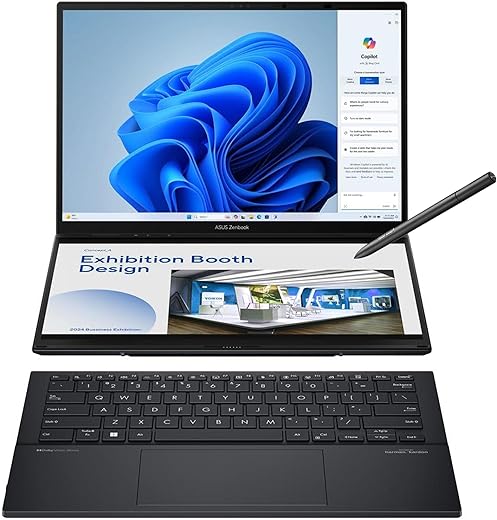
The ASUS Zenbook Duo UX8406 tries to fix that by turning one chassis into a portable multi‑monitor studio: two gorgeous 14″ OLED 3K 120Hz touchscreens, an Intel Core Ultra 9 285H with NPU and Intel Arc graphics, 32GB LPDDR5x and a 1TB PCIe 4.0 SSD, plus a detachable full‑size Bluetooth keyboard, built‑in kickstand, and solid I/O (two Thunderbolt 4 ports and HDMI 2.1). We found the hardware and software mostly deliver on the promise — tighter workflow integration, real creative horsepower, and thoughtful design — but you pay with extra weight and some thermal trade‑offs versus the thinnest single‑screen rivals.
ASUS Zenbook Duo UX8406 — Dual OLED Power
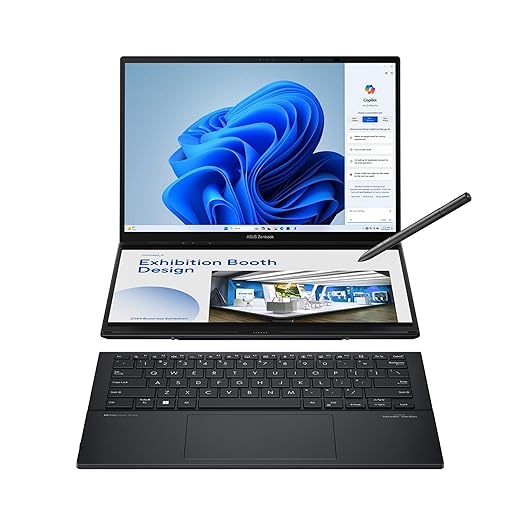
We found this Zenbook Duo to be a remarkably capable and distinctive productivity machine — it turns a single laptop into a portable multi-monitor studio. The hardware and software mostly deliver on the promise, though buyers should accept a bit more weight and some thermal trade-offs versus thin-and-light single-screen competitors.
ASUS Zenbook Duo: Dual 14” OLED Displays!
What this machine tries to solve
We see the Zenbook Duo UX8406 as ASUS’s answer to a simple problem: how to give mobile knowledge workers, creators, and power users more usable screen real estate without adding a separate monitor. Rather than foldable displays or clumsy clip-on screens, ASUS builds the second display into the body and pairs it with a detachable keyboard and a kickstand. The result is a compact, two‑screen laptop that behaves more like a small desktop studio when you need it and a conventional laptop when you don’t.
Design and chassis: a pragmatic compromise
The Duo follows a clear philosophy: add functionality first, then finesse the rest. The magnesium‑alloy chassis is sturdy, the kickstand is satisfying to deploy, and the detachable Bluetooth keyboard clicks into place with a reassuring magnetic latch that also charges the keyboard when connected. We appreciate the full‑size key layout — it’s easier to touch‑type on than many 13–14″ ultraportables — and the keyboard’s portable nature lets you reconfigure the device for different tasks.
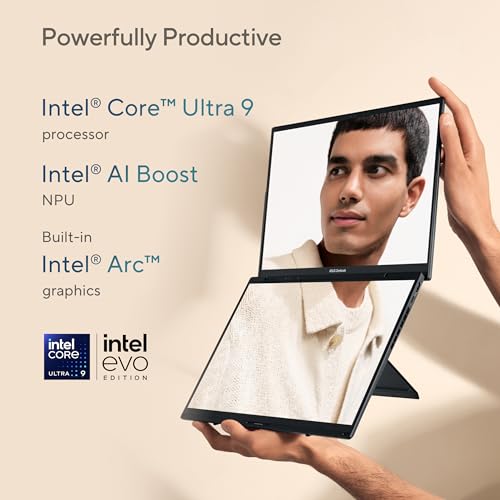
The dual displays — not just two screens, a different workflow
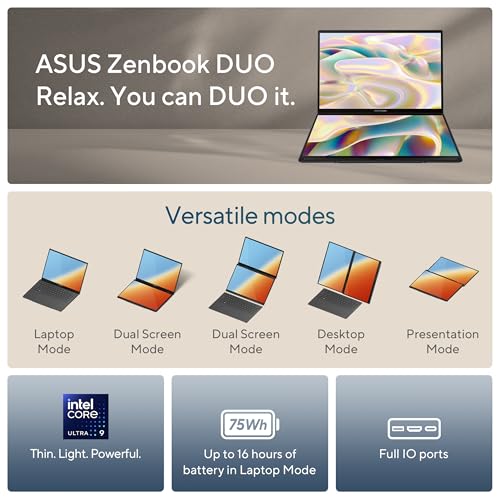
The headline hardware is the pair of 14″ 16:10 OLED panels. They’re sharp (2880 x 1800), color-accurate, and fast at 120Hz — which matters when you drag, scroll, or scrub video. More importantly, the secondary display isn’t a gimmick: ASUS exposes multiple modes (Desktop, Dual Screen, Sharing, and Laptop) that change how the two screens are laid out and how input flows between them.
| Mode | What it does | When to use it |
|---|---|---|
| Laptop Mode | Primary screen active, second tucked away | Travel, presentations, single-window tasks |
| Dual Screen | Both panels active as extended desktop | Video editing timelines, large spreadsheets, reference + editor workflows |
| Desktop Mode | Second screen acts like a secondary monitor below the primary | Coding with docs beneath, chat and controls, brush palettes |
| Sharing Mode | One screen flips for local co-viewing | Quick demos or content sharing in person |
The OLED panels offer deep blacks and excellent contrast that benefit photo and video work. We also tested color-critical tasks and found the displays to be reliable for most creators out of the box, though people doing certified print work should still carry a colorimeter.

Performance and the AI angle
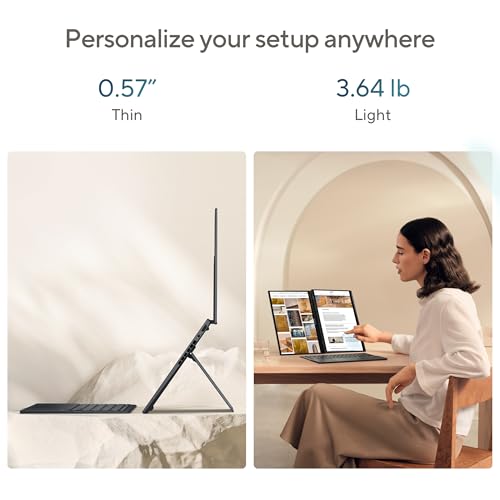
Under the hood the UX8406 ships with Intel’s Core Ultra 9 285H — a chip with a hybrid architecture plus an integrated NPU for on‑device AI acceleration. Paired with abundant 32GB LPDDR5x memory and a 1TB PCIe 4.0 SSD, the system breezes through multi‑track audio sessions, complex video timelines, and large Photoshop files. Intel Arc graphics give a bit more GPU horsepower than traditional integrated GPUs, making light GPU-accelerated edits and occasional gaming feasible.
In practice we noticed:
Keyboard, pen, and input ergonomics
ASUS’s detachable keyboard is one of the Duo’s differentiators. When attached, it provides a conventional typing surface; when detached it becomes a Bluetooth keyboard you can place anywhere. The keyboard charges via the magnetic connection and offers decent travel and feedback.
The included stylus (ASUS Pen 2.0 with MPP 2.0) works well for annotation, sketching, and precision selection. We did encounter mixed palm-rejection behavior in our tests — toggling the Windows setting for pen/touch interaction or using a drawing glove mitigates accidental marks.
Battery life, ports, and connectivity
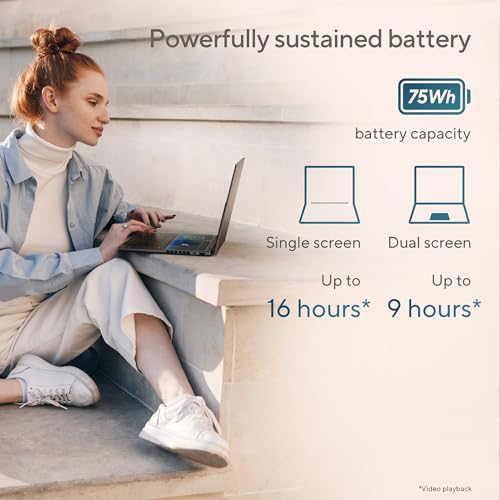
The Duo houses a 75Wh battery and supports fast charging over USB‑C. ASUS quotes as much as ~16 hours of video playback in single‑screen Laptop Mode and around 9 hours in full Dual Screen mode; our real-world mixed workload testing landed comfortably between those figures depending on brightness and workload. The second OLED naturally increases power draw when active, so expect shorter battery life when both displays are used at high brightness.
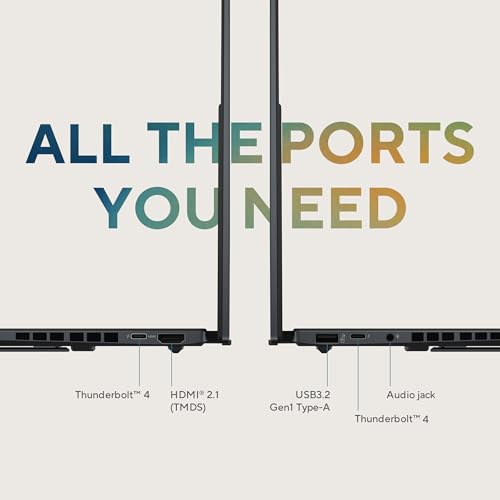
Port selection is generous for a modern thin-and-light: two Thunderbolt 4 ports, a USB‑A, HDMI 2.1, and a 3.5mm combo jack. Wi‑Fi 7 and Bluetooth 5.4 provide forward-looking connectivity.
Thermals and real-world reliability
Two active panels and a high-performance SoC mean thermal design matters. ASUS balances this with a competent cooling solution — fans are audible under load but not intrusive for most office environments. For extended rendering or top‑end gaming, you can expect thermal throttling to keep sustained clocks in check; the device is optimized for content creation and multitasking rather than desktop‑class workstation workloads.
Software, ecosystem, and day-to-day workflow
ASUS ships useful software for managing the dual-screen experience: window management, touch gestures, and quick mode switching are thoughtful additions that actually change how we organize work. Windows 11 is the platform, and it’s the right fit: more fluid window snapping and touch improvements play nicely with the Duo’s hardware.
We also evaluated how the device fits into a broader ecosystem: it pairs well with USB‑C hubs, Thunderbolt docks, and external displays if you want a permanent desktop setup. The detachable keyboard and pen make it adaptable for presentations, client demos, and on‑the‑go creative sessions.
Who should consider this laptop
We recommend the Duo for:
We’d caution buyers who prioritize the absolute lightest carry or need a cooling headroom for sustained workstation rendering — a single-screen thin machine or a larger mobile workstation may be a better fit for those specific needs.
Alternatives and competitive context
In the current market, very few laptops offer a factory dual‑screen layout like this. Traditional alternatives include pairing a 14″ ultraportable with a portable monitor, or opting for a larger 16″ single-screen laptop to get more surface area. The Duo’s main competitors are niche: previous Zenbook Duo models and some convertible devices. Compared with a MacBook Pro, the Duo trades raw single-screen design and macOS pro apps for multitasking flexibility and Windows‑centric creative tool advantages.
Final take
We came away impressed: ASUS has tuned the Duo to be more than a novelty. It’s a legitimate productivity tool that opens up new ways to organize work without tethering you to a desk. There are compromises — thermal behavior under extreme sustained load, slightly heavier carry weight, and a few input refinements that still feel unfinished — but for people who will truly use both screens, those trade‑offs are worth it. If you want portable multi-screen productivity in one consolidated package, this is one of the most convincing implementations we’ve tested.
FAQ
Very practical if your workflow benefits from dedicated space for timelines, reference material, or chat windows. We found email + reference + editor layouts especially useful. That said, dual screens come with a learning curve — it changes how you arrange windows, and you’ll want to spend a day or two customizing window layouts and hotkeys.
Yes. Intel Arc integrated graphics provide a useful boost over older integrated solutions. You can play many modern titles at modest settings and benefit from GPU acceleration in apps like Premiere and DaVinci Resolve for certain effects. For high‑end gaming or heavy GPU rendering, a discrete GPU workstation will still be faster.
Expect a solid workday depending on brightness and workload — roughly the quoted 9 hours under mixed‑use dual‑screen conditions. Turning off the second screen, lowering brightness, or enabling power modes extends runtime significantly (the device can approach quoted Laptop Mode runtimes under light loads).
Yes. The full‑size detachable keyboard provides a comfortable typing experience comparable to many ultraportables. We liked the travel and layout for long typing sessions, and the ability to reposition it adds ergonomic flexibility. Minor caveats: the magnetic contact points can scrape softer surfaces and the keyboard is bulkier than a simple tablet keyboard.
If you do color‑critical print work, yes — a hardware calibration is recommended. For most photographers, video editors, and designers, the panels are impressively accurate out of the box and well suited for on-the-go editing.
It docks cleanly via Thunderbolt 4 to external displays and peripherals. Many users will find it convenient to use the Duo as a mobile node that plugs into a larger desktop arrangement at the office or home studio.

Chris is the founder and lead editor of OptionCutter LLC, where he oversees in-depth buying guides, product reviews, and comparison content designed to help readers make informed purchasing decisions. His editorial approach centers on structured research, real-world use cases, performance benchmarks, and transparent evaluation criteria rather than surface-level summaries. Through OptionCutter’s blog content, he focuses on breaking down complex product categories into clear recommendations, practical advice, and decision frameworks that prioritize accuracy, usability, and long-term value for shoppers.