
A vivid 16″ touchscreen, long battery, and on-device AI for $549 — fantastic for most users, risky if your apps aren’t Arm-ready.
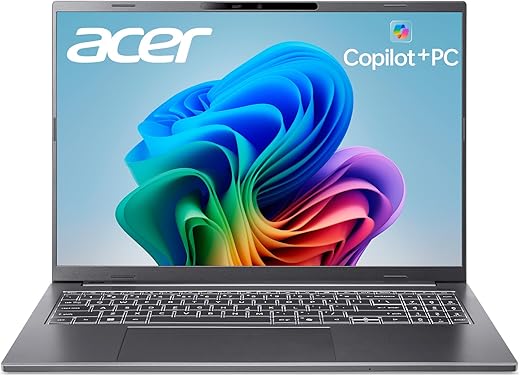
We’ve all been there — mid-meeting, the battery icon flirting with red while a dozen tabs and a video call insist on survival. Enter the acer Aspire 16 AI Copilot+ PC: a surprisingly affordable ($549.99) 16″ WUXGA 120Hz touchscreen that promises long battery life, a bright color-accurate display, and an on-device NPU powering Copilot+ features that actually feel useful for everyday work.
On paper, the Snapdragon X X1-26-100 with a 45 TOPs NPU and Wi‑Fi 7 shifts this machine from mere efficiency to a practical, AI-augmented daily driver — and its lightweight chassis, comfortable backlit keyboard, and modern ports make the user experience polished for the price. The trade-offs matter: Windows on ARM app compatibility and OEM bloatware are rough edges that can trip up enterprise workflows, so this is a compelling pick for web/Office-first users and light creatives, but a calculated risk for anyone who needs legacy apps to just work.
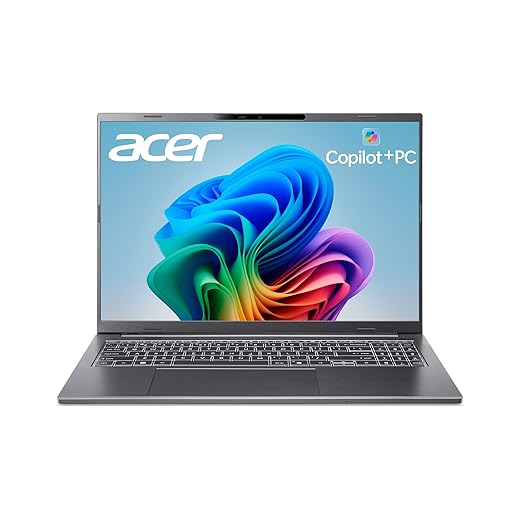
Acer Aspire 16 AI Copilot+ 16" Touch Laptop
We found it balances efficiency, long battery life, and a vivid touchscreen for everyday productivity and light creative work. Its integrated NPU and Copilot+ features add tangible value, but app compatibility and preinstalled software are rough edges to reckon with.
Overview
We tried to evaluate the Aspire 16 AI Copilot+ not as a specs sheet but as a daily tool: how it feels to carry, how well Windows runs on an ARM-first Qualcomm platform, and whether the new Copilot+ features actually improve workflows. The short take: Acer has built a compelling, efficiency-first 16-inch machine that leans into AI acceleration without turning into an experimental dev kit. It aims at people who want a large, touch-enabled canvas, multi-day battery life in conservative modes, and generous ports for docking or external displays.
Design and build
The chassis is a conservative gray slab that reads more premium than its price suggests. At 3.42 pounds and with a thickness under an inch, it’s lighter than many 16-inch Intel or AMD laptops of comparable screensize, which makes it easier to move between meeting rooms and coffee shops.
Key design points:
Display: a big part of the appeal
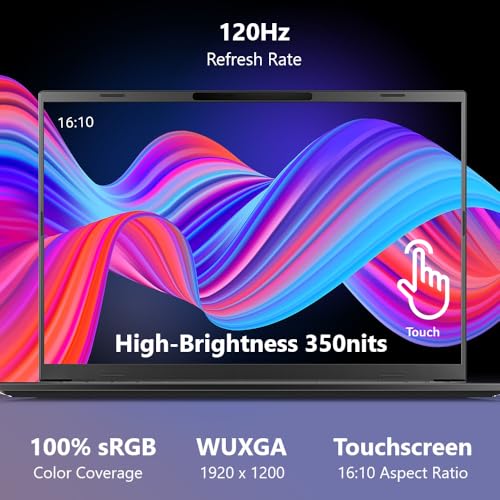
The 16″ WUXGA (1920×1200) panel is where the Aspire stands out. Acer sticks to a 120Hz refresh rate and claims 100% sRGB coverage. What that translates to in daily use is a bright, sharp panel that makes browsing, spreadsheets, and video conferencing feel uncluttered. The 16:10 aspect ratio is sensible — more vertical space for documents and websites — and the touchscreen adds a layer of convenience for web annotation and quick gestures.
Performance, the Snapdragon way
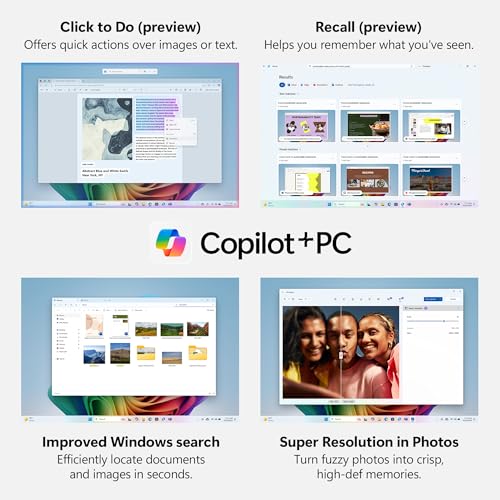
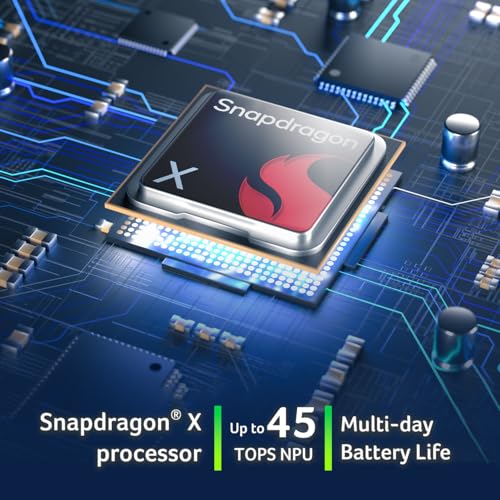
Rather than a brute-force x86 chip, this Acer uses the Snapdragon X X1-26-100 with an integrated Adreno GPU and a dedicated Hexagon NPU rated at around 45 TOPs. That NPU is the headline here: it accelerates native AI features (Copilot+ previews like Recall and Click to Do) and Windows Studio effects, and it makes background AI tasks more power-efficient.
How that works in practice:
Battery life and thermals
This is an efficiency-first platform. Acer’s claim of up to 18 hours is achievable in conservative eco modes and lighter usage patterns (browsing, document editing, low brightness). In performance mode, expect more realistic day-to-day results in the 6–10 hour range depending on workload and screen brightness. The advantage is the machine hardly gets loud under load, and sustained performance is consistent rather than bursty.
Connectivity and ports
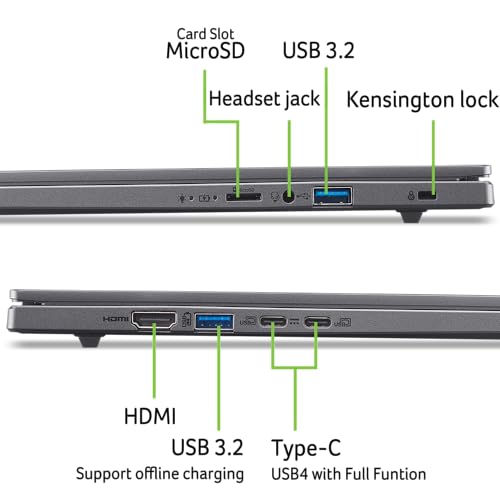
One of the nicer surprises is the port layout. Multiple USB-C ports (two of which support charging and video), a full-sized HDMI, and several USB-A ports give the Aspire tangible versatility for docking without carrying a hub. Wi‑Fi 7 and Bluetooth ensure the laptop is future-compatible for faster networks and multiple wireless accessories.
Specifications snapshot
| Spec | What we tested |
|---|---|
| CPU | Snapdragon X X1-26-100 (8-core) |
| NPU | Qualcomm Hexagon — ~45 TOPs |
| GPU | Integrated Adreno — up to ~1.7 TFLOPs |
| Memory | 16GB LPDDR5X (soldered) |
| Storage | 512GB PCIe Gen4 SSD |
| Display | 16″ WUXGA 120Hz touchscreen, 100% sRGB claimed |
| Connectivity | Wi‑Fi 7, Bluetooth, HDMI, USB-C (x2), USB-A (x2) |
| Weight | ~3.42 lbs |
| OS | Windows 11 Home (Copilot+ enabled) |
User experience: Copilot+, NPU, and real-world value
Acer bundles Cortana-era extras replaced with Copilot+ experiences — features like Recall and Click to Do are designed to let you find past content or manipulate on-screen text/images with natural language. Because the NPU handles these tasks locally, the experience can be snappy and less cloud-dependent than some competitors. We liked that Copilot+ felt like a practical assistant rather than a gimmick when used for search and quick content editing.
Where it may disappoint is availability and maturity: Copilot+ capabilities are still rolling out regionally and may require updates into 2025. Businesses should check feature timing in their region.
Who this is for
Where to be cautious
Practical tips from our testing
Final thoughts
We view the Aspire 16 AI Copilot+ PC as a pragmatic leap forward for mainstream ARM Windows laptops. It doesn’t rewrite the rules for high-end creative work, but it does bring a polished large-screen experience, useful on-device AI acceleration, and surprisingly flexible connectivity in a light chassis. For most people looking for a daily driver that prioritizes battery life, a great display, and future-ready wireless, this is a compelling option — provided you vet critical business apps for ARM compatibility beforehand.
FAQ
Many common apps (Edge, Office, modern apps) run fine, and some are recompiled to run natively on ARM. However, certain legacy x86 installers or enterprise tools (notably some VPN clients) may not be fully compatible. Check with your IT vendor or test critical apps before committing.
That figure is attainable in conservative eco modes with light tasks (web browsing, document editing, lower brightness). Under normal or performance use — video, multitasking, higher brightness — expect closer to 6–10 hours. The platform favors efficiency, so you’ll see especially long runtimes if you optimize power settings.
Yes for certain tasks. The integrated Hexagon NPU accelerates AI-driven features like Copilot+ previews, background audio/video enhancements, and some image processing operations—making those functions feel more responsive without draining the battery like a discrete GPU would.
It’s a strong contender for light creative tasks: the 16″ touchscreen, good color reproduction, and the responsive display help. For heavy Photoshop, large RAW edits, or 3D rendering, a more powerful discrete-GPU laptop is still preferable.
Compared to similarly priced Intel/AMD laptops, the Aspire 16 AI tends to win on battery life, thermal calm, and AI acceleration per watt. You may lose some raw x86 app compatibility and high-end GPU horsepower, so the trade-off depends on whether you value efficiency and AI features over peak performance.
For us, yes. On a 16-inch 16:10 canvas the touch layer feels useful for annotation, quick edits, and navigating large spreadsheets. It won’t replace a dedicated tablet for illustration, but it adds utility without much downside.
If you’re comfortable with a clean install or know how to create a recovery image, wiping out OEM apps can improve performance and free space. Otherwise, manually uninstalling unwanted apps and disabling startup items gets most of the benefit without the hassle.

Chris is the founder and lead editor of OptionCutter LLC, where he oversees in-depth buying guides, product reviews, and comparison content designed to help readers make informed purchasing decisions. His editorial approach centers on structured research, real-world use cases, performance benchmarks, and transparent evaluation criteria rather than surface-level summaries. Through OptionCutter’s blog content, he focuses on breaking down complex product categories into clear recommendations, practical advice, and decision frameworks that prioritize accuracy, usability, and long-term value for shoppers.