


Introduction
We cut through noise to help pick a home Wi‑Fi system for 50+ devices, weighing performance, coverage, UX, and ecosystem fit. We explain architectural trade‑offs, backhaul design, and security so you buy once and sleep easy in today’s crowded market.
Requirements
We need:

Mesh Wi‑Fi 101: How to Pick the Best System for Your Home
Step 1 — Inventory every device and map usage
How many smart bulbs does one toaster need? Spoiler: more than you think.Catalog every device that will share our network: phones, laptops, consoles, streaming sticks, smart TVs, thermostats, cameras, doorbells, kids’ tablets, smart plugs, and sensors. For each device note:
For example, a 4K TV needs ~25 Mbps and is stationary; a security camera demands continuous upstream and low jitter. Map each device onto our floor plan to flag dead zones (garage, attic). Tally peak concurrent connections, add ~20–30% headroom, and separate always‑connected hubs from transient clients—this immediately narrows feasible architectures in today’s mesh‑heavy market.
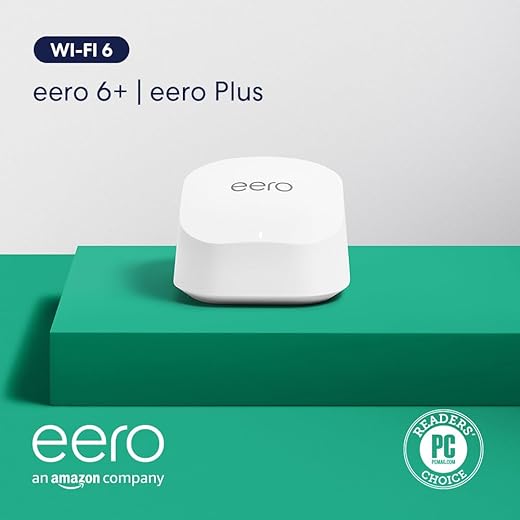
Step 2 — Convert devices into throughput and concurrency targets
Raw megabits are lies — what matters is concurrent capacity and QoS.Convert our inventory into hard numbers. Calculate peak Mbps per device, multiply by likely concurrent clients, and add 20–30% headroom so spikes don’t collapse the network.
Calculate examples: eight 4 Mbps cameras = 32 Mbps upstream; three simultaneous 4K streams at 25 Mbps = 75 Mbps. Prioritize routers and mesh nodes that publish realistic simultaneous‑device specs, support MU‑MIMO/OFDMA, and have strong CPUs for NAT/QoS so advertised ISP speeds feel real.
Budget high‑demand flows by device class and prefer hardware with wired backhaul and link aggregation to offload heavy nodes.
Choose models that explicitly support Ethernet backhaul; test with expected concurrent loads to validate our targets.
Step 3 — Pick the right architecture: router, mesh, or hybrid
Is mesh just for aesthetics? Sometimes — hybrids win when latency matters.Choose the architecture that matches coverage, performance, and UX needs. We compare three approaches:
We favor systems with companion apps that expose meaningful settings (WPA3, guest isolation, QoS profiles) and strong smart‑home integrations. Test firmware stability and update cadence to avoid surprises.
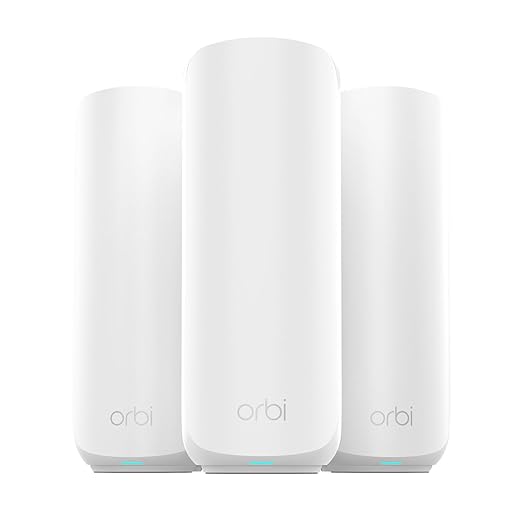
Step 4 — Design node placement and backhaul strategy
Placement is 70% of performance — routers don't do magic from closets.Design placement around human behavior: position nodes where devices congregate — living rooms, nurseries, home offices — and avoid closets, basements, or metal‑framed walls. Use a simple heatmap: start with one AP every 1,500–2,500 sq ft for dense-device areas, and reduce density where clients cluster.
Use antenna intentfully: vertical omnidirectional for multi‑story coverage; directional units to shore up long hallways or patios. Always plan for Ethernet backhaul where possible to preserve throughput and low latency.
Reserve a node or switch next to the ISP modem to prevent double NAT and simplify parental controls and guest networks. For example, in a 3,000 sq ft two‑story house, we wire the office and living room for two wired satellites.

Step 5 — Vet software, UX, integrations, and security
Good software upgrades decent hardware into a delightful network — or a nightmare.Evaluate the router and mesh apps: open the UI, set up a guest network, and create a device group to judge clarity and speed. Test remote management and how firmware updates are delivered.
Check these features in the app:
Step 6 — Validate with tests and reviewer labs
Benchmarks lie — simulate your busiest evening before you buy.Run hands‑on checks or read independent labs before committing. Synthetic speed numbers are neat, but we prioritize sustained multi‑client throughput, roaming handoff, and firmware stability because real homes stress gear in different ways.
Run these checks yourself or seek reviews that use dozens of active clients:
Ask vendors about rapid patching and public incident response; prefer products reviewers stress‑tested in reviewer labs.
Step 7 — Budget, procurement, and future-proofing
Spend smart: upfront cost, subscriptions, and upgrade paths beat headline Mbps.Calculate a 3‑year TCO that includes hardware, subscriptions, extended warranties, replacement cycles, and any wiring upgrades. We compare one‑time costs to recurring fees—remember advanced security/cloud subscriptions often exceed the router price over three years (e.g., $300 router + $100/yr = $600).
Prioritize modular ecosystems and standards support (Wi‑Fi 6E, TWT, 802.11k/r/v) to avoid vendor lock‑in. For budget builds, start with a wired‑backhaul capable unit and add nodes as density grows. For convenience buyers, choose systems with polished apps and reliable cloud features—but scrutinize subscriptions and cancellation terms.
Keep an eye on resale value and vendor firmware lifespan; a modest premium now can prevent full replacement later.

Conclusion
In short, for 50+ devices we prioritize capacity, placement, software usability, and ecosystem openness; buy systems that document concurrent‑client limits, support wired backhaul, and avoid subscription traps. Try this approach, tell us your results, and improve our collective setups today.

Chris is the founder and lead editor of OptionCutter LLC, where he oversees in-depth buying guides, product reviews, and comparison content designed to help readers make informed purchasing decisions. His editorial approach centers on structured research, real-world use cases, performance benchmarks, and transparent evaluation criteria rather than surface-level summaries. Through OptionCutter’s blog content, he focuses on breaking down complex product categories into clear recommendations, practical advice, and decision frameworks that prioritize accuracy, usability, and long-term value for shoppers.










