
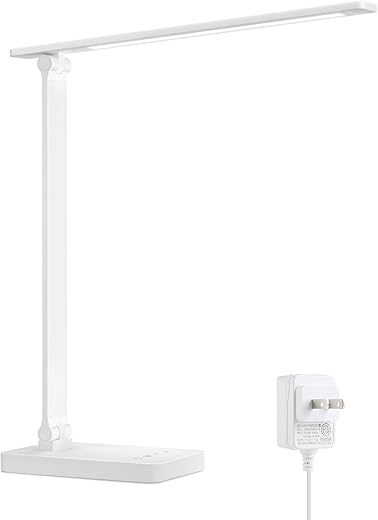

Why the right blue-light desk lamp matters now
We walk through choosing a blue-light desk lamp that protects our eyes without sacrificing design, control, or ecosystem fit. Shock: some cheap LEDs emit intense blue peaks. We explain what changed, why it matters for comfort, and how ecosystems compete.
What you'll need

Eye-Care Adjustable LED Desk Lamp: Unboxing and Review
Map your workspace and tasks first
Do you really need a specialized lamp — or just better placement?Map your workspace before you start shopping. We profile how we actually use the desk—reading, video calls, detailed crafts, or long screen sessions—to avoid buying features we won’t use.
List tasks and target illuminance. For example: computer work (300–500 lux), reading/notes (300–800 lux), precision crafts (1,000+ lux). That clarifies whether we need a high‑lux spotlight or an even wash of light.
Measure distances and sightlines. Measure eye‑to‑work-surface distance and note monitor positions; this tells us required beam reach and whether the lamp will cause reflections.
Note glare sources and control needs. Record nearby windows, glossy monitors, and reflective materials so we can choose beam angles, shades, or anti‑glare positioning.
Match lamp type to the profile. A narrow high‑lux arm is great for a soldering bench; for mixed computer work we pick a wider beam and good adjustability to avoid monitor glare. Understanding the room and tasks narrows acceptable brightness, beam angle, and adjustability specs.
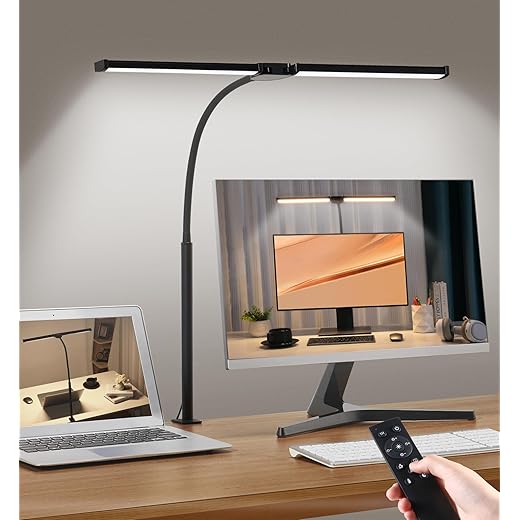
Learn the real story about blue light and color temperature
Could a warmer bulb actually save our sleep more than an app?Understand what blue light and CCT actually do so we stop buying buzzwords. Blue light refers to short‑wavelength energy in the visible spectrum; color temperature (CCT) describes the lamp’s overall tint. Cooler temps (4000–6500K) look crisp but shift circadian rhythms more than warm light (2700–3500K). Marketing phrases like “low blue light” are noisy—ask for spectral power distribution (SPD) data and CRI instead of slogans.
Choose by task and time of day:
Apply this when testing lamps in your actual workspace.

Prioritize brightness, dimming quality, and beam control
Why precise dimming and beam shaping beat brute-force brightnessPrioritize desk illuminance over raw lumens: aim for 300–500 lux for typical work and 700+ lux for detailed tasks. Remember: a lamp’s X lumens rating means less than measured lux at your desk distance.
Measure lux at your working position — we treat lumen output, lux at the desk, and dimming method as the core UX. Test lamps where you actually sit.
Prefer smooth dimming: choose analog or DC‑dimming over visible‑PWM to avoid perceptible flicker or headaches. Pick multi‑step or continuous controls with tactile feedback and memory so the lamp returns to our preferred level.
Choose beam angle and optics to match your workspace mapping: wide, diffused beams for multi‑monitor or group surfaces; narrow, reflector‑driven beams for drawing or soldering.

Inspect spectral filtering, flicker, and the evidence behind claims
Not all “low blue light” labels are equal—here’s how we vet themInspect manufacturer claims and look for third‑party testing.
Demand TÜV Rheinland low‑blue‑light or recognized flicker‑free certifications and published spectral power distribution (SPD) graphs.
Prefer lamps that attenuate the 420–480 nm band rather than merely lowering CCT; a true low‑blue solution targets specific spikes while preserving color fidelity.
Reject products that only advertise “warm” light without SPDs or lab reports.
Examine flicker specs: aim for <1% flicker and >1 kHz frequency; avoid visible PWM or low‑frequency modulation that can cause headaches.
Remember: if manufacturers don’t publish SPD or flicker data, we treat that as a red flag—this scrutiny separates marketing from meaningful engineering and keeps us from paying premiums for hollow claims.

Evaluate design, ergonomics, and build quality
A lamp should disappear in use—but look intentional on cameraEvaluate materials and mechanics first: we want hinges that hold position without sagging and a base that won’t tip on a small desk. Check the arm’s reach so the head can clear your monitor and illuminate the keyboard without casting screen reflections.
Check the head for tilt, rotation, and a good diffuser or glare shield so we can aim light precisely; a cheap plastic diffuser creates hot spots, a matte baffle tames spill. Inspect finish, cable management, and footprint to make sure the lamp integrates with our setup.
Measure portability and power tradeoffs: USB‑C models are tidy but often can’t deliver high lux for task work. Choose a lamp that feels predictably solid—design quality is the foundation for every other spec.
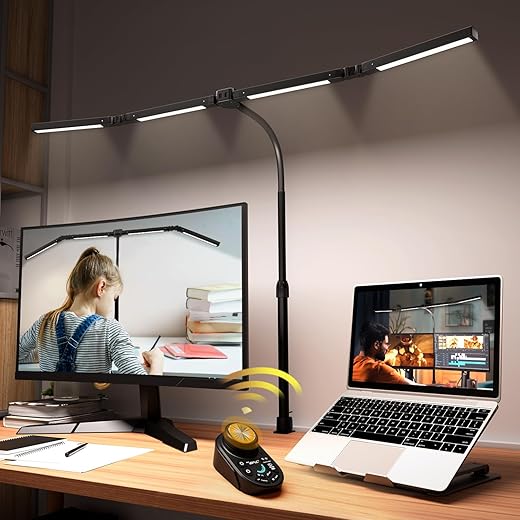
Check smart features, ecosystem fit, and long‑term value
Do smart lamps actually make our workflows better—or just complicate them?Judge smart features by usefulness. We prefer automations that actually make our day easier: schedules, warm‑to‑cool transitions, and memory presets that switch between “focus” and “reading” without fiddling.
We prioritize proven comfort, not a logo.
Putting it together
We weigh measured specs, real ergonomics, and ecosystem fit so our pick matches tasks: verified spectral and flicker data, smooth dimming, adjustable beam, and solid build. That focus helps us notice real comfort and value—what will improve your day soon?

Chris is the founder and lead editor of OptionCutter LLC, where he oversees in-depth buying guides, product reviews, and comparison content designed to help readers make informed purchasing decisions. His editorial approach centers on structured research, real-world use cases, performance benchmarks, and transparent evaluation criteria rather than surface-level summaries. Through OptionCutter’s blog content, he focuses on breaking down complex product categories into clear recommendations, practical advice, and decision frameworks that prioritize accuracy, usability, and long-term value for shoppers.










