


Why choosing the right smart display still matters
We cut through specs to help us pick a smart display that makes video calls feel natural and private, balancing camera, audio, software, design, and ecosystem so our calls are reliable and respectful of our homes and data security, too.
What you’ll need before we dive in

Meta Portal Smart Display: Alexa
Start with use cases: map how you’ll actually use video calling
Are calls for quick check‑ins, remote work, or family hangouts? The use case changes everything.Map the scenarios that matter. Casual cooking‑time check‑ins need different hardware than weekday work calls — small screens and one‑tap calling beat audiophile speakers in the kitchen, while coworking and telehealth demand larger displays, better mics, and robust codecs.
Ask concrete questions to sharpen priorities:
Use quick scenarios to decide trade‑offs: if we mostly check in from the kitchen, a compact display with easy voice dialing suffices; if we join meetings, bump the mic array and codec support up the list. This lets us prioritize features (camera quality vs. speaker fidelity), decide acceptable trade‑offs for price, and shortlist ecosystems that support our call partners. In a market where ecosystems lock features behind their services, clarifying use cases first prevents us from buying a visually impressive, but practically incompatible, device.

Evaluate platform compatibility and calling ecosystems
Your calls won’t work if your friends are stuck in a different platform—here’s how to avoid that trap.Assess ecosystem fit. We need to match the display to the services we and our contacts actually use: FaceTime/iMessage for iPhone‑centric families, Google Meet/Duo (and Meet on Nest/Home Hub) for Android/Chromecast users, Zoom or Teams for work, and Alexa or Ring for simple household calling.
Check these specifics before you buy:
Test the workflow in our head: if we live in Apple’s ecosystem but buy an Alexa display, most family video calls will be awkward. Prioritize the platform that gets us into calls with the fewest steps — that’s the feature that determines daily usefulness.

Inspect audio and camera performance—real‑world quality over specs
Do those megapixels, beamforming mics, and auto‑framing actually make calls clearer? Spoiler: not always.Inspect microphone behavior first. We focus on whether the device uses beamforming, noise reduction, and echo cancellation—these determine whether voices stay clear when the dishwasher or kids are loud. We prefer arrays that pick up a natural, room‑size voice instead of distant, muffled sound.
Test camera behavior next. We evaluate field of view, low‑light sensitivity, autofocus speed, and how auto‑framing tracks people. We want wide enough FOV for groups, fast autofocus when someone leans in, and framing that preserves context instead of awkwardly zooming.
Try these quick, realistic checks to separate marketing from usable performance:
These tests separate marketing claims from usable performance.

Design, privacy, and physical placement: the unsung UX
Because a great camera is worthless if it’s pointed at the ceiling or raises privacy concerns.Consider screen size and aspect ratio. We pick compact 7–8-inch displays for bedside, single‑person calls and 10–15‑inch or wider 16:9 screens for family/group chats. Adjustability matters: choose devices with tilt, swivel, or detachable stands so the camera frames people, not ceilings.
Measure typical positions before you buy. Put the device where you’ll really use it — tabletop (3–6 ft from seated faces), kitchen countertop (higher, camera angles down), or wall‑mount (eye level ≈48–60 in). Test audio pickup and sightlines in each spot: noisy appliances, room reverberation, and backlight change performance.
Prioritize privacy controls that are simple and visible. We favor hardware shutters, bright LED recording indicators, and one‑touch mic/camera toggles so guests and kids can’t accidentally broadcast. Check the maker’s firmware and update policy: frequent security patches and transparent change logs keep devices safe over years.
Choose long‑term utility over bells. We’d rather recommend a slightly humbler display that receives security updates and has solid physical controls than a flashy, unsupported gadget that becomes a privacy risk.

Compare value: software updates, smart‑home integration, and long‑term support
The cheapest option today can cost more tomorrow if the software dies or the ecosystem abandons it.Compare a device’s long‑term roadmap, not just its launch specs. We check update cadence and public commitments to standards like Matter, RCS, and WebRTC improvements—these determine whether a display still works well with new phones, locks, and calling services two years from now. Look for transparent changelogs and multi‑year security/feature pledges.
Test how the display behaves in your home. Try call handoff between phone and the display, and imagine a weekend: can you start a call in the living room and continue in the kitchen? Ask about multi‑room calling and whether the display can act as a genuine control hub for lights, thermostats, and locks instead of just a novelty.
We also weigh cloud features and after‑sale support. Recording and transcript options can be useful, but check privacy policies and whether those features cost extra. Finally, factor in warranty length, responsive customer support, and resale value—brands that commit to software and interoperability lower your total cost of ownership.
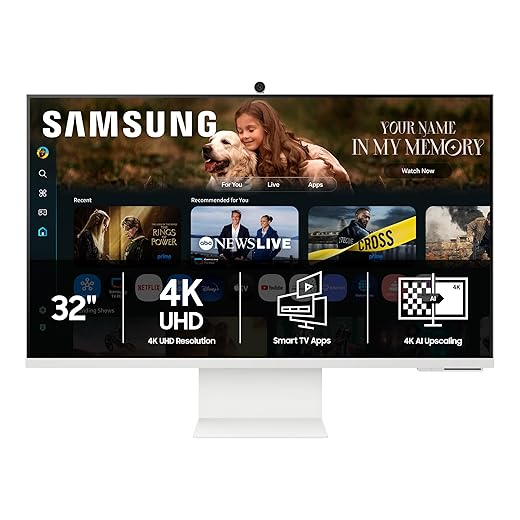
Bringing it together: pick for use, ecosystem, and enduring value
We prioritize devices that suit our use, match our contacts’ platforms, deliver reliable audio/video, and promise clear privacy plus timely updates—because long‑term usability beats hype, right?

Chris is the founder and lead editor of OptionCutter LLC, where he oversees in-depth buying guides, product reviews, and comparison content designed to help readers make informed purchasing decisions. His editorial approach centers on structured research, real-world use cases, performance benchmarks, and transparent evaluation criteria rather than surface-level summaries. Through OptionCutter’s blog content, he focuses on breaking down complex product categories into clear recommendations, practical advice, and decision frameworks that prioritize accuracy, usability, and long-term value for shoppers.










