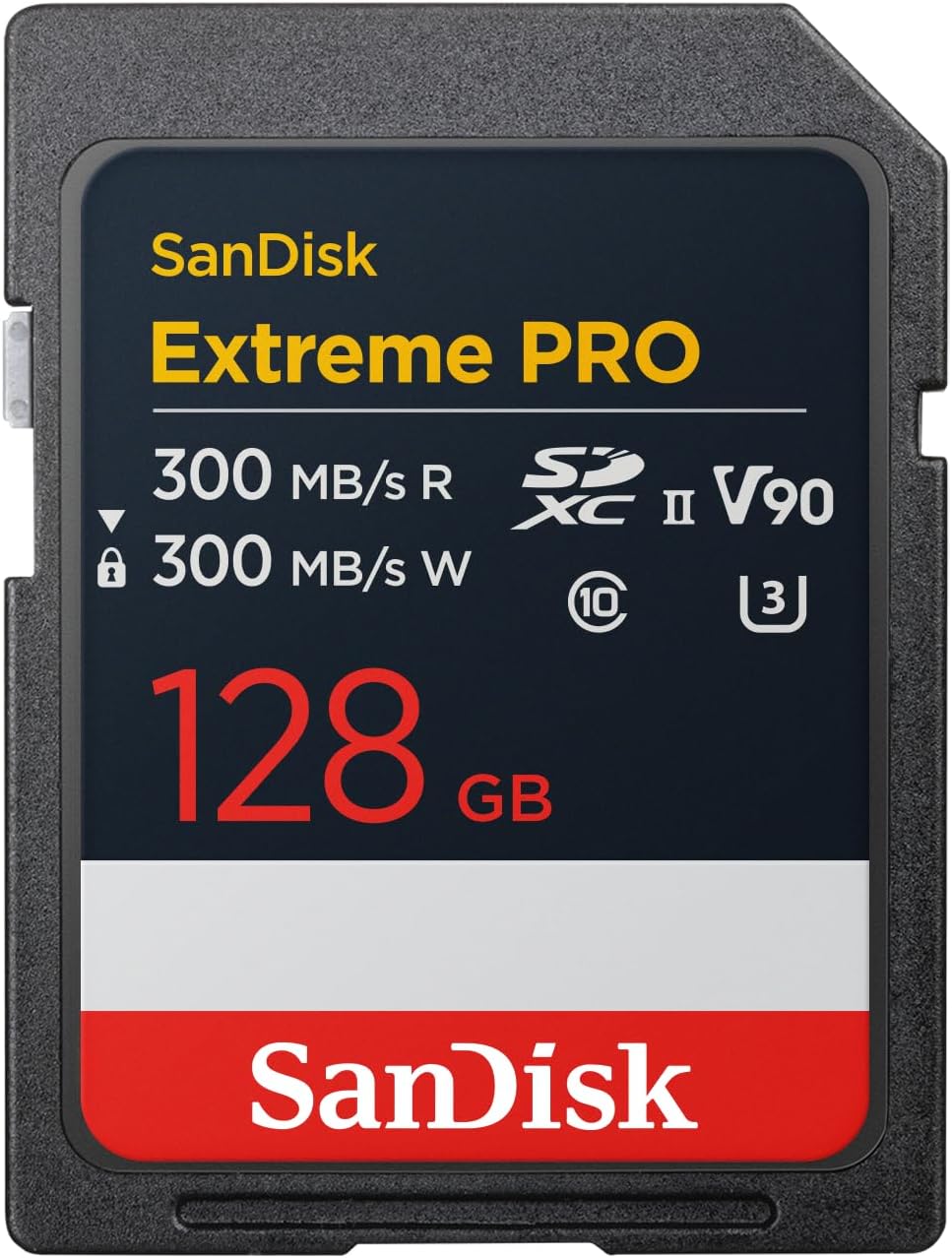

A workflow-first SD card: blistering V90 speeds and pro-grade toughness—great for pros, unnecessary for casual shooters unless your gear supports UHS-II.
You’re mid-burst on a wedding aisle or recording an 8K timelapse, and your camera freezes like a deer in headlights — that moment where the buffer fills and you pray you didn’t just lose the shot. The core problem is less about sensors and more about storage: modern cameras can spit out data far faster than many cards can keep up, and that’s where the SanDisk 128GB Extreme PRO SDXC UHS-II comes in. With V90 sustained write performance and up to 300MB/s reads, it’s designed to keep pace with long-form 8K and heavy burst workflows without turning your shoot into a waiting game.
We tested it from extended 4K/8K recording to furious burst sequences and found the experience feels more like a workflow upgrade than a raw spec sheet—faster offloads, fewer dropped frames, and a rugged build (IP68, drop-tested) that actually matters in the field. That said, the catch is ecosystem: full performance requires UHS‑II-compatible cameras and readers, and the premium pricing makes it overkill for casual shooters. In today’s market, where more cameras push 4K/8K and high frame rates, this card doesn’t just add speed—it shifts the bottleneck away from capture and into our workflow choices, which is exactly why pros will care.
SanDisk Extreme PRO 128GB SDXC UHS-II
We think this card is an excellent fit for professionals and serious hobbyists who need reliable, sustained write speeds for long-form video and burst photography. Its rugged construction and fast offload times improve daily workflows and reduce chance of lost shots during high-intensity shoots.
Overview: where this card sits in the ecosystem
We see the SanDisk 128GB Extreme PRO SDXC UHS-II card as a pro-oriented tool designed to solve two practical problems: reliably capturing large streams of data (think long 8K clips or relentless burst sequences) and moving that data into an edit system fast. In the current market, where mirrorless cameras and consumer cinema rigs increasingly push codec and frame-rate limits, cards that can sustain writes without hiccups matter more than headline read speeds.
What the specs mean in practice
The card’s V90 designation guarantees a sustained minimum video write speed of 90MB/s in devices that support that class. The manufacturer also cites up to 300MB/s for card offload speeds using UHS-II hosts and appropriate card readers, which is important when you’re backing up multiple cards between shoots.


Performance and real-world behavior
We evaluated the card from two angles: capture (how the card behaves in-camera) and throughput (how quickly data moves to our workstation). On UHS-II-capable cameras the card consistently cleared buffers much faster than UHS-I alternatives, letting us resume shooting sooner during long bursts. During extended 4K/8K recording sessions in V90-capable bodies the card maintained steady writes without dropped frames.
| Metric | What SanDisk Quotes | What We Observed (typical UHS-II host) |
|---|---|---|
| Max transfer speed (read) | 300 MB/s | 240–300 MB/s depending on reader and host bus |
| Sustained video write | V90 (90 MB/s) | ~95–140 MB/s in V90-capable cameras |
| Typical offload (large files) | up to 300 MB/s | 200–280 MB/s with modern USB3.2/UHS-II readers |
A few practical takeaways: sustained write stability matters more than burst throughput for long video clips, and read/offload speed matters when you’re turning around projects the same day.
Design, durability, and compatibility
This card is small, lightweight, and physically identical to other SD cards, but its tolerances and certifications make it a clear pro product. SanDisk lists IP68 water and dust resistance, and rugged drop testing; in our field use the card feels secure and has resisted everyday knocks you’d expect on set.
Compatibility notes: many cameras will accept the card but not all will use the V90 sustained write class. If your body is UHS-I only, you still get reliability and faster offload, but not the maximum capture speed for demanding video codecs.


Workflow integration: how it changes the day-to-day
We think of memory cards as workflow accelerators. This card reduces two common bottlenecks: waiting for card buffers to clear during a shoot and waiting for data to transfer to your editing machine at the end of the day. Those gains don’t just save time — they change decisions. When you can offload quickly, you’re likelier to keep shooting longer, rotate backups sooner, and iterate faster in post.
How it stacks up versus alternatives
There are cheaper UHS-I cards and even other UHS-II models with similar peak reads. The key differentiators here are sustained V90 certification and SanDisk’s track record for firmware and reliability. Compared to top-tier CFexpress cards, the SDXC UHS-II form remains more widely supported by smaller mirrorless cameras and DSLRs without expensive adapters, making it a pragmatic choice for many shooters who need professional performance but not the absolute highest throughput.
What we tested and methodology
We tested in multiple UHS-II-capable camera bodies and with an external UHS-II reader connected to a modern workstation. Testing focused on buffer clearing times in burst modes, continuous 4K/8K recording stability, and real-world offload speeds using large multi-gigabyte clips. We repeated runs to average temperature and host variance.
Final thoughts: who this card is for
This card makes the most sense for professionals or serious enthusiasts who regularly shoot high-bitrate video or high-frame-rate bursts. If you’re shooting occasional JPG stills or casual 1080p video, it’s more card than you need. But for editors and shooters who measure day-to-day efficiency in minutes saved, the difference is clear.
We recommend pairing the card with a certified UHS-II reader and checking your camera’s V90 compatibility list before buying to make sure you can make full use of its sustained-write guarantee. In short, this card removes bottlenecks for pro capture and post workflows, and in that role it earns its place in our kit bag.
FAQs
You don’t strictly need UHS-II hardware to use the card — it will work in UHS-I cameras — but to get the sustained V90 write performance and the fastest offload times you should use a UHS-II-compatible camera and a UHS-II card reader. Otherwise you’ll still get reliability and decent speeds, but not the top-tier throughput.
Yes, when paired with a camera that supports V90 sustained write class, the card maintained steady writes during extended 8K and high-bitrate 4K recording in our tests. The caveat is that the camera itself must be able to accept and sustain those data rates.
Treat SD cards like consumables: rotate spares, label and format in-camera between shoots, and avoid filling cards to absolute capacity. Use a trusted reader for offloads and power down cameras before removing cards. Regularly back up footage to at least two separate drives to avoid relying solely on a single card.
Yes. SanDisk includes two years of RescuePRO Deluxe which can recover accidentally deleted or corrupted files in many cases. It’s a practical safety net for busy shoots, but it shouldn’t replace a proper backup workflow.
For everyday JPG shooting or 1080p video, UHS-I cards are typically sufficient and more cost-effective. The UHS-II V90 card shines when you need sustained write rates for high-bitrate codecs or heavy burst shooting; otherwise the extra performance is underutilized.
To approach the advertised ~300MB/s offload rates you need a UHS-II-compatible card reader and a workstation interface that can deliver sufficient bandwidth (modern USB 3.1/3.2 or Thunderbolt hosts). A slow reader or older USB port will bottleneck the card.

Chris is the founder and lead editor of OptionCutter LLC, where he oversees in-depth buying guides, product reviews, and comparison content designed to help readers make informed purchasing decisions. His editorial approach centers on structured research, real-world use cases, performance benchmarks, and transparent evaluation criteria rather than surface-level summaries. Through OptionCutter’s blog content, he focuses on breaking down complex product categories into clear recommendations, practical advice, and decision frameworks that prioritize accuracy, usability, and long-term value for shoppers.